Vigtige sikkerhedsoplysninger
Please read this manual thoroughly before assembly and use. Retain this manual for future reference. Incorrect assembly or use may result in product damage or personal injury.
- Vægt kapacitet: Overskrid ikke den maksimale vægtkapacitet for 77 lbs (35 kg).
- Tv-størrelseskompatibilitet: This stand is designed for televisions between 21 og 60 tommer.
- VESA-kompatibilitet: Ensure your TV's VESA mounting pattern is between 100x100 mm og 400x400 mm.
- Stabil overflade: Placer altid TV-bordet på en flad, stabil og jævn overflade.
- Børn og kæledyr: Hold børn og kæledyr væk fra stativet under montering, og sørg for, at TV'et er sikkert monteret for at forhindre, at det vælter.
- Spænd alle fastgørelseselementer: Periodically check and retighten all screws and bolts to ensure stability.
Pakkens indhold
Kontroller, at alle komponenter er til stede og ubeskadigede, før monteringen påbegyndes. Hvis der mangler eller er beskadigede dele, skal du kontakte kundesupport.
- Main support pole
- X-shaped base with pre-installed casters
- Montering af TV-beslag
- All necessary hardware (screws, washers, spacers)
- Monteringsværktøj

Billede: Overview of the TV stand's dimensions, weight capacity, and VESA compatibility.
Samlingsvejledning (opsætning)
Følg disse trin omhyggeligt for korrekt montering. Det anbefales at få en anden person til at hjælpe med at montere fjernsynet.
- Udpak komponenter: Tag forsigtigt alle dele ud af emballagen, og læg dem på en blød, ren overflade for at forhindre ridser.
- Saml basen: The X-shaped base comes with casters pre-installed. Ensure all casters are securely attached.
- Attach the Main Support Pole: Secure the main support pole to the center of the X-shaped base using the provided fasteners. Ensure it is firmly tightened for stability.
- Klargøring af TV-monteringsbeslag: Attach the vertical mounting brackets to the back of your television. Select the appropriate screws, washers, and spacers from the hardware kit that fit your TV's VESA holes. Do not overtighten.
- Mount the TV to the Stand: With assistance, carefully lift the television and hook the brackets onto the main support pole's mounting plate. Ensure the TV is centered and level.
- Fastgør tv'et: Engage the safety locks on the TV mounting brackets to prevent accidental dislodgement.
- Kabelstyring: Utilize the integrated cable management features within the support pole to route and conceal TV cables for a tidy appearance and to prevent tripping hazards.
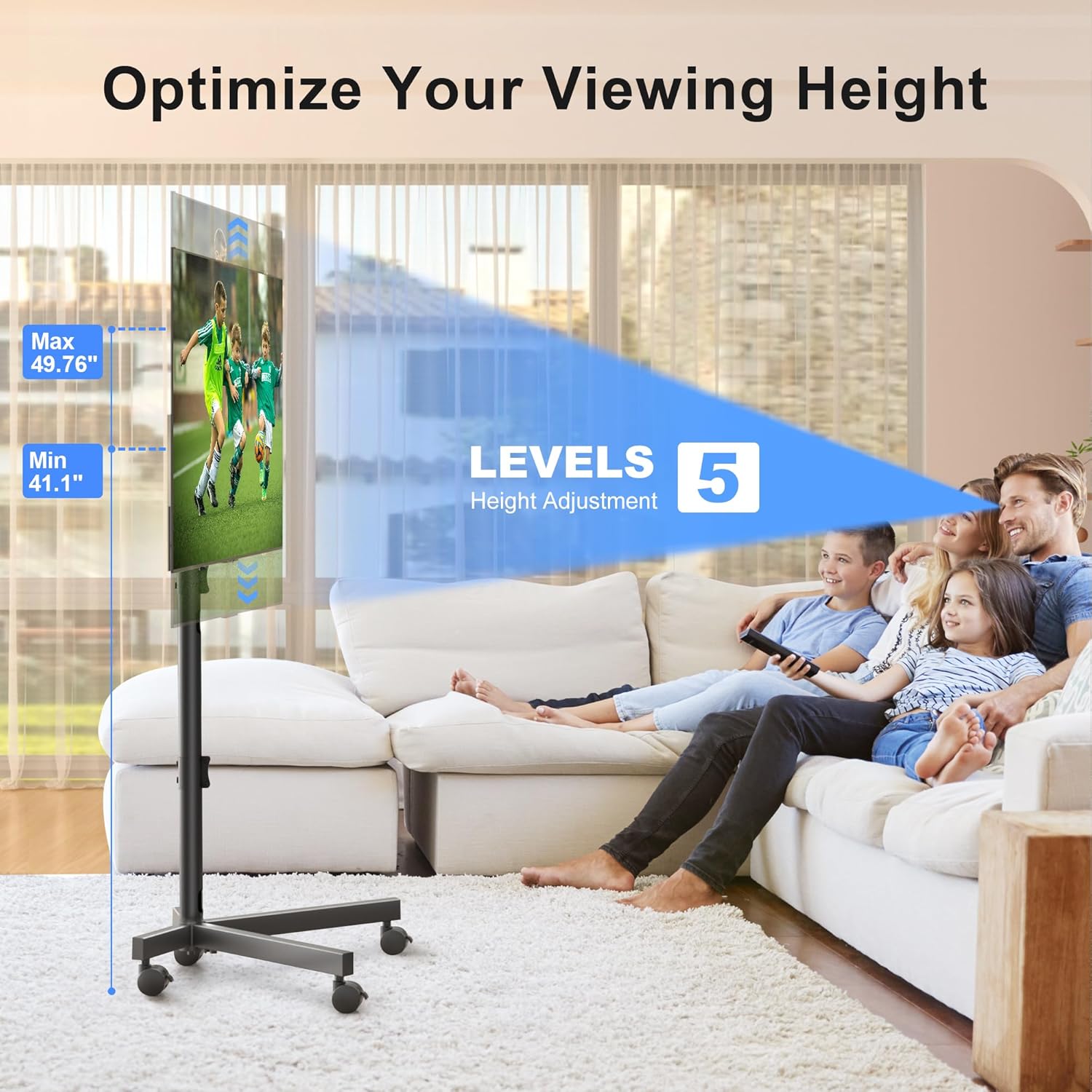
Image: The sturdy X-shaped base design, engineered to minimize tip-over risk.

Image: Key features including anti-drop design, safety lock, cable management, and lockable casters.
Betjeningsvejledning
The XINLEI Mobile TV Stand offers versatile adjustments for optimal viewing.
- Højdejustering: The TV stand features 5 levels of height adjustment, allowing you to position your TV screen between 41.1 tommer og 49.76 tommer from the floor. To adjust, loosen the securing bolts on the main support pole, raise or lower the TV to the desired height, and then firmly retighten the bolts.
- Justering af hældning: The TV mounting plate can be tilted +5° upwards to -10° downwards. This allows you to reduce glare and optimize your viewing angle. To adjust the tilt, loosen the tilt adjustment knobs on the side of the mounting plate, set the desired angle, and then firmly retighten the knobs.
- Mobilitet: The 360° lockable casters provide smooth movement across various floor types. To move the stand, unlock all casters. To secure the stand in place, press down on the locking mechanism on each caster until it clicks.
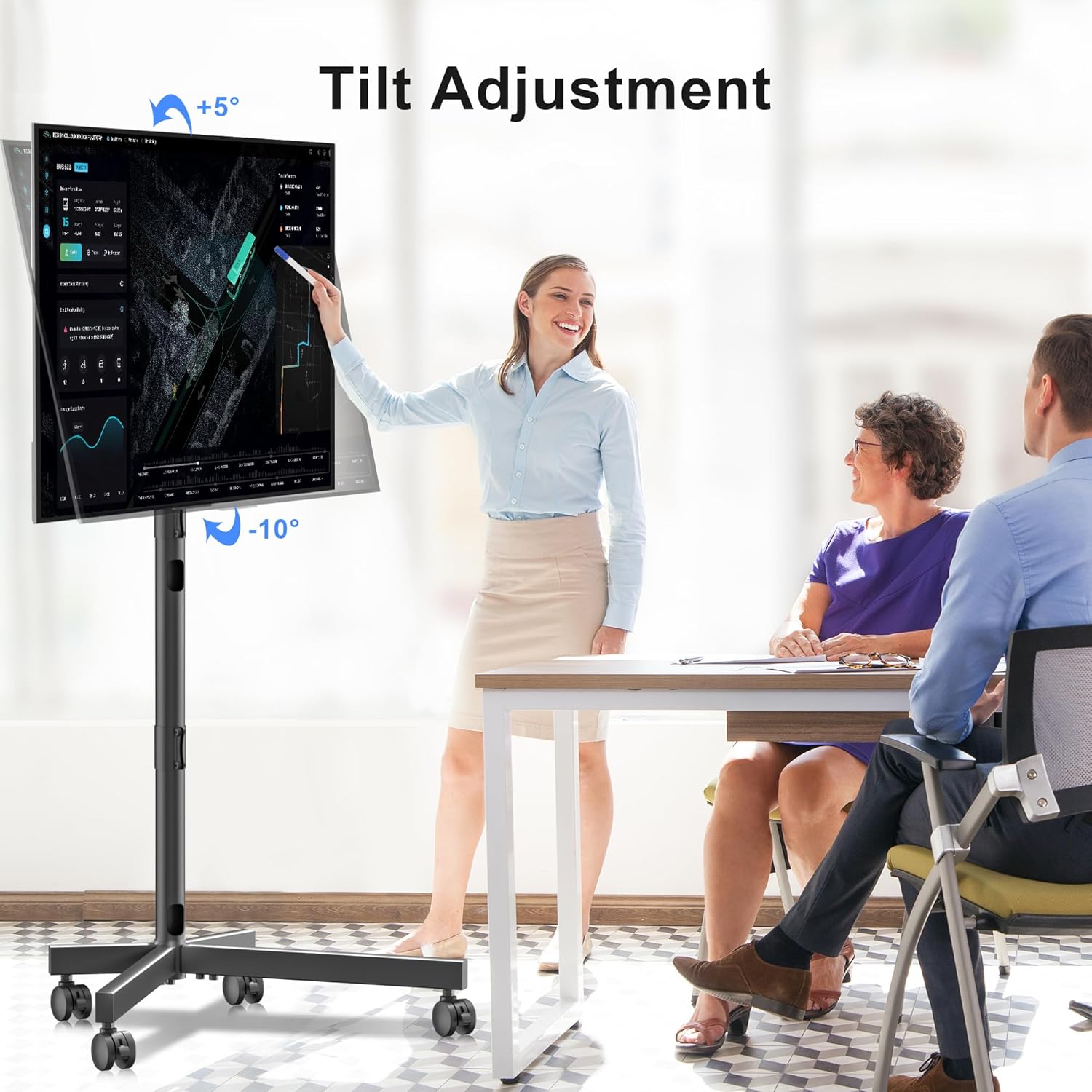
Image: Illustration of the TV stand's adjustable height feature.

Image: Demonstration of the TV stand's tilt adjustment capability.
Opretholdelse
Regelmæssig vedligeholdelse sikrer din TV-messes levetid og sikre drift.
- Rensning: Tør stativet af med en blød, tør klud. Ved genstridige mærker, tør letamp en klud kan bruges, efterfulgt af øjeblikkelig tørring. Undgå slibende rengøringsmidler eller opløsningsmidler.
- Fastgørelseskontrol: Periodically (e.g., every 3-6 months) inspect all bolts and screws to ensure they are tight. Retighten as necessary.
- Hjulinspektion: Check casters for any debris or hair that might impede smooth movement. Clean as needed.
Fejlfinding
If you encounter issues with your XINLEI Mobile TV Stand, refer to the following common solutions.
- Stativet er ustabilt:
- Sørg for, at alle monteringsbolte er forsvarligt spændt.
- Kontroller, at stativet står på en flad, jævn overflade.
- Confirm the TV weight does not exceed 77 lbs (35 kg).
- Vanskeligheder med at justere højde/hældning:
- Loosen the adjustment knobs/bolts sufficiently before attempting to move the TV.
- Sørg for, at ingen kabler sidder fast eller blokerer bevægelsen.
- Hjul ruller ikke jævnt:
- Check if casters are locked. Unlock them for movement.
- Remove any debris (e.g., hair, lint) from the caster wheels.
For further assistance, please contact XINLEI customer support. We provide reliable after-sale service and professional technical support.
Specifikationer
| Modelnummer | ML55SE |
| Mærke | XINLEI |
| Kompatible tv-størrelser | 21-60 tommer |
| Maksimal vægtkapacitet | 77 lbs (35 kg) |
| VESA-kompatibilitet | Min 100x100mm, Max 400x400mm |
| Højdejusteringsområde | 41.1 inches - 49.76 inches (5 levels) |
| Tilt justering | +5° / -10° |
| Materiale | Metal |
| Farve | Sort |
| Varens vægt | 10.89 pund |
| Pakkedimensioner | 17.44 x 11.02 x 4.96 tommer |
Garanti og support
XINLEI stands behind the quality of its products. For specific warranty details, please refer to the warranty card included with your purchase or visit the official XINLEI website. If you require technical support, have questions about assembly, or need replacement parts, please contact our customer service team. Contact information can typically be found on our webwebstedet eller på produktemballagen.


