Indledning
This manual provides detailed instructions for the safe and efficient operation of your Kuephom PM24 Portable CD Player with Speakers. Please read this manual thoroughly before using the device and retain it for future reference.
The Kuephom PM24 is a versatile audio device offering multiple playback options including CD, Bluetooth, FM Radio, USB, and TF card. It features built-in stereo speakers, a rechargeable battery for portability, and a remote control for convenient operation.

Image: The Kuephom PM24 Portable CD Player, showcasing its design with an open CD lid, remote control, and an indicator for its rechargeable battery.
Pakkens indhold
Bekræft at alle varer er til stede i pakken:
- Kuephom PM24 Portable CD Player with Speakers x 1
- Ladekabel x 1
- Fjernbetjening x 1
- Brugervejledning x 1
Produkt overview
The PM24 offers a range of features for diverse audio playback. Familiarize yourself with the device's components and capabilities.

Image: A visual representation of the PM24's key features, including CD/MP3 playback, Bluetooth connectivity, USB and TF card support, FM radio, audio input, headphone jack, remote control, rechargeable battery, and sleep timer.
Nøglefunktioner:
- CD/MP3 Playback: Supports standard audio CDs and MP3 files from CD-R/RW discs.
- Bluetooth-forbindelse: Trådløs lydstreaming fra kompatible enheder.
- USB & TF Card Support: Play MP3/WMA audio files directly from USB flash drives or TF cards (up to 32GB).
- FM-radio: Built-in FM tuner with retractable antenna and programmable presets.
- Hjælpeindgang: Tilslut eksterne lydkilder via et 3.5 mm lydkabel.
- Hovedtelefonstik: Til privat lytning.
- Fjernbetjening: Full function remote for convenient operation.
- Genopladeligt batteri: Giver bærbar strøm til længerevarende brug.
- Sleep timer: Automatically turns off the device after a set period.
- Stereo højtalere: Integrerede højttalere for klar lydgengivelse.
Opsætning
1. Opladning af enheden
Before first use, fully charge the PM24. Connect the provided charging cable to the DC 5V input port on the device and the other end to a standard USB power adapter (not included) or a computer USB port.
- Opladningsindikatorlampen lyser under opladning.
- En fuld opladning tager typisk cirka 4 timer.
- The device provides approximately 5-8 hours of playback on a full charge, depending on volume and mode.

Image: Visual representation of the PM24's rechargeable nature, highlighting its play time and charge time.
2. Tænd/sluk
Tryk og hold på MAGT button on the device or remote control to turn the unit on or off.
3. Installation af fjernbetjeningsbatteri
The remote control requires 2 AAA batteries (not included). Open the battery compartment on the back of the remote and insert the batteries, observing the correct polarity (+/-).
Betjeningsvejledning
1. Brug af fjernbetjeningen
The remote control allows for convenient operation of all functions from a distance.

Image: A user interacting with the PM24 using the remote control, illustrating various functions accessible from the remote.
- Power knap: Tænder eller slukker for enheden.
- Mode knap: Switches between CD, Bluetooth, FM, USB, TF, and AUX modes.
- Afspil/pause knap: Starter eller sætter afspilning på pause.
- Knapper til forrige/næste spor: Springer til forrige eller næste spor/station.
- Lydstyrke +/- knapper: Justerer lydstyrken.
- Repeat/Shuffle Button: Changes playback repeat modes (e.g., repeat one, repeat all, shuffle).
- Sleep knap: Activates and sets the sleep timer.
2. CD-afspilning
- Åbn låget til cd-rummet.
- Carefully place a CD (audio CD or MP3 CD) onto the spindle with the label side facing up.
- Luk låget til cd-rummet.
- Tryk på MODE button until "CD" mode is selected.
- CD'en begynder at afspille automatisk. Hvis ikke, tryk på AFSPIL/PAUSE knap.

Image: Icons illustrating various CD playback options such as sequential play, random play, repeating a single track, repeating all tracks, and the play memory function.
3. Bluetooth-tilstand
- Tryk på MODE button until "BT" (Bluetooth) mode is selected. The display will show "bt" and flash, indicating it's in pairing mode.
- Aktiver Bluetooth på din Bluetooth-aktiverede enhed (smartphone, tablet osv.) og søg efter tilgængelige enheder.
- Select "PM24" from the list of devices.
- Once paired, the "bt" indicator will stop flashing, and you can stream audio wirelessly to the PM24.

Image: A smartphone screen showing a successful Bluetooth connection to the PM24, with the player's display confirming 'bt' mode.
4. FM-radiotilstand
- Extend the telescopic antenna on the back of the unit for optimal reception.
- Tryk på MODE knappen, indtil "FM"-tilstand er valgt.
- Tryk og hold på AFSPIL/PAUSE button to initiate an automatic station scan. The radio will scan and save available stations.
- Brug FORRIGE/NÆSTE SPOR knapper til at navigere gennem gemte stationer.

Image: A user enjoying FM radio on the PM24, with visual cues indicating different radio frequencies.
5. USB/TF-kortafspilning
- Insert a USB flash drive into the USB port or a TF card into the TF card slot. Ensure the card is inserted correctly.
- Tryk på MODE button until "USB" or "TF" mode is selected.
- The device will automatically detect and begin playing MP3/WMA audio files from the inserted storage.
- Brug FORRIGE/NÆSTE SPOR knapper til at navigere mellem files.

Billede: Nærbillede view of the USB and TF card slots on the PM24, indicating their function for playing media from external storage.
6. Aux-indgang (AUX)
- Connect one end of a 3.5mm audio cable (not included) to the AUX IN port on the PM24.
- Connect the other end to the headphone jack or audio output of an external audio device (e.g., smartphone, MP3 player).
- Tryk på MODE button until "AUX" mode is selected.
- Control playback and volume from your external audio device.
7. Sleep Timer-funktion
The sleep timer allows the device to automatically turn off after a set period.
- While the device is playing, press the SOVE knappen på fjernbetjeningen.
- Tryk gentagne gange på SOVE button to cycle through available timer settings (e.g., 10, 20, 30, 60, 90 minutes).
- The selected time will be displayed. The device will automatically power off once the timer expires.

Image: A visual demonstration of the sleep timer function, showing the PM24 on a nightstand while a person sleeps.
8. Brug af hovedtelefoner
For private listening, connect 3.5mm headphones (not included) to the ØRTELEFONJACK on the device. The built-in speakers will automatically mute when headphones are connected.
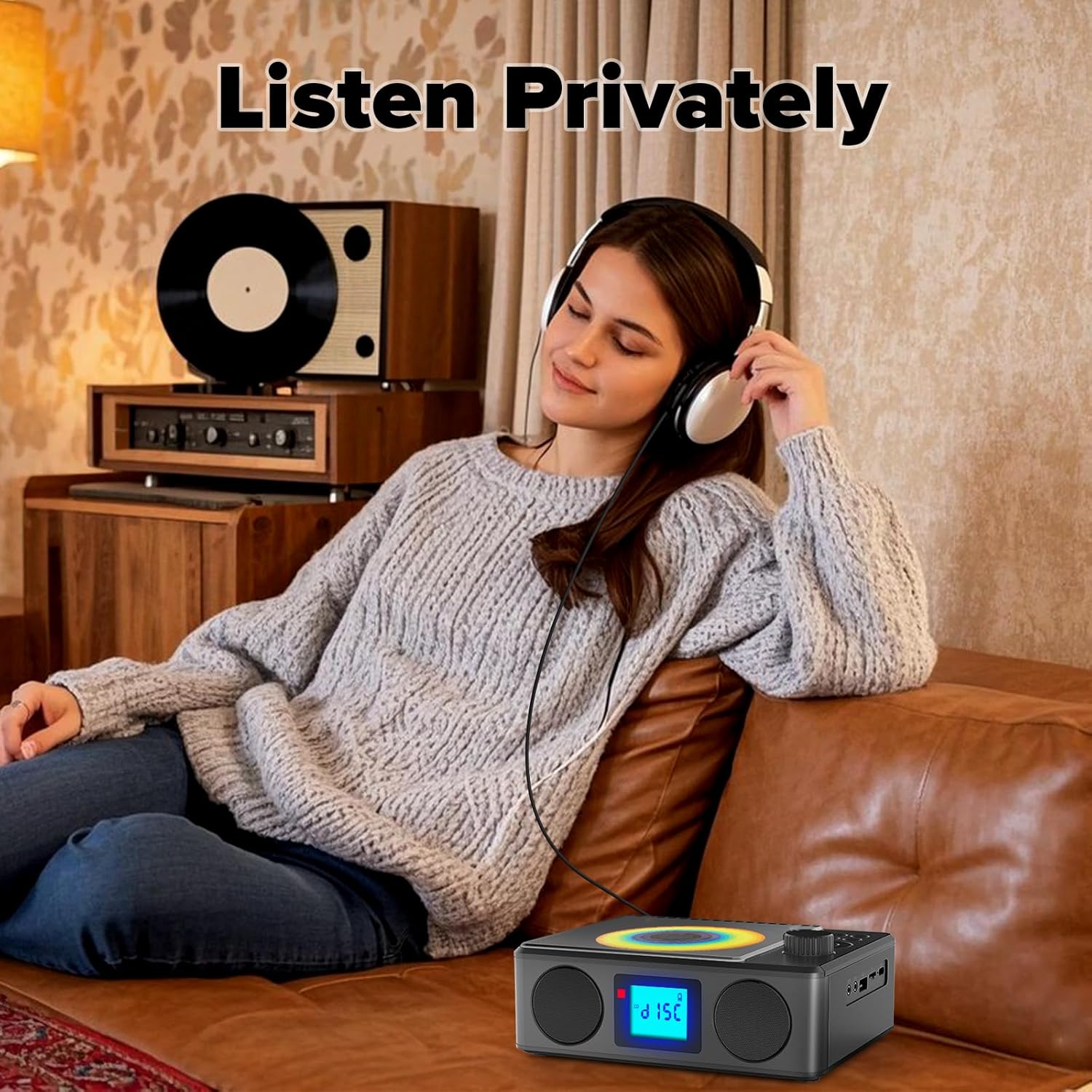
Image: A user enjoying private audio through headphones connected to the PM24.
Opretholdelse
- Rensning: Brug en blød, tør klud til at rengøre enhedens yderside. Brug ikke slibende rengøringsmidler eller opløsningsmidler.
- CD-pleje: Hold cd'er i kanterne. Rengør snavsede cd'er med en blød, fnugfri klud, og tør af fra midten og udad.
- Opbevaring: Når enheden ikke er i brug i længere perioder, skal den opbevares køligt og tørt, væk fra direkte sollys og ekstreme temperaturer.
- Batteri: For at forlænge batteriets levetid bør du undgå at aflade batteriet helt ofte. Oplad enheden regelmæssigt, selvom den ikke er i brug.
Fejlfinding
| Problem | Mulig årsag | Løsning |
|---|---|---|
| Enheden tænder ikke. | Batteriet er afladet. | Connect the charging cable and allow the device to charge. |
| Ingen lyd fra højttalere. | Lydstyrken er for lav eller slået fra. Hovedtelefoner er tilsluttet. | Skru op for lydstyrken. Frakobl hovedtelefonerne. |
| CD skips or does not play. | CD'en er snavset, ridset eller isat forkert. | Clean the CD. Ensure it is placed correctly. Try another CD. |
| Bluetooth-parring mislykkes. | Device is too far, not in pairing mode, or already paired. | Ensure PM24 is in BT mode and flashing. Move devices closer. Disconnect from other devices. |
| Dårlig FM-radiomodtagelse. | Antennen er ikke strakt ud, eller signalet er dårligt i området. | Fully extend the telescopic antenna. Reposition the device for better signal. |
| Fjernbetjening virker ikke. | Batteries are depleted or inserted incorrectly. Obstruction between remote and device. | Replace batteries, check polarity. Remove obstructions. Ensure remote is pointed at the device. |
Specifikationer
- Model: PM24
- Mærke: Kuephom
- Produktdimensioner: 7.5 x 6.3 x 2.5 tommer (19.05 x 16.00 x 6.35 cm)
- Varens vægt: 1.96 pund (0.89 kg)
- Forbindelse teknologi: Auxiliary, Bluetooth, USB
- Farve: Sort
- Højttalertype: Stereoanlæg
- Batterier: 1 ikke-standard batteri (inkluderet)
- Spilletid: 5-8 timer (ca.)
- Opladningstid: 4 timer (ca.)
Garanti og support
Kuephom products are designed for reliability and performance. For warranty information or technical support, please refer to the contact details provided on the product packaging or visit the official Kuephom webwebsted.
Gem venligst dit købsbevis for garantikrav.


