1. Produktet er slutview
The EUQQ Wireless Earbuds (Model YYK-Q10) are designed to provide a high-quality audio experience with advanced features such as Active Noise Cancellation (ANC), Environmental Noise Cancellation (ENC), and Transparency Mode. These earbuds utilize Bluetooth 5.4 technology for stable connectivity and offer an ergonomic design for comfort and IPX7 waterproofing for durability.

Image: EUQQ Wireless Earbuds (Model YYK-Q10) in their charging case, displaying battery levels on an LED screen.
2. Pakkens indhold
- EUQQ Wireless Earbuds (L/R)
- Opladningsetui
- USB-C ladekabel
- S/M/L Ear Tips (Medium pre-installed)
- Brugermanual
3. Opsætning og første brug
3.1 Opladning af øretelefoner og etuiet
- Place the earbuds into the charging case. Ensure they are correctly seated, and the charging indicators illuminate.
- Connect the USB-C charging cable to the charging port on the case and the other end to a USB power adapter (not included).
- The LED display on the charging case will show the battery level. A full charge for the earbuds takes approximately 1 hour. The case provides up to 36 hours of total playtime.

Image: The charging case with an LED display indicating battery levels and the total playtime capacity.
3.2 Parring med en enhed
- Åbn opladningsetuiet. Ørepropperne går automatisk i parringstilstand.
- Aktiver Bluetooth på din enhed (smartphone, tablet, computer).
- Søg efter available Bluetooth devices and select "YYK-Q10" from the list.
- Once connected, the earbuds will automatically pair with your device for future use after the initial pairing.

Image: A smartphone screen displaying Bluetooth settings, with "YYK-Q10" listed as an available device for connection, alongside the earbuds in their charging case.
3.3 Valg af ørepropper
For optimal sound quality and comfort, choose the ear tips that best fit your ears. The package includes S, M, and L sizes. Experiment to find the most secure and comfortable fit.

Image: A woman wearing the earbuds, illustrating their ergonomic design and highlighting features like 3.8g weight per earbud and IPX7 waterproof rating.
4. Betjening af øretelefonerne
4.1 Tryk på kontrolelementer
Ørepropperne har berøringsfølsomme kontroller til forskellige funktioner:
- Afspil/pause: Tryk to gange på begge øretelefoner.
- Næste nummer: Tryk og hold den højre øretelefon nede i 2 sekunder.
- Forrige nummer: Tryk og hold venstre øretelefon nede i 2 sekunder.
- Besvar/afslut opkald: Tryk to gange på begge øretelefoner.
- Afvis opkald: Tryk på en af øretelefonerne, og hold den nede i 2 sekunder.
- Aktiver stemmeassistent: Tryk tre gange på begge øretelefoner.
- Lydstyrke op: Enkelt tryk på den højre øreprop.
- Skrue ned for lyden: Single tap on the left earbud.
4.2 Støjkontroltilstande
The earbuds offer three noise control modes: Active Noise Cancellation (ANC), Normal Mode, and Transparency Mode.
- Aktiv støjreduktion (ANC): Reducerer ekstern støj for en fordybende lytteoplevelse.
- Normal tilstand: Standard audio playback without active noise control.
- Gennemsigtighedstilstand: Tillader omgivende lyde at passere igennem, hvilket gør dig opmærksom på dine omgivelser.
To switch between modes, long press the touch button on either earbud.
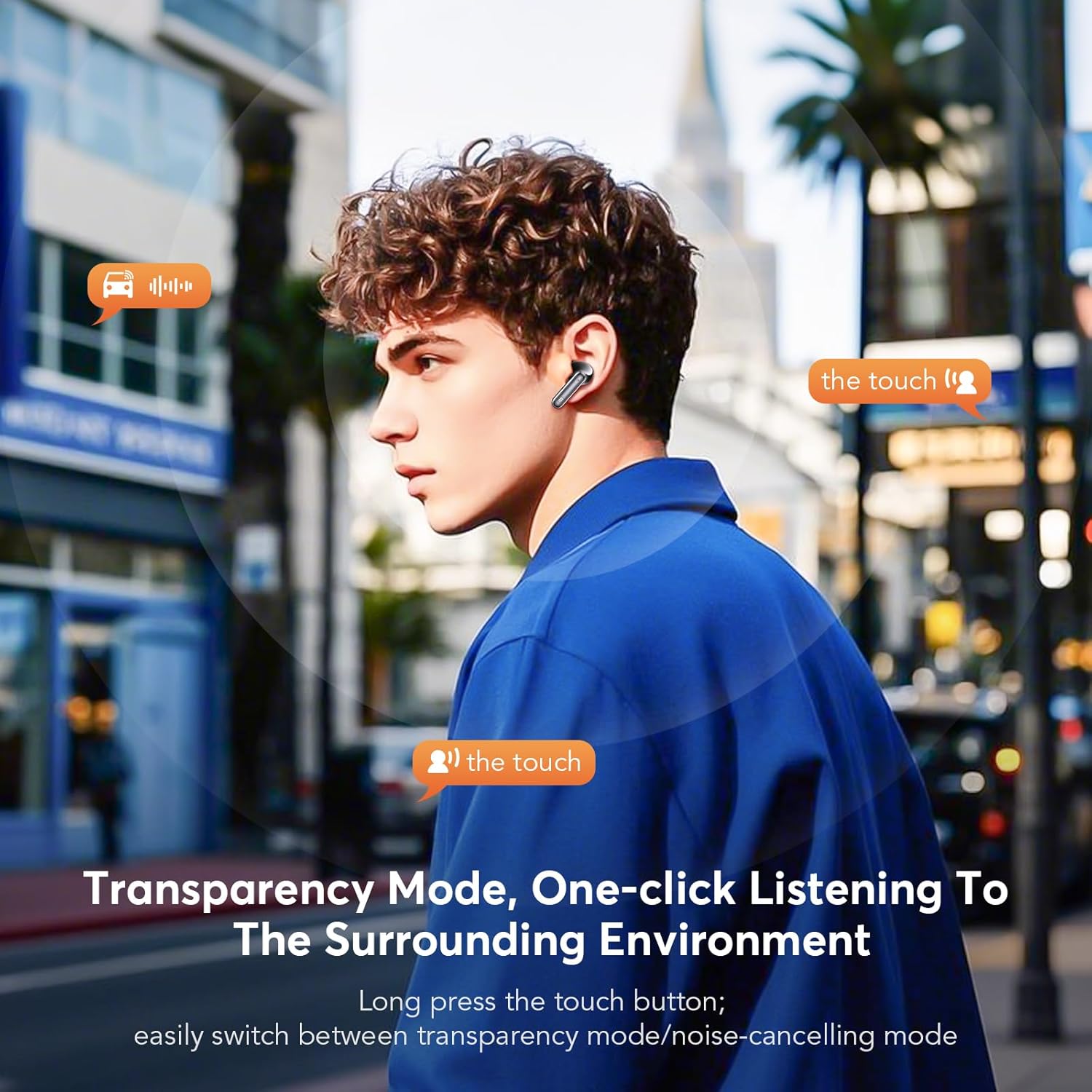
Image: A man demonstrating the touch control for activating Transparency Mode, allowing him to hear his surroundings while wearing the earbuds.

Image: An illustration showing the effectiveness of ANC+ENC noise cancellation, depicting how external noise is reduced and offering options for Noise Reduction, Normal, and Transparency modes.
4.3 Foretage opkald
The earbuds feature CVC 8.0 Environmental Noise Cancellation and multiple microphones for clear call quality, even in noisy environments.
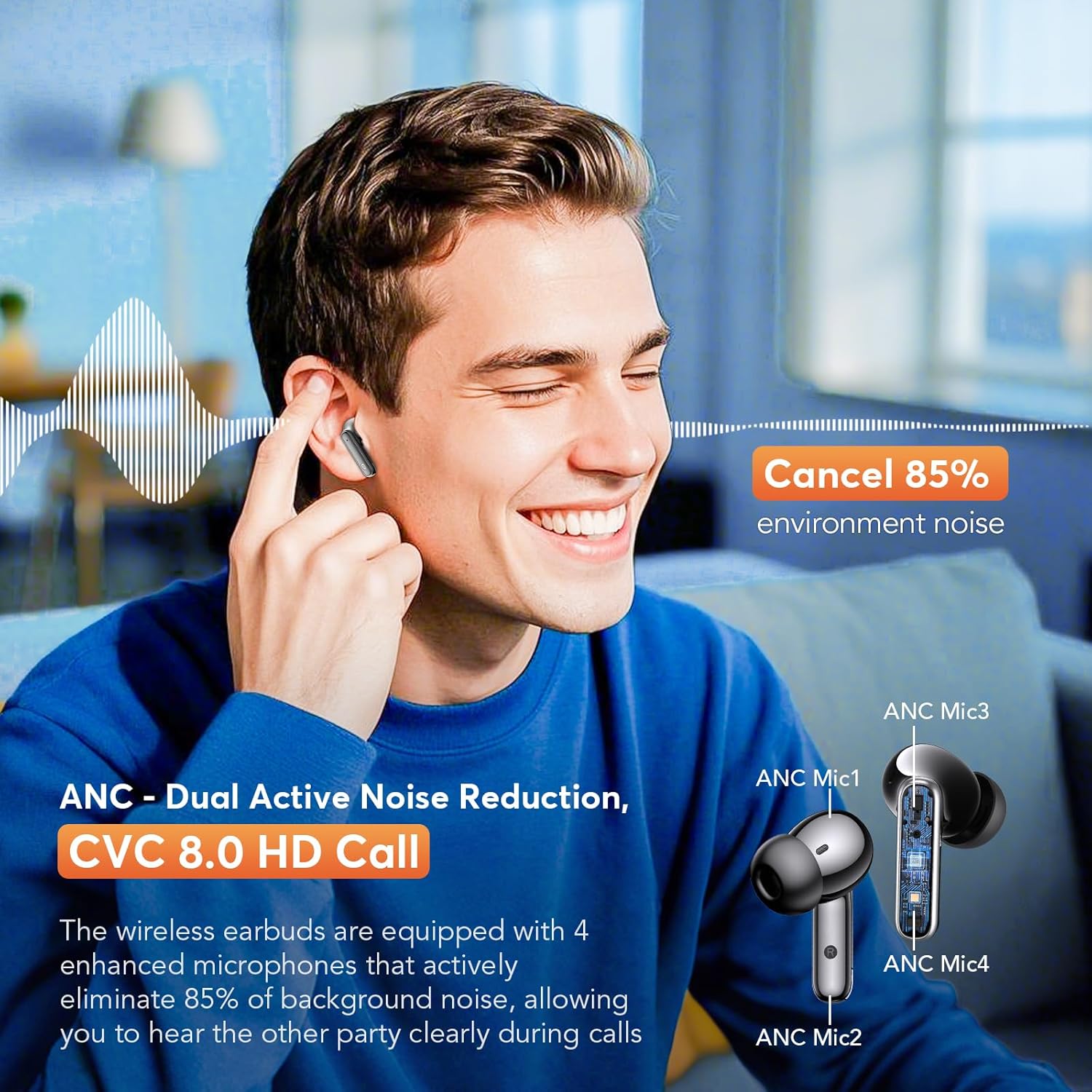
Image: A man smiling while using the earbuds for a call, with an inset diagram highlighting the placement of ANC microphones (ANC Mic1, ANC Mic2, ANC Mic3, ANC Mic4) for dual active noise reduction and CVC 8.0 HD call quality.
5. Vedligeholdelse
5.1 Rengøring
Rengør dine ørepropper og opladningsetui regelmæssigt for at sikre optimal ydeevne og hygiejne.
- Brug en blød, tør og fnugfri klud til at tørre ørepropperne og opladningsetuiet af.
- Fjern forsigtigt ørevoks eller snavs fra ørepropperne og højttalernettet med en lille, blød børste eller vatpind.
- Brug ikke slibende materialer, alkohol eller kemiske rengøringsmidler.
5.2 Vandtæthed
The earbuds are rated IPX7 waterproof, meaning they can withstand immersion in water up to 1 meter for 30 minutes. This makes them suitable for workouts and rainy conditions. However, the charging case is not waterproof. Ensure earbuds are dry before placing them back into the charging case.
6. Fejlfinding
- Ørepropper parrer ikke: Ensure both earbuds are charged and out of the case. Turn off and on your device's Bluetooth. If issues persist, try resetting the earbuds (refer to manufacturer's webwebsted for specifikke nulstillingsinstruktioner).
- Ingen lyd fra den ene øreprop: Place both earbuds back into the charging case, close the lid, then open it again. Check if both earbuds are connected to your device.
- Dårlig lydkvalitet: Ensure ear tips provide a good seal. Clean any debris from the speaker mesh. Check your device's audio settings.
- Opladningsproblemer: Ensure the charging cable is securely connected to both the case and the power source. Check if the charging port is clean.
7. Specifikationer
- Model: YYK-Q10
- Bluetooth version: 5.4
- Bluetooth Range: Op til 15 meter (49 fod)
- Støjkontrol: Dual Active Noise Cancellation (ANC), Environmental Noise Cancellation (ENC), Transparency Mode
- Driver størrelse: 13.0 mm dynamiske drivere
- Call Technology: CVC 8.0 HD Call
- Spilletid for øretelefoner: 6-7 timer (enkelt opladning)
- Total Playtime (with case): Op til 36 timer
- Opladningstid for øretelefoner: Cirka 1 time
- Vandtæt vurdering: IPX7 (kun øretelefoner)
- Øretelefonens vægt: 3.8g (single earbud)
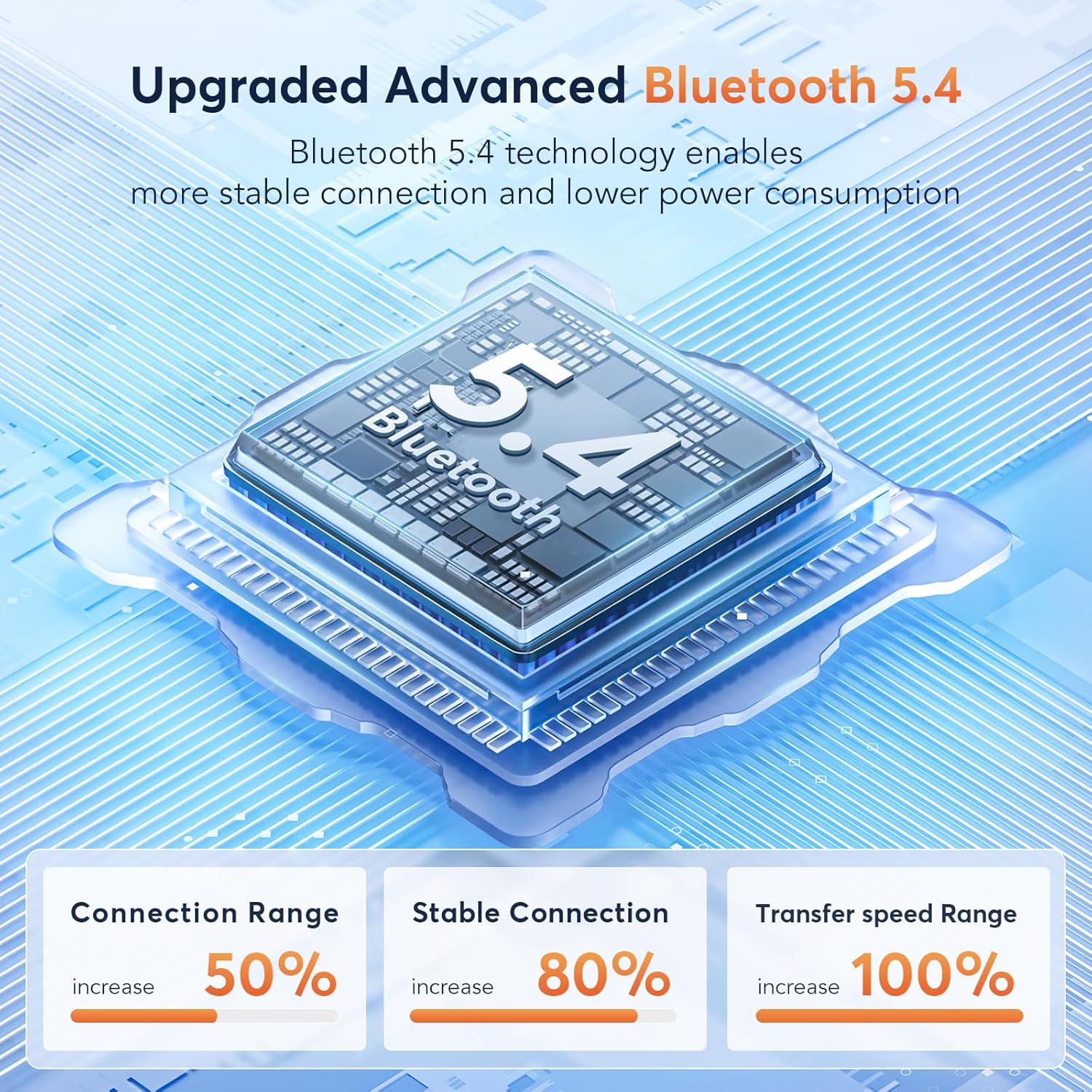
Image: A diagram illustrating the advanced Bluetooth 5.4 technology, highlighting increased connection range, stable connection, and transfer speed range improvements.
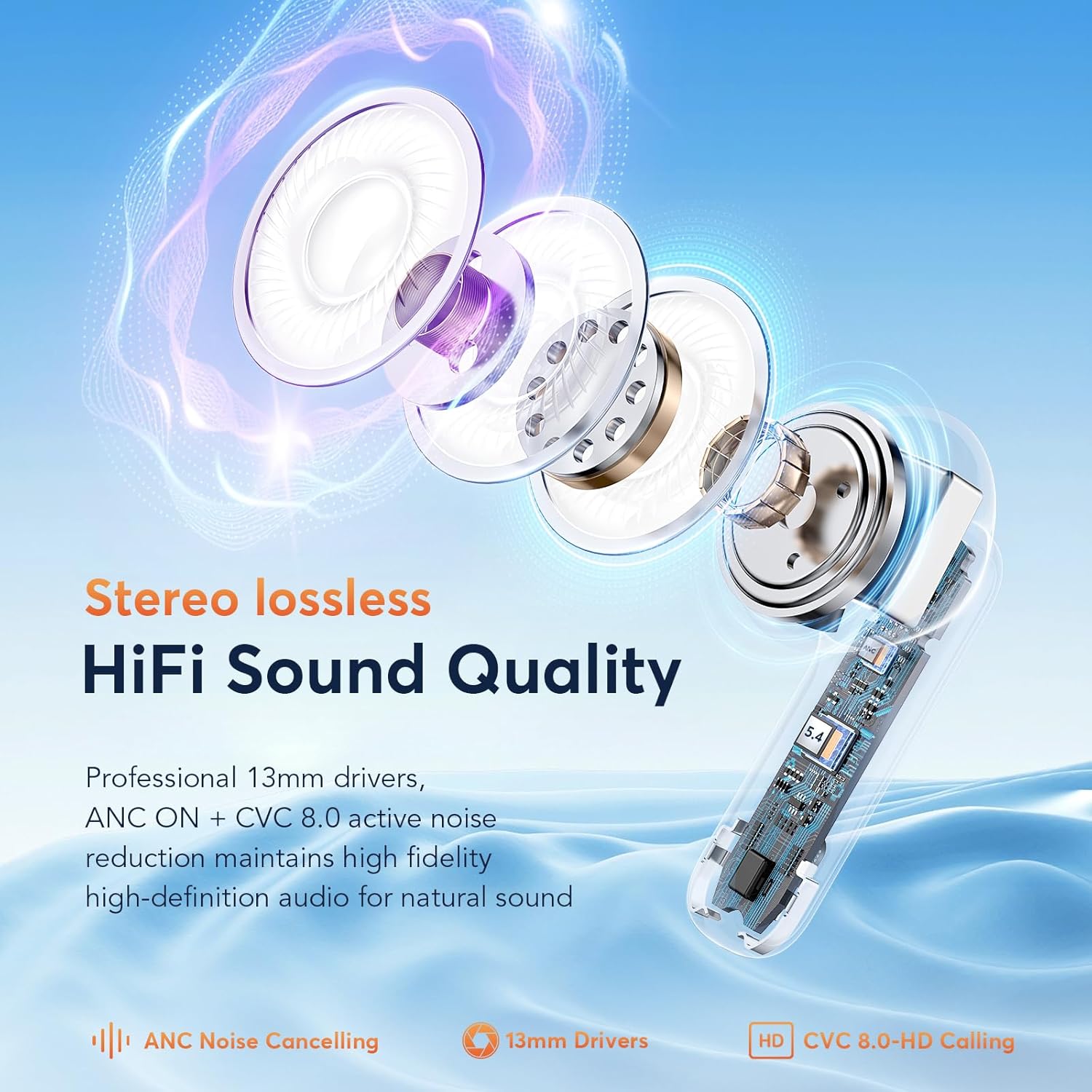
Billede: En eksploderet view of an earbud, showcasing its internal components including the 13mm drivers, ANC, and CVC 8.0 technology for HiFi sound quality.
8. Garanti og support
For warranty information and customer support, please refer to the documentation included with your purchase or visit the official EUQQ webwebsted. Gem din købsbevis til garantikrav.


