1. Introduktion
Thank you for choosing the Dekala Sunrise Alarm Clock with Wireless Charger, Model SRWW. This device combines a natural wake-up light, a soothing sound machine, and a convenient wireless charging station into one compact unit. This manual provides essential information for setting up, operating, and maintaining your new alarm clock. Please read it thoroughly before use and retain it for future reference.
2. Produktet er slutview
The Dekala SRWW is designed to enhance your daily routine with its multi-functional capabilities. Key features include a gradual sunrise simulation, a white noise sound machine with 15 soothing sounds, 11 ambient light modes with 20 brightness levels, dual alarms with snooze, and a 3-in-1 wireless charging station for compatible smartphones, Apple Watches, and AirPods.
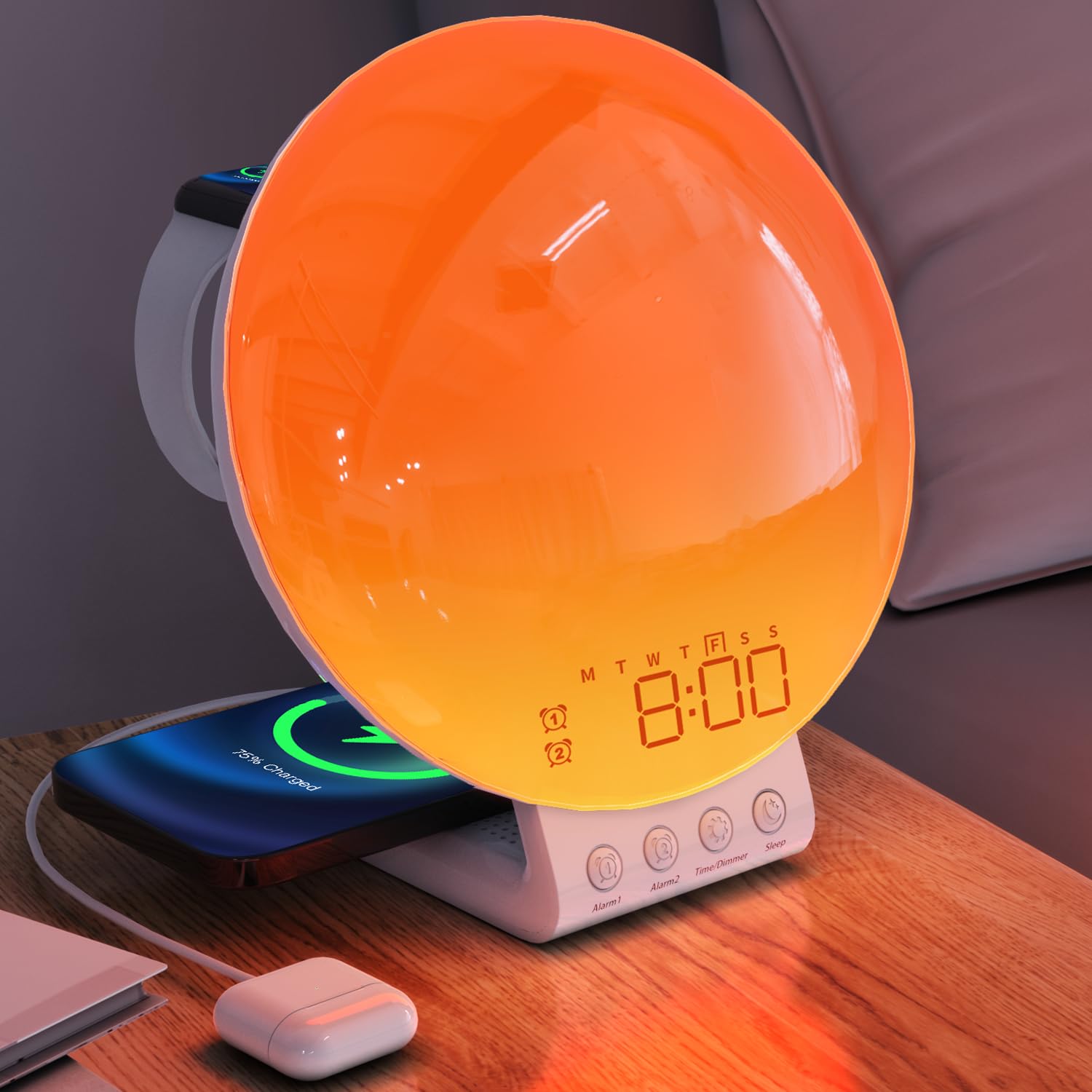
The Dekala Sunrise Alarm Clock, Model SRWW, featuring a large circular light panel, digital time display, and integrated wireless charging pads for a smartphone and smartwatch. Control buttons are located at the base.
3. Pakkens indhold
- Dekala Sunrise Alarm Clock (Model SRWW)
- Strømadapter
- Brugermanual
4. Opsætning
4.1 Strømtilslutning
- Connect the provided power adapter to the DC input port on the back of the alarm clock.
- Plug the power adapter into a standard wall outlet. The display will illuminate.
4.2 Installation af backupbatteri
The device includes a CR2032 battery for time and alarm settings backup during power outages. This battery is typically pre-installed.
- Find batterirummet på undersiden af enheden.
- If necessary, open the compartment and insert one CR2032 battery, ensuring correct polarity (+/-).
- Luk batterirummet forsvarligt.
4.3 Initial Setup and Time Synchronization
For comprehensive control and advanced settings, download the official Dekala application from your device's app store. Follow the in-app instructions for initial setup and synchronization of time, date, and other personalized features.
5. Betjeningsvejledning
5.1 Indstilling af klokkeslæt og dato
The time and date are primarily set and synchronized via the Dekala mobile application. Refer to the app for detailed instructions on adjusting these settings.
5.2 Alarmindstillinger
The device supports dual alarms, allowing for separate wake-up times, for example, for weekdays and weekends.
- Indstilling af alarmer: Use the Dekala application to set Alarm 1 and Alarm 2. You can customize wake-up times, light intensity, and alarm sounds (including sunrise simulation and natural sounds).
- Aktivering/deaktivering: Alarms can be toggled on or off through the application or dedicated buttons on the device (refer to button labels for specific functions).
- Snooze-funktion: When an alarm sounds, tap the snooze button (typically labeled 'Snooze' or a prominent button on the device) to pause the alarm for 9 minutes. This can be repeated up to 5 times.
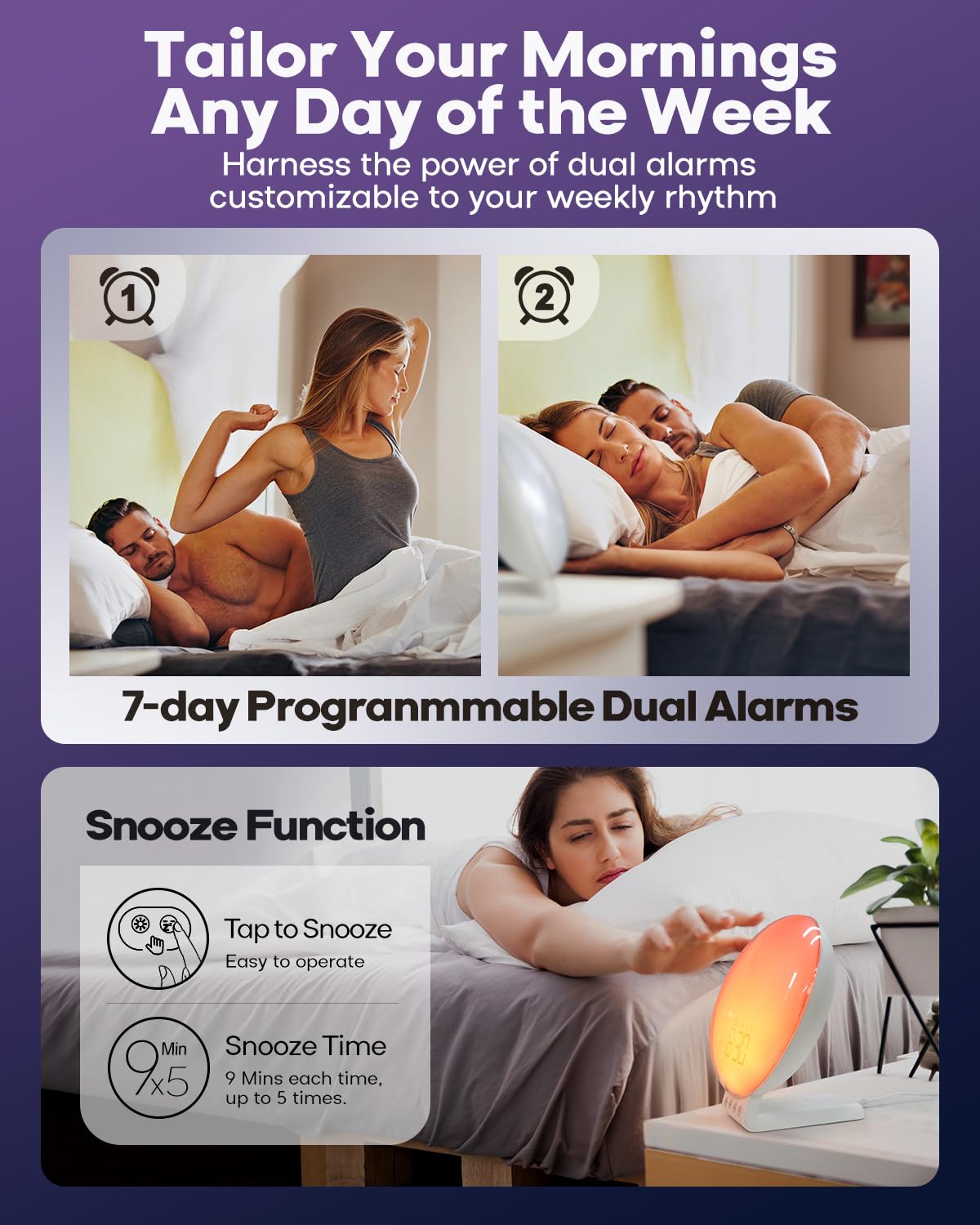
This image illustrates the dual alarm functionality and the snooze feature. The clock supports two independent alarms, and a snooze option provides additional rest time.
5.3 Solopgangssimulering
The sunrise simulation feature gradually brightens the light before your set alarm time, mimicking a natural sunrise to gently wake you.
- Aktivering: Enable sunrise simulation through the Dekala application when setting an alarm.
- Varighed: Customize the duration of the light increase (e.g., 0 to 120 minutes) via the app.
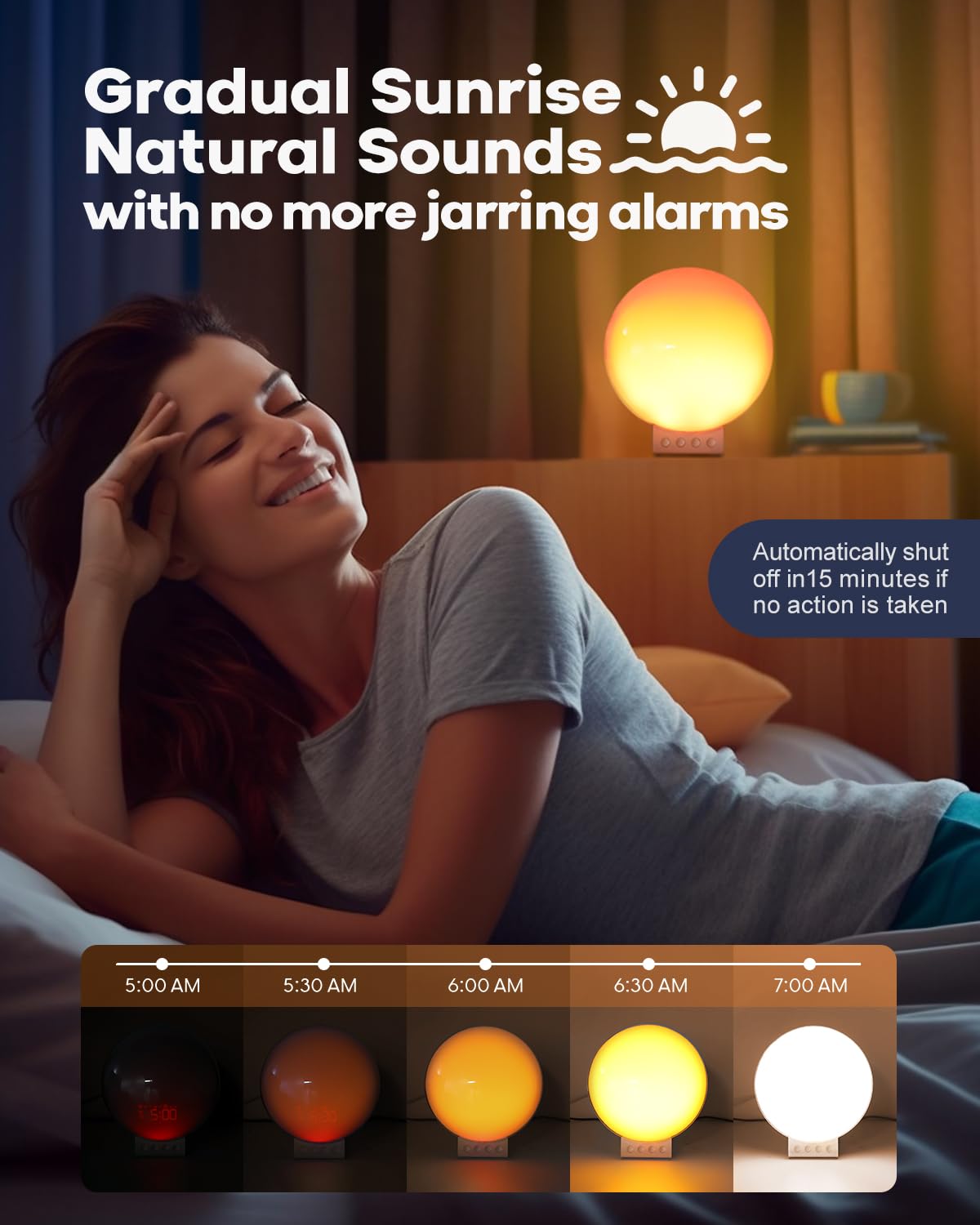
The sunrise simulation feature gradually brightens the light from 0% to 100% over a set period before your alarm, mimicking a natural sunrise to gently wake you.
5.4 White Noise & Sound Machine
The built-in sound machine offers 15 relaxing sounds to aid sleep or create a calming environment.
- Lydvalg: Choose from 15 sounds (e.g., ocean waves, birdsong, rain, white noise, bonfire) using the Dekala application.
- Lydstyrkejustering: Adjust the volume level via the app or dedicated buttons on the device.
- Sleep Aid Timer: Set a timer (e.g., 5-120 minutes) for the sounds to play before automatically turning off, or choose to play all night.
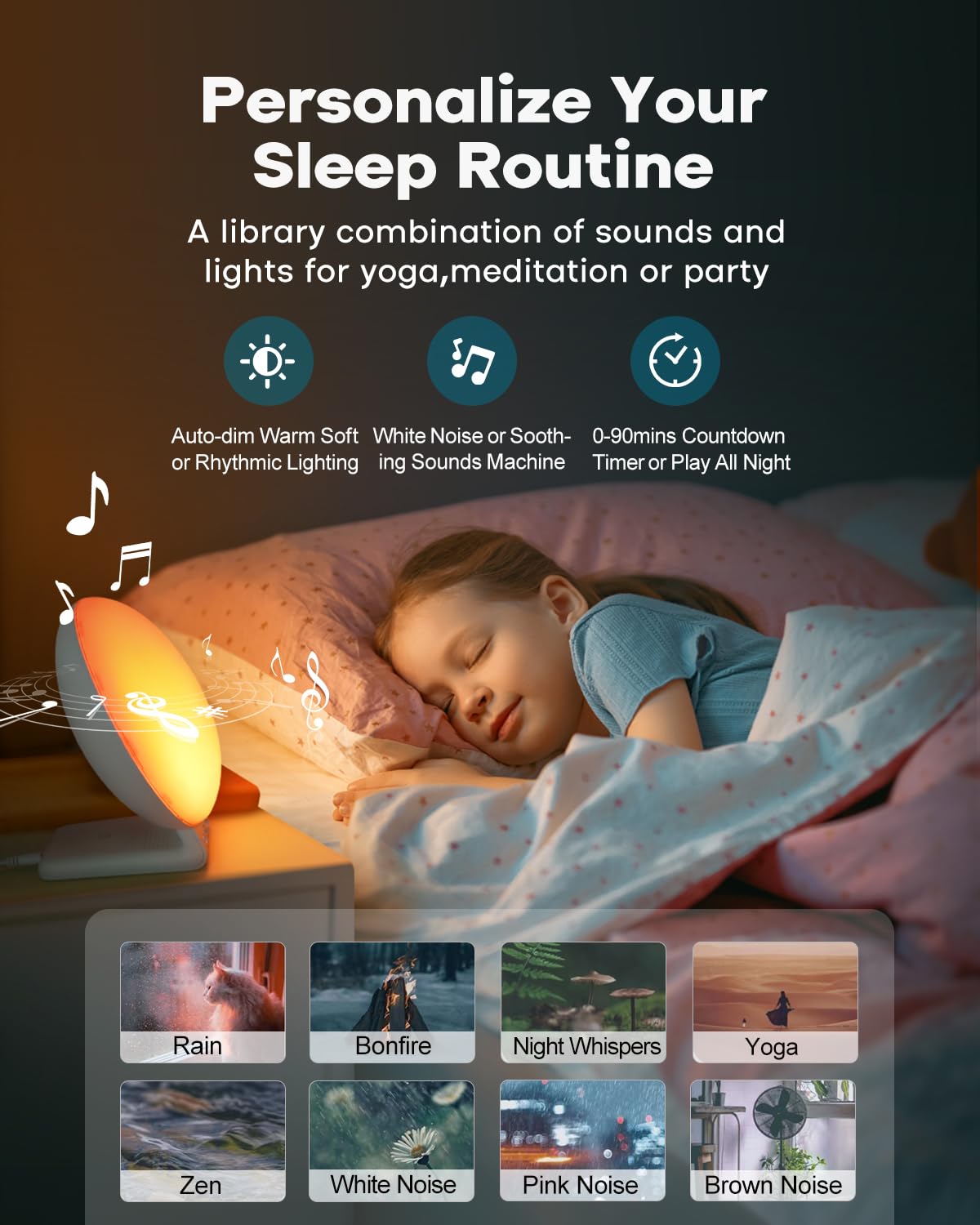
This image shows the device's sound machine capabilities, offering 15 different relaxing sounds like rain, bonfire, and white noise to aid sleep or create a calming atmosphere.
5.5 Night Light & Ambient Lighting
The device functions as a versatile night light and ambient lamp with various light modes and brightness levels.
- Lystilstande: Select from 11 ambient light modes (e.g., solid colors, color cycles) using the Dekala application.
- Lysstyrkekontrol: Adjust the light intensity with 20 brightness levels via the app or device controls.
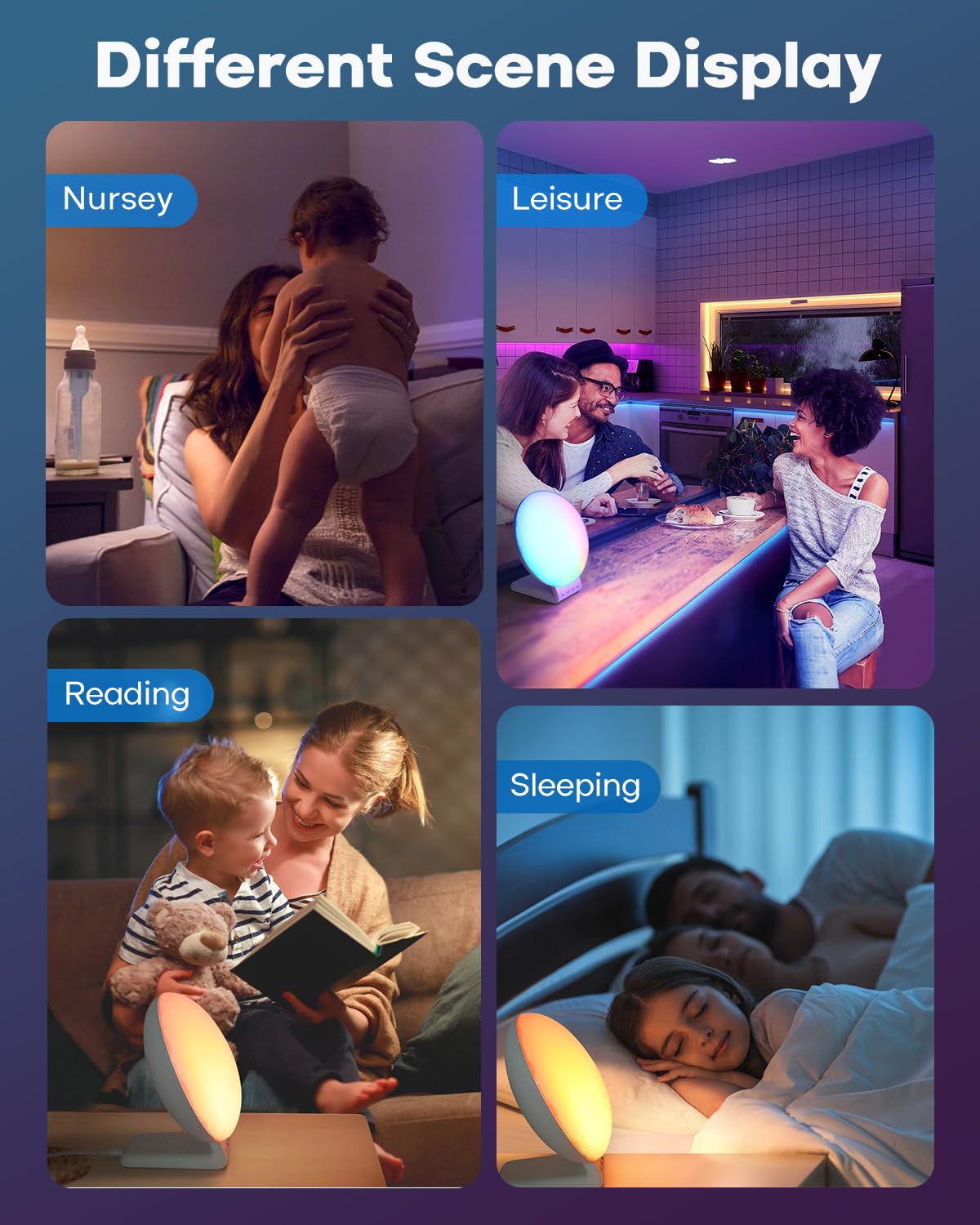
The clock functions as a versatile night light and ambient lamp, offering 11 light modes and 20 brightness levels suitable for various activities such as reading, relaxation, or as a nursery light.
5.6 Trådløs opladning
The integrated wireless charging station supports simultaneous charging of compatible devices.
- Opladning af smartphone: Place your QI-enabled smartphone on the designated charging pad. Supports up to 15W for compatible models (e.g., iPhone 8 and newer, Samsung Galaxy S series). Ensure phone case thickness is within 5mm (0.2 in) for optimal charging.
- Apple Watch opladning: Place your Apple Watch (Series 2-8, SE) on the dedicated magnetic charging stand. Supports 3W output.
- AirPods opladning: Place your AirPods (2/3/Pro) on the designated charging area. Supports 5W output.
- Opladningsindikator: The device may feature an LED indicator to confirm active charging.
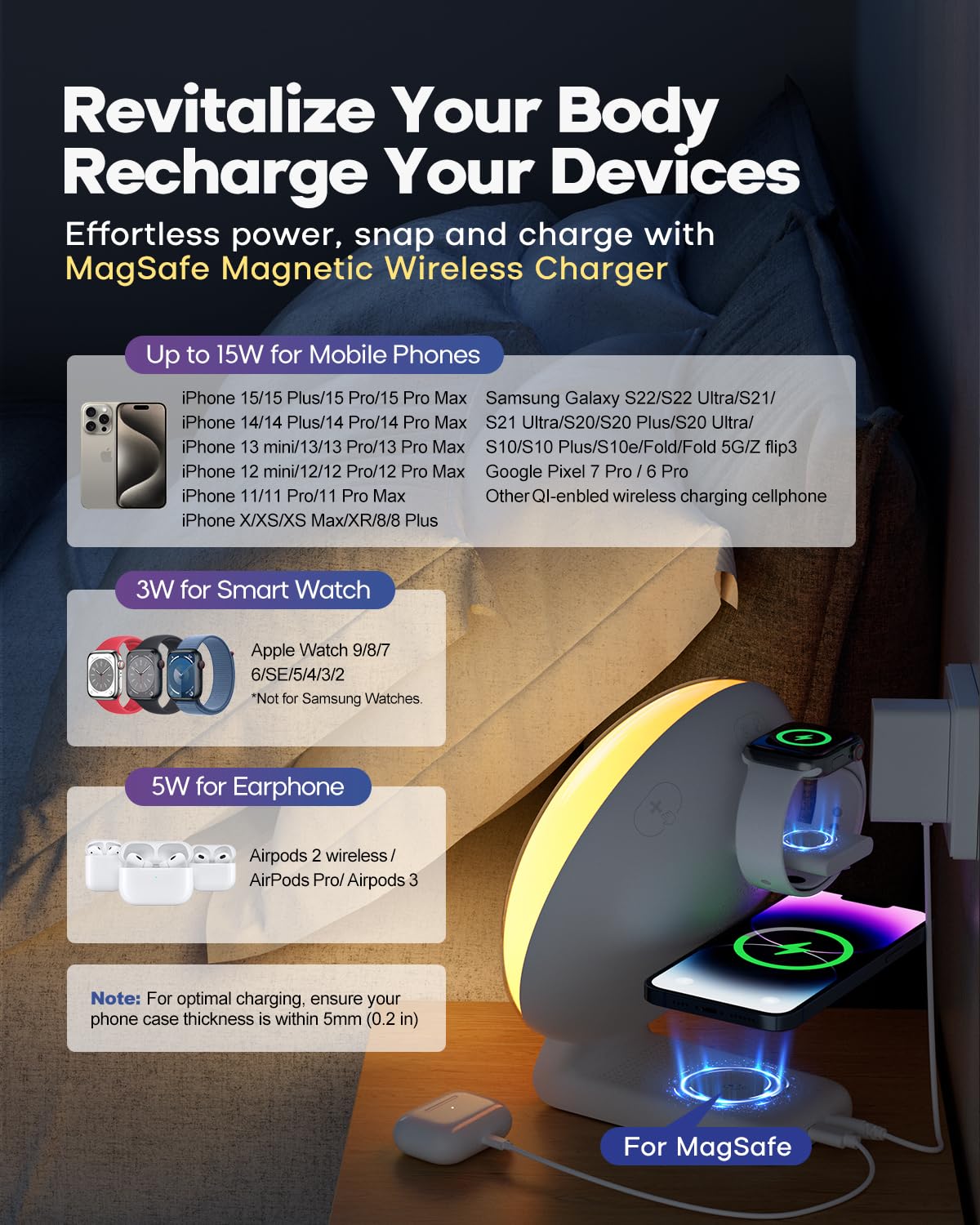
The integrated wireless charging station supports compatible smartphones (up to 15W), Apple Watches (3W), and AirPods (5W). Ensure devices are placed correctly on the charging pads for optimal performance.
6. Vedligeholdelse
6.1 Rengøring
Sådan bevarer du din enheds udseende og funktionalitet:
- Tag enheden ud af strømkilden før rengøring.
- Brug en blød, tør og fnugfri klud til at tørre overfladerne af.
- Undgå at bruge slibende rengøringsmidler, opløsningsmidler eller kemiske spraymidler, da disse kan beskadige finishen eller de indvendige komponenter.
- Nedsænk ikke enheden i vand eller anden væske.
6.2 Backup Battery Replacement
If the time and alarm settings are not retained during a power outage, the CR2032 backup battery may need replacement. Follow the instructions in Section 4.2 to replace the battery.
7. Fejlfinding
If you encounter issues with your Dekala Sunrise Alarm Clock, refer to the following common problems and solutions:
- Enheden tænder ikke: Sørg for, at strømadapteren er korrekt tilsluttet både enheden og en fungerende stikkontakt.
- Trådløs opladning virker ikke:
- Verify your device (smartphone, Apple Watch, AirPods) is compatible with wireless charging.
- Ensure the device is centered correctly on the charging pad.
- Remove any thick phone cases (over 5mm/0.2 in) that may interfere with charging.
- Check for any metallic objects between the charging pad and your device.
- Alarm not sounding or time incorrect: Verify all alarm settings, including time, days, and activation status, within the Dekala application. Ensure the app is updated and synchronized with the device. Check the backup battery if power was recently interrupted.
- Light not changing or unresponsive: Check light mode and brightness settings in the Dekala application. Ensure the device is not in a sleep aid mode that might override manual light controls.
- Problemer med app-forbindelse: If you experience difficulty connecting the device to the Dekala application, ensure your smartphone's Bluetooth is enabled and the app is up to date. For persistent issues, refer to the Dekala app's support section or developer contact information for assistance with application-related problems.
8. Specifikationer
| Mærke | Dekala |
| Model | SRWW |
| Display Type | LCD |
| Strømkilde | Corded Electric, 1 CR2032 battery (backup) |
| Trådløs opladningsoutput | Up to 15W (phone), 3W (Apple Watch), 5W (AirPods) |
| Lystilstande | 11 ambient modes, 20 brightness levels |
| Lydtilstande | 15 white noise/soothing sounds |
| Produktdimensioner | 2"W x 2"H (Note: Visual appearance suggests larger dimensions) |
| Varens vægt | 1.81 pund |
9. Sikkerhedsoplysninger
Overhold følgende sikkerhedsforanstaltninger for at forhindre skader på enheden eller personskade:
- Denne enhed er kun beregnet til indendørs brug.
- Udsæt ikke enheden for vand, fugt eller ekstreme temperaturer.
- Hold enheden væk fra direkte sollys, varmekilder og åben ild.
- Do not attempt to disassemble, repair, or modify the device. Contact qualified service personnel if service is required.
- Use only the provided power adapter. Using an incompatible adapter may cause damage or fire.
- Opbevares utilgængeligt for børn og kæledyr.


