1. Introduktion
This manual provides detailed instructions for the installation, operation, and maintenance of your SIXWIN 8 Core Qualcomm Android Car Stereo, model A7205A4006A4MI2. This unit is specifically designed for Honda Civic models manufactured between 2016 and 2020. It features a 9-inch touch screen, integrated CarPlay and Android Auto functionality, Bluetooth 5.1, GPS navigation, and a built-in cooling fan for optimal performance.
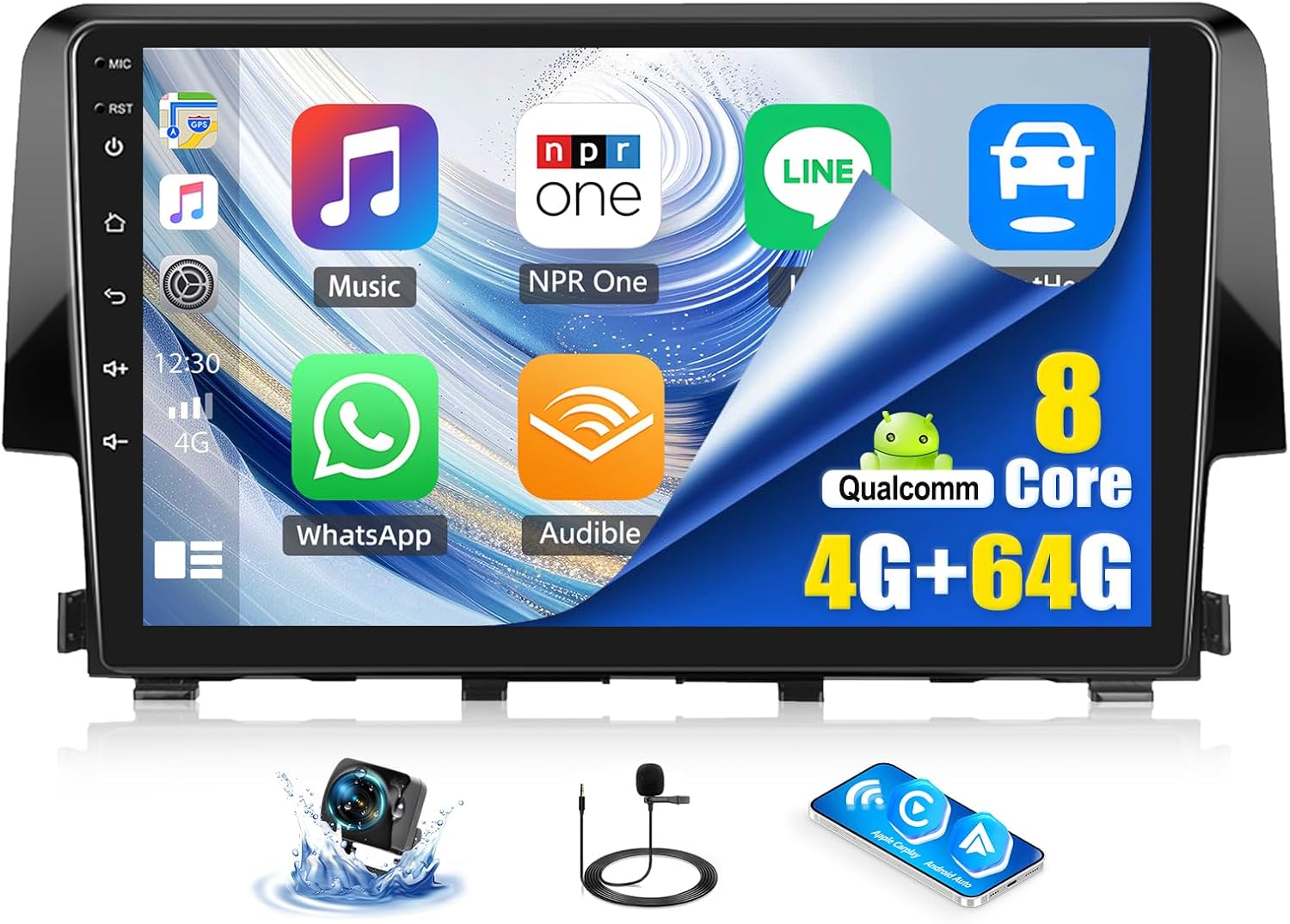
Image 1.1: The SIXWIN Android Car Stereo main unit, showcasing its 9-inch display and user interface.
2. Pakkens indhold
Bekræft, at alle nedenstående varer er inkluderet i din pakke:
- SIXWIN Android bilstereoenhed
- Dash Kit (specific to Honda Civic 2016-2020)
- Strømkabel
- USB kabel
- GPS antenne
- Bagkamera indgangskabel
- Radio Adapter Cable
- Radio Antenne
- Original Car USB Cable Adapter
- RCA Cable Set (Input/Output)
- Brugermanual
- Ekstern mikrofon
- Bagkamera
- Installationsværktøjssæt

Billede 2.1: Overview of the car stereo dimensions and all components included in the package.
3. Installationsvejledning
Professional installation is recommended. Ensure your vehicle's ignition is off and the battery is disconnected before beginning installation.
3.1 Køretøjskompatibilitetskontrol
This unit is designed for Honda Civic models from 2016 to 2020. Please verify your car's center console configuration to determine if additional harnesses or CANbus modules are required.

Image 3.1: Different Honda Civic center console types and their compatibility requirements.
3.2 Ledninger og forbindelser
Carefully follow the provided wiring diagram. For vehicles with a factory backup camera and steering wheel controls (SWC), specific harnesses and a CANbus module are necessary. These can be purchased separately (ASINs: B0CB14L5RV, B0CB16N1QZ).
- CANbus-forbindelse: Ensure the CANbus interface is correctly connected. The CANbus has two interfaces (20-pin for CANbus, 8-pin for car radio). Do not connect the power cord interface directly to the CANbus interface.
- CANbus-konfiguration: After physical installation, access the unit's settings: Car settings > Factory settings (password: 8888) > Protocol settings. Select 'raise' and then your specific car model.
- Backup Camera Configuration: If using a factory backup camera, configure it via: Factory settings (password: 8888) > Protocol parameter settings > Reverse video clarity/format.
If you encounter difficulties, refer to the detailed wire diagram or contact customer support for online assistance.
4. Betjeningsvejledning
The SIXWIN Android Car Stereo offers a range of features for an enhanced driving experience.
4.1 Trådløs CarPlay og Android Auto
Connect your smartphone wirelessly to access navigation, contacts, messages, music, and other compatible apps directly on the car stereo display. Voice control (Siri or Google Assistant) is supported for hands-free operation.
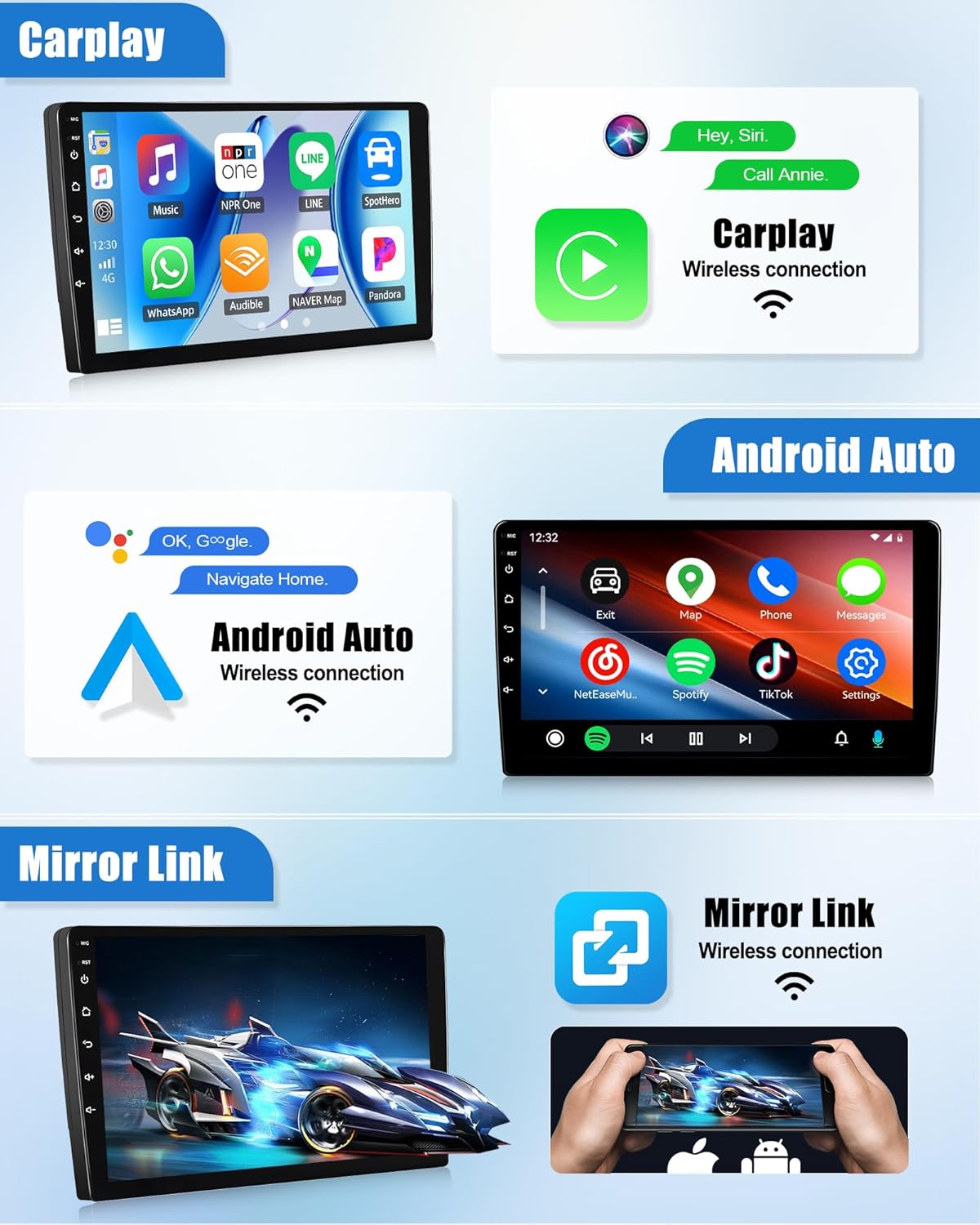
Image 4.1: Wireless CarPlay, Android Auto, and Mirror Link functionality.
4.2 Spejllink
Mirror Link allows you to display your phone's screen content directly onto the car stereo. Note: Some phone models, such as Samsung, may not be fully supported for Mirror Link functionality.
4.3 Bluetooth 5.1
The integrated Bluetooth 5.1 module enables hands-free calling, Bluetooth music streaming, and phonebook synchronization. An external microphone is included for clear voice communication.

Image 4.2: Bluetooth 5.1 interface for calls and music.
4.4 FM/RDS-radio
Tune into your favorite FM radio stations. The RDS (Radio Data System) feature provides additional information such as station name and program type where available.

Image 4.3: FM/RDS Radio interface.
4.5 GPS-navigation og WiFi
The unit supports both online and offline GPS navigation. With the pre-installed 'Here We Go' app, you can download offline map data for navigation without an internet connection. Connect to WiFi to use online navigation services and download additional applications.
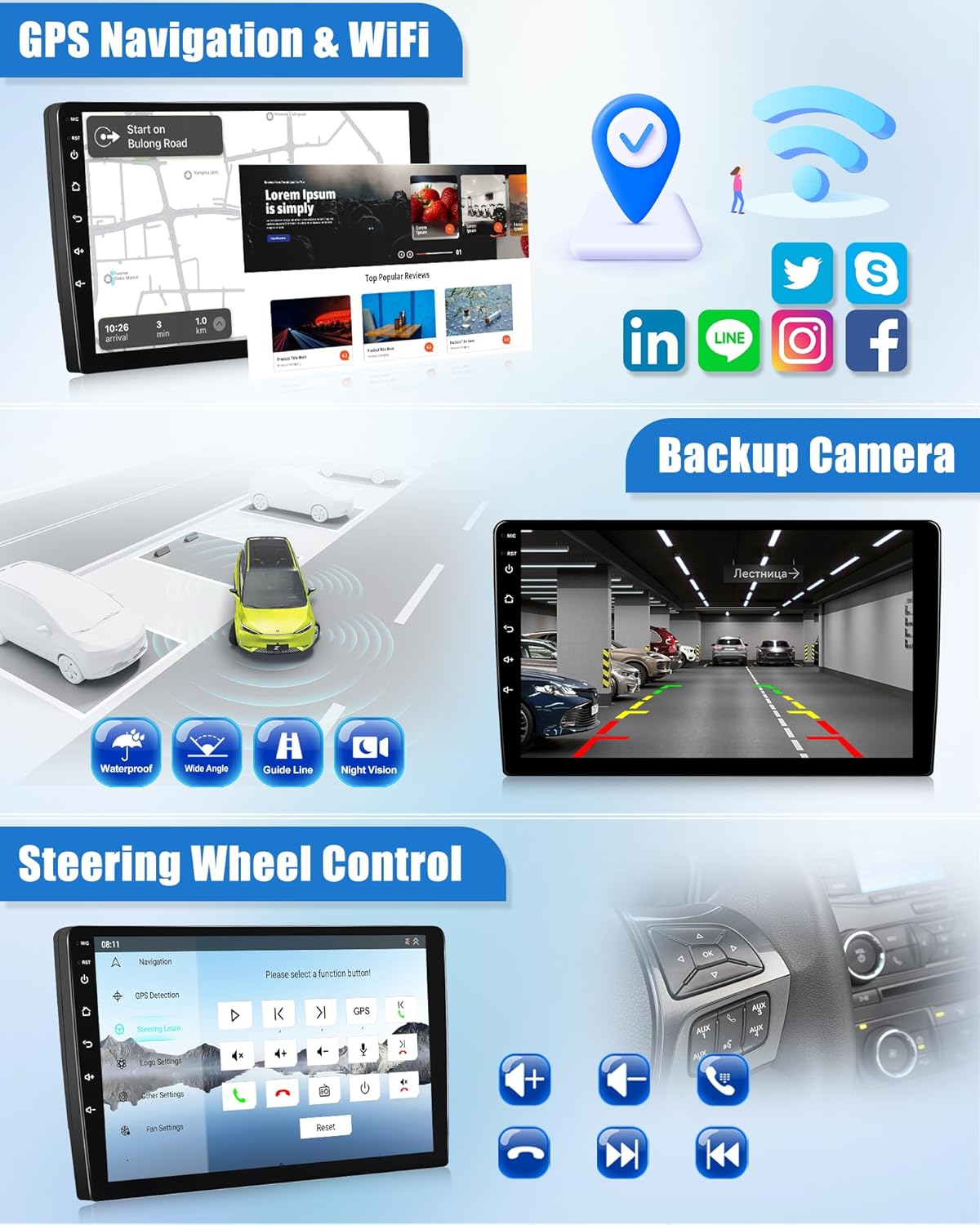
Image 4.4: GPS Navigation, WiFi, Backup Camera, and Steering Wheel Control features.
4.6 Intelligent stemmestyring
Utilize intelligent voice commands to activate Siri or Google Assistant for various tasks, enhancing convenience and safety while driving.
4.7 UI Customization & Features
The unit offers a customizable user interface, including a 3D car model showcase and weather forecast display. You can personalize the interface to suit your preferences.

Image 4.5: 3D Car Model Display options.

Image 4.6: Custom Personalized Interface options.
4.8 Ratbetjening (SWC)
If your vehicle is equipped with steering wheel controls and the appropriate CANbus module is installed, you can configure the unit to respond to these controls for functions like volume adjustment, track skipping, and call management.

Image 4.7: Steering Wheel Control configuration.
5. Funktioner overview
5.1 8 Core Qualcomm Processor
The unit is powered by an 8 Core Qualcomm processor, ensuring fast and responsive performance for all applications and functions.

Image 5.1: Power Processor and key specifications.
5.2 Indbygget køleventilator
A built-in cooling fan system helps maintain optimal operating temperatures, ensuring stable performance and longevity of the device, especially during extended use or in warm environments.

Image 5.2: Built-in Cooling Fan mechanism.
6. Vedligeholdelse
For at sikre din bilstereos levetid og optimale ydeevne skal du følge disse generelle vedligeholdelsesretningslinjer:
- Rengøring af skærm: Brug en blød, fnugfri klud til forsigtigt at tørre berøringsskærmen af. Undgå slibende rengøringsmidler eller stærke kemikalier, der kan beskadige skærmen.
- Softwareopdateringer: Periodically check for available software updates through the unit's settings to ensure you have the latest features and performance enhancements.
- Miljøforhold: Undgå at udsætte enheden for ekstreme temperaturer eller direkte sollys i længere perioder.
7. Fejlfinding
If you encounter issues with your SIXWIN Android Car Stereo, refer to the following common solutions:
7.1 Factory Backup Camera Not Working
- Harness/CANbus: Ensure you have installed the correct harness and CANbus module (ASINs: B0CB14L5RV, B0CB16N1QZ) for your Honda Civic model.
- CANbus-konfiguration: Verify the CANbus settings are correctly configured in the factory settings menu (password 8888).
- Ledningsføring: Double-check all wiring connections, especially the power cord and CANbus interfaces.
- multi-View Kameraer: Some factory Honda cameras with multi-view modes may not fully integrate. A dedicated aftermarket camera might be required if specific views are essential.
7.2 Audio Cuts In and Out
- Ledningsføring: Inspect all audio wiring connections for looseness or damage.
- Strømforsyning: Ensure the unit is receiving stable power. Fluctuations can affect audio output.
- Software: A software glitch could cause this. Try restarting the unit.
7.3 Problemer med CarPlay/Android Auto-forbindelse
- Telefonkompatibilitet: Ensure your smartphone is compatible with wireless CarPlay or Android Auto.
- Parringsproces: Follow the correct pairing procedure as outlined in the unit's on-screen instructions.
- Bluetooth/WiFi: Ensure both Bluetooth and WiFi are enabled on your phone and the car stereo.
7.4 Screen Restarts Unexpectedly
- Strømtilslutning: Verify the power cable is securely connected and receiving consistent voltage.
- Overophedning: Ensure the cooling fan is operating correctly and there is adequate ventilation around the unit.
Ved vedvarende problemer, der ikke er løst med disse trin, bedes du kontakte kundesupport.
8. Specifikationer
| Mærke | SIXWIN |
| Modelnummer | A7205A4006A4MI2 |
| Operativsystem | Android |
| Skærmstørrelse | 9 tommer |
| Processor | 8 Core Qualcomm |
| Forbindelsesteknologi | Wi-Fi, Bluetooth 5.1 |
| Korttype | På verdensplan |
| Lydudgangstilstand | Stereoanlæg |
| Speciel funktion | Touchscreen, Built-in Cooling Fan, Intelligent Voice Control |
| Type køretøjstjeneste | Car (Honda Civic 2016-2020) |
| Varens vægt | 3.39 pund |
| Produktdimensioner | 1 x 1 x 1 tommer |
9. Garantioplysninger
SIXWIN Android-bilstereoen leveres med en 1 års garanti fra købsdatoen. Denne garanti dækker fabrikationsfejl og funktionsfejl ved normal brug. Gem venligst din købsbevis til garantikrav.
10. Support
For technical assistance, installation guidance, or any other inquiries, please contact our customer support team. We offer online help to ensure a successful installation and user experience.
E -mail til kundesupport: sixwin_vip@163.com

Image 10.1: SIXWIN Customer Support contact information.