1. Introduktion
Thank you for choosing the Philips DashCam. This device is designed to provide reliable video recording of your journeys, enhancing driving safety and providing crucial evidence in case of incidents. This manual will guide you through the installation, operation, and maintenance of your new dash camera system. Please read it thoroughly before use.
2. Produktet er slutview
The Philips DashCam is a dual-camera system featuring a 4K front camera and a 1080P rear camera, equipped with advanced features for optimal performance.
2.1 Pakkens indhold
- Philips DashCam (Front Camera)
- Bagkamera
- Bil oplader
- 32 GB MicroSD-kort
- Brugermanual
- Mounting Accessories (e.g., adhesive pads, suction cup mount)

Image 2.1: Philips DashCam system components. This image displays the main front dash camera, the smaller rear camera, a car power adapter, and a 32GB microSD card, illustrating all items included in the package.
2.2 Nøglefunktioner
- Dobbeltoptagelse: Front camera records in UHD 4K, rear camera in FHD 1080P.
- Superior nattesyn: Features 6-layer glass, F1.5 aperture, and WDR technology for clear recordings in low-light conditions.
- 24-timers parkeringsovervågning: Built-in G-sensor detects collisions, and time-lapse recording provides continuous surveillance.
- Loop-optagelse: Automatically overwrites older, non-essential videos when the memory card is full. Supports up to 256GB cards.
- Integrated Wi-Fi & App Control: Connect to the dedicated app on iOS or Android devices to view, manage, and download recordings.
- G-sensor: Detects sudden movements or impacts and locks the current video footage for at forhindre overskrivning.

Image 2.2: Key features of the Philips DashCam. This infographic highlights features such as 4K+1080P resolution, wide-angle lens, Wi-Fi connectivity, loop recording, WDR technology, 24-hour parking monitoring, included 32GB card, voice transmission, and supercapacitor power.
2.3 Enhedens layout og dimensioner

Image 2.3: Philips DashCam dimensions and port identification. This diagram illustrates the physical measurements of the dash camera and labels key components such as the lens, screen, TF card slot, Type-C interface, reset button, power switch, arrow keys, mute button, and speaker.
3. Opsætning
3.1 Installation af MicroSD-kortet
- Sørg for, at dashkameraet er slukket.
- Locate the TF card slot on the side of the main camera unit (refer to Image 2.3).
- Insert the provided 32GB MicroSD card (or another compatible card up to 256GB, Class 10 or higher) into the slot until it clicks into place.
- For at fjerne det skal du forsigtigt skubbe kortet ind, indtil det springer ud.
3.2 Mounting the DashCam
The dash camera can be mounted using the provided suction cup or adhesive mount. Choose a location on your windshield that does not obstruct your view af vejen.
- Rengør det valgte område på din forrude grundigt.
- Attach the front camera mount to the windshield.
- Fastgør bakkameraet til bagruden, og sørg for en klar view.
- Adjust the camera angles to capture the desired field of view.
3.3 Strømtilslutning
- Connect the car charger to the main dash camera unit's power input.
- Sæt bilopladeren i bilens 12V-stikkontakt (cigarettænder).
- Route the power cable neatly along the edges of your windshield and dashboard to avoid interference with driving.
- Connect the rear camera cable to the main dash camera unit.
3.4 Wi-Fi og app-forbindelse
The Philips DashCam features built-in Wi-Fi for easy connection to its dedicated smartphone application.
- Download the official Philips DashCam app from your smartphone's app store (iOS or Android).
- Turn on the dash camera.
- On your smartphone, go to Wi-Fi settings and connect to the dash camera's Wi-Fi network (SSID and password can be found in the camera's settings menu or initial setup screen).
- Open the Philips DashCam app. You can now view live footage, play back recordings, download files, og juster kameraindstillingerne.
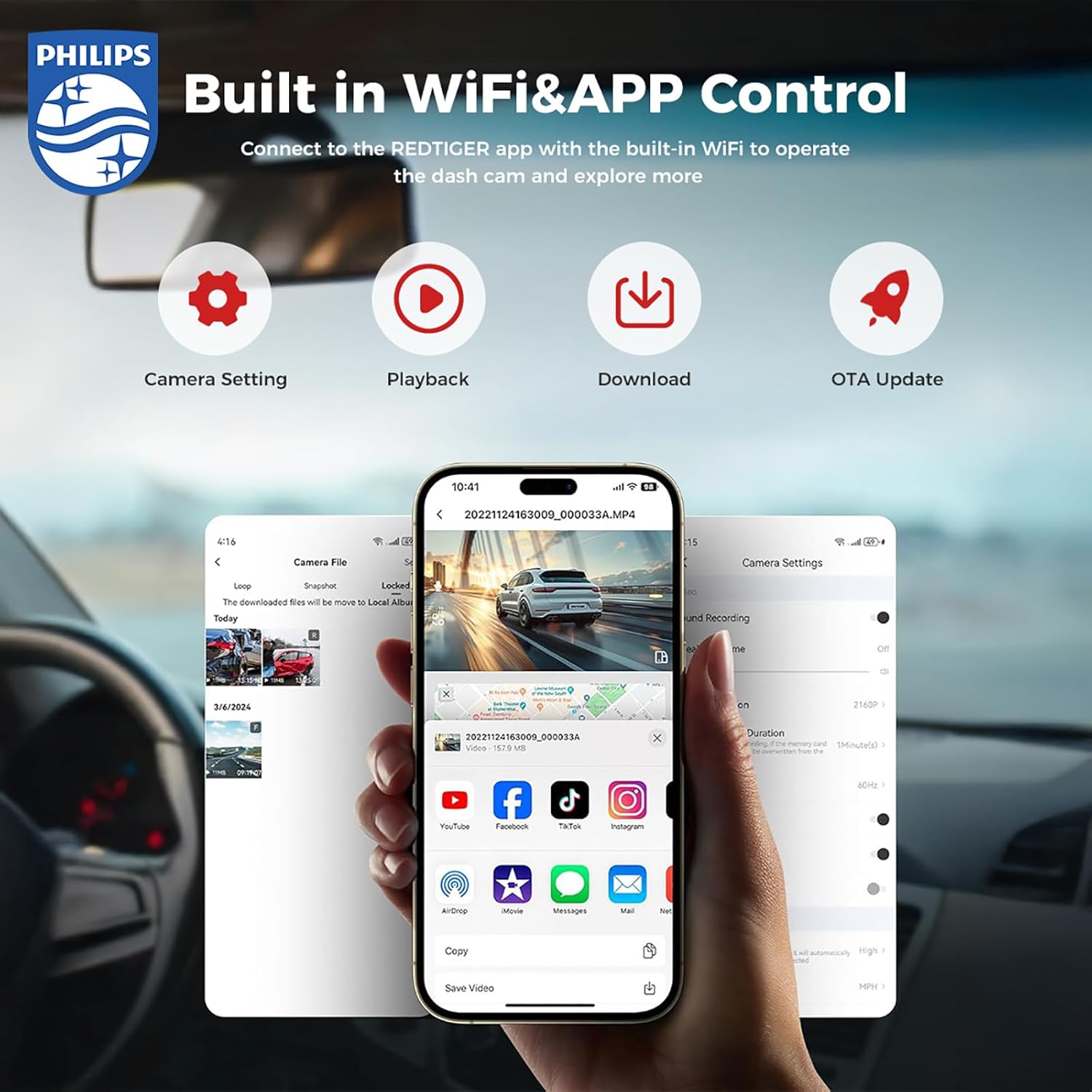
Image 3.1: Built-in Wi-Fi and App Control. This image shows a smartphone displaying the Philips DashCam application, illustrating options for camera settings, video playback, downloading recorded footage, and performing over-the-air (OTA) updates.
4. Betjeningsvejledning
4.1 Automatisk optagelse
Once the dash camera is connected to power and your vehicle starts, the camera will automatically power on and begin recording. The front camera records in 4K resolution, and the rear camera records in 1080P.

Image 4.1: Front 4K and Rear 1080P recording. This image demonstrates the dual recording capability, showing the wide 140-degree view from the front 4K camera and the 130-degree view from the rear 1080P camera, ensuring comprehensive coverage.
4.2 Loop-optagelse
The dash camera continuously records video in short segments (e.g., 1, 3, or 5 minutes). When the MicroSD card is full, the oldest unlocked video files vil automatisk blive overskrevet af nye optagelser. Dette sikrer kontinuerlig optagelse uden manuel indgriben.

Image 4.2: Automatic Cycle (Loop Recording). This image illustrates the loop recording function, where the dash camera continuously records and automatically overwrites older files when storage is full. It also shows a locked file icon, indicating that G-sensor activated recordings are protected from being overwritten.
4.3 G-sensor (optagelse i nødstilfælde)
The built-in G-sensor detects sudden impacts or collisions. When an event is detected, the current video segment is automatically locked and saved to a protected folder on the MicroSD card, preventing it from being overwritten by loop recording. The G-sensor sensitivity can be adjusted in the camera settings (Off, Low, Medium, High).
4.4 24-timers parkeringsovervågning
With the parking monitoring feature enabled, the dash camera can continue to monitor your vehicle even when parked. This mode typically uses the G-sensor to detect impacts or motion detection to record events while the vehicle is stationary. For continuous 24-hour surveillance, time-lapse recording is also available.
4.5 Nattesyn
The Philips DashCam is equipped with advanced night vision technology, including a large F1.5 aperture and WDR (Wide Dynamic Range), to capture clear and detailed video footage in low-light conditions, improving safety during nighttime driving.

Image 4.3: Super Night Vision. This image highlights the dash camera's advanced night vision capabilities, featuring light-balanced technology and a large F1.5 aperture to ensure clear video capture even in challenging low-light environments.
5. Vedligeholdelse
5.1 Rengøring af linserne
Regularly clean the front and rear camera lenses with a soft, lint-free cloth to ensure clear video quality. Avoid using abrasive cleaners that could scratch the lens.
5.2 Administration af microSD-kort
It is recommended to format the MicroSD card periodically (e.g., once a month) using the camera's menu or the app. This helps maintain card performance and prevents data corruption. Back up any important files før formatering.
5.3 firmwareopdateringer
Check the Philips DashCam app or the official Philips website for available firmware updates. Keeping your dash camera's firmware up-to-date ensures optimal performance and access to new features.
6. Fejlfinding
- Kameraet tænder ikke: Ensure the car charger is securely connected to both the camera and the vehicle's 12V outlet. Check if the vehicle's power outlet is functioning.
- Recording issues (e.g., blurry video, missing files):
- Rengør kameralinserne.
- Formater MicroSD-kortet.
- Ensure the MicroSD card is Class 10 or higher and not faulty. Try a different card if issues persist.
- Problemer med Wi-Fi-forbindelse:
- Sørg for, at kameraets Wi-Fi er aktiveret.
- Genstart både kameraet og din smartphone.
- Verify you are connecting to the correct Wi-Fi network provided by the dash camera.
- If the app is not functioning correctly, ensure it is updated to the latest version.
- G-sensor too sensitive/not sensitive enough: Adjust the G-sensor sensitivity setting in the camera's menu or app.
- Parkeringsovervågning virker ikke: Ensure the parking monitoring feature is enabled in the settings. Verify continuous power supply if required for 24-hour monitoring.
7. Specifikationer
| Mærke | Philips |
| Modelnavn | DashCam |
| Videooptagelsesopløsning | Front: 4K UHD, Rear: 1080P FHD |
| Særlige funktioner | G-Sensor, Loop Recording, Parking Monitor, Night Vision, Built-in WiFi |
| Forbindelsesteknologi | Wi-Fi |
| Batterier medfølger | Yes (Lithium-metal) |
| Produktdimensioner | 10 x 16 x 12 cm; 1.18 kg |
| Supported MicroSD Card | Op til 256 GB (32 GB inkluderet) |
8. Garanti og support
For warranty information, please refer to the documentation included with your product or visit the official Philips website. Standard warranty terms and conditions apply. For technical support or service inquiries, please contact Philips customer service through their official channels.
Please note that extended protection plans may be available from third-party providers, but these are separate from the manufacturer's warranty.


