1. Introduktion
Tak for købetasing the Radius HP-H10BT Fully Wireless Earbuds. These earbuds are designed to provide a comfortable and immersive audio experience with an open-ear design, allowing you to enjoy music while remaining aware of your surroundings. This manual provides essential information for the proper setup, operation, and maintenance of your device.
Nøglefunktioner omfatter:
- Stress-free wearing experience with an ear-hug design.
- Open-ear listening structure for daily use.
- Op til 25 timers samlet batterilevetid med opladningsetuiet.
- IPX4 splash-proof rating.
- Intuitive berøringskontroller.
2. Pakkens indhold
Sørg venligst for, at alle varer er til stede i pakken:
- Radius HP-H10BT Fully Wireless Earbuds (Left and Right)
- Opladningsetui
- Opladningskabel (USB-C til USB-A)
- Instruktionsmanual
3. Produktet er slutview
The Radius HP-H10BT earbuds feature a unique ear-cuff design for secure and comfortable wear. The compact charging case allows for convenient portability and extended battery life.
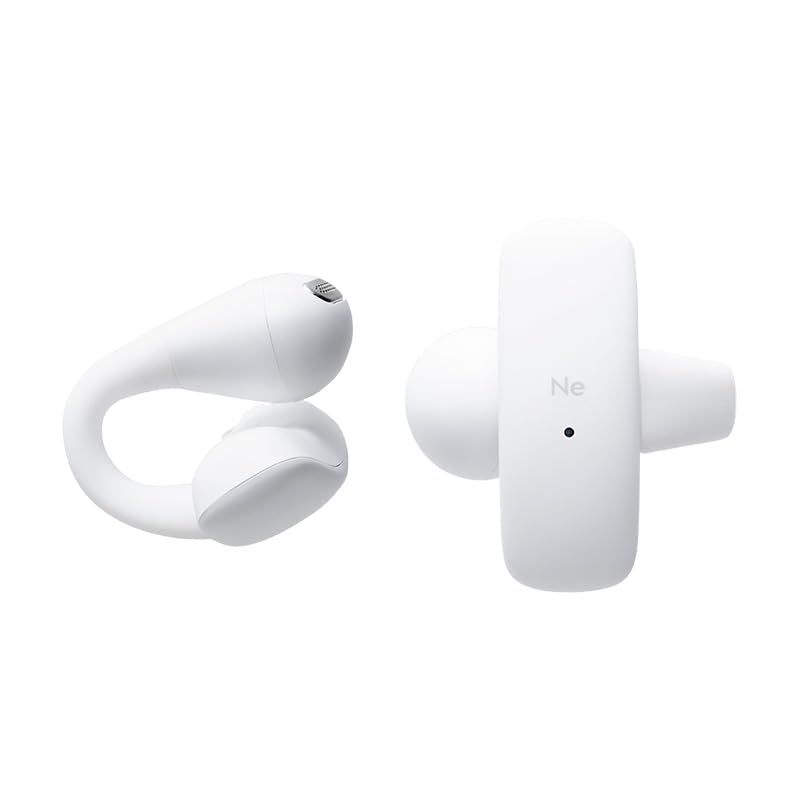
Image: The Radius HP-H10BT earbuds and their compact charging case, shown in white.

Billede: En side view of the earbuds and charging case, highlighting their ergonomic shape.
Øretelefon design
The earbuds utilize a flexible bridge made of soft silicone, which gently clips onto the ear. This design distributes pressure evenly, reducing the burden on the ear and ensuring a stable fit. This allows for comfortable listening while maintaining awareness of your surroundings.
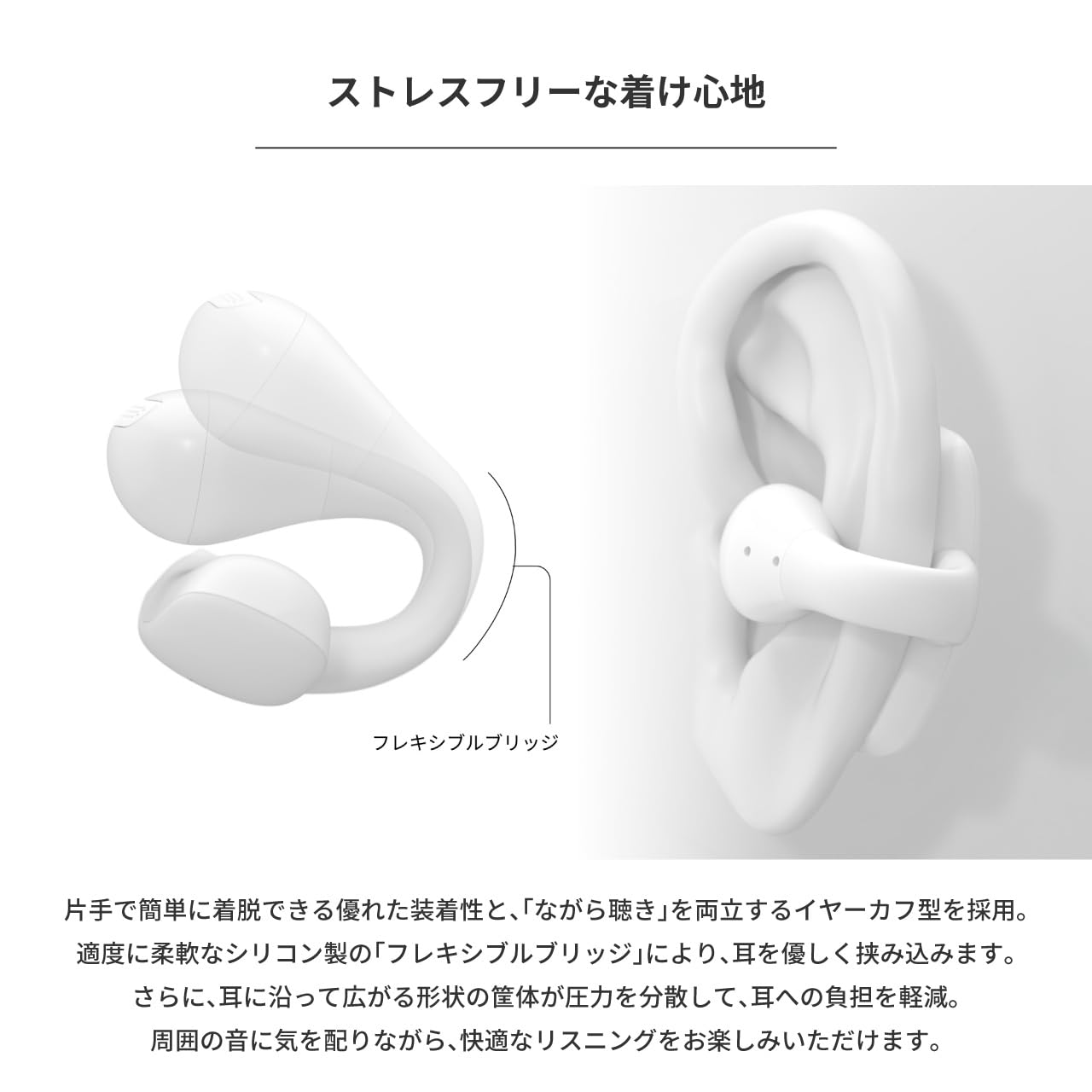
Image: An earbud worn on an ear, illustrating the flexible bridge design that secures it comfortably.
4. Opsætning
4.1. Opladning af øretelefoner og etuiet
Oplad ørepropperne og opladningsetuiet helt inden første brug.
- Placer ørepropperne i opladningsetuiet. Sørg for, at de sidder korrekt, så de har kontakt med opladningsbenene.
- Connect the provided USB-C to USB-A charging cable to the charging port on the case and to a USB power adapter (not included) or a computer's USB port.
- The indicator light on the charging case will show the charging status. Refer to the indicator light section (if available in a separate diagram) for details.
- Opladningen er færdig, når indikatorlampen skifter eller slukker.
The earbuds provide up to 10 hours of continuous playback, and the charging case extends this to a total of 25 hours.

Image: The earbuds are placed inside their charging case, which is open and positioned next to a laptop, indicating charging or storage.
4.2. Bluetooth-parring
Sådan tilslutter du dine ørepropper til en enhed:
- Sørg for, at øretelefonerne er opladet.
- Åbn opladningsetuiet. Ørepropperne går automatisk i parringstilstand, og en indikatorlampe (hvis den er til stede) blinker.
- Gå til Bluetooth-indstillingerne på din enhed (smartphone, tablet, computer), og slå Bluetooth til.
- Søg efter available devices. Select "Radius HP-H10BT" from the list.
- Once connected, a confirmation sound or message may be heard, and the indicator light on the earbuds will change.
Ørepropperne genopretter automatisk forbindelse til den sidst parrede enhed, når de tages ud af etuiet, hvis Bluetooth er aktiveret på enheden.
5. Betjeningsvejledning
5.1. Sådan tager du ørepropperne på
Gently place the earbuds onto your ears, ensuring the flexible bridge wraps around the ear for a secure and comfortable fit. Adjust as needed for optimal sound and comfort.
5.2. Tænd/sluk
- Tænd: Åbn opladningsetuiet, og øretelefonerne tænder automatisk.
- Sluk: Sæt ørepropperne tilbage i opladningsetuiet, og luk låget. De slukker automatisk og begynder at oplade.
5.3. Tryk på Kontrolelementer
The earbuds feature intuitive touch sensors for controlling playback, calls, and voice assistants. The touch sensor is located on the outer surface of each earbud.
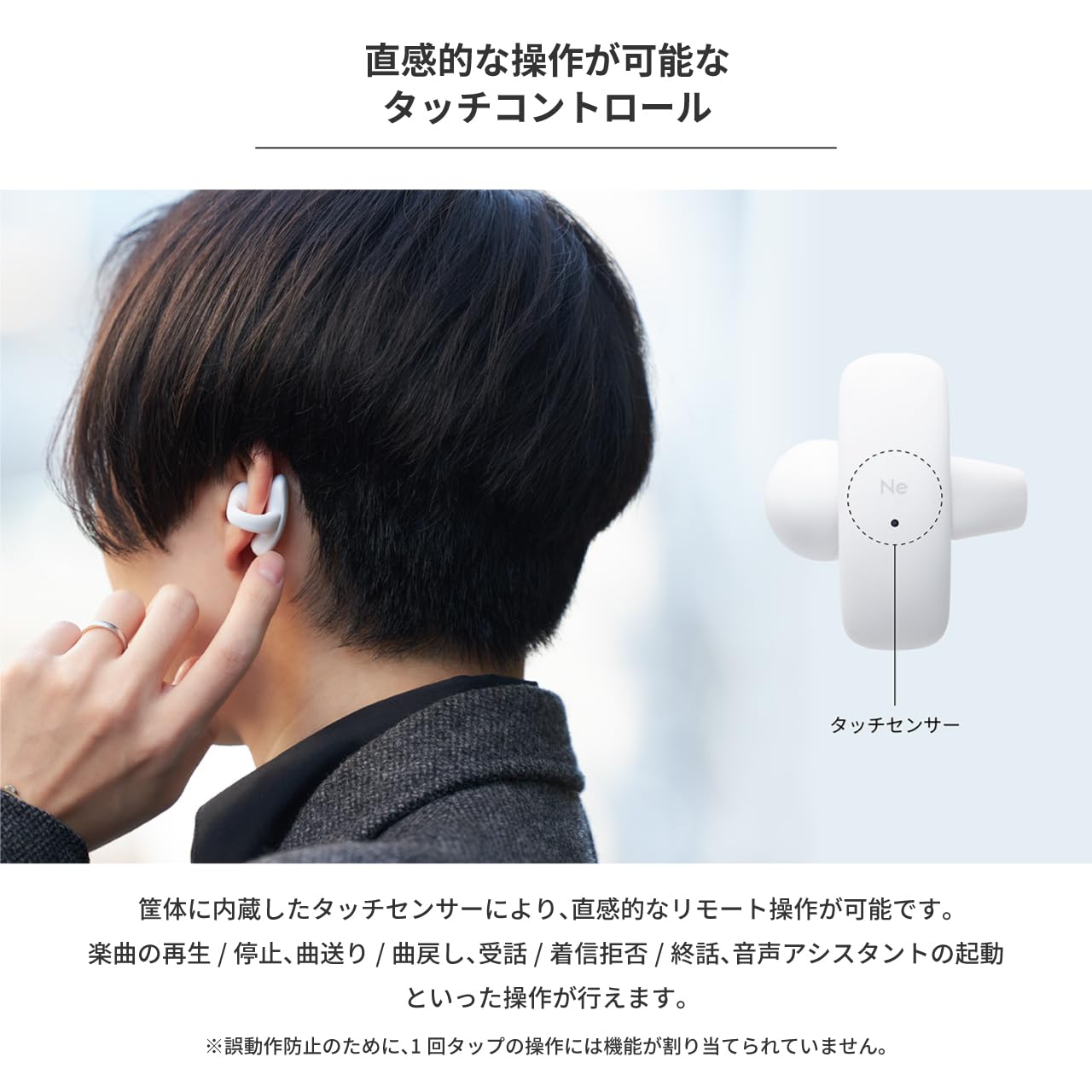
Image: A person demonstrating the touch control feature by tapping the side of an earbud.
Refer to the table below for specific touch operations:
| Fungere | Venstre øretelefon | Højre ørepropper |
|---|---|---|
| Afspil / pause | 2 vandhaner | |
| Næste spor | 3 vandhaner | |
| Forrige spor | 3 vandhaner | |
| Besvar opkald | 2 vandhaner | 2 vandhaner |
| Afvis indgående opkald | 3 vandhaner | 3 vandhaner |
| Afslut opkald | 2 vandhaner | 2 vandhaner |
| Aktiver Voice Assistant | 2 vandhaner | 2 vandhaner |
Note: Single taps are not assigned a function to prevent accidental operations.
6. Vedligeholdelse
6.1. Rensning
Regelmæssig rengøring hjælper med at opretholde optimal ydeevne og hygiejne:
- Tør forsigtigt ørepropperne og opladningsetuiet af med en blød, tør og fnugfri klud.
- Brug ikke slibende rengøringsmidler, opløsningsmidler eller aerosolspray.
- Sørg for, at opladningskontakterne på både ørepropper og etuiet er rene og tørre.
6.2. Vandafvisende (IPX4)
The earbuds are IPX4 splash-proof, meaning they are resistant to water splashes from any direction. This makes them suitable for activities like walking or camping where they might encounter light rain or sweat.

Image: The earbuds are shown with water droplets on their surface, demonstrating their IPX4 splash-proof capability.
Important: The earbuds are not completely waterproof. Do not submerge them in water.
7. Fejlfinding
If you encounter issues with your Radius HP-H10BT earbuds, refer to the following common solutions:
- Øretelefoner oplader ikke: Ensure the earbuds are properly seated in the charging case and that the charging contacts are clean. Verify the charging cable is securely connected to both the case and the power source.
- Kan ikke parres med enhed: Make sure Bluetooth is enabled on your device and the earbuds are in pairing mode (open the case). Try turning Bluetooth off and on again on your device, or restarting both the earbuds (by placing them in the case and closing/opening) and your device.
- Ingen lyd fra den ene øreprop: Check if both earbuds are charged. Try placing both earbuds back in the case, closing it, and then reopening it to reset the connection.
- Lav lydstyrke: Adjust the volume on both your connected device and ensure the earbuds are properly positioned on your ears.
- Intermitterende forbindelse: Ensure there are no obstructions between the earbuds and your device. Keep the device within the recommended Bluetooth range.
If the problem persists, consult the Radius support webwebsted for yderligere hjælp.
8. Specifikationer
| Feature | Specifikation |
|---|---|
| Modelnavn | HP-H10BT |
| Forbindelsesteknologi | Trådløs (Bluetooth) |
| Øreplacering | Åbent øre |
| Formfaktor | Ægte trådløs |
| Controller type | Røre |
| Vandmodstandsniveau | IPX4 (vandtæt) |
| Støjkontrol | Ingen |
| Batterilevetid (ørepropper) | Op til 10 timer |
| Samlet batterilevetid (med etui) | Op til 25 timer |
| Batteritype | Lithium Ion (Nonstandard Battery) |
| Impedans | 16 Ohm |
| Varens vægt | 150 g |
| Inkluderede komponenter | Charging Cable (USB-C to USB-A), Instruction Manual |
9. Sikkerhedsoplysninger
Please read and follow these safety guidelines to ensure safe operation of your earbuds:
- Lyt ikke ved høje lydstyrker i længere perioder for at forhindre høreskader.
- Do not use the earbuds in situations where inability to hear ambient sounds could be dangerous, such as while driving, cycling, or walking in traffic.
- Keep the earbuds and charging case away from extreme temperatures, direct sunlight, and moisture.
- Do not attempt to disassemble, repair, or modify the product. This may void the warranty and cause injury.
- Opbevares utilgængeligt for børn og kæledyr. Små dele kan udgøre en kvælningsfare.
- Dispose of the product and batteries according to local regulations. Do not dispose of batteries in fire.
10. Garanti og support
This Radius product is covered by a manufacturer's warranty. Please refer to the warranty card included in your package or visit the official Radius webhjemmeside for detaljerede garantivilkår.
For technical support, troubleshooting assistance, or inquiries about your product, please contact Radius customer service through their official webwebstedet eller de kontaktoplysninger, der er angivet med dit køb.


