1. Introduktion
The Genius Ergo 8250S Wireless Vertical Ergonomic Silent Mouse is designed to provide a natural and comfortable posture for your right hand, reducing fatigue and muscle strain in the forearm and shoulder. This advanced mouse features 6 buttons, selectable DPI settings, silent click technology, a concealed receiver slot, and a stable wireless connection up to 10 meters.

Figur 1.1: Top-down view of the Genius Ergo 8250S mouse, showcasing its ergonomic design and Champagne Gold accent.
2. Funktioner
- Natural Ergonomic Posture: Designed with a comfortable thumb rest to promote a natural hand position.
- Stabil trådløs forbindelse: Utilizes 2.4G wireless technology for a reliable connection up to 10 meters.
- Multi-Button Functionality: Equipped with 6 buttons: left click, right click, scroll wheel (center click), forward, reverse, and DPI switch.
- Justerbar DPI: Easily switch between 800, 1200 (standard), and 1600 DPI for customized cursor sensitivity.
- Lydløst klik: Reducerer klikstøj for et mere støjsvagt arbejdsmiljø.
- Receiver Card Slot: Conveniently store the USB receiver within the mouse when not in use.
- USB Plug and Play: Enkel opsætning uden behov for yderligere drivere.
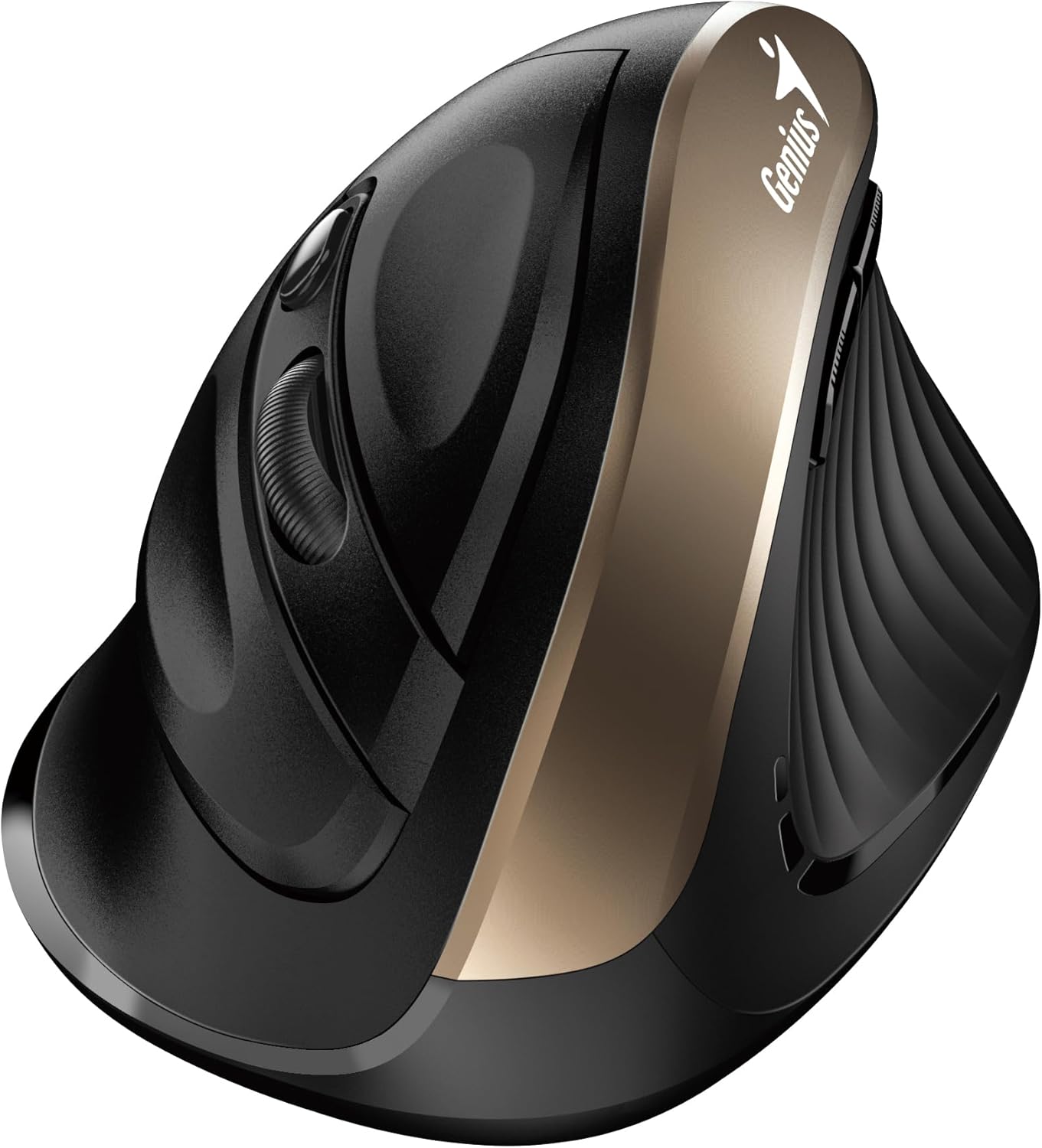
Figur 2.1: Side view highlighting the vertical ergonomic design and thumb rest of the mouse.
3. Pakkens indhold
Kontroller venligst pakken omhyggeligt for at sikre, at alle varer er til stede:
- Genius Ergo 8250S trådløs lodret ergonomisk lydløs mus
- USB-modtager
- AA Alkaline Battery (1 included)
- Hurtig guide

Figur 3.1: Product packaging displaying the mouse, its features, and package contents.
4. Systemkrav
To ensure proper functionality, your computer system must meet the following requirements:
- Operativsystem: Windows® 8, 10, 11 eller nyere
- Operativsystem: Mac OS X 10.8 eller nyere
- Havn: Tilgængelig USB-port
5. Opsætning
- Installer batteri: Open the battery compartment cover on the bottom of the mouse. Insert the provided AA alkaline battery, ensuring correct polarity (+/-). Close the cover securely.
- Tilslut USB-modtager: Locate the USB receiver stored in its slot on the bottom of the mouse. Remove it and plug it into an available USB port on your computer.
- Tænd: Turn on the mouse using the power switch located on the bottom. The mouse should automatically connect to your computer.
- Driverinstallation (automatisk): Dit operativsystem vil automatisk registrere og installere de nødvendige drivere. Denne proces kan tage et par øjeblikke.
6. Betjeningsvejledning
The Ergo 8250S mouse features multiple buttons for enhanced productivity:

Figur 6.1: Top view of the mouse, indicating the positions of the various buttons.
- Venstreklikknap: Standard primær klikfunktion.
- Højreklik-knap: Standard sekundær klikfunktion, typisk åbning af kontekstmenuer.
- Scroll Wheel / Middle Click: Rul gennem dokumenter og web pages. Pressing the wheel acts as a middle click.
- Frem-knap: Navigerer fremad i web browsere eller file explorers. (Located on the side, near the thumb rest)
- Omvendt knap: Navigerer baglæns i web browsere eller file explorers. (Located on the side, near the thumb rest)
- DPI-knap: Press this button to cycle through DPI settings (800/1200/1600). The default setting is 1200 DPI.
7. Vedligeholdelse
- Rensning: Brug en blød, tør klud til at rengøre musen. Ved genstridigt snavs, tør letampRengør kluden med vand eller en mild rengøringsopløsning. Undgå skrappe kemikalier eller slibende materialer.
- Udskiftning af batteri: Når musens ydeevne forringes, eller indikatorlampen (hvis den er monteret) signalerer lavt batteri, skal AA-batteriet udskiftes. Sørg for, at musen er slukket, før du udskifter batteriet.
- Opbevaring: When not in use for extended periods, turn off the mouse to conserve battery life. Store the USB receiver in its dedicated slot on the mouse to prevent loss.
8. Fejlfinding
| Problem | Mulig årsag | Løsning |
|---|---|---|
| Musen reagerer ikke |
|
|
| Markøren er uregelmæssig eller hopper |
|
|
| Knapperne virker ikke |
|
|
9. Specifikationer
| Feature | Detalje |
|---|---|
| Model | Ergo 8250S |
| Mærke | Genialt |
| Forbindelse | 2.4G trådløs |
| Driftsafstand | Op til 10 meter |
| Knapper | 6 (Left, Right, Middle/Scroll, Forward, Reverse, DPI Switch) |
| DPI-indstillinger | 800 / 1200 (Standard) / 1600 |
| Klik på Type | Lydløst klik |
| Strømkilde | 1 x AA -batteri (inkluderet) |
| Farve | Champagne guld |
| Første ledige dato | 12. juni 2025 |
10. Garanti og support
For warranty information and technical support, please refer to the official Genius webwebstedet eller kontakt deres kundeservice. Gem din købskvittering som købsbevis i tilfælde af garantikrav.
Fabrikant: Genialt
Webwebsted: www.geniusnet.com (Please note: This is a general link and may not be the exact support page for your region or product. Refer to your product packaging or quick guide for specific support contacts.)


