Indledning
Thank you for choosing the WeCool Fairwhale Sports Analog Digital Watch. This watch combines classic analog timekeeping with modern digital functionalities, designed for durability and versatility. It features a robust build, water resistance, and multiple functions including alarm, stopwatch, and LED backlight, making it suitable for various activities and daily wear.

Figure 1: WeCool Fairwhale Sports Analog Digital Watch on Wrist
This manual provides detailed instructions on how to set up, operate, and maintain your watch to ensure optimal performance and longevity. Please read it carefully before using your watch.
Produkt overview
Familiarize yourself with the main components and buttons of your WeCool Fairwhale watch:

Figur 2: Urets komponenter og knapfunktioner
- LIGHT -knap: Aktiverer LED-baggrundsbelysningen
- MODE knap: Skifter gennem forskellige tilstande (tid, alarm, stopur).
- Genstarts knap: Used for resetting stopwatch or adjusting settings.
- START-knap: Used for starting stopwatch or adjusting settings.
- JUSTER knap: Used for entering setting mode and confirming selections.
Opsætning og indledende konfiguration
Indstilling af digital tid og dato
- I normal tidsvisningstilstand skal du trykke på MODE button three times to enter the time setting mode. The seconds will flash.
- Tryk på NULSTIL knappen for at gennemgå indstillingerne: Sekunder → Time → Minut → Måned → Dato → Ugedag.
- Brug STARTE button to adjust the flashing value. Hold to increase rapidly.
- Når alle indstillinger er korrekte, skal du trykke på MODE knappen for at forlade indstillingstilstanden.
Indstilling af analog tid
The analog hands are set independently. Pull out the crown (small knob on the right side of the watch) and rotate it to adjust the analog time. Push the crown back in when finished.

Figure 3: WeCool Fairwhale Sports Analog Digital Watch
Betjeningsvejledning
Brug af LED-baggrundsbelysning
Tryk på LYS button (top left) to illuminate the digital display. The backlight will stay on for a few seconds, allowing you to read the time in low-light conditions.

Figure 4: Super-Luminous Display in the Dark
Brug af stopuret
- Fra normal tidsvisning, tryk på MODE knappen én gang for at gå i stopurstilstand. Displayet viser "00:00:00".
- Tryk på STARTE knappen for at starte tidtagningen.
- Tryk på STARTE knappen igen for at sætte tidtagningen på pause.
- Tryk på NULSTIL knappen for at nulstille stopuret til "00:00:00".
- Tryk på MODE knappen for at vende tilbage til normal tidsvisning.
Indstilling og brug af alarmen
- Fra normal tidsvisning, tryk på MODE Tryk to gange på knappen for at gå ind i alarmindstillingstilstanden. Timecifrene blinker.
- Tryk på NULSTIL button to select between hour and minute settings.
- Brug STARTE knappen for at justere den blinkende værdi.
- Når det ønskede alarmtidspunkt er indstillet, skal du trykke på MODE knappen for at afslutte.
- For at tænde/slukke alarmen skal du i alarmtilstand trykke på STARTE knappen. Et alarmikon vil vises/forsvinde på displayet.
Pleje og vedligeholdelse
- Rensning: Tør uret regelmæssigt af med en blød, tør klud for at fjerne snavs og sved. Brug en let tør klud til genstridigt snavs.amp klud og tør derefter grundigt.
- Vandtæthed: This watch is water-resistant up to 50 meters (5 ATM). It is suitable for cold water, rain, and swimming. GØR IKKE press any buttons underwater. Avoid exposure to steam and hot water, as this can damage the waterproof seal.
- Temperatur: Undgå at udsætte uret for ekstreme temperaturer (varme eller kolde) i længere perioder.
- Kemikalier: Keep the watch away from solvents, detergents, perfumes, and other chemicals that may damage the band or case.
- Udskiftning af batteri: When the display becomes dim or functions become erratic, it may be time to replace the battery. It is recommended to have the battery replaced by a qualified watch technician to ensure the water resistance is maintained.
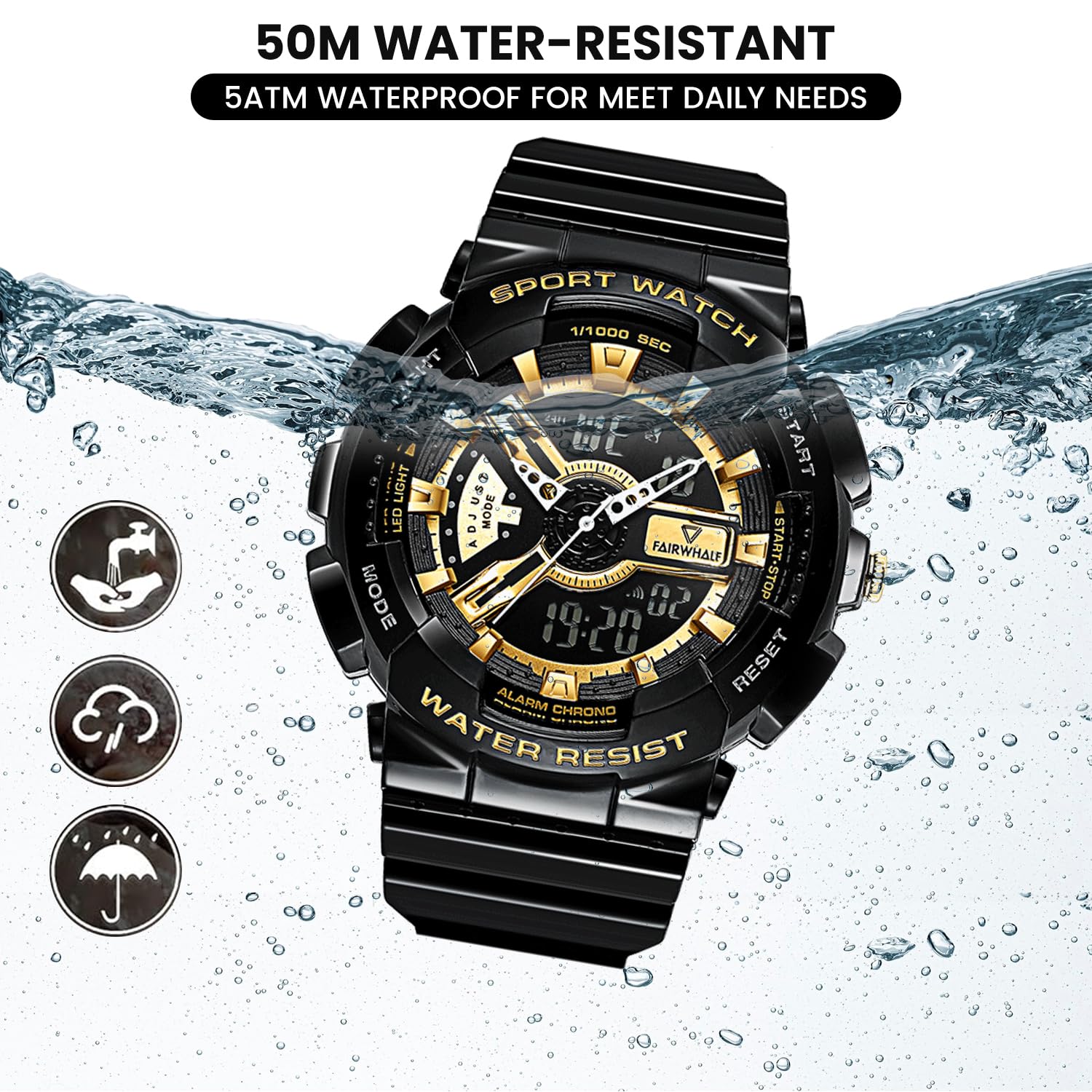
Figure 5: 50M Water-Resistant Feature
Fejlfinding
| Problem | Mulig årsag | Løsning |
|---|---|---|
| Det digitale display er tomt eller svagt. | Lavt batteri. | Udskift batteriet. |
| Analoge visere bevæger sig ikke eller er forkerte. | Crown is pulled out; battery issue. | Push the crown back in. If still not working, replace battery. |
| Knapperne reagerer ikke. | Uret er muligvis i låst tilstand, eller batteriet er lavt. | Try pressing all buttons firmly. If issue persists, replace battery. |
| Vand inde i uret. | Buttons pressed underwater; exposure to hot water/steam; damaged seal. | Immediately take to a professional watch repair service. Avoid further water exposure. |
Specifikationer
| Feature | Detalje |
|---|---|
| Modelnummer | FW-4300-1 |
| Bevægelsestype | Imported Japanese Quartz Movement |
| Display Type | Analog og digital |
| Æske diameter | 52 mm (2 tommer) |
| Båndmateriale | Eco-friendly Resin / Polyurethane |
| Vandmodstand | 5 ATM (50 meter) |
| Særlige funktioner | LED Backlight, Dual Time Display, Stopwatch, Alarm, Shock-Resistant, 12/24H Format |
| Batteri | 1 AAA batteri (medfølger) |
| Varens vægt | 50 g |
| Produktdimensioner | 20 x 5 x 2 cm |

Figure 6: Watch Parameters and Key Features
Garanti og support
Your WeCool Fairwhale Sports Analog Digital Watch comes with a limited warranty. For specific warranty terms and conditions, please refer to the warranty card included with your purchase or visit the official WeCool webwebsted.
If you encounter any issues or have questions regarding your watch, please do not hesitate to contact our professional after-sales team through Amazon. We are committed to providing satisfactory answers and support.
You can reach us via the Amazon messaging system by visiting the product page and clicking on the seller's name, "WeCool Technology", then selecting "Ask a question".


