1. Sikkerhedsoplysninger
Please read all safety instructions carefully before using this product. Retain this manual for future reference.
- Do not expose the soundbar to rain, moisture, or extreme temperatures.
- Bloker ikke nogen ventilationsåbninger.
- Brug kun tilbehør/tilbehør specificeret af producenten.
- Unplug the soundbar during lightning storms or when unused for long periods.
- Overlad al service til kvalificeret servicepersonale.
2. Pakkens indhold
Bekræft at alle varer er til stede i pakken:
- THOMSON B210 Bluetooth Soundbar
- Fjernbetjening
- Strømadapter
- Brugermanual
- Audio Cables (e.g., Optical, AUX - specific cables may vary)
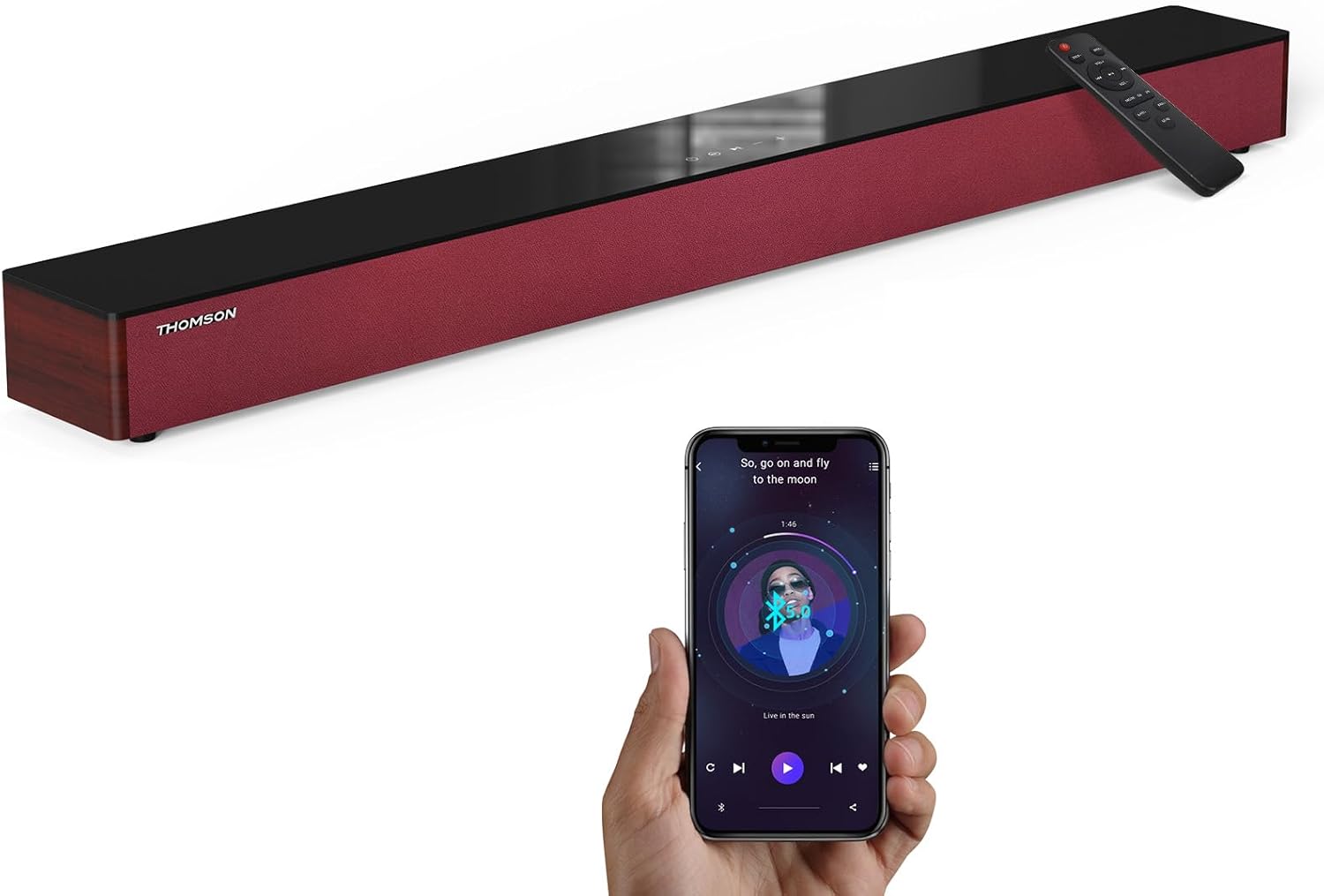
Image: The THOMSON B210 Soundbar, its remote control, and a smartphone demonstrating Bluetooth connectivity.
3. Produktet er slutview
3.1 Front- og toppanel
The soundbar features intuitive controls on its top panel for easy access.
3.2 Bagpaneltilslutninger
The rear panel provides various input ports for connecting to different audio sources.

Billede: Detaljeret view of the soundbar's rear connection ports, including AUX IN, COAXIAL, OPTICAL, HDMI ARC, USB, and DC IN.
3.3 Fjernbetjening
The included remote control allows for convenient operation of all soundbar functions.

Image: A hand operating the soundbar with its remote control, demonstrating wireless command over the device.
4. Opsætning
4.1 Placering
Place the soundbar on a stable, flat surface directly in front of your television for optimal sound dispersion. Ensure there is adequate space around the soundbar for ventilation.
4.2 Strømtilslutning
- Tilslut strømadapteren til DC IN-porten på bagsiden af soundbaren.
- Sæt den anden ende af strømadapteren i en stikkontakt.
5. Betjeningsvejledning
5.1 Tænd/sluk
Press the Power button on the soundbar's top panel or the remote control to turn the unit on or off.
5.2 Lydstyrkekontrol
Use the Volume Up (+) and Volume Down (-) buttons on the soundbar or remote control to adjust the audio level.
5.3 Indgangsvalg
Press the 'MODE' button on the soundbar or remote control to cycle through available input sources: ARC, Optical, AUX, USB, and Bluetooth.
5.4 Equalizer-tilstande
The soundbar offers three distinct equalizer modes to optimize audio for different content types:
- Musiktilstand: Forbedrer musikalsk klarhed og bas.
- Filmtilstand: Provides a more immersive cinematic experience.
- Nyhedstilstand: Optimizes dialogue for clear speech.
Press the corresponding EQ button on the remote control to select your desired mode.

Image: Visual representation of the soundbar's optimized audio modes for Music, Movie, and News content.
6. Forbindelser
The THOMSON B210 Soundbar supports multiple connection types for versatility.

Image: The soundbar demonstrating its compatibility with multiple devices such as projectors, PCs, game consoles, and smartphones.
6.1 HDMI ARC-forbindelse
For the best audio quality and control, connect your TV to the soundbar using an HDMI cable via the ARC port.
- Connect one end of an HDMI cable to the HDMI ARC port on your TV.
- Connect the other end to the HDMI ARC port on the soundbar.
- Select 'ARC' as the input source on the soundbar.
6.2 Optisk forbindelse
Use an optical cable for a high-quality digital audio connection.
- Connect one end of an optical cable to the Optical OUT port on your TV or audio device.
- Connect the other end to the OPTICAL port on the soundbar.
- Select 'Optical' as the input source on the soundbar.
6.3 AUX-forbindelse
For analog audio devices, use an AUX cable.
- Connect one end of a 3.5mm audio cable to the headphone jack or AUX OUT port on your device.
- Tilslut den anden ende til AUX IN-porten på soundbaren.
- Select 'AUX' as the input source on the soundbar.
6.4 USB-forbindelse
Afspil lyd files direkte fra en USB-lagerenhed.
- Insert a USB drive into the USB port on the soundbar.
- Select 'USB' as the input source on the soundbar.
- The soundbar will automatically begin playing compatible audio files.
6.5 Bluetooth -parring
Tilslut din smartphone, tablet eller anden Bluetooth-aktiveret enhed trådløst.
- Turn on the soundbar and select 'Bluetooth' mode using the 'MODE' button. The Bluetooth indicator will flash.
- Aktiver Bluetooth på din enhed, og søg efter tilgængelige enheder.
- Select 'THOMSON B210' from the list.
- Når den er parret, holder Bluetooth-indikatoren op med at blinke og forbliver konstant.

Image: A family enjoying entertainment with the soundbar, illustrating seamless Bluetooth connectivity from a smartphone.
7. Vedligeholdelse
For at sikre din soundbars levetid og optimale ydeevne skal du følge disse vedligeholdelsesretningslinjer:
- Rensning: Brug en blød, tør klud til at rengøre overfladen på soundbaren. Brug ikke flydende rengøringsmidler eller slibende materialer.
- Opbevaring: Hvis du opbevarer soundbaren i længere tid, skal du tage stikket ud af stikkontakten og opbevare den et køligt og tørt sted.
- Ventilation: Sørg for, at ventilationsåbningerne ikke er blokerede for at forhindre overophedning.
8. Fejlfinding
If you encounter issues with your THOMSON B210 Soundbar, refer to the following common problems and solutions:
| Problem | Mulig årsag | Løsning |
|---|---|---|
| Ingen strøm | Strømkabel ikke tilsluttet; Strømudtag ikke aktivt | Ensure power cable is securely connected; Try a different power outlet |
| Ingen lyd | Incorrect input source; Volume too low; Mute activated; Cable connection issue | Select correct input source; Increase volume; Deactivate mute; Check audio cable connections |
| Bluetooth-parring mislykkes | Soundbar not in pairing mode; Device Bluetooth off; Device too far | Ensure soundbar is in Bluetooth mode (flashing indicator); Enable Bluetooth on device; Move device closer to soundbar |
| Fjernbetjening virker ikke | Batterierne er opbrugt; Blokering mellem fjernbetjening og soundbar | Replace remote control batteries; Remove any obstructions; Ensure remote is pointed at the soundbar's sensor |
9. Specifikationer
Detailed technical specifications for the THOMSON B210 Soundbar:
- Model: B210
- Mærke: THOMSON
- Produktdimensioner: 92.7 cm D x 11.8 cm B x 7.3 cm H (36.5" D x 4.7" B x 2.9" H)
- Varens vægt: 11 pund (ca. 5 kg)
- Højttalers maksimale udgangseffekt: 50 watt
- Monteringstype: Bordplademontering
- Bluetooth version: 5.3
- Signal-til-støjforhold: 70dB
- Højttalere: 4 Full Range Speakers, 2 Woofers (Advanced Bass Diaphragms)
- Indgangsforbindelser: ARC (HDMI), Optical, AUX, USB, Bluetooth

Image: Physical dimensions of the soundbar, showing length, width, and height in centimeters, along with a view af de bageste porte.

Image: Internal component diagram of the soundbar, detailing its 4 high-performance drivers and 2 advanced bass diaphragms for enhanced audio.
10. Garanti og support
THOMSON products are manufactured to high-quality standards. For warranty information and technical support, please refer to the warranty card included with your product or visit the official THOMSON support webwebsted.
For further assistance, please contact THOMSON customer service.


