Indledning
Thank you for choosing the THINKYA Vintage Bluetooth Stereo System. This manual provides essential information for setting up, operating, and maintaining your new audio system. Please read this manual thoroughly before using the product to ensure proper operation and to maximize your listening experience. Keep this manual for future reference.
Pakkens indhold
Kontroller venligst pakkens indhold omhyggeligt. Hvis der mangler eller er beskadigede dele, skal du kontakte din forhandler.
- TÆNK Vintage Bluetooth Stereo System Unit
- Fjernbetjening
- Strømadapter
- FM-antenne (hvis relevant)
- Brugervejledning (dette dokument)
Produkt overview
Familiarize yourself with the components and features of your stereo system.

Figur 1: Front view of the stereo system with the included remote control. The system features a top-loading CD player and integrated speakers.

Figur 2: The system supports Bluetooth 5.1 for wireless audio streaming, along with Aux and USB playback options. A smartphone is shown connected via Bluetooth.

Figur 3: The system features a premium 30W RMS sound system with dual 3-inch full-range units, designed for clear and powerful audio output.
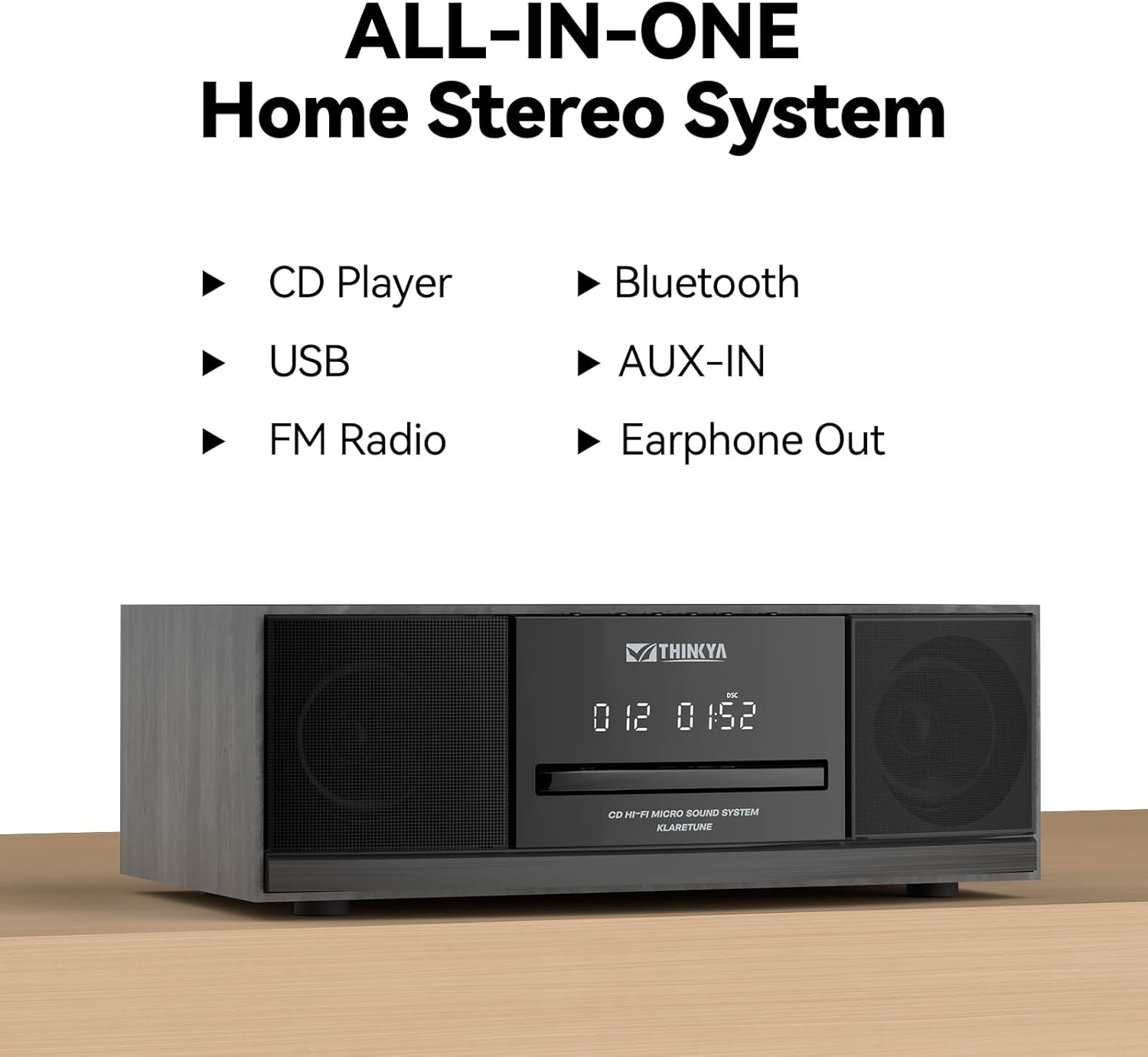
Figur 4: This all-in-one home stereo system integrates multiple audio sources including CD Player, USB, FM Radio, Bluetooth, AUX-IN, and Earphone Out.

Figur 5: The top-loading CD player supports various disc formats including CD, CD-R, CD-RW, and MP3 CDs. It also offers 5 EQ modes: Flat, Pop, Rock, Jazz, and Classic.

Figur 6: Rear panel connections include AUX Input (RCA and 3.5mm), USB Input, and Earphone Output for versatile connectivity.
Opsætning
1. Placering
Place the stereo system on a stable, flat surface away from direct sunlight, heat sources, and excessive dust or moisture. Ensure adequate ventilation around the unit.
2. Strømtilslutning
- Connect the power adapter to the DC IN port on the rear of the unit.
- Sæt strømadapteren i en almindelig stikkontakt.
3. FM-antennetilslutning
For optimal FM radio reception, connect the included FM antenna to the FM ANT port on the rear of the unit. Extend the antenna fully and adjust its position for the best signal.
Betjeningsvejledning
Tænd/sluk
Tryk på MAGT knappen på enheden eller fjernbetjeningen for at tænde eller slukke systemet.
Valg af tilstand
Tryk på MODE button on the unit or remote control repeatedly to cycle through available modes: CD, Bluetooth, FM Radio, USB, and AUX-in.
Betjening af cd-afspiller
- Vælg CD-tilstand.
- Gently insert a CD into the top-loading CD slot with the label side facing up. The disc will be automatically detected and playback will begin.
- Brug AFSPIL/PAUSE, SKIP FREM, og SKIP TILBAGE knapper til at styre afspilning.
- Tryk på STOP for at stoppe afspilning.
- Gentagelsestilstande: Tryk på GENTAGE button to cycle through repeat one, repeat all, or random playback.
- EQ-tilstande: Tryk på EQ button to select desired sound equalization: Flat, Classic, Rock, Pop, or Jazz.
Bluetooth-parring
- Select Bluetooth mode. The display will show "BT" and flash, indicating it's in pairing mode.
- Aktiver Bluetooth på din Bluetooth-aktiverede enhed (smartphone, tablet osv.) og søg efter tilgængelige enheder.
- Select "THINKYA JA-318" (or similar name) from the list.
- Once paired, the "BT" indicator will stop flashing and remain solid. You can now stream audio from your device to the stereo system.
- Note: This system is designed for receiving Bluetooth audio from devices and does not support connection to wireless headphones.
Betjening af FM-radio
- Vælg FM-radiotilstand.
- Automatisk scanning: Tryk og hold på AFSPIL/PAUSE knappen for automatisk at scanne og gemme tilgængelige FM-stationer.
- Manuel indstilling: Brug SKIP FREM or SKIP TILBAGE knapperne til manuelt at indstille de ønskede frekvenser.
- Forudindstillede stationer: Use the number buttons on the remote control to directly select saved preset stations.
USB-afspilning
- Vælg USB-tilstand.
- Indsæt et USB-flashdrev, der indeholder MP3- eller WMA-lyd files into the USB port on the rear of the unit.
- Playback will begin automatically. Use the playback controls (PLAY/PAUSE, SKIP FORWARD/BACKWARD) to navigate your music.
AUX-in Usage
- Select AUX-in mode.
- Connect an external audio device (e.g., smartphone, MP3 player) to the AUX-in port (3.5mm or RCA) on the rear of the unit using an appropriate audio cable (not included).
- Styr afspilningen direkte fra din tilsluttede eksterne enhed.
Fjernbetjeningsfunktioner

Figur 7: The included remote control allows convenient operation of all system functions from a distance.
The remote control provides full functionality for the stereo system. Ensure batteries are correctly inserted. Refer to the button labels on the remote for specific functions such as Power, Mode, Volume, Playback controls, EQ, and Number buttons for FM presets.
Opretholdelse
Rensning
Wipe the unit with a soft, dry cloth. Do not use abrasive cleaners, waxes, or solvents as they may damage the finish. For the CD lens, use a specialized CD lens cleaner if necessary.
Opbevaring
Hvis enheden ikke skal bruges i længere tid, skal du tage stikket ud af stikkontakten og opbevare den et køligt og tørt sted.
CD pleje
Hold cd'er i kanterne. Hold dem rene og fri for ridser. Opbevar cd'er i deres etuier, når de ikke er i brug.
Fejlfinding
Hvis du støder på problemer, bedes du se følgende tabel, før du kontakter kundesupport.
| Problem | Mulig årsag | Løsning |
|---|---|---|
| Ingen strøm | Netledningen er ikke tilsluttet; stikkontakten er ikke aktiv. | Sørg for, at netledningen er korrekt tilsluttet. Prøv en anden stikkontakt. |
| Ingen lyd | Lydstyrken er for lav; Forkert tilstand valgt; Lydløs funktion er aktiv. | Increase volume. Select the correct input mode (CD, BT, FM, USB, AUX). Press the MUTE button on the remote. |
| CD springer over eller afspiller ikke | CD'en er snavset eller ridset; CD'en er isat forkert. | Clean the CD with a soft, lint-free cloth. Ensure the CD is inserted label side up. Try a different CD. |
| Bluetooth forbinder ikke | System not in pairing mode; Device Bluetooth off; Device too far. | Ensure system is in Bluetooth mode and "BT" is flashing. Enable Bluetooth on your device. Move device closer to the system (within 30 feet). |
| Dårlig FM -modtagelse | Antennen er ikke tilsluttet eller placeret forkert. | Tilslut FM-antennen, og juster dens position for at få et bedre signal. |
| Fjernbetjening virker ikke | Batterierne er døde eller isat forkert; Blokering mellem fjernbetjening og enhed. | Udskift batterierne. Sørg for korrekt polaritet. Fjern eventuelle forhindringer. Ret fjernbetjeningen direkte mod enhedens sensor. |
Specifikationer
| Feature | Detalje |
|---|---|
| Modelnummer | JA-318 |
| Mærke | THINKYA |
| Produktmål (L x B x H) | 16 x 11 x 9 tommer |
| Varens vægt | 8.73 pund |
| Forbindelsesteknologi | Bluetooth |
| Højttaler type | Stereoanlæg |
| Farve | Sort |
| RMS udgangseffekt | 30W (15W RMS per speaker) |
| CD-kompatibilitet | CD, CD-R/RW, MP3-CD |
| EQ-tilstande | Flat, Classic, Rock, Pop, Jazz |
| FM -forudindstillinger | 20 stationer |
| Indgange | USB Port, Aux-in (3.5mm, RCA) |
| Udgange | Port til øretelefoner |
Garanti og support
For warranty information and technical support, please refer to the contact details provided with your purchase or visit the official THINKYA webwebsted. Gem din købsbevis i tilfælde af garantikrav.
For yderligere hjælp, kontakt venligst:
- Fabrikant: THINKYA
- Webwebsted: Search THINKYA on Amazon (or official webwebsted, hvis tilgængeligt)


