1. Introduktion
Thank you for choosing the OSCAL 400W Foldable Solar Panel. This high-efficiency solar panel is designed to provide reliable power for various outdoor activities, including RV trips, camping, and off-grid power solutions. Its foldable design and robust construction make it an ideal companion for portable energy needs. Please read this manual thoroughly before using the product to ensure proper operation and longevity.
2. Sikkerhedsinstruktioner
To ensure safe operation and extend the lifespan of your solar panel, please observe the following precautions:
- Do not attempt to disassemble, repair, or modify the solar panel. This may cause damage and void the warranty.
- Avoid exposing the solar panel to extreme temperatures or direct flame.
- Handle the panel with care. Do not drop or subject it to strong impacts.
- Ensure all connections are secure and correct before use. Incorrect connections can cause damage.
- Keep the solar panel away from water and moisture during storage, although it features IP65 water resistance during operation.
- Træd ikke på solpanelet eller anbring tunge genstande på det.
- Opbevares utilgængeligt for børn.
3. Pakkens indhold
Når du åbner pakken, skal du kontrollere, at alle nedenstående varer er til stede og i god stand:
- OSCAL PM400 Foldable Solar Panel
- MC4 to 5-in-1 Charging Cable (includes Anderson, DC7909, XT60, DC5521, DC6530 connectors)
- Brugervejledning (dette dokument)

Figure 3.1: OSCAL PM400 Foldable Solar Panel with MC4 cable and various adapters.
4. Produktfunktioner
The OSCAL PM400 solar panel is engineered with advanced features for optimal performance and durability:
- Høj effektivitet: Features top-tier monocrystalline silicone cells with up to 22.7% conversion efficiency, maximizing power output.
- Robust konstruktion: Improved ETFE shielding layer provides IP65 water and dust resistance, ensuring durability in various outdoor conditions.
- Bærbart design: Briefcase-style foldable design with a rugged PC handle for easy transport and storage.
- Justerbart støtteben: Integrated kickstand allows for angle adjustment from 15-65 degrees to optimize sunlight absorption.
- Bred kompatibilitet: Equipped with an MC4 to 5-in-1 solar charging cable, compatible with 98% of portable power stations on the market, including OSCAL PowerMax 3600 and PowerMax 6000.
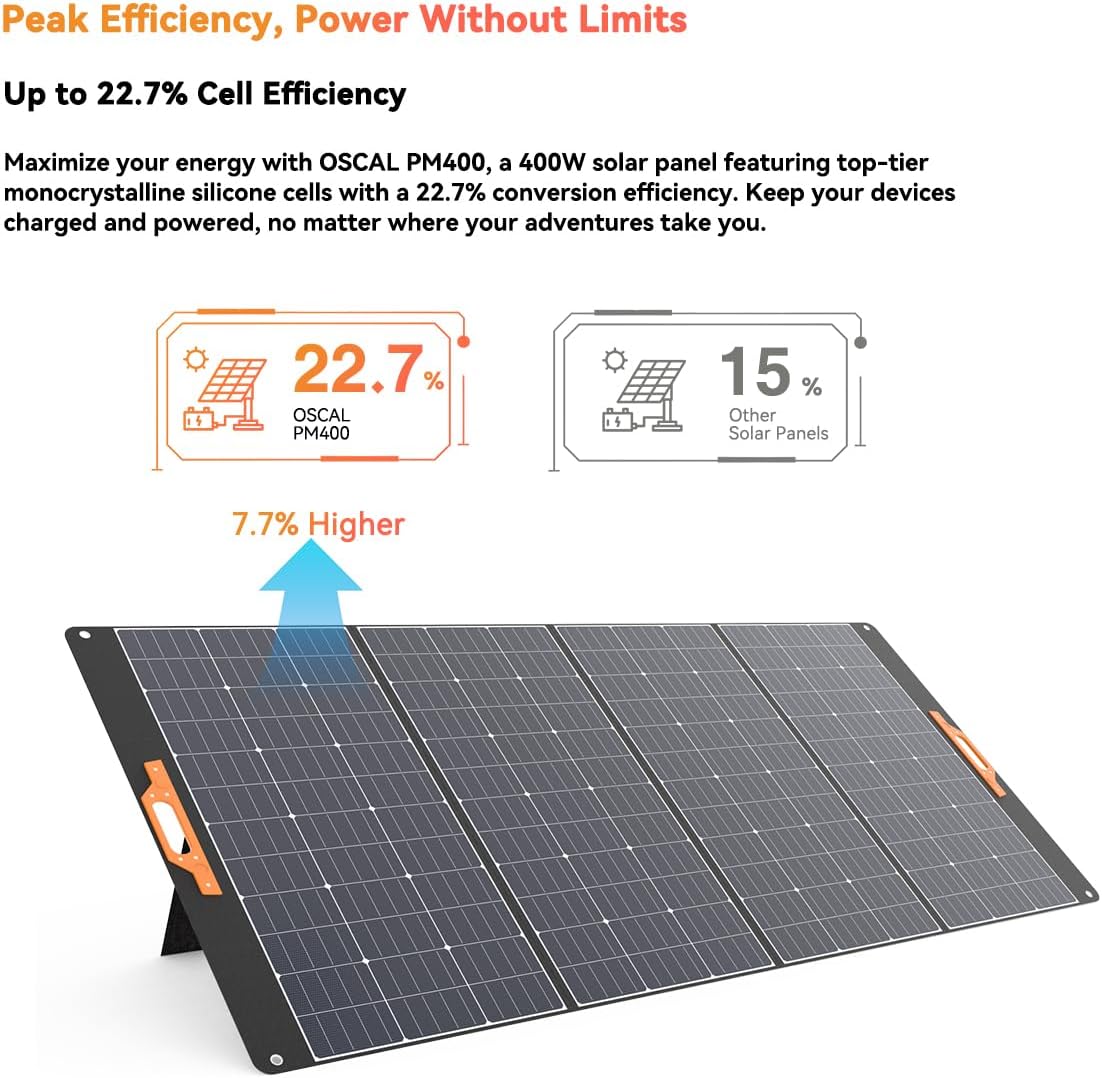
Figure 4.1: High efficiency of OSCAL PM400 solar cells.

Figure 4.2: Improved ETFE shielding layer for durability.

Figure 4.3: Key design and structural features of the solar panel.

Figure 4.4: Folded and unfolded dimensions for portability.

Figure 4.5: Demonstrating IP65 waterproof and dustproof performance.

Figure 4.6: MC4 to 5-in-1 charging cable for broad compatibility.
5. Opsætning
Follow these steps to set up your OSCAL 400W Foldable Solar Panel:
- Fold panelet ud: Carefully unfold the solar panel completely on a flat, stable surface.
- Position for sollys: Place the solar panel in an area with direct, unobstructed sunlight. Avoid shaded areas from trees, buildings, or other objects.
- Juster støttebenet: Extend the integrated kickstand at the back of the panel. Adjust the angle (between 15-65 degrees) to face the sun directly for maximum efficiency. The optimal angle will vary depending on your location and the time of day/year.
- Sikker placering: Ensure the panel is stable and will not be blown over by wind.
6. Betjeningsvejledning
Once the solar panel is set up, connect it to your power station or device:
- Identificer forbindelser: Locate the MC4 connectors on the solar panel's output cable.
- Vælg adapter: Choose the appropriate adapter from the MC4 to 5-in-1 charging cable that matches the input port of your portable power station or device (e.g., Anderson, DC7909, XT60, DC5521, DC6530).
- Forbinde: Connect the MC4 connectors from the solar panel to the MC4 end of the 5-in-1 charging cable. Then, connect the selected adapter end to your power station's input port.
- Bekræft opladning: Most power stations will indicate when they are receiving a charge. Monitor your power station's display to confirm that charging has begun.
- Optimer position: Periodically adjust the solar panel's angle throughout the day to maintain optimal exposure to the sun.

Figure 6.1: Common applications for the OSCAL PM400 solar panel.
7. Vedligeholdelse
Korrekt vedligeholdelse sikrer dit solpanels levetid og effektivitet:
- Rensning: Rengør regelmæssigt overfladen på solpanelet med en blød, tør klud.amp cloth to remove dust, dirt, or debris. Avoid abrasive cleaners or harsh chemicals. Ensure the panel is dry before folding or storing.
- Inspektion: Periodically inspect the cables and connectors for any signs of wear, damage, or corrosion. Replace any damaged components immediately.
- Opbevaring: When not in use, fold the solar panel and store it in a cool, dry place away from direct sunlight and extreme temperatures. Use the integrated handle for easy carrying.
- Undgå forhindringer: Ensure no objects are placed on the panel during storage that could cause pressure or damage to the cells.
8. Fejlfinding
If you encounter issues with your solar panel, refer to the following common problems and solutions:
| Problem | Mulig årsag | Løsning |
|---|---|---|
| Ingen strømudgang / Lav strømudgang |
|
|
| Overophedning af panelet |
|
|
Hvis problemet fortsætter efter at have prøvet disse løsninger, bedes du kontakte kundesupport.
9. Specifikationer
| Attribut | Værdi |
|---|---|
| Mærke | OSCAL |
| Modelnummer | PM400 |
| Strømudgang | 400W (peak) |
| Celleeffektivitet | Op til 22.7 % |
| Produktdimensioner (udfoldet) | 266.2 cm L x 233.4 cm B x 2.5 cm H (104.8 cm L x 91.9 cm B x 0.98 cm H) |
| Produktdimensioner (foldet) | 53.2 cm L x 104.8 cm B x 6.3 cm H (20.9 cm L x 41.2 cm B x 2.5 cm H) |
| Vægt | 19.2 kg (ca.) |
| Farve | Sort |
| Speciel funktion | Flexible, Foldable, IP65 Waterproof & Dustproof |
| Connector Type | MC4 (with 5-in-1 adapter cable) |
| Inkluderede komponenter | PM400 solar panel, MC4 to 5-in-1 charging cable |
10. Garanti og support
OSCAL products come with a standard warranty. For detailed warranty information, please refer to the warranty card included with your purchase or visit the official OSCAL website. If you have any questions, require technical assistance, or need to report an issue, please contact OSCAL customer support through their official channels.
Gem venligst dit købsbevis for garantikrav.


