1. Introduktion
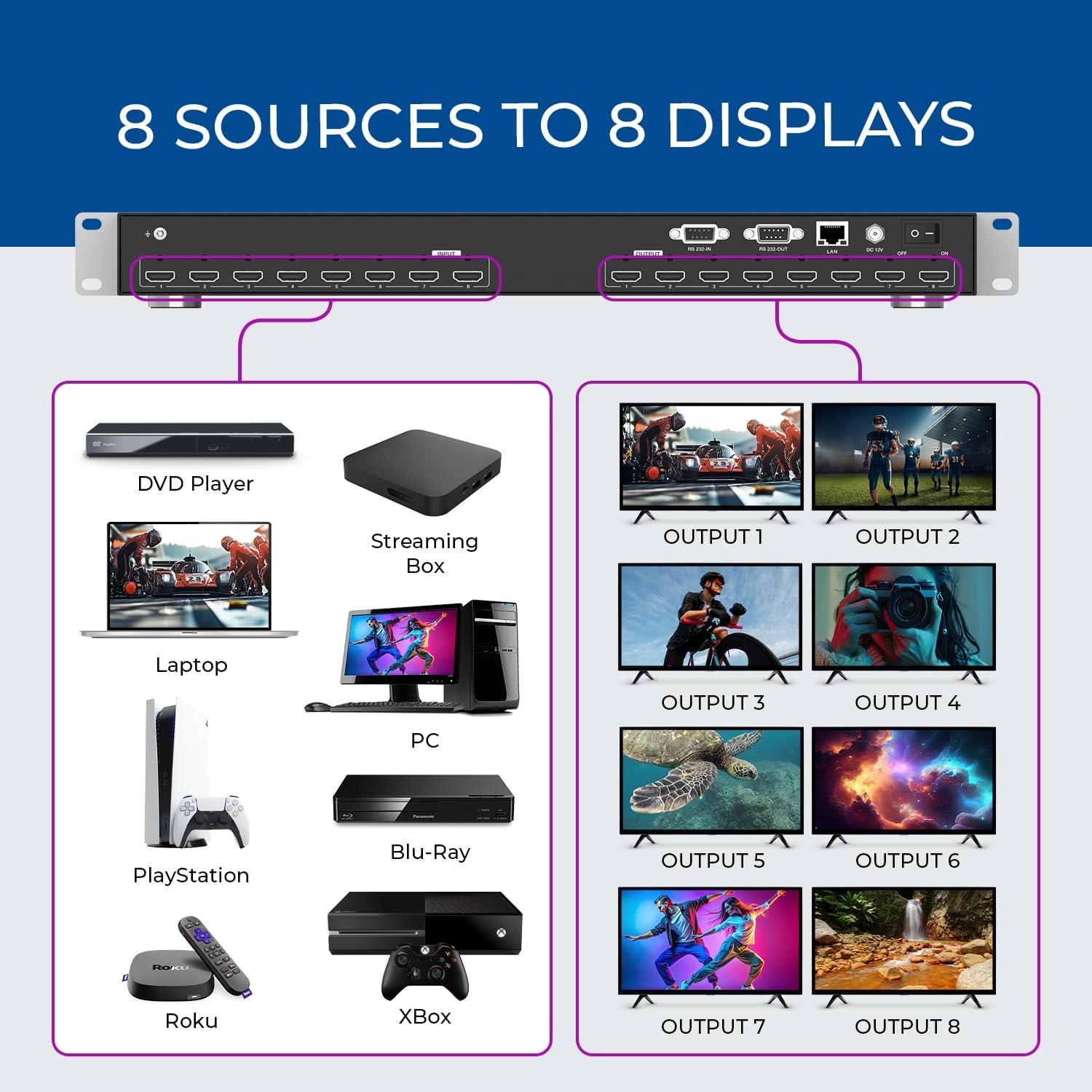
This manual provides detailed instructions for the installation, operation, and maintenance of your OREI HDS-808 8x8 HDMI 4K Matrix Switch/Splitter. This device allows you to connect up to eight HDMI input sources and independently distribute them to any of the eight HDMI output display ports. It is designed for high-speed digital performance without signal degradation, supporting UltraHD 4K@30Hz 4:2:0, HDMI 1.4, HDCP 2.2, 3D, and 1080p resolutions.

2. Pakkens indhold
Please verify that all items listed below are included in your package. If any items are missing or damaged, please contact OREI customer support.
- 1x OREI HDS-808 HDMI Matrix Unit
- 1x fjernbetjening
- 1x Power Adapter (with US plug and international adapter/converter)
- 1x RS-232 kabel
- 1x Brugsanvisning (dette dokument)

3. Opsætning
Follow these steps to set up your OREI HDS-808 HDMI Matrix Switch:
- Sluk for enheder: Ensure all HDMI source devices (e.g., DVD player, streaming box, PC, gaming console) and display devices (TVs, monitors) are powered off before making any connections.
- Tilslut HDMI-kilder: Connect your eight HDMI source devices to the HDMI Input ports (1-8) on the rear panel of the HDS-808 using high-quality HDMI cables.
- Tilslut HDMI-skærme: Connect your eight HDMI display devices to the HDMI Output ports (1-8) on the rear panel of the HDS-808 using high-quality HDMI cables.
- Tilslut strøm: Connect the provided power adapter to the DC 12V port on the HDS-808 and then plug it into a power outlet.
- Optional Control Connections:
- RS-232: For serial control, connect the RS-232 cable from your control system to the RS-232 IN port on the HDS-808.
- LAN: For network control via WebGUI, connect an Ethernet cable from your network router/switch to the LAN port on the HDS-808.
- Tænd: Power on the HDS-808 unit. Then, power on your HDMI display devices, followed by your HDMI source devices.

4. Betjeningsvejledning
The OREI HDS-808 offers multiple methods for controlling input and output routing.
4.1 Betjening på frontpanelet
The front panel features dedicated buttons for input and output selection, as well as control buttons for EDID management and scene recall.
- Inputknapper (1-8): Press an Input button to select the desired source.
- Udgangsknapper (1-8): Press an Output button to select the desired display.
- Control Buttons (UP, DOWN, ENTER, SAVE, RECALL, EDID): These buttons are used for advanced settings, EDID management, and saving/recalling preset scenes. Refer to the detailed EDID management section in the full manual for specific instructions.
4.2 Fjernbetjening
The included IR remote control provides convenient wireless operation for switching inputs and outputs.
- Point the remote control towards the IR receiver on the front panel of the HDS-808.
- Use the numbered buttons to select inputs and outputs.
- Dedicated buttons for SAVE, EDID, and RECALL functions are also available on the remote.

4.3 WebGUI kontrol
The HDS-808 can be controlled via a web-baseret grafisk brugergrænseflade (WebGUI) when connected to a network.
- Connect the HDS-808 to your network via the LAN port.
- Obtain the IP address of the device (refer to the full manual for default IP or discovery methods).
- Åbn a web browser on a connected computer and enter the IP address to access the WebGUI.
- De WebGUI provides a visual interface for routing, EDID management, and other advanced settings.
4.4 RS-232 Control
For integration with professional control systems, the HDS-808 supports RS-232 serial commands.
- Connect your control system to the RS-232 IN port using the provided cable.
- Refer to the full manual for a comprehensive list of RS-232 commands and protocols.
4.5 Downscale Function
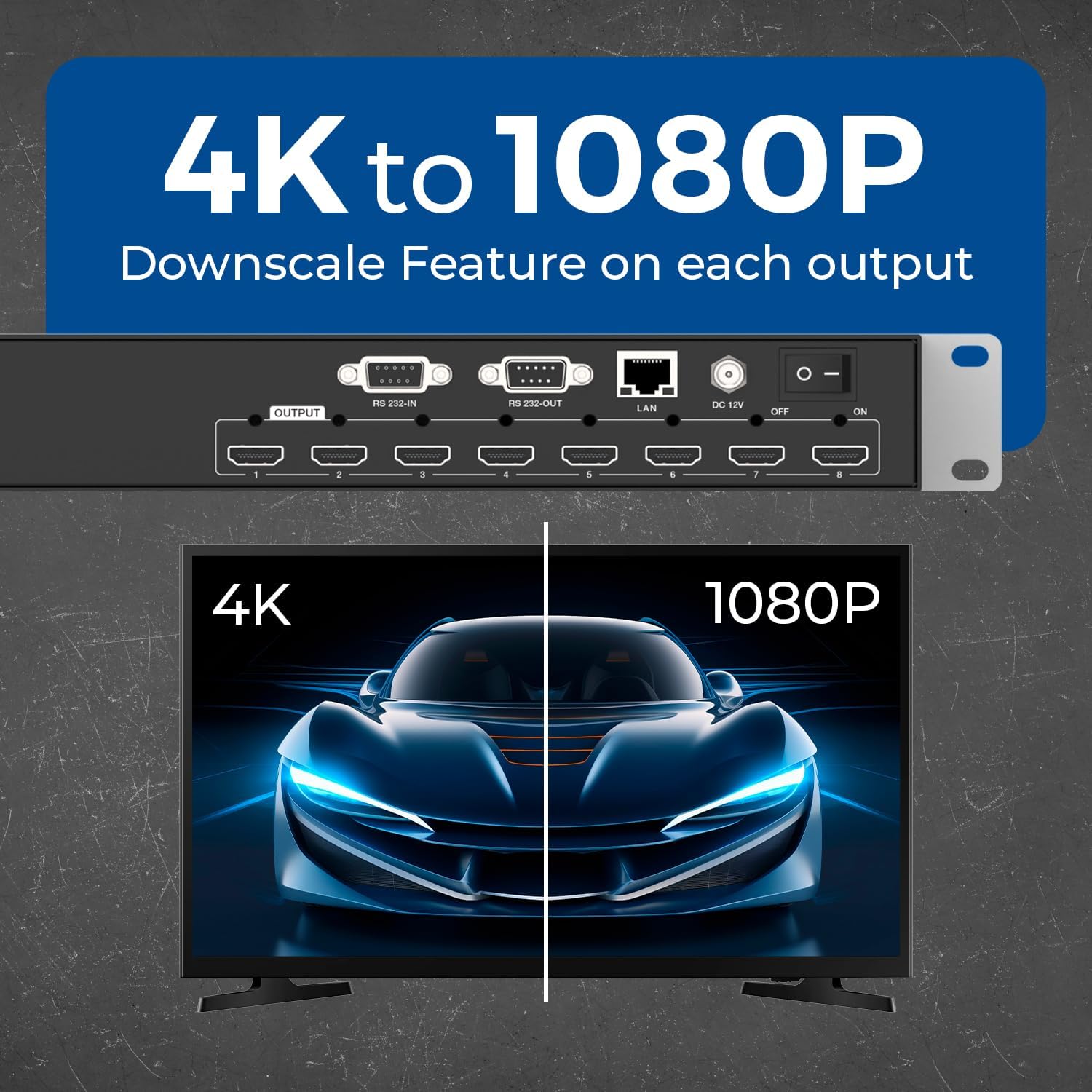
Each output port supports a downscale functionality, allowing the device to display 4K content or downscale it to 1080p. This is useful for mixed display environments where some displays may not support 4K resolution.
- The downscaling is automatic or can be configured via WebGUI/RS-232.
- This feature ensures compatibility and optimal viewing on various display types.

5. Funktioner
The OREI HDS-808 HDMI Matrix Switch offers a robust set of features for versatile audio and video distribution:
- 8x8 HDMI Matrix: Connects eight HDMI input sources to eight HDMI output displays.
- 4K@30Hz support: Supports video resolutions up to UltraHD 4K@30Hz (4:2:0 chroma subsampling).
- 10.2 Gbps båndbredde: High bandwidth for reliable signal transmission.
- HDCP 2.2 Compliant: Sikrer kompatibilitet med beskyttet indhold.
- 4K to 1080p Downscale: Each output can automatically downscale 4K signals to 1080p for compatibility with various displays.
- Advanced EDID Management: Provides flexible EDID settings to ensure optimal compatibility between sources and displays.
- Lydstøtte: Compatible with LPCM 2/5.1/7.1CH, Dolby Digital, Dolby Atmos, DTS-HD Master Audio, and DTS:X.
- Flere kontrolmuligheder: Front panel buttons, IR remote control, RS-232, and WebGUI (LAN).
- 8 forudindstillede scener: Ability to save and recall up to 8 custom input/output routing configurations.
- 1U Rack-Mountable Design: Standard rack-mount size for professional installations.
- Holdbar konstruktion: Heavy-duty metal enclosure for long-lasting performance.
6. Specifikationer
Refer to the table below for the technical specifications of the OREI HDS-808 HDMI Matrix Switch.
| Feature | Beskrivelse |
|---|---|
| Modelnummer | HDS-808 |
| HDMI overensstemmelse | HDMI 1.4 |
| HDCP-overholdelse | HDCP 2.2 |
| Video båndbredde | 10.2 Gbps |
| Videoopløsninger | Up to 4K@30Hz (4:2:0), 1080p, 720p, 480i |
| Lydformater | LPCM 2/5.1/7.1CH, Dolby Digital, Dolby Atmos, DTS-HD Master Audio, DTS:X |
| Indgangsporte | 8x HDMI Type A (female) |
| Udgangsporte | 8x HDMI Type A (female) |
| Kontrolmuligheder | Front Panel, IR Remote, RS-232, LAN (WebGUI) |
| Downscale Function | 4K to 1080p on each output |
| Produktmål (L x B x H) | 17.32 x 11.22 x 1.75 tommer (440 x 285 x 44.5 mm) |
| Varens vægt | 7.60 lbs (3.45 kg) |
| Materiale | Metal kabinet |
| Strømforsyning | DC 12V (US plug with international adapter/converter) |
| Batterier (til fjernbetjening) | 1 CR123A batteri (medfølger) |

7. Fejlfinding
If you encounter issues with your OREI HDS-808, please refer to the following common problems and solutions:
- Intet billede/signal:
- Ensure all HDMI cables are securely connected to both the source, the matrix, and the display.
- Verify that the correct input source is selected on the matrix and the correct input is selected on your display.
- Check if the power adapter is properly connected and the matrix is powered on.
- Try bypassing the matrix by connecting the source directly to the display to confirm the source and display are working correctly.
- Adjust EDID settings on the matrix to ensure compatibility between source and display.
- Picture Flickering or Intermittent Signal:
- Use shorter, high-quality HDMI cables, especially for 4K resolutions.
- Ensure cables are HDMI 1.4 or higher for 4K content.
- Check for electromagnetic interference from other electronic devices.
- Ingen lyd:
- Verify that the audio settings on your source device are correctly configured for HDMI output.
- Ensure your display device's audio input is correctly selected.
- Check the audio format compatibility between your source, matrix, and display.
- Fjernbetjeningen virker ikke:
- Ensure the remote control has a working CR123A battery and is inserted correctly.
- Point the remote directly at the IR receiver on the front panel of the matrix.
- Remove any obstructions between the remote and the matrix.
- WebGUI/RS-232 Control Issues:
- For WebGUI, ensure the matrix is properly connected to the network and you have the correct IP address.
- For RS-232, verify cable connections and ensure the correct serial port settings (baud rate, data bits, parity, stop bits) are used.
- Hvis du ændrede WebGUI password and cannot log in, refer to the full manual for factory reset procedures or contact support.
If the problem persists after attempting these solutions, please contact OREI customer support for further assistance.
8. Vedligeholdelse
To ensure the longevity and optimal performance of your OREI HDS-808, follow these maintenance guidelines:
- Rensning: Brug en blød, tør klud til at rengøre enhedens yderside. Brug ikke flydende rengøringsmidler eller aerosolspray, da de kan beskadige enheden.
- Ventilation: Sørg for tilstrækkelig ventilation af enheden. Bloker ikke ventilationsåbninger.
- Miljø: Opbevar enheden et køligt, tørt sted, væk fra direkte sollys, varmekilder og overdreven fugtighed.
- Magt: Tag strømadapteren ud af stikkontakten, hvis enheden ikke skal bruges i længere tid.
- Kabelstyring: Organize HDMI and control cables to prevent strain on ports and accidental disconnections.
9. Garanti og support
The OREI HDS-808 HDMI Matrix Switch comes with a 12-Month Manufacturer's Warranty fra købsdatoen. Denne garanti dækker fejl i materialer og udførelse ved normal brug.
OREI also provides Livsvarig teknisk support for this product. If you have any questions, require assistance with setup, or encounter any issues not covered in this manual, please contact OREI customer support.
For warranty claims or technical support, please visit the official OREI webwebstedet eller se de kontaktoplysninger, der følger med din produktdokumentation.


