1. Introduktion
This manual provides comprehensive instructions for operating the Nikon Z5 II Full-Frame Mirrorless Camera. It covers setup, operation, maintenance, and specifications to help users maximize the camera's capabilities for both stills and video. The Nikon Z5 II is designed to expand your creative expression with its full-frame image quality, advanced autofocus, and exceptional low-light performance.

Figur 1.1: Forside view of the Nikon Z5 II camera body with the Z mount cap attached.
2. Hvad er der i æsken
Upon unboxing your Nikon Z5 II, please ensure all the following components are present:
- Nikon Z5 II Camera Body
- EN-EL15c Rechargeable Li-ion Battery
- Nikon Camera Strap
- USB Type-C Charging and Transfer Cable
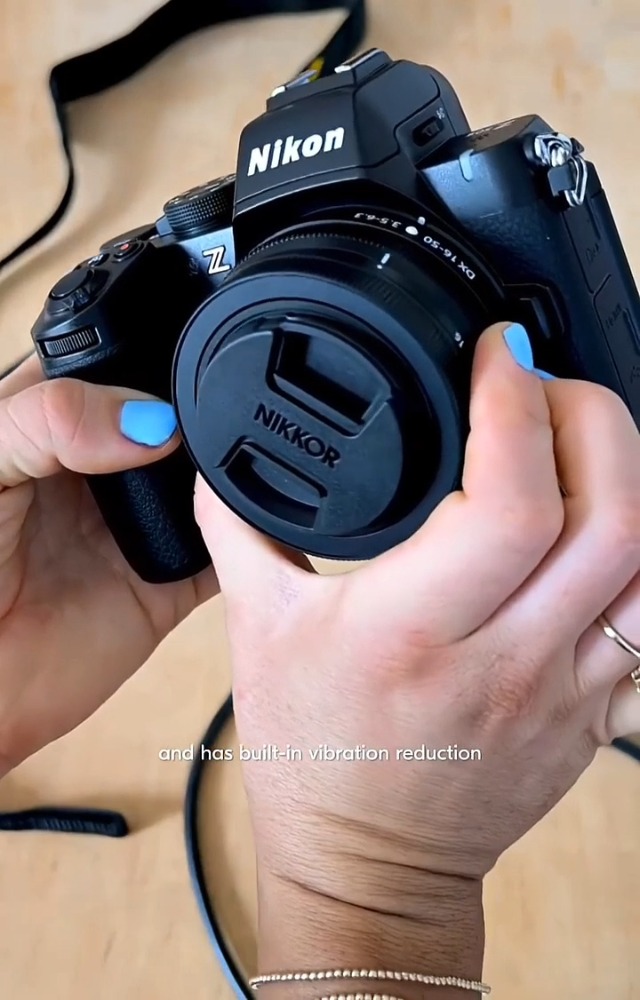
Figure 2.1: The Nikon Z5 II camera body and included accessories.
3. Opsætning
3.1 Opladning af batteriet
- Insert the EN-EL15c battery into the supplied battery charger.
- Tilslut opladeren til en stikkontakt. Opladningsindikatoren lyser.
- Opladningen er færdig, når indikatorlyset slukker.
3.2 Montering af objektivet
- Fjern kamerahusdækslet og det bagerste objektivdæksel fra objektivet.
- Juster monteringsmærket på objektivet med monteringsmærket på kamerahuset.
- Drej linsen mod uret, indtil den klikker på plads.
3.3 Indsættelse af et hukommelseskort
The Nikon Z5 II features dual SD UHS-II memory card slots.
- Åbn dækslet til hukommelseskortpladsen på siden af kameraet.
- Insert the SD card(s) into the slot(s) with the label facing the front of the camera until it clicks.
- Luk dækslet til hukommelseskortet.

Figur 3.1: Side view of the Nikon Z5 II, illustrating the dual memory card slots.
4. Betjeningsvejledning
4.1 Powering On/Off and Basic Controls
Locate the power switch around the shutter button. Turn it to 'ON' to power on the camera. The camera features an intuitive layout with ergonomic controls and dials for easy access to settings.
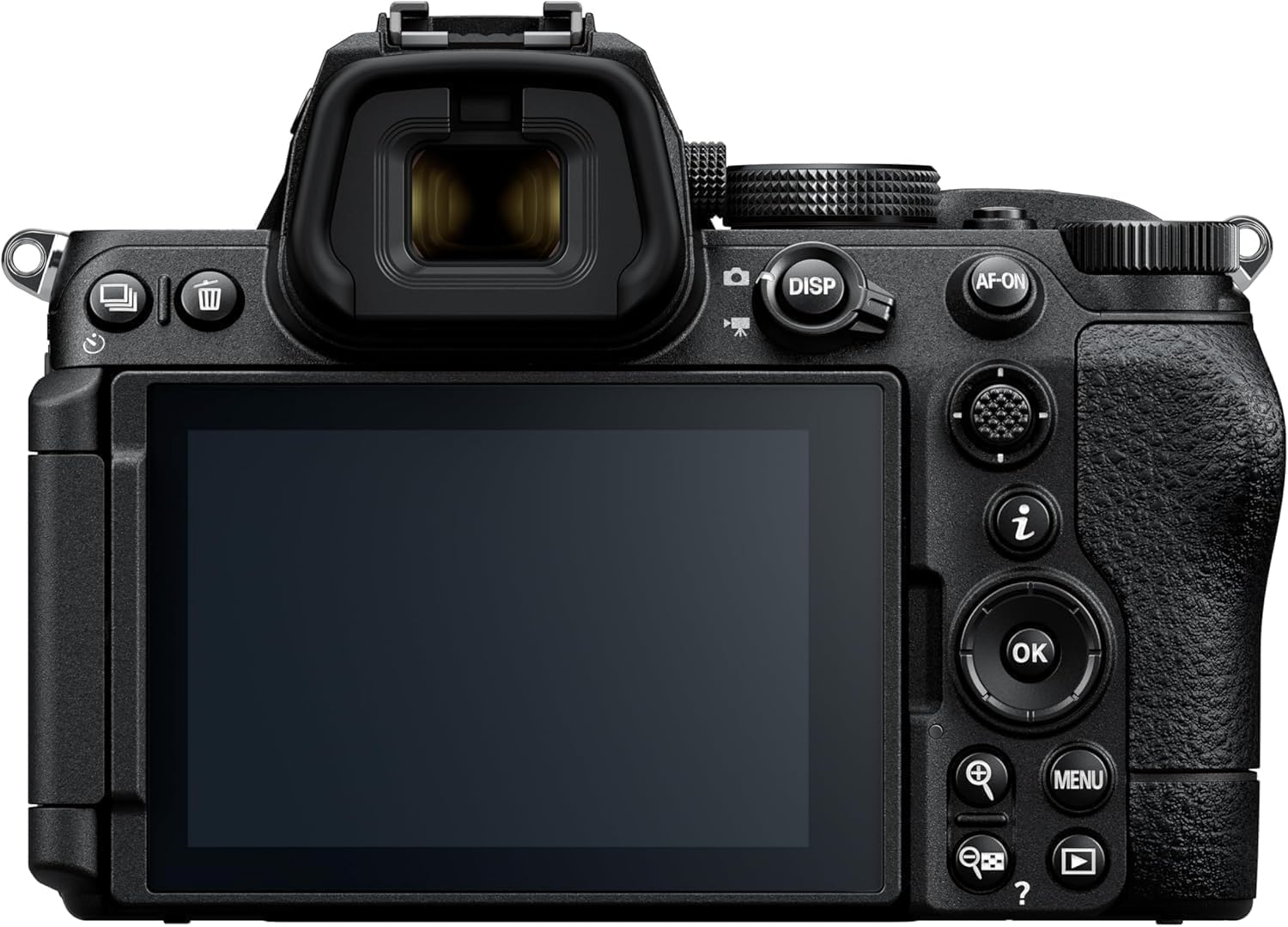
Figur 4.1: Bagside view of the Nikon Z5 II, highlighting the articulating LCD and control layout.
4.2 Advanced Autofocus System
The Z5 II features an advanced autofocus system with automatic detection for 9 subject types: people, birds, dogs, cats, cars, bicycles, motorcycles, trains, and airplanes. This system ensures sharp focus even in challenging conditions, with detection down to -10EV.

Figure 4.2: The camera's intelligent autofocus system tracking a dog's eye.
4.3 Ydeevne i svagt lys
Experience impressive low-light performance with the 24.5MP BSI-CMOS FX-format sensor and up to 7.5 stops of built-in image stabilization, allowing for clean details and focus in near darkness.

Figur 4.3: Eksample of the Nikon Z5 II's low-light capabilities.
4.4 elektronisk Viewfinder (EVF)
The Z5 II features a sharp, detailed EVF with a maximum brightness of 3000 nits, providing a clear and immersive shooting experience.

Figure 4.4: A photographer utilizing the bright electronic viewfinderen.
4.5 Video Capabilities
The camera supports 4K/60p video recording, 5x slow motion, and is streaming-ready. It also offers flexible color grading with N-Log for post-production.

Figure 4.5: The Nikon Z5 II configured for video production.
4.6 Connectivity and Imaging Cloud
The Z5 II supports Nikon Imaging Cloud service, allowing access to downloadable picture controls, automatic image transfer to preferred storage sites, and automatic firmware updates. Nikon SnapBridge enables wireless transfer of photos and short video clips to your compatible phone or tablet, and allows your smart device to function as a wireless remote release with live view.

Figure 4.6: Nikon Z5 II integrating with Nikon Imaging Cloud for creative presets.

Figure 4.7: Wireless image transfer and remote control via Nikon SnapBridge.
4.7 Officielle produktvideoer
Nikon Z5II Product Overview
Denne video giver en kortfattet oversigtview of the Nikon Z5 II camera's key features and design elements, demonstrating its compact form factor and control layout.
Picture Control with the New Nikon Z5II camera
Learn how to utilize the Picture Control settings on the Nikon Z5 II to customize the look and feel of your images and videos directly in-camera.
Timelapse Video with the Nikon Z5II Mirrorless Camera
This video demonstrates the process and results of creating a timelapse video using the Nikon Z5 II, showcasing its capabilities for dynamic visual storytelling.
5. Vedligeholdelse
5.1 Rengøring af kameraet
- Use a blower brush to remove dust from the lens and sensor.
- Tør kamerahuset af med en blød, tør klud.
- Undgå at bruge skrappe kemikalier eller opløsningsmidler.
5.2 Opbevaring
- Opbevar kameraet et køligt og tørt sted, væk fra direkte sollys.
- Fjern batteriet, hvis kameraet ikke skal bruges i en længere periode.
6. Fejlfinding
6.1 Almindelige problemer og løsninger
| Spørgsmål | Mulig årsag | Løsning |
|---|---|---|
| Kameraet tændes ikke | Lavt eller afladet batteri | Oplad batteriet helt. |
| Billeder er slørede | Incorrect focus, camera shake | Check focus settings, use a tripod or increase shutter speed. |
| Hukommelseskort fejl | Card not inserted correctly, corrupted card | Reinsert card, try a different card, or format the card (data will be lost). |
7. Specifikationer
| Feature | Detalje |
|---|---|
| Sensortype | 24.5 MP BSI-CMOS FX-format (Full Frame) |
| Billedprocessor | EXPEED 7 |
| ISO-følsomhed | Expanded ISO Minimum: 50, Expanded ISO Maximum: 204800 |
| Video opløsning | 2160p, 3840p (4K/60p) |
| Billedstabilisering | Digital (up to 7.5 stops in-body) |
| Autofokuspunkter | 299 |
| Vise | 3.2 Inches LCD, Articulating, 2100K-Dot |
| Viewfinder | Electronic, 0.8x Magnification |
| Hukommelsessokler | Dual SD UHS-II |
| Forbindelse | Bluetooth, HDMI, Wi-Fi, USB |
| Vægt | 1.54 pund |
| Modelnummer | 1680 |
8. Garanti og support
The Nikon Z5 II comes with a 1 Year Limited Manufacturer Warranty. For detailed warranty information, product support, or to register your product, please visit the official Nikon webwebsted eller Nikon-butikken på Amazon.


