Indledning
This user manual provides detailed instructions for the FREEWOLF T96 Smart Display Wireless Gaming Keyboard and Mouse Combo. This combo is designed for a seamless and responsive experience across various devices and applications, from gaming to office work.
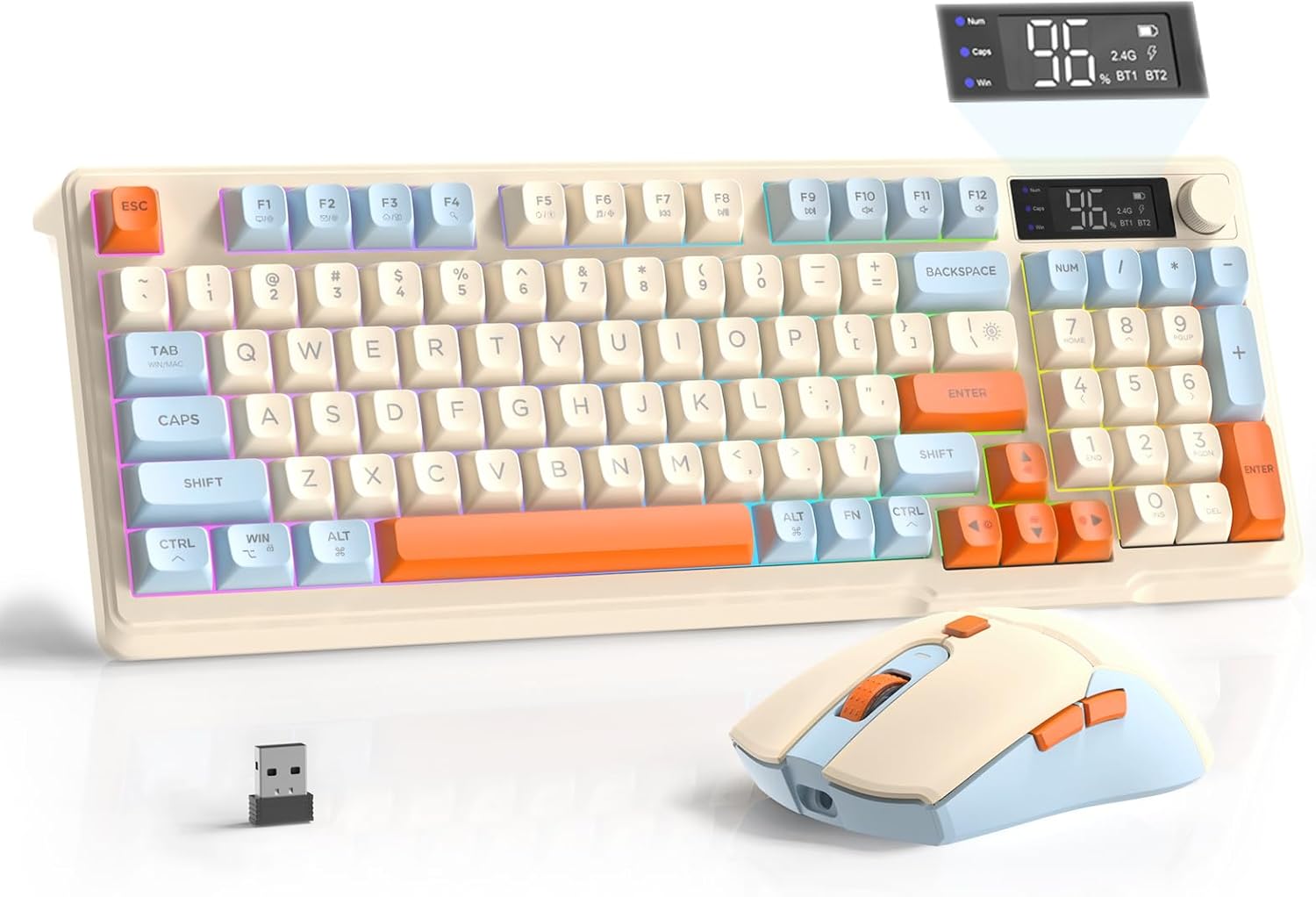
Image: The FREEWOLF T96 Wireless Gaming Keyboard and Mouse Combo, featuring the keyboard, mouse, and USB receiver.
Pakkens indhold
Sørg for at alle varer er til stede i pakken:
- 1 x T96 Membrane Keyboard
- 1 x T96 Wireless Mouse
- 1 x USB-C kabel
- 1 x USB Receiver (stored in mouse bottom slot)
- 1 x brugermanual
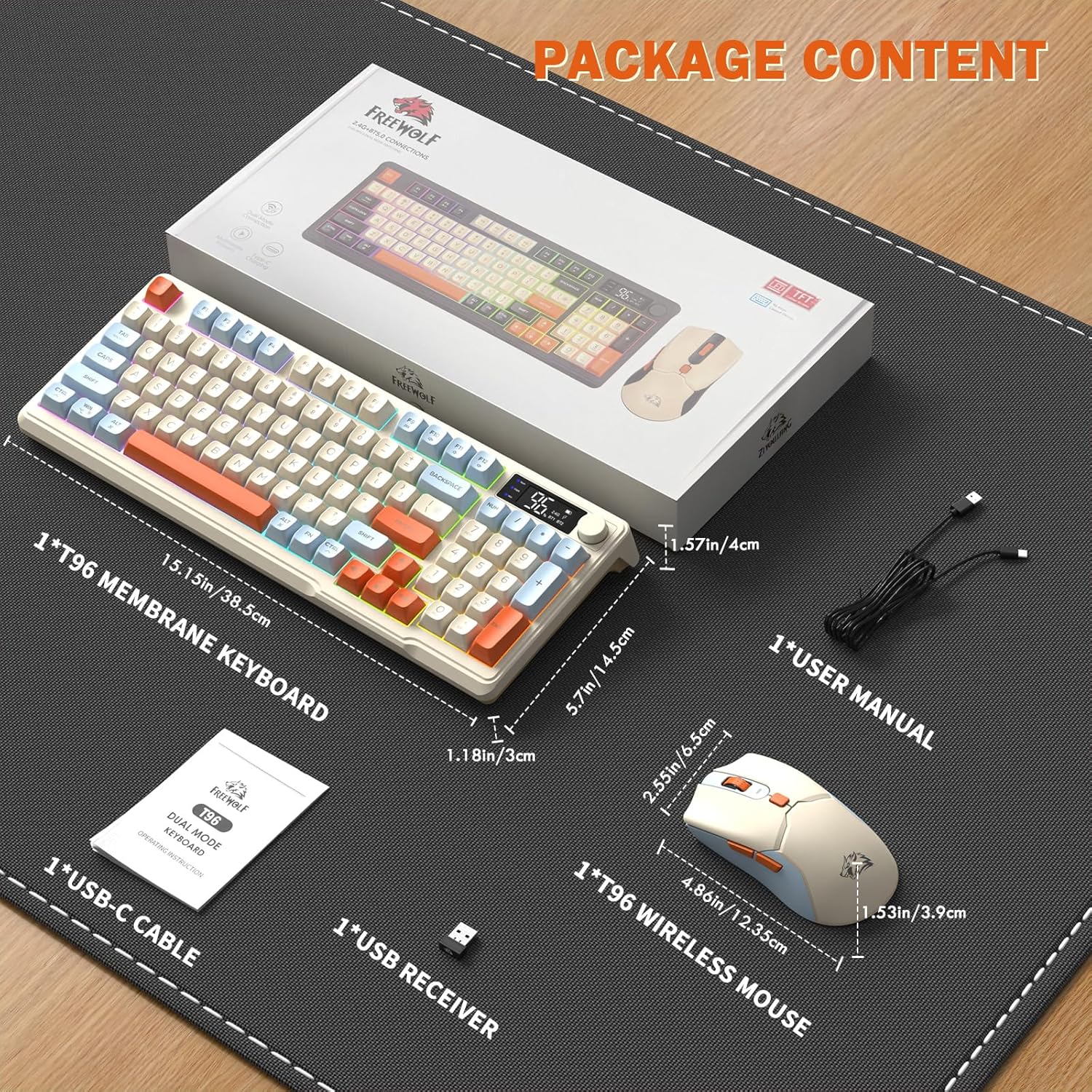
Image: A visual representation of the package contents, including the keyboard, mouse, USB-C cable, USB receiver, and user manual.
Opsætning
Tilslutningsmuligheder
The T96 combo supports dual-mode wireless connectivity:
- 2.4G trådløs forbindelse: Utilizes the included USB receiver for a stable, plug-and-play connection.
- Bluetooth Connections (BT1/BT2): Allows pairing with up to two Bluetooth-enabled devices, enabling seamless switching.
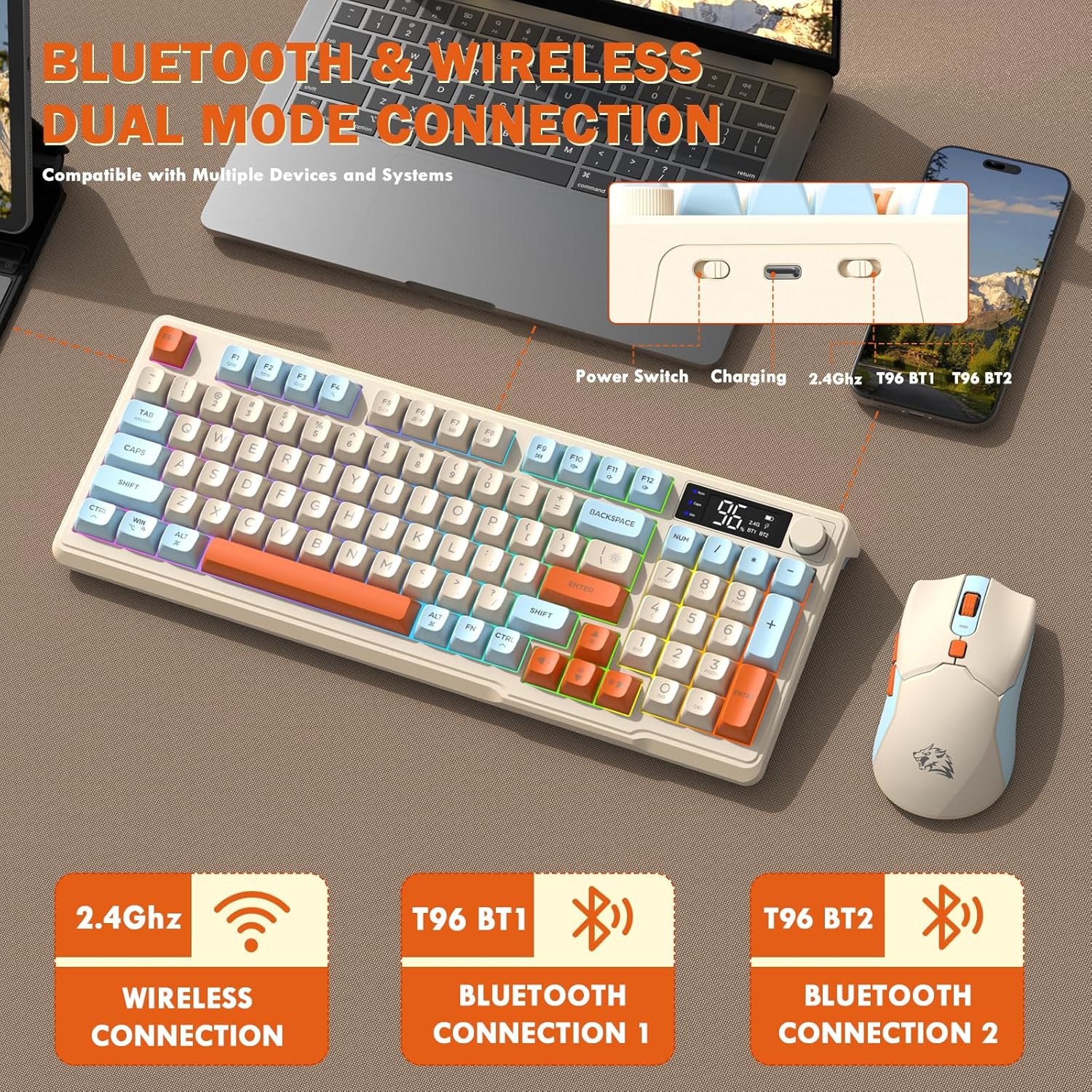
Image: Diagram illustrating the dual-mode connection options (2.4GHz, Bluetooth 1, Bluetooth 2) and the location of the power switch, charging port, and connection indicators on the keyboard.
Indledende opsætningstrin
- Opladningsenheder: Before first use, fully charge both the keyboard and mouse using the provided USB-C cable. The keyboard has a 2000mAh battery, and the mouse has a 500mAh battery. The smart display on the keyboard will show charging progress.
- Find USB-modtager: The USB receiver for 2.4G wireless connection is stored in a slot on the bottom of the mouse. Remove it for use.
- Tænd: Tænd tastaturet og musen ved hjælp af deres respektive tænd/sluk-knapper.
- Connect via 2.4G Wireless:
- Sæt USB-modtageren i en ledig USB-port på din computer.
- Ensure the keyboard and mouse are set to 2.4G mode (indicated on the keyboard's smart display). They should connect automatically.
- Tilslut via Bluetooth:
- Switch the keyboard and mouse to BT1 or BT2 mode.
- On your device (PC, laptop, tablet, smartphone), open Bluetooth settings.
- Søg efter "T96 Keyboard" and "T96 Mouse" in the list of available devices and pair them.
- The smart display will indicate the active Bluetooth connection (BT1 or BT2).
Betjeningsvejledning
Betjening af tastatur
The T96 keyboard features a 94-key compact layout with various functions to enhance your experience.
Smart Display Functions
The intelligent LED display provides real-time information:
- Batteristatus: Viser den resterende batteriprocenttage.
- Tilslutningstilstand: Indicates active connection (2.4G, BT1, BT2).
- Opladningsforløb: Displays charging status when connected to power.
- Caps Lock/Num Lock/Win Lock Indicators: Shows status of these keys.
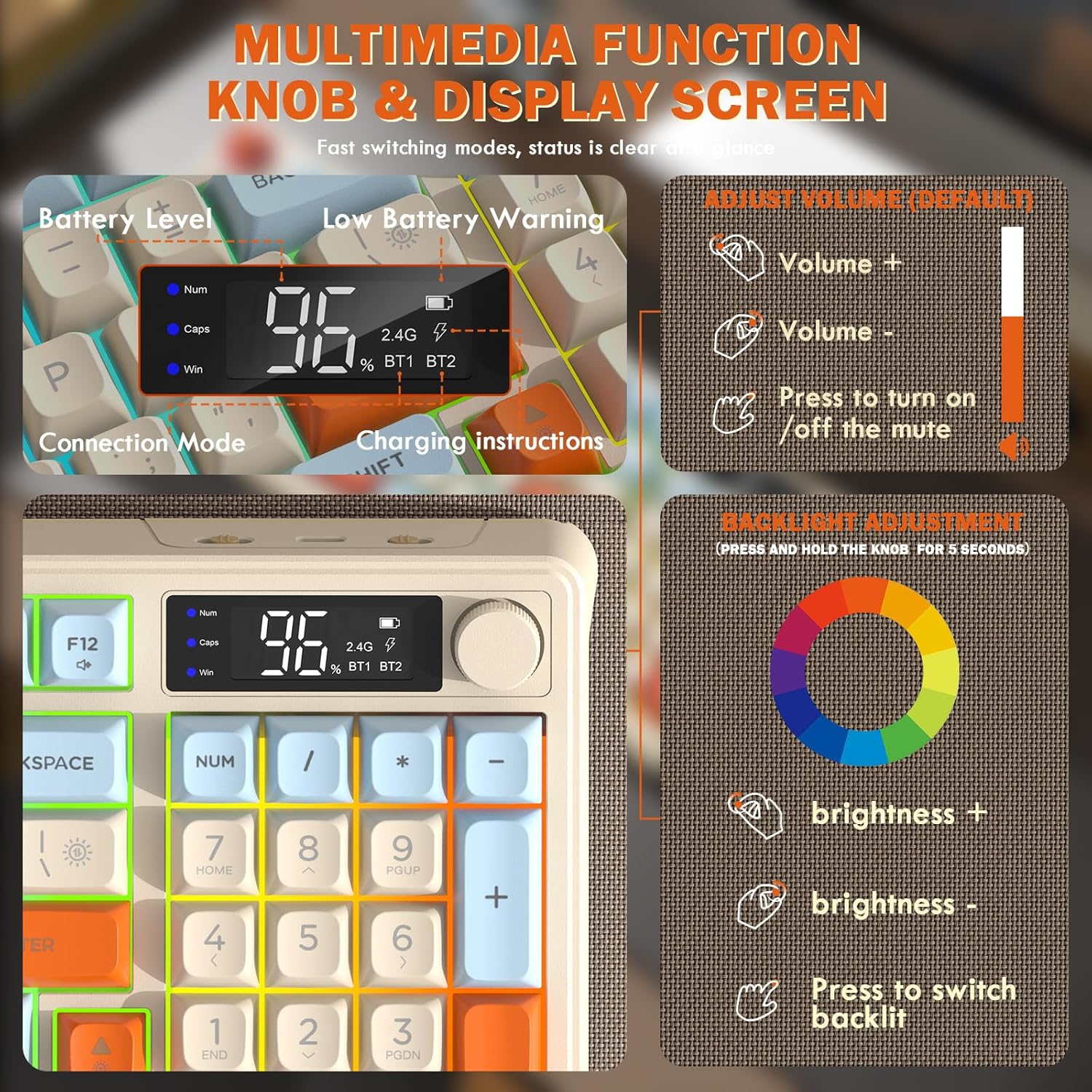
Image: Close-up of the keyboard's smart display showing battery level, connection mode, and charging instructions. Also details the multimedia knob's functions for volume and backlight control.
Multimedia Control Knob
Located on the top right of the keyboard, this knob offers quick control:
- Rotere: Adjusts system volume (clockwise for volume up, counter-clockwise for volume down).
- Trykke: Toggles mute on/off.
- Tryk og hold nede (5 sekunder): Activates backlight adjustment mode. Rotate to change brightness, press to switch light effects.
Multimedia Hotkeys (FN Combinations)
The keyboard includes 12 dedicated multimedia hotkeys accessible via the FN nøgle:
- FN + F1-F12: Access various multimedia and system functions (e.g., media playback, volume, browser, email). Refer to keycap legends for specific functions.
Baggrundslys kontrol
The keyboard features vibrant rainbow LED backlighting. Control it using the following combinations:
- FN + pil op: Øg baggrundsbelysningens lysstyrke.
- FN + pil ned: Reducer baggrundsbelysningens lysstyrke.
- FN + højre pil: Øg baggrundsbelysningens hastighed.
- FN + Left Arrow: Reducer baggrundsbelysningens hastighed.
- FN + \|: Switch between different lighting modes (e.g., always on, breathing, off).
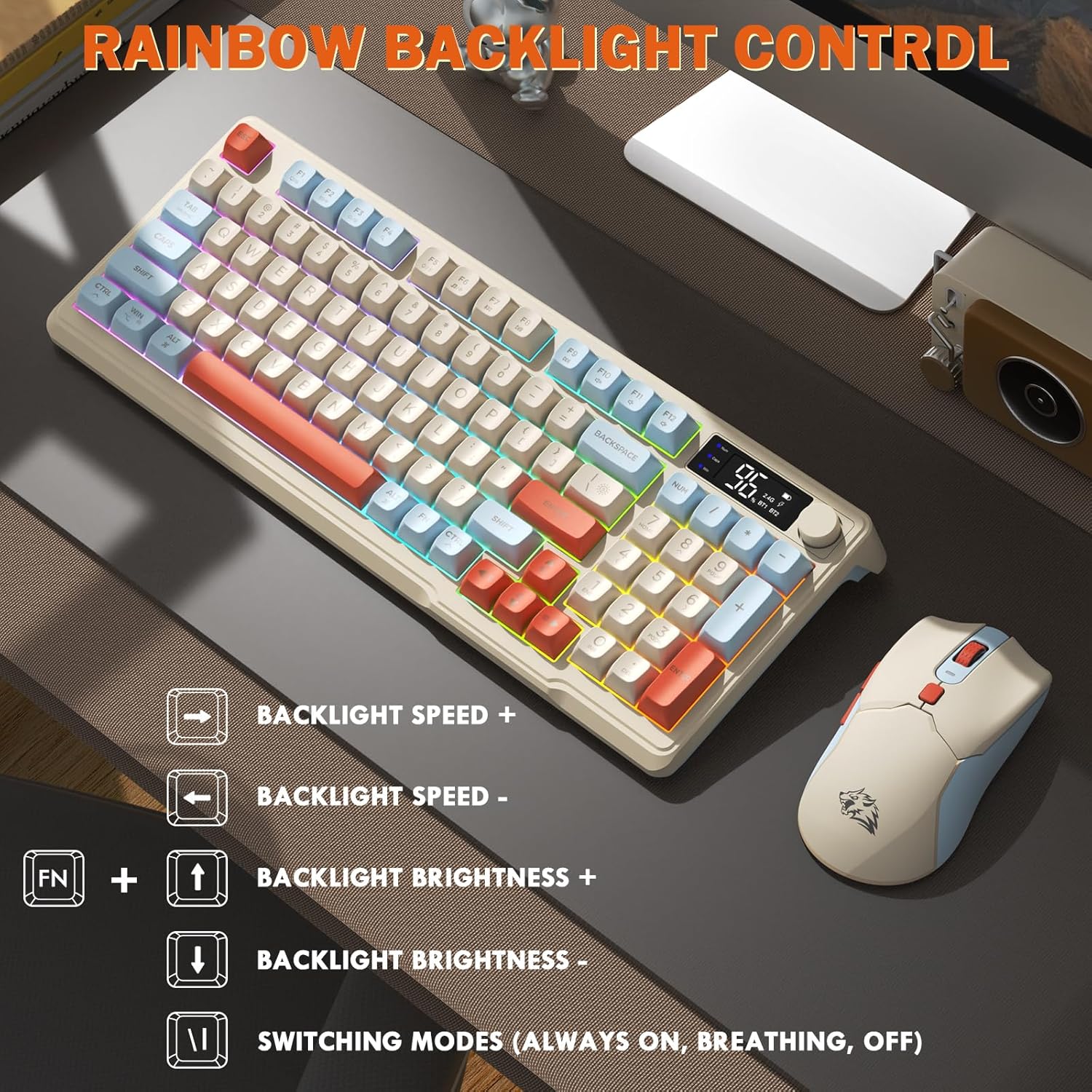
Image: Visual guide for controlling the rainbow LED backlight, showing key combinations for brightness, speed, and mode switching.
Anti-Ghosting
The keyboard supports 26-key rollover anti-ghosting technology, ensuring accurate registration of multiple simultaneous key presses, crucial for gaming.
Betjening af mus
The T96 gaming mouse is designed for precision and comfort.
DPI justering
Adjust the mouse sensitivity (DPI) to suit your preference:
- Tryk på DPI knap (located behind the scroll wheel) to cycle through available DPI settings: 800 / 1600 / 2400 / 4000 DPI.
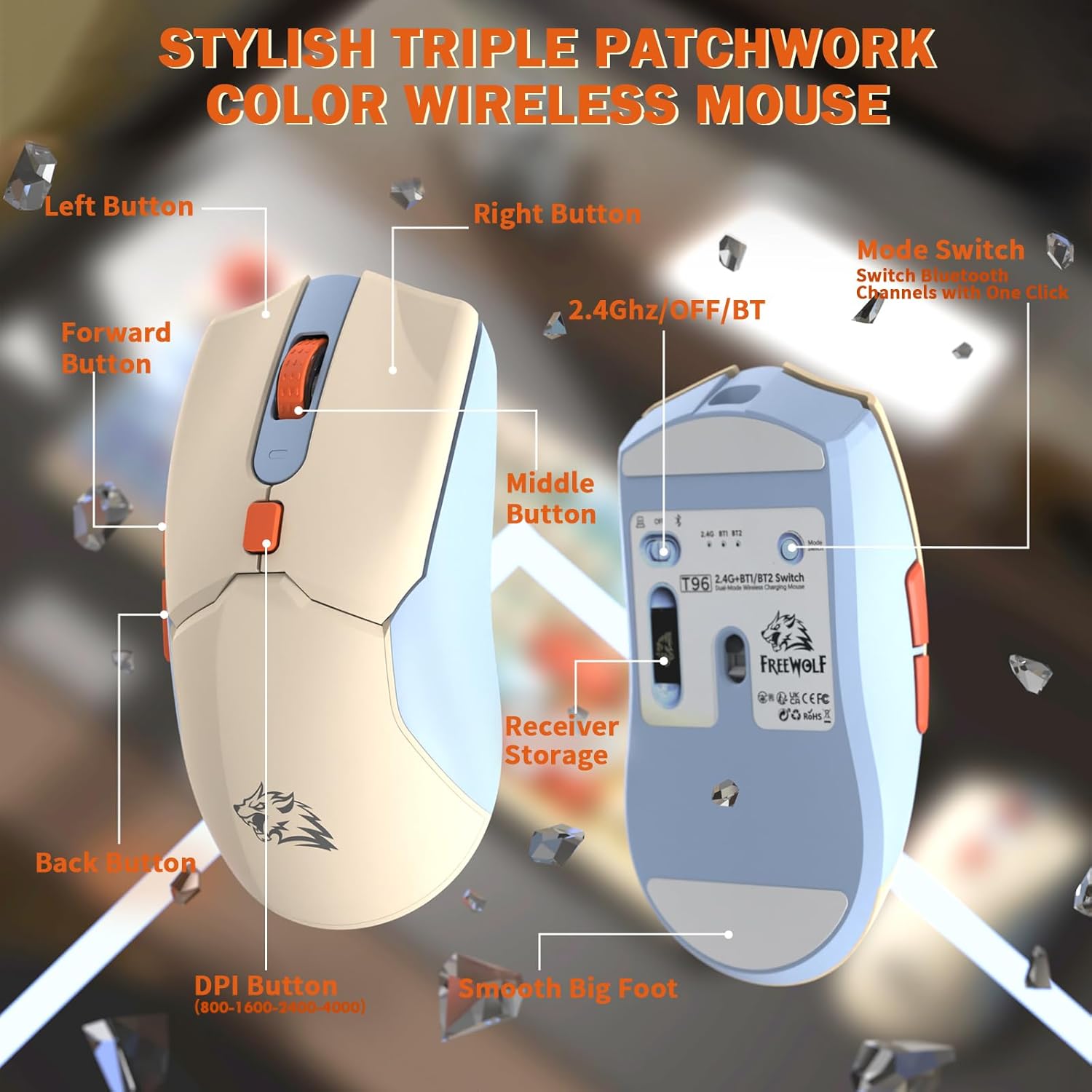
Billede: Detaljeret view of the T96 wireless mouse, highlighting its buttons (Left, Right, Middle, Forward, Back, DPI) and the receiver storage compartment on the bottom.
Programmerbare knapper
The mouse features six programmable buttons. Refer to specific software (if applicable, not mentioned in data) or operating system settings for customization options.
Afstemningsrater
The mouse operates at different polling rates depending on the connection mode:
- Bluetooth (BT): 115 Hz
- 2.4G trådløs: 125 Hz
Opretholdelse
Rensning
- Brug en blød, tør klud til at rengøre overfladerne på tastaturet og musen.
- Til genstridigt snavs, let dampda kluden med vand eller et mildt, ikke-slibende rengøringsmiddel.
- Undgå at bruge skrappe kemikalier, opløsningsmidler eller slibende materialer, da disse kan beskadige overfladen.
- Enhederne må ikke nedsænkes i vand eller nogen form for væske.
Batteripleje
For at maksimere batterilevetid og ydeevne:
- Recharge the devices when the low battery indicator appears on the keyboard's smart display.
- Undgå at aflade batteriet helt ofte.
- Store the devices in a cool, dry place when not in use for extended periods.
- The devices feature smart power-saving modes: the keyboard enters sleep mode after 3 minutes of inactivity, and the mouse after 2 minutes. They wake instantly upon touch.

Image: Illustration showing the 2000mAh battery capacity of the keyboard and 500mAh battery capacity of the mouse, emphasizing long-lasting power.
Fejlfinding
If you encounter issues with your T96 combo, refer to the following common solutions:
| Problem | Mulig årsag | Løsning |
|---|---|---|
| Tastatur/mus reagerer ikke | Low battery; Incorrect connection mode; USB receiver not connected (2.4G); Bluetooth not paired. |
|
| Lag eller intermitterende forbindelse | Interference; Distance from receiver/device; Low battery. |
|
| Baggrundsbelysningen virker ikke eller er svag | Backlight turned off; Brightness set too low; Low battery. |
|
| Mouse DPI not changing | DPI-knappen er ikke trykket korrekt ned. |
|
Specifikationer
| Feature | Detalje |
|---|---|
| Mærke | FRIULV |
| Model | T96 |
| Forbindelsesteknologi | 2.4Ghz Wireless, Bluetooth (BT1, BT2) |
| Tastaturtype | Membrane, 94-Key Compact Layout |
| tasterne | PBT Triple-Tone Spherical Keycaps |
| Baggrundsbelysning | Rainbow LED Backlight |
| Anti-Ghosting | 26-nøgleovergang |
| Tastaturets batterikapacitet | 2000mAh |
| Mus DPI | 800 / 1600 / 2400 / 4000 DPI (Justerbar) |
| Mouse Polling Rate (BT) | 115 Hz |
| Mouse Polling Rate (2.4G) | 125 Hz |
| Musens batterikapacitet | 500mAh |
| Kompatible enheder | Bærbar computer, spillekonsol, pc, tablet, smartphone |
| Operativsystemer | Windows, macOS, Linux, iOS, Android |
| Varens vægt | 2.12 pund (ca. 0.96 kg) |
| Pakkedimensioner | 16.26 x 8.78 x 1.85 tommer (ca. 41.3 x 22.3 x 4.7 cm) |
Garanti og support
Information regarding product warranty and customer support was not provided in the available data. Please refer to the product packaging or the manufacturer's official website for details on warranty coverage and how to contact customer support for assistance.


