1. Introduktion
Welcome to the Smart Tech 43FW01V Full HD Smart TV user manual. This guide will help you set up, operate, and maintain your new television. The Smart Tech 43FW01V offers a 43-inch Full HD (1920 x 1080) display, powered by WebOS for a fluid and intuitive smart TV experience. Enjoy pre-installed applications like Netflix, YouTube, and Prime Video, along with immersive Dolby Audio sound.

Figure 1: Smart Tech 43FW01V Full HD Smart TV
This television is designed to integrate seamlessly into your living space, providing high-quality entertainment with advanced connectivity options.
2. Hvad er der i æsken
Before you begin, please check the contents of your package. The following items should be included:
- Smart Tech 43FW01V Full HD Smart TV
- Strømkabel
- Fjernbetjening
- TV-stativ (2 stk.) og skruer
- Brugervejledning (dette dokument)
3. Opsætning
3.1. Montering af tv-stativet
- Placer forsigtigt tv-skærmen med nedad på en blød, ren overflade for at undgå ridser.
- Juster stativstykkerne med de tilsvarende riller i bunden af tv'et.
- Fastgør stativet med de medfølgende skruer. Sørg for, at de er spændt godt fast.
3.2. Tilslutning af strøm
Sæt strømkablet i tv'ets strømindgang, og sæt derefter den anden ende i en stikkontakt. Sørg for, at stikkontakten er let tilgængelig.
3.3. Tilslutning af eksterne enheder
Your Smart Tech TV offers comprehensive connectivity. Refer to the image below for port locations.

Figure 2: Rear Panel Connectors
- HDMI-porte (x3): Tilslut Blu-ray-afspillere, spillekonsoller eller set-top-bokse.
- USB-porte (x2): Connect USB drives for media playback or software updates.
- Ethernet (RJ45): Til en kablet internetforbindelse.
- Optisk lydudgang: Tilslut til en soundbar eller et hjemmebiografsystem for digital lyd.
- AV-indgang: For ældre enheder, der bruger kompositvideo og stereolyd.
- Antenna/Cable Input (DVB-T2/DVB-S2): Connect your antenna or satellite dish.
- CI slot: For Conditional Access Modules (CAMs) to decrypt pay-TV channels.
- Stik til øretelefoner: Til tilslutning af hovedtelefoner.
3.4. Første opstart og netværksopsætning
After connecting power, press the power button on the remote control or the TV. The TV will guide you through the initial setup process, including language selection, channel scanning, and network configuration (Wi-Fi or Ethernet). Follow the on-screen prompts to complete the setup.
4. Betjening af tv'et
4.1. Fjernbetjeningsfunktioner
The remote control provides full control over your Smart Tech TV. Familiarize yourself with its buttons for easy navigation.
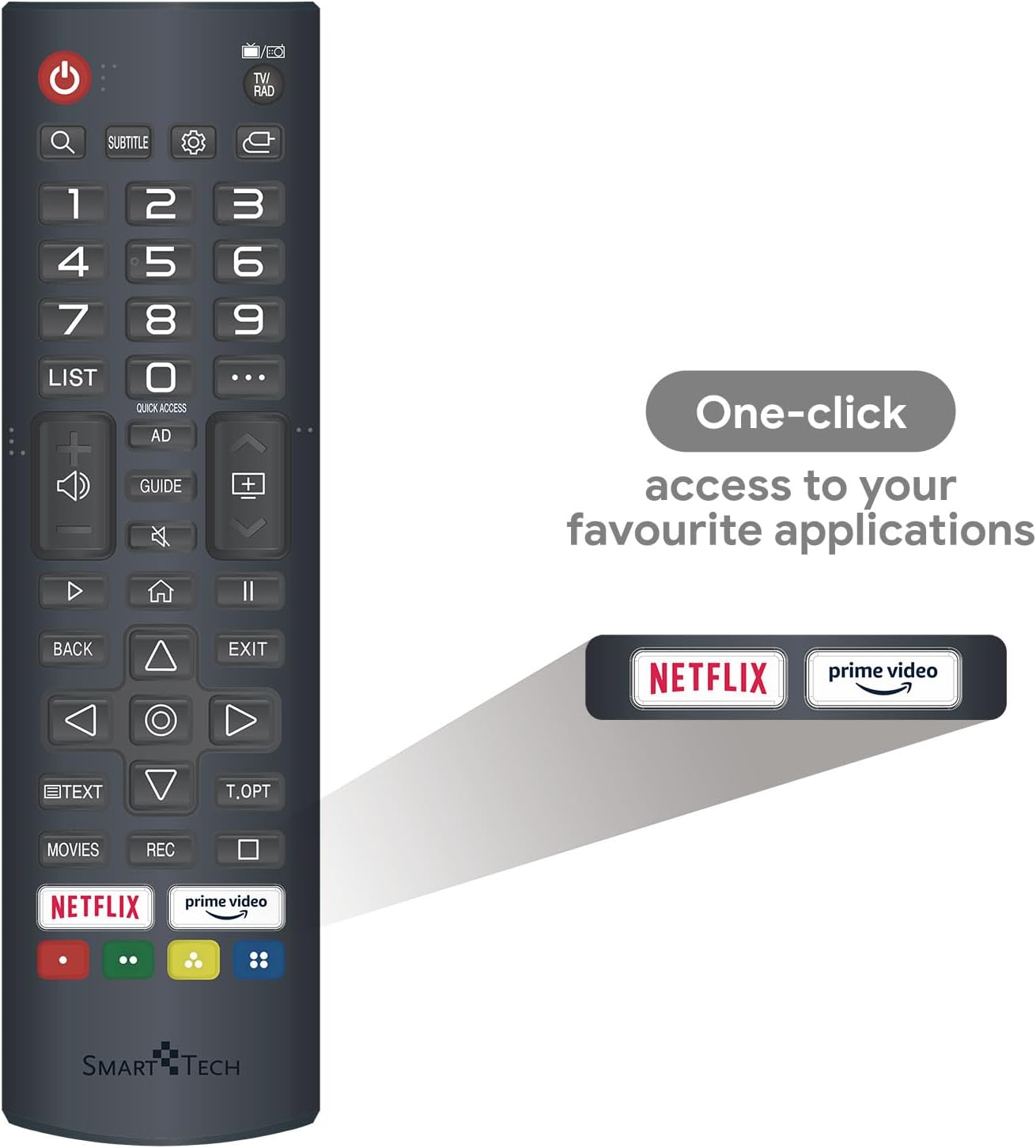
Figur 3: Fjernbetjeningens layout
- Power knap: Tænder eller slukker for tv'et.
- Nummerknapper (0-9): Vælg kanaler direkte.
- Lydstyrke op/ned: Justerer lydstyrken.
- Kanal op/ned: Skifter tv-kanaler.
- Navigationstastatur (op/ned/venstre/højre/OK): Navigerer i menuer og vælger muligheder.
- Tilbage/Afslut: Vender tilbage til den forrige skærm eller afslutter den aktuelle menu.
- Hjemknappen: Får adgang til WebOS Smart TV-startskærm.
- Hurtig adgangsknapper: Dedicated buttons for Netflix and Prime Video for instant access.
4.2. Smart TV-funktioner (WebOS)
Your Smart Tech TV runs on WebOS, providing a user-friendly interface for accessing various smart features and applications.
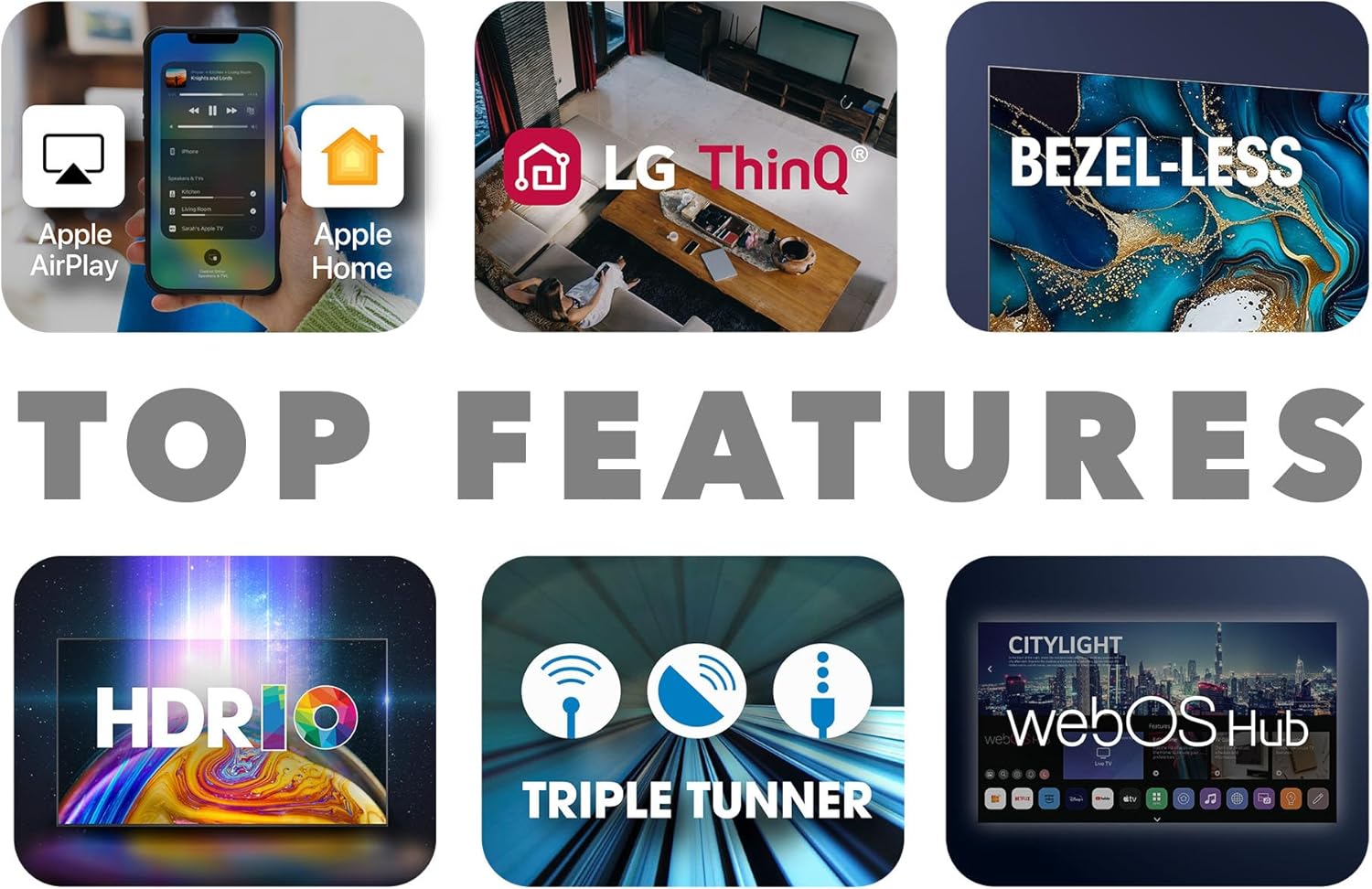
Figure 4: Key Smart TV Features
- Home Dashboard: Press the Home button on your remote to access the launcher bar, which displays your favorite apps, inputs, and settings.
- Forudinstallerede apps: Directly access Netflix, YouTube, and Prime Video.
- App Store: Download additional applications from the WebOS Content Store.
- Chromecast indbygget: Wirelessly cast content from your compatible smartphone, tablet, or computer to the TV.
- LG ThinQ / Apple AirPlay / Apple Home: Integrate your TV into your smart home ecosystem for enhanced control and content sharing.
4.3. Valg af input
To switch between connected devices (e.g., HDMI 1, USB, TV tuner), press the 'Input' or 'Source' button on your remote control. A menu will appear, allowing you to select the desired input.
5. Vedligeholdelse
Proper maintenance ensures the longevity and optimal performance of your Smart Tech TV.
- Rengøring af skærmen: Use a soft, lint-free cloth specifically designed for electronics. Do not use abrasive cleaners or sprays directly on the screen. Lightly dampen the cloth with water if necessary.
- Rengøring af kabinettet: Tør tv-kabinettet af med en blød, tør klud.
- Ventilation: Sørg for, at ventilationsåbningerne på bagsiden af tv'et ikke er blokerede for at forhindre overophedning.
- Softwareopdateringer: Periodically check for software updates via the TV's settings menu to ensure you have the latest features and bug fixes.
- Sluk, når den ikke er i brug: Ved længere perioder med inaktivitet anbefales det at tage stikket ud af tv'et.
6. Fejlfinding
If you encounter any issues with your TV, refer to the following common problems and solutions:
| Problem | Mulig årsag | Løsning |
|---|---|---|
| Ingen strøm | Strømkablet er frakoblet; Problem med stikkontakten. | Kontroller, om strømkablet er korrekt tilsluttet til tv'et og stikkontakten. Prøv en anden stikkontakt. |
| Intet billede, men der er lyd | Incorrect input source; Loose HDMI cable. | Tryk på knappen 'Input' på fjernbetjeningen for at vælge den korrekte kilde. Kontroller HDMI-kabelforbindelserne. |
| Ingen lyd, men billedet er til stede | Lydstyrken er slået fra eller for lav; Problem med eksternt lydsystem. | Unmute the TV or increase volume. Check audio settings and external audio connections. |
| Fjernbetjeningen virker ikke | Løste batterier; Blokering mellem fjernbetjening og tv. | Replace batteries. Ensure no objects are blocking the remote's signal to the TV's IR receiver. |
| Kan ikke oprette forbindelse til Wi-Fi | Incorrect password; Router issue; Signal interference. | Dobbelttjek Wi-Fi-adgangskoden. Genstart din router. Flyt tv'et tættere på routeren, eller reducer interferens. |
Hvis problemet fortsætter efter at have prøvet disse løsninger, bedes du kontakte kundesupport.
7. Specifikationer
Detailed technical specifications for the Smart Tech 43FW01V TV:
| Feature | Specifikation |
|---|---|
| Mærke | Smart Tech |
| Modelnummer | 43FW01V |
| Skærmstørrelse | 43 tommer (108 cm) |
| Displayteknologi | LED |
| Opløsning | Fuld HD (1920 x 1080p) |
| Opdateringshastighed | 60 Hz |
| Operativsystem | WebOS |
| Lyd | Dolby Audio, 2 x 8W Speakers |
| Forbindelse | 3 x HDMI, 2 x USB, Ethernet, Bluetooth, Optical Audio Out |
| Særlige funktioner | Chromecast Built-in, Pre-installed Apps (Netflix, YouTube, Prime Video) |
| Farve | Sort |
| Produktmål (B x H x D) | 95 cm x 58 cm x 23 cm (med stativ) |
| Energieffektivitetsklasse | E |


Figur 6: TV-dimensioner
8. Garanti og support
Your Smart Tech 43FW01V TV comes with a manufacturer's warranty to ensure your peace of mind.
- Producentens garanti: 2 years for parts and labor.
- Tilgængelighed af reservedele: Spare parts are available for up to 11 years from the date of purchase.
For technical support, warranty claims, or any other inquiries, please contact Smart Tech customer service. Refer to the contact information provided on the product packaging or the official Smart Tech webwebsted.


