1. Introduktion
This manual provides detailed instructions for the setup, operation, and maintenance of your 8BitDo Retro R8 Mouse with Charging Dock. Please read this manual thoroughly before using the product to ensure optimal performance and longevity.

Image 1.1: The 8BitDo Retro R8 Mouse with its charging dock.
2. Pakkens indhold
Bekræft at alle varer er til stede i din pakke:
- 8BitDo Retro R8 Mouse - N Edition x 1
- Opladningsdock x 1
- 2.4G adapter x 1
- USB-kabel x 1
- Brugsanvisning x 1
3. Produktet er slutview
The 8BitDo Retro R8 Mouse is designed for precision and versatility, featuring a PAW 3395 optical sensor and Kailh Sword GM X Micro Switches. It offers multiple connectivity options and customizable controls.
3.1 Musens funktioner
- PAW 3395 Optical Sensor: Provides 6 sensitivity levels from 50 DPI to 26,000 DPI for precise tracking.
- Kailh Sword GM X Micro Switches: Engineered for up to 100 million clicks, offering tactile feedback.
- Programmerbare knapper: Customizable side buttons for personalized control.
- Left/Right-Hand Mode Switching: Symmetrical design for comfortable use by both left and right-handed users.
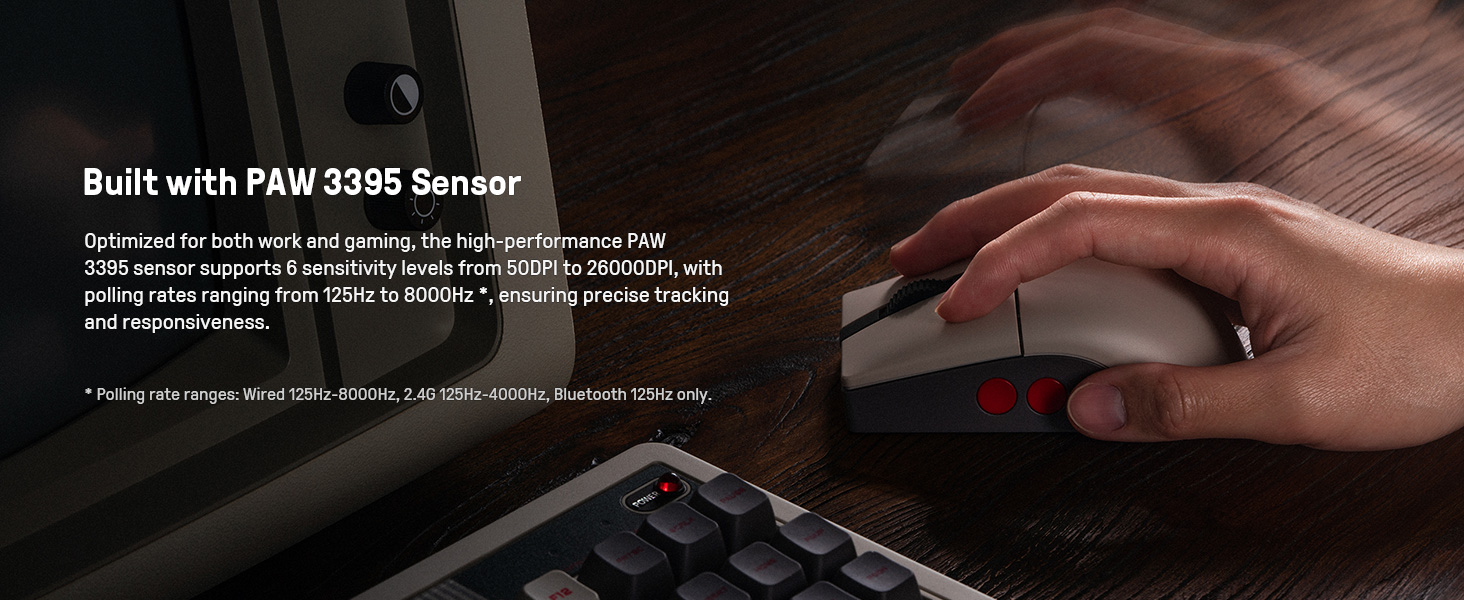
Image 3.1: The mouse highlighting its PAW 3395 sensor for precise tracking.
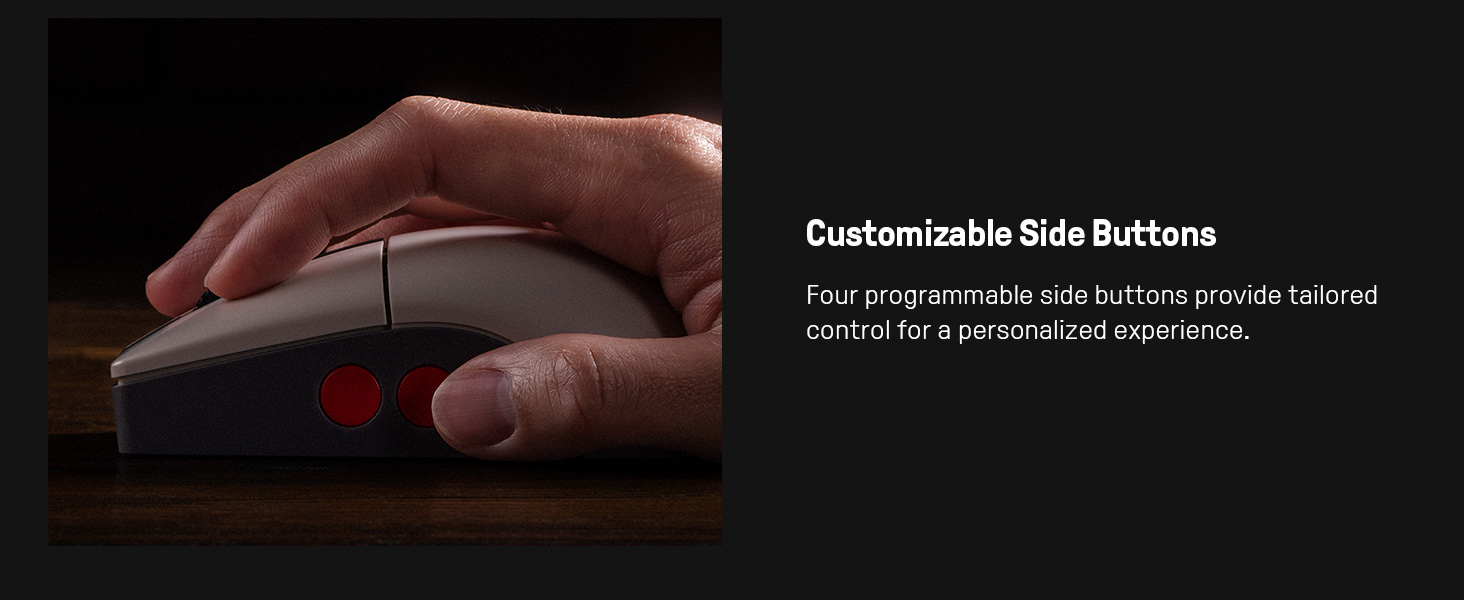
Image 3.2: Close-up of the mouse showing the customizable side buttons.
3.2 Charging Dock Features
- Opladningsfunktion: Keeps the mouse powered.
- 2.4G Adapter Storage: Doubles as a storage compartment for the 2.4G wireless adapter.
- Signaludvidelse: Extends the wireless signal for robust connectivity.
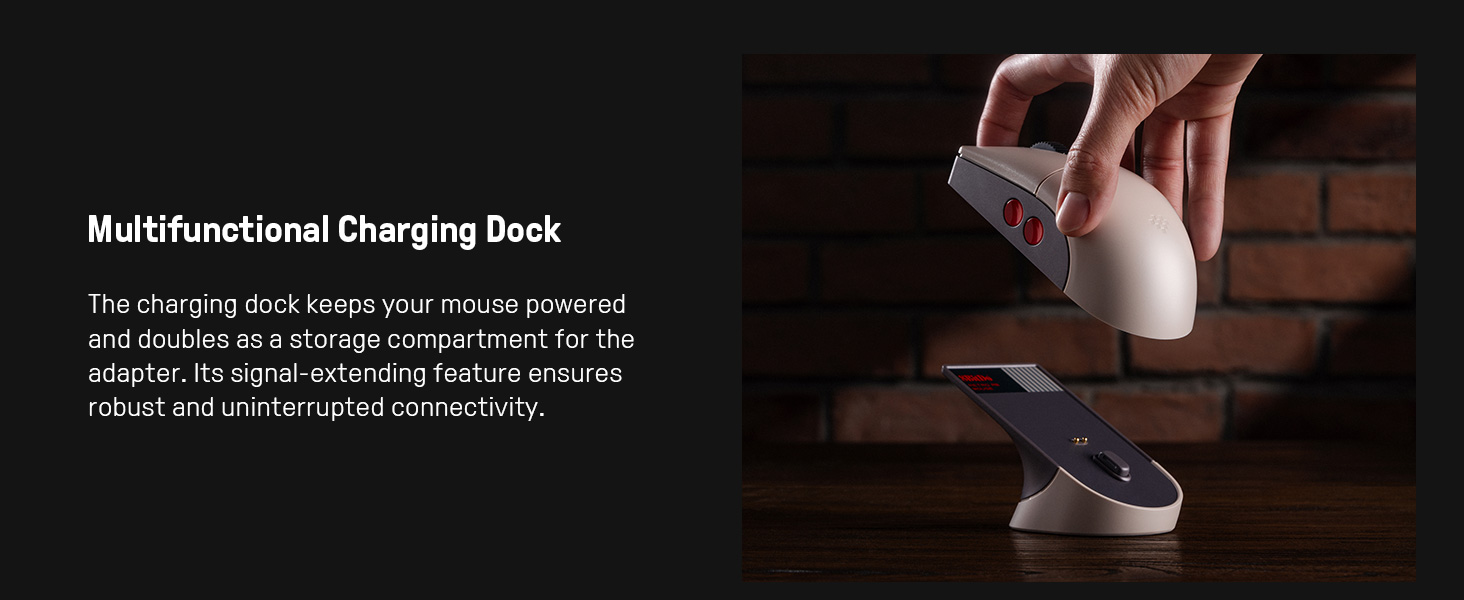
Image 3.3: The multifunctional charging dock, also serving as a signal extender and adapter storage.
4. Opsætning
4.1 Opladning af musen
- Connect the USB cable to the charging dock and a power source (e.g., computer USB port, USB wall adapter).
- Place the 8BitDo Retro R8 Mouse onto the charging dock. Ensure the charging contacts align. The mouse will begin charging.
4.2 Tilslutning af musen
The mouse supports three connection modes: 2.4G Wireless, Bluetooth, and Wired USB-C.
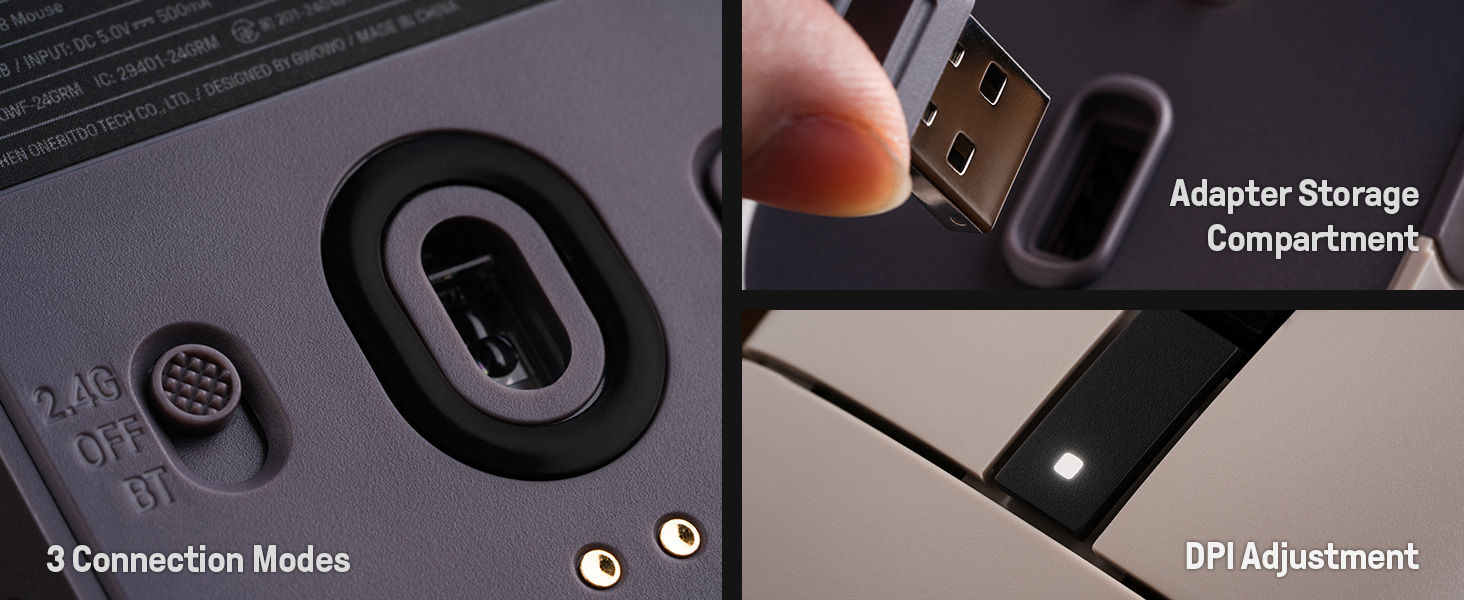
Image 4.1: The bottom of the mouse showing the connection mode switch and the adapter storage compartment.
4.2.1 2.4G trådløs forbindelse
- Locate the 2.4G wireless adapter, typically stored in the charging dock or the mouse's bottom compartment.
- Insert the 2.4G adapter into an available USB port on your computer.
- Skub kontakten på undersiden af musen til "2.4G"-positionen.
- Musen burde automatisk oprette forbindelse til din computer.

Image 4.2: The 2.4G USB adapter being inserted into its storage slot on the charging dock.
4.2.2 Bluetooth-forbindelse
- Skub kontakten på undersiden af musen til "BT"-positionen.
- Press and hold the "PAIR" button on the bottom of the mouse for 3 seconds until the LED indicator starts blinking rapidly.
- Gå til Bluetooth-indstillingerne på din computer eller enhed, og søg efter nye enheder.
- Select "8BitDo Retro R8 Mouse" from the list of available devices to pair.
4.2.3 Kablet USB-C-forbindelse
- Connect the USB-C end of the provided cable to the mouse and the USB-A end to your computer.
- The mouse will automatically switch to wired mode and function without needing a battery charge.
5. Betjeningsvejledning
5.1 DPI-justering
The mouse supports 6 levels of DPI adjustment. You can cycle through these levels using the dedicated DPI button or through the 8BitDo Ultimate Software V2.
5.2 Programmerbare knapper
The 8BitDo Retro R8 Mouse features programmable side buttons. These can be customized using the 8BitDo Ultimate Software V2 to assign specific functions or macros.
5.3 Left/Right-Hand Mode Switching
The mouse's symmetrical design allows for easy switching between left-hand and right-hand modes. This can be configured via the 8BitDo Ultimate Software V2.
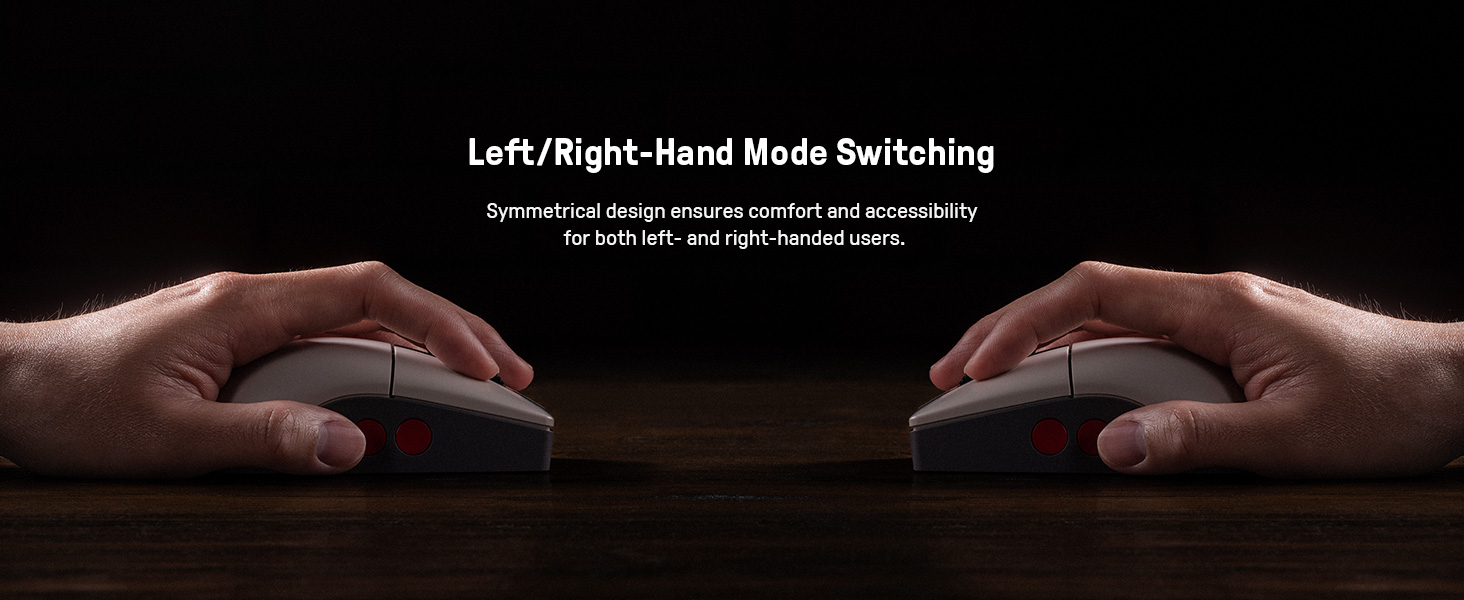
Image 5.1: Illustration of the mouse's symmetrical design for left/right-hand use.
5.4 8BitDo Ultimate Software V2
For advanced customization, download and install the 8BitDo Ultimate Software V2 on your PC. This software allows you to:
- Map buttons to different functions.
- Create and assign macros.
- Adjust DPI sensitivity levels.
- Fine-tune polling rate, scroll direction, and lift-off distance.
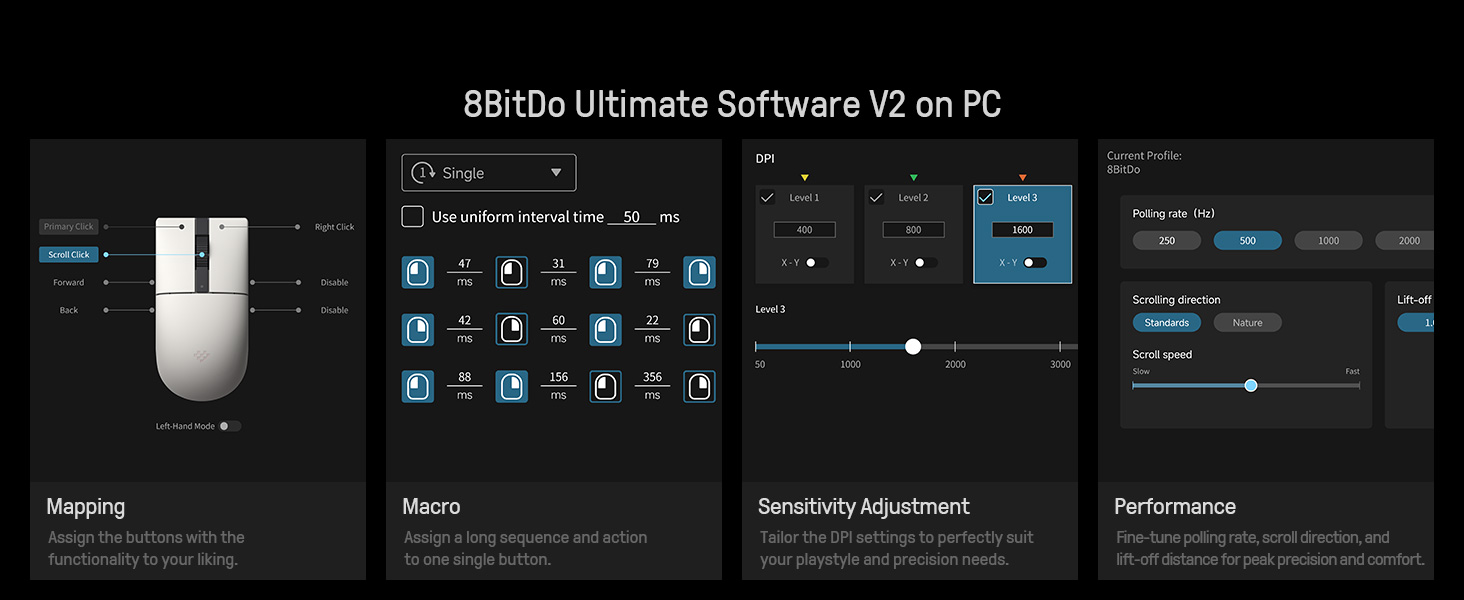
Image 5.2: The 8BitDo Ultimate Software V2 interface for advanced customization.
5.5 Justering af afstemningsfrekvens
The polling rate can be adjusted via the Ultimate Software V2. Polling rate ranges are: Wired 250Hz-8000Hz, 2.4G 250Hz-4000Hz, Bluetooth 125Hz only.
6. Vedligeholdelse
- Rensning: Use a soft, dry cloth to clean the mouse and charging dock. Avoid using harsh chemicals or abrasive materials.
- Opbevaring: Store the mouse and dock in a cool, dry place when not in use.
- Batteripleje: To prolong battery life, avoid fully discharging the mouse frequently. Charge it regularly.
7. Fejlfinding
- Musen svarer ikke: Ensure the mouse is charged and the connection mode switch (2.4G, BT, OFF) is in the correct position. For 2.4G, verify the adapter is securely plugged in. For Bluetooth, ensure it's paired correctly. Try a wired connection to rule out wireless issues.
- Forsinkelse eller afbrydelse: For wireless connections, ensure the mouse is within range of the adapter/device. Minimize interference from other wireless devices. The charging dock acts as a signal extension for 2.4G.
- Opladningsproblemer: Check the USB cable and power source. Ensure the mouse is correctly seated on the charging dock.
- Software not detecting mouse: Ensure the mouse is connected to the PC (preferably wired or 2.4G for initial setup) and the 8BitDo Ultimate Software V2 is up to date.
8. Specifikationer
| Feature | Detalje |
|---|---|
| Modelnummer | 6922621507093 |
| Forbindelse | Bluetooth LE 5.3, Wireless 2.4G, Wired USB |
| Sensor | PAW 3395 Optisk Sensor |
| DPI rækkevidde | 50 - 26,000 DPI (6 levels) |
| Mikroafbrydere | Kailh Sword GM X (100 million click lifespan) |
| Afstemningsfrekvens (kablet) | 250Hz - 8000Hz |
| Polling Rate (2.4G) | 250Hz - 4000Hz |
| Pollingfrekvens (Bluetooth) | 125 Hz |
| Strømkilde | Batteridrevet (1 lithium-ion-batteri inkluderet) |
| Varens vægt | 1.19 pund |
| Produktdimensioner | 11.81 x 9.84 x 15.75 tommer |
9. Officiel produktvideo
Video 9.1: En kort introduktionview video demonstrating the features and usage of the 8BitDo Retro R8 Mouse, including its adapter storage and customizable buttons.
10. Garanti og support
For garantioplysninger og teknisk support henvises til den officielle 8BitDo website or contact their customer service. Protection plans may also be available for purchase separately.
- 3-årig beskyttelsesplan: Kan købes.
- 4-årig beskyttelsesplan: Kan købes.
- Fuld beskyttelse: Månedlig plan, der dækker berettigede tidligere og fremtidige køb.


