1. Introduktion
Thank you for choosing the WOLFANG WT03S Solar Trail Camera. This manual provides detailed instructions to help you set up, operate, and maintain your camera effectively. Please read this manual thoroughly before use to ensure optimal performance and longevity of your device.

Figur 1.1: WOLFANG WT03S Solar Trail Camera. This image displays the front view of the camera, featuring its camouflage casing, integrated solar panel on top, lens, and motion sensor.
2. Produktet er slutview og nøglefunktioner
The WOLFANG WT03S is a high-performance trail camera designed for wildlife monitoring and outdoor surveillance. It combines advanced imaging capabilities with convenient connectivity and robust durability.
- Billeddannelse i høj opløsning: Captures 68MP still images and records 4K video at 30 frames per second, ensuring clear and detailed footage.
- Avanceret nattesyn: Equipped with two 850nm low-glow infrared LEDs, providing clear night vision up to 20 meters without disturbing wildlife.
- Ultrahurtig udløserhastighed: Features a rapid 0.1-second trigger speed and a 3-frame burst shot capability to capture fast-moving subjects.
- Dobbelt strømsystem: Includes an integrated 5200mAh rechargeable battery powered by a top-mounted solar panel. Supports optional 4x AA batteries for extended operation, especially in low-light conditions or cold temperatures.
- Wi-Fi and App Control: Allows direct connection to your smartphone via Wi-Fi (within 10 meters) and Bluetooth for easy settings adjustment, live viewing, og file download through a dedicated app.
- Holdbar og vandtæt: Designed with an IP66 waterproof rating, protecting the camera from dust and strong jets of water, suitable for various outdoor environments.
- AmpOpbevaring: Supports Micro SD cards up to 128GB. A 32GB Micro SD card is included and pre-installed.

Figur 2.1: Integrated Solar Panel. This image illustrates the solar panel on top of the camera, highlighting its function in recharging the internal battery.

Figur 2.2: Internal Battery and AA Battery Slots. This image shows the camera's interior with the rechargeable lithium battery (A) and slots for optional AA backup batteries (B).
3. Opsætningsvejledning
3.1. Udpakning og indledende inspektion
Carefully remove all components from the packaging. Verify that all items are present and undamaged. The package should include the WOLFANG WT03S camera and a 32GB Micro SD card (pre-installed).
3.2. Tænd for kameraet
- Internt batteri: The camera features a built-in 5200mAh rechargeable battery. It is recommended to fully charge the camera via the solar panel or a USB power source before first use.
- Optional AA Batteries: For enhanced performance in cold temperatures or extended standby, insert 4x AA batteries (not included) into the designated slots inside the camera. These act as a backup power source.
3.3. Indsættelse af Micro SD-kortet
A 32GB Micro SD card is pre-installed. If you need to replace it or use a different one (up to 128GB), ensure the camera is off. Open the camera casing and locate the Micro SD card slot. Insert the card with the gold contacts facing the back of the camera until it clicks into place. To remove, push the card gently until it springs out.
3.4. Montering af kameraet
The camera can be mounted using the included strap or a compatible mount. Choose a location that provides a clear view of the desired monitoring area and allows the solar panel to receive adequate sunlight. Ensure the camera is securely fastened to prevent movement.
4. Betjeningsvejledning
4.1. Tænd/sluk og valg af tilstand
To power on the camera, slide the power switch to the 'ON' position. The camera will enter setup mode. Use the internal display and control buttons to navigate menus and select operating modes (Photo, Video, Photo+Video).
4.2. Wi-Fi og app-forbindelse
The WOLFANG WT03S can be controlled and monitored via a smartphone app. Follow these steps:
- Download appen: Scan the QR code displayed on the camera's screen or inside the manual, or visit dette link to download the official WOLFANG Wildlife Camera App.
- Aktivér kameraets Wi-Fi: In the camera's menu, select the Wi-Fi option to activate its wireless signal.
- Opret forbindelse via telefon: On your smartphone, disable mobile data. Enable Wi-Fi and Bluetooth. Connect to the camera's Wi-Fi network (usually named 'WILDLIFE CAM' followed by a unique ID).
- Start app: Open the WOLFANG Wildlife Camera App. You can now adjust settings, view live feed, and download captured media.
Note: The Wi-Fi connection range is approximately 10 meters. Ensure your phone is within this range for stable connection.

Figur 4.1: Wi-Fi Connection and App Control. This image shows a smartphone displaying the camera's app interface, connected wirelessly to the trail camera mounted on a tree.

Figur 4.2: Quick Connection Guide. This diagram illustrates the three steps for connecting the camera to the app: scanning the QR code, adding the camera to the app, and connecting to the camera's Wi-Fi.
4.3. Justering af indstillinger
Through the camera's internal menu or the smartphone app, you can customize various settings, including:
- Foto/video opløsning
- Triggerinterval
- PIR-følsomhed
- Time Lapse -tilstand
- Dato og tid Stamp
- Loop-optagelse
4.4. Viewing and Downloading Files
Files kan være viewed directly on the camera's internal screen, by removing the Micro SD card and inserting it into a computer, or by connecting via the app. The app allows for convenient browsing and downloading of photos and videos to your smartphone.
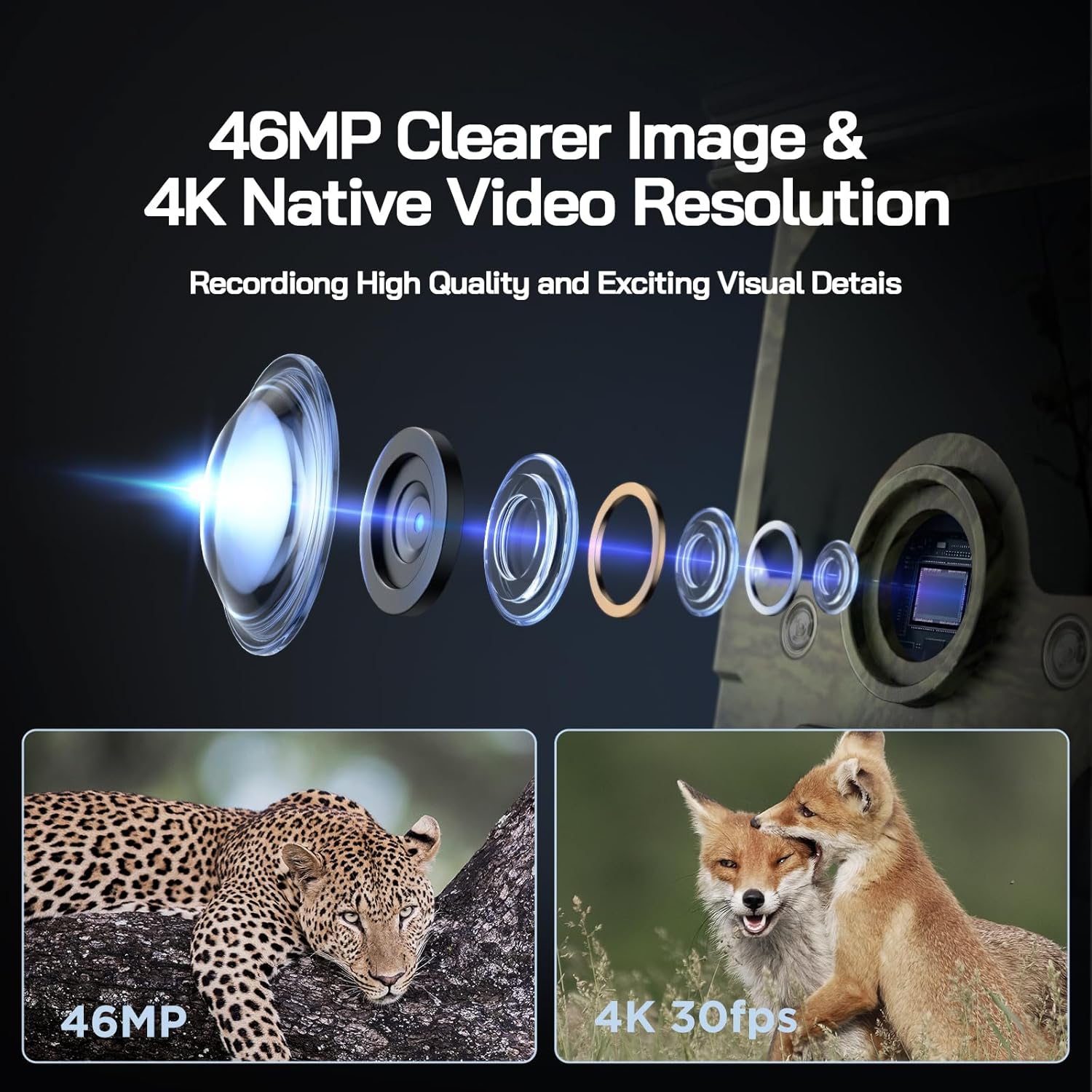
Figur 4.3: High-Quality Imaging. This image highlights the camera's capability to capture 68MP photos and 4K 30fps videos, showing examples of a leopard and foxes.

Figur 4.4: Superb Night Vision. A comparison image demonstrating the clarity of night vision captured by the WOLFANG WT03S using 850nm IR lamps versus other cameras.
5. Vedligeholdelse
5.1. Rensning
- Lens and Solar Panel: Regularly clean the camera lens and solar panel with a soft, dry cloth to ensure optimal image quality and charging efficiency.
- Casing: Tør kameraets yderside af med reklameamp cloth if it becomes dirty. Avoid abrasive cleaners.
5.2. Batteristyring
- Monitor the battery level via the app or camera display.
- Ensure the solar panel is exposed to sufficient sunlight for continuous charging of the internal battery.
- If using AA batteries, replace them when depleted to maintain backup power.
5.3. Vandtæt forsegling
Periodically check the rubber seals around the camera casing to ensure they are free from debris and properly seated. This maintains the IP66 waterproof rating.

Figur 5.1: IP66 Waterproofing. This image shows the camera in a rainy environment, demonstrating its sealed, waterproof design.
6. Fejlfinding
- Kameraet tænder ikke: Ensure the internal battery is charged or that fresh AA batteries are installed. Check the power switch position.
- Dårlig billed-/videokvalitet: Clean the camera lens. Ensure the camera is stable and not subject to excessive movement. Check lighting conditions.
- Problemer med nattesyn: Ensure the IR LEDs are not obstructed. Check battery levels, as low power can affect IR performance.
- Wi-Fi connection unstable or impossible: Ensure your smartphone is within 10 meters of the camera. Disable mobile data on your phone. Verify that Wi-Fi and Bluetooth are enabled on your phone.
- Langsom file transfer via Wi-Fi: Transfer speeds can vary, especially for large 4K video files. For faster transfer, remove the Micro SD card and use a card reader on a computer.
- Camera not detecting motion: Adjust the PIR sensor sensitivity in the settings. Ensure there are no obstructions in front of the sensor.
- Solpanel oplader ikke: Ensure the solar panel is clean and positioned to receive direct sunlight.
7. Specifikationer
| Feature | Specifikation |
|---|---|
| Modelnavn | WT03S |
| Videooptagelsesopløsning | 4K (30fps) |
| Foto opløsning | 68 MP |
| Udløserhastighed | 0.1 sekunder |
| Night Vision Range | Op til 20 meter (65 fod) |
| Infrarøde lysdioder | 2x 850nm Low-Glow IR LEDs |
| Forbindelse | Wi-Fi, Bluetooth |
| Strømkilde | Integrated 5200mAh rechargeable battery (solar charged), Optional 4x AA batteries |
| Opbevaring | Micro SD card up to 128GB (32GB included) |
| Vandtæt vurdering | IP66 |
| Monteringstype | Tree mount |
| Dimensioner (LxBxH) | 14.3 x 10.7 x 9.5 cm |
| Vægt | 750 g |
8. Garanti og support
WOLFANG tilbyder en 2 års garanti for the WT03S Solar Trail Camera. For any questions, technical assistance, or warranty claims, please contact our customer support team.
Officiel support-e-mail: support.vc@wolfang.co
Our team is committed to providing prompt and satisfactory assistance.


