1. Introduktion
The AULA F108 is a full-size wireless mechanical keyboard designed for versatile use across various operating systems and devices. It features tri-mode connectivity (Bluetooth 5.0, 2.4GHz wireless, and USB-C wired), hot-swappable switches, PBT keycaps, RGB backlighting, and a robust internal structure for enhanced typing experience.
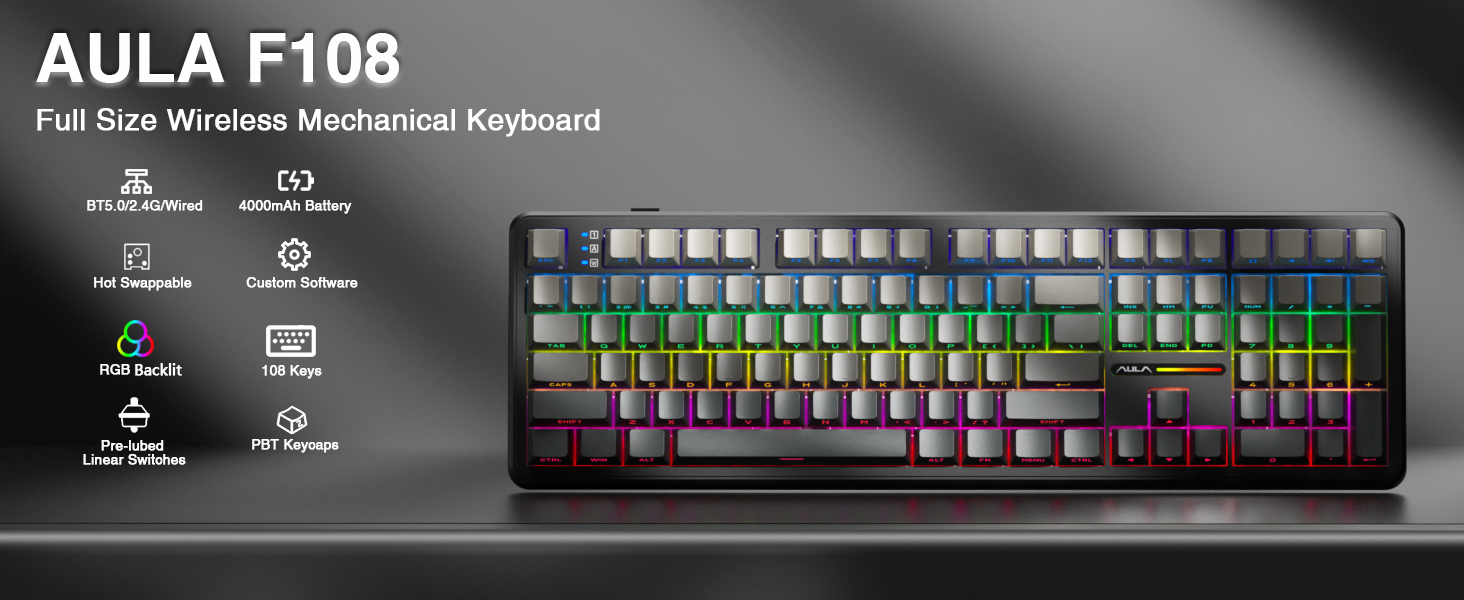
Billede: Overview of the AULA F108 Wireless Mechanical Keyboard, showcasing its full-size layout and key features such as tri-mode connection, 4000mAh battery, hot-swappable design, RGB backlight, PBT keycaps, pre-lubed linear switches, and custom software compatibility.
2. Pakkens indhold
Bekræft at alle varer er til stede i pakken:
- Mekanisk tastatur x1
- Ekstra kontakter x2
- Tastehætte/kontaktudtrækker x1
- USB-kabel x1
- 2.4 GHz-modtager x1
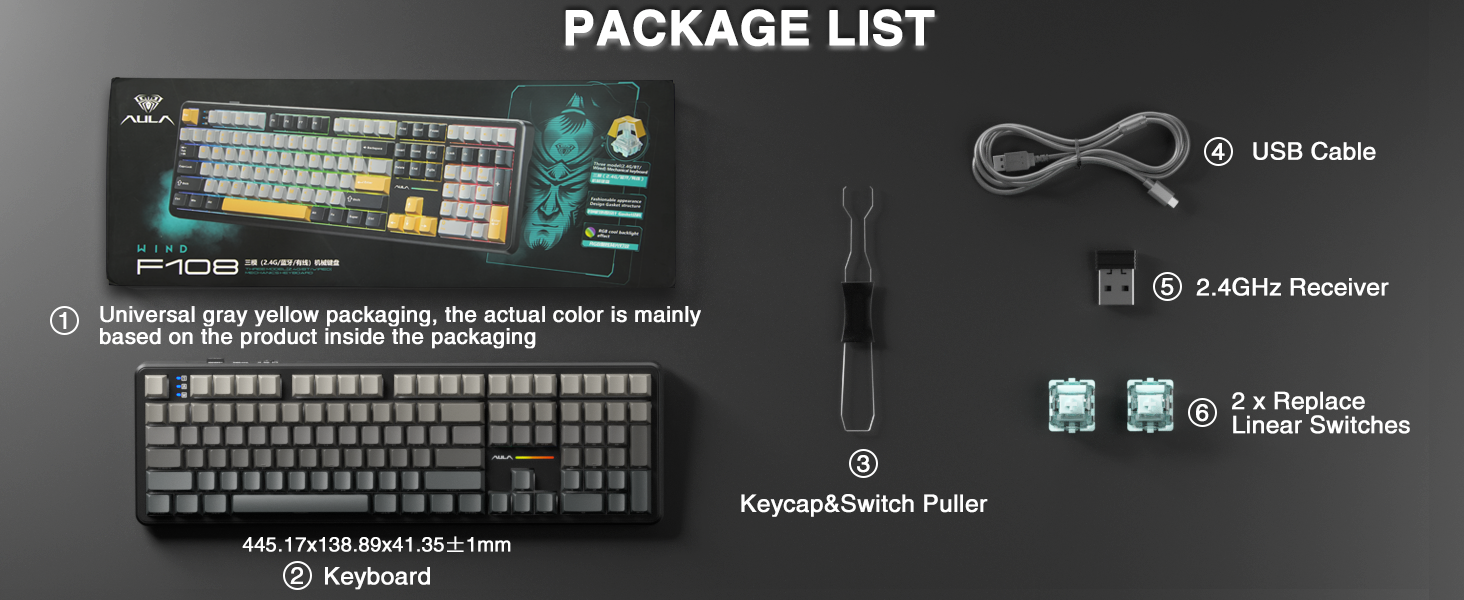
Image: A visual representation of the package contents, including the AULA F108 keyboard, USB cable, 2.4GHz receiver, keycap/switch puller, and two extra switches.
3. Produktet er slutview
3.1 Nøglefunktioner
- Tri-mode-tilslutning: Understøtter Bluetooth 5.0, 2.4 GHz trådløs og USB-C kablede forbindelser.
- Hot-swap-stikkontakter: Compatible with 3-pin and 5-pin mechanical switches for customization.
- PBT-taster: Durable, fade-resistant, and sweat-proof keycaps with side-printed legends.
- RGB-baggrundsbelysning: Multiple dynamic effects and customizable colors.
- Avanceret struktur: Five layers of sound-absorbing foam for reduced noise and improved typing feel.
- 4000mAh batteri: Long-lasting power for wireless operation.
3.2 Komponenter
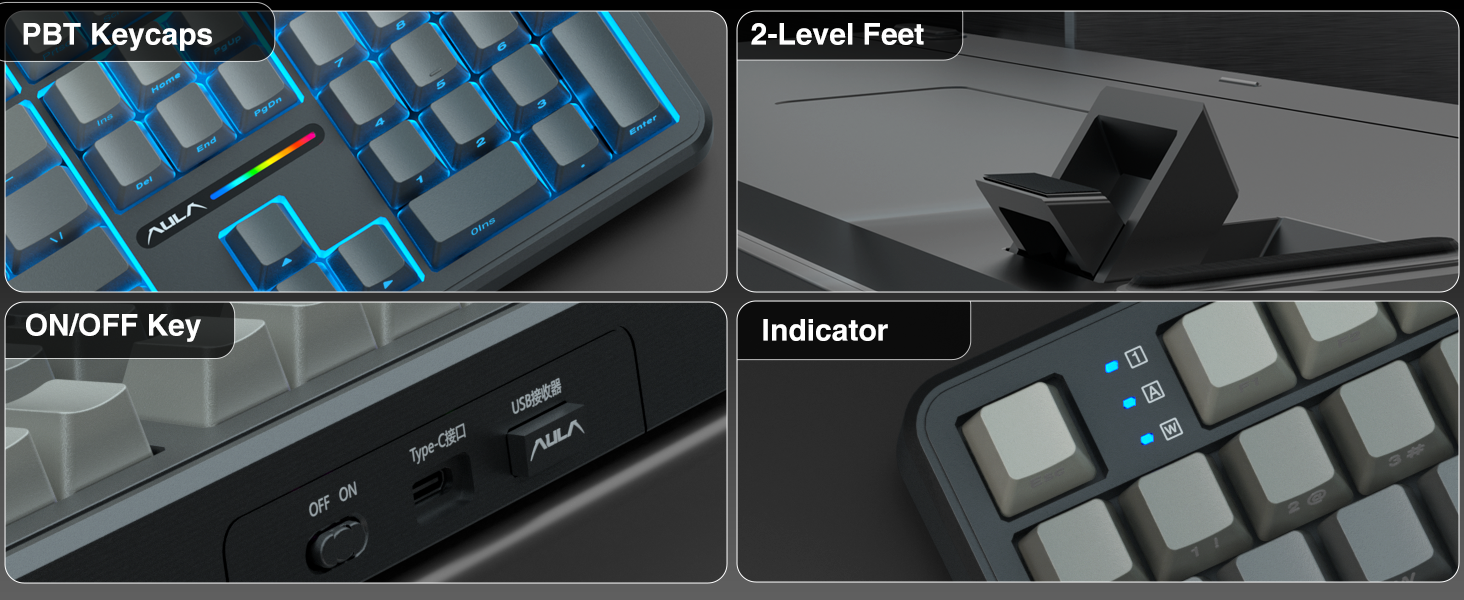
Billede: Detaljeret views of the AULA F108 keyboard's physical features, including the texture of PBT keycaps, the two-level adjustable kickstands, the ON/OFF switch and Type-C port, and the status indicator lights.
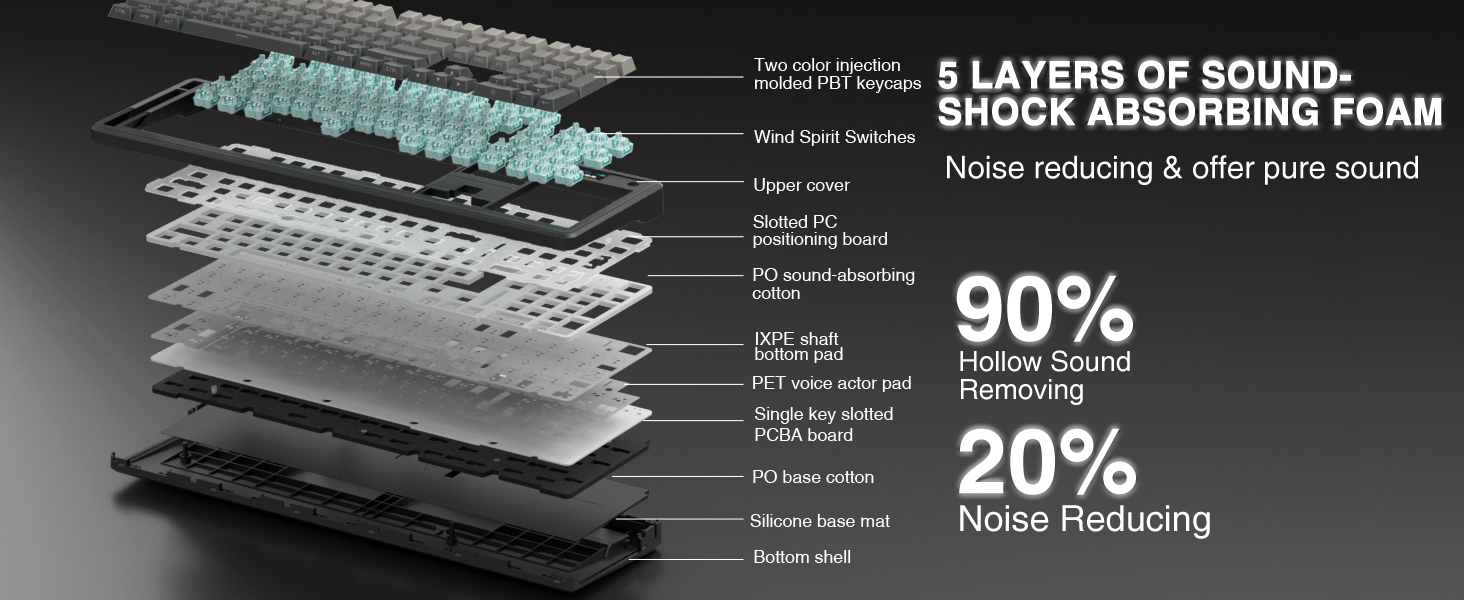
Image: An exploded diagram illustrating the five-layer sound-shock absorbing foam structure of the AULA F108 keyboard, designed to reduce hollow sound and noise.
4. Opsætning
4.1 Kabelforbindelse
- Tilslut det medfølgende USB-C-kabel til tastaturets Type-C-port.
- Tilslut den anden ende af USB-C-kablet til en ledig USB-port på din computer.
- Tastaturet vil automatisk blive genkendt og klar til brug.
4.2 2.4 GHz trådløs forbindelse
- Find 2.4 GHz USB-modtageren.
- Sæt modtageren i en ledig USB-port på din computer.
- Tænd tastaturet ved hjælp af tænd/sluk-knappen på siden.
- Trykke Fn + ~ for at skifte til 2.4 GHz trådløs tilstand. Indikatorlampen bekræfter forbindelsen.
4.3 Bluetooth 5.0-forbindelse
- Tænd for tastaturet ved hjælp af ON/OFF-knappen.
- Trykke Fn + 1, Fn + 2, eller Fn + 3 to select a Bluetooth channel. The indicator light for the selected channel will blink, indicating pairing mode.
- On your device (PC, Mac, laptop, tablet, smartphone), enable Bluetooth and search for new devices.
- Select "AULA F108" from the list of available devices to pair.
- Once paired, the indicator light will stop blinking and remain solid.
- For at skifte mellem parrede Bluetooth-enheder skal du trykke på Fn + 1/2/3.
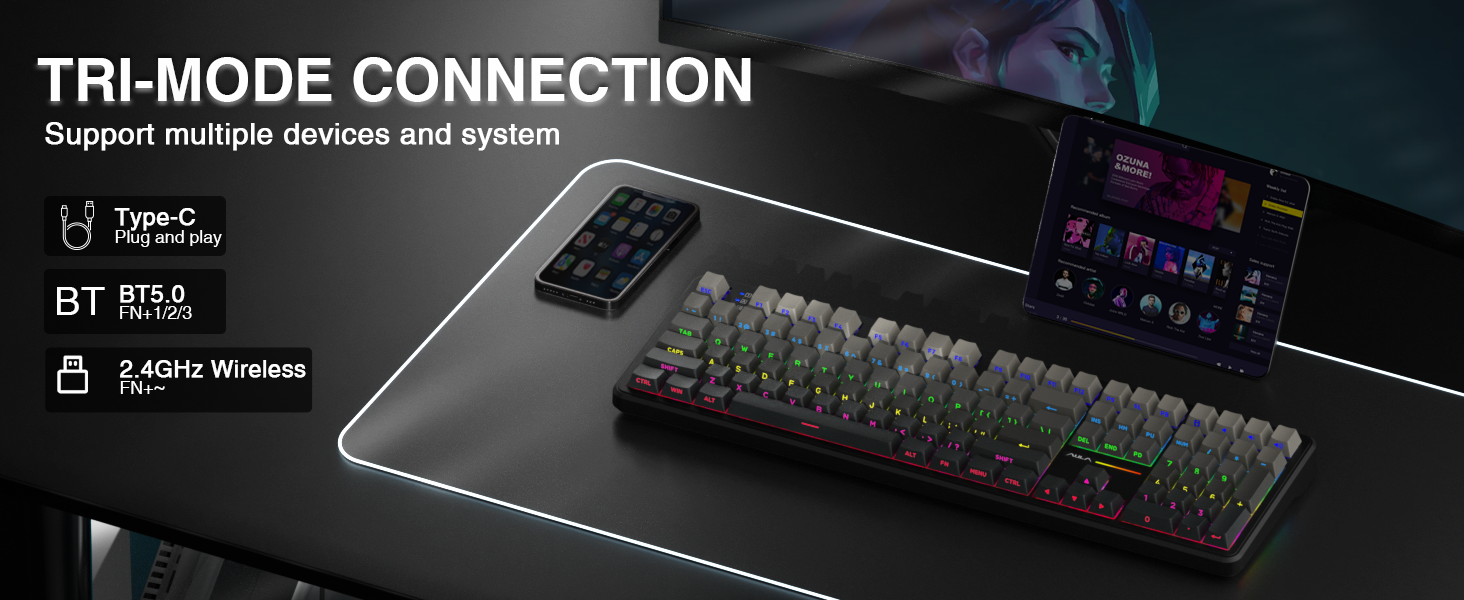
Image: A visual guide to the tri-mode connection, showing the Type-C wired, Bluetooth 5.0, and 2.4GHz wireless options, along with shortcut keys for switching between modes and operating systems.
5. Betjeningsvejledning
5.1 Skift af systemkompatibilitet
The keyboard is compatible with Windows, Mac, iOS, and Android operating systems. Use the following shortcuts to switch system layouts:
- Fn + W: Switch to Windows layout
- Fn + E: Switch to Mac layout
- Fn + Q: Switch to Android layout
- Fn + R: Switch to iOS layout
Note: In Linux systems, incompatible driver versions may cause abnormal F-zone functionality. This is a normal phenomenon and does not indicate a defect.
5.2 RGB-baggrundsbelysningskontrol
Adjust the keyboard's RGB backlighting using the following shortcut keys:
- Fn + \|: Skift mellem 16 lyseffekter eller sluk baggrundsbelysningen.
- Fn + Tab: Skift lysfarver.
- Fn + ↑: Øg belysningens lysstyrke.
- Fn + ↓: Reducer lysstyrken.
- Fn + ←: Reducer belysningshastigheden.
- Fn + →: Øg belysningshastigheden.
For side-light adjustment:
- Fn + Venstre Shift: Switch side-light mode.
- Fn + venstre Ctrl: Switch side-light speed.
- Fn + Venstre Alt: Switch side-light brightness.
- Fn + Z: Switch side-light colors.
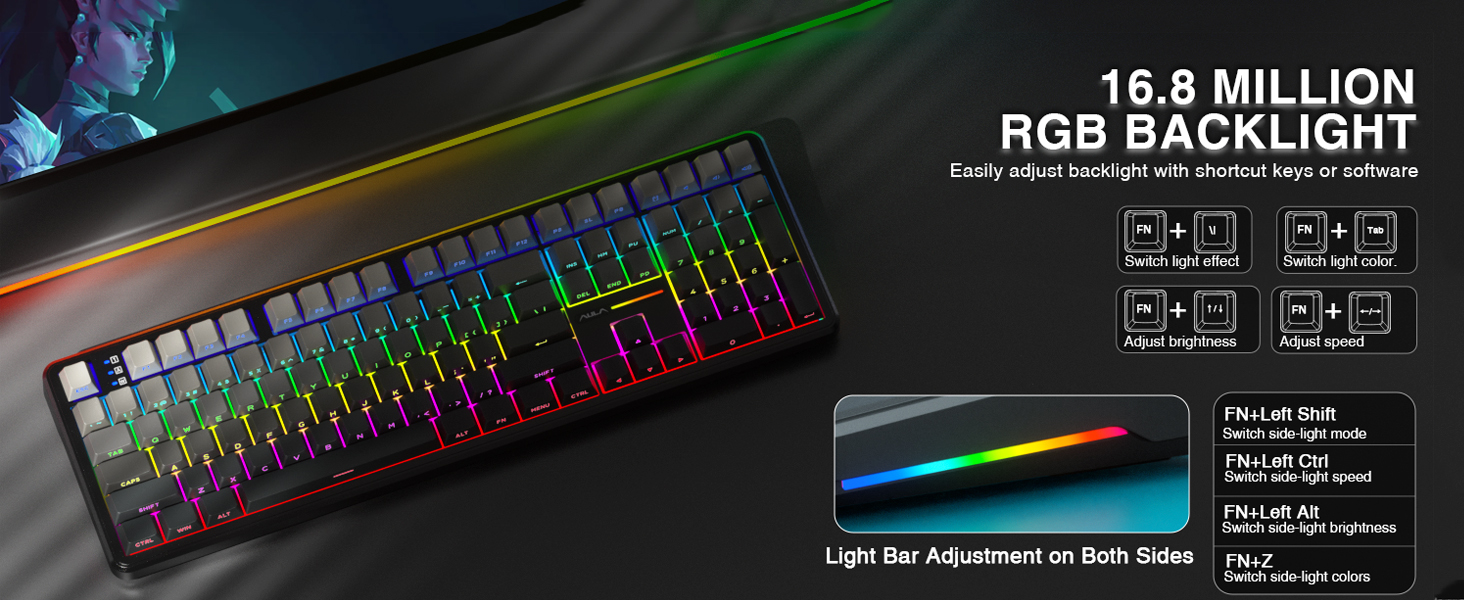
Image: A visual guide to adjusting the 16.8 million RGB backlight effects, brightness, and speed using keyboard shortcuts, including controls for the side light bars.
5.3 Programmerbar software
The AULA F108 offers programmable software for advanced customization, including macro recording, key remapping, and custom RGB effects. The driver is compatible with Windows systems only and functions in wired mode.
Download driveren fra: bit.ly/m/AULA
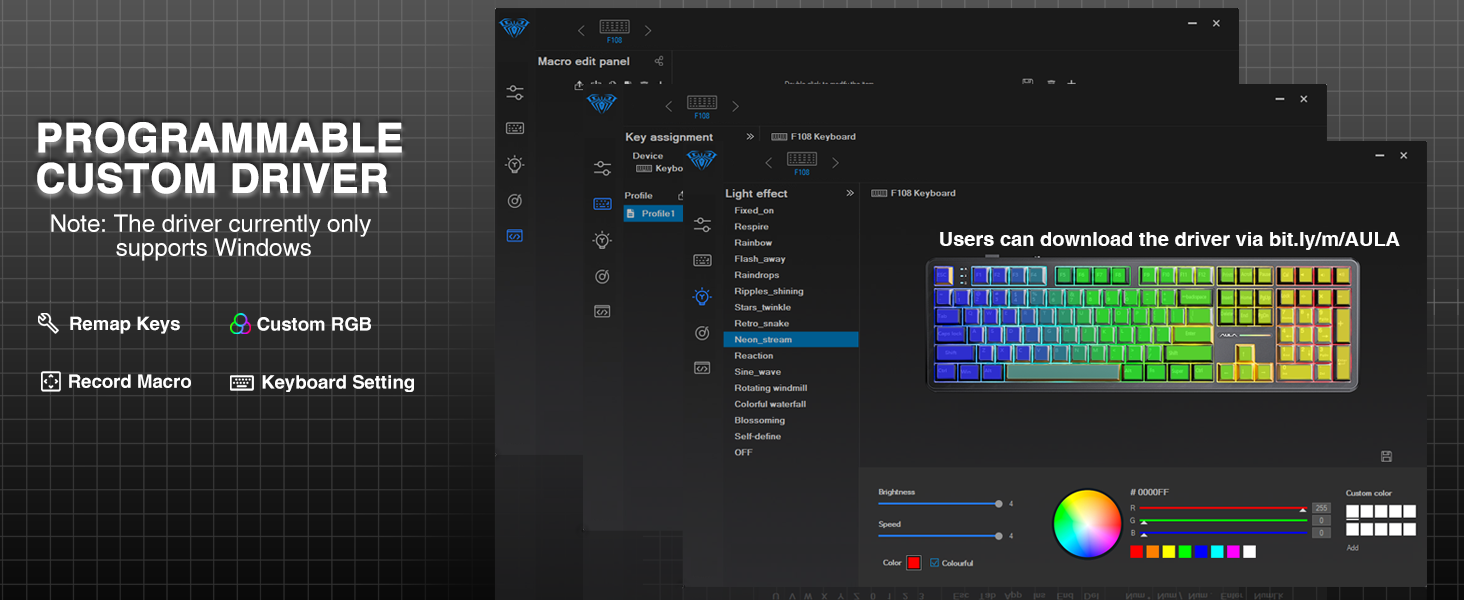
Image: A screenshot of the AULA F108 custom driver software interface, demonstrating options for remapping keys, customizing RGB lighting, and recording macros. Note: Driver supports Windows only in wired mode.
5.4 Batteristyring
The keyboard is equipped with a 4000mAh high-capacity battery. To check the battery level, press Fn+B.
- Approximate battery life with backlight ON: 10 hours
- Approximate battery life with backlight OFF: 100 hours
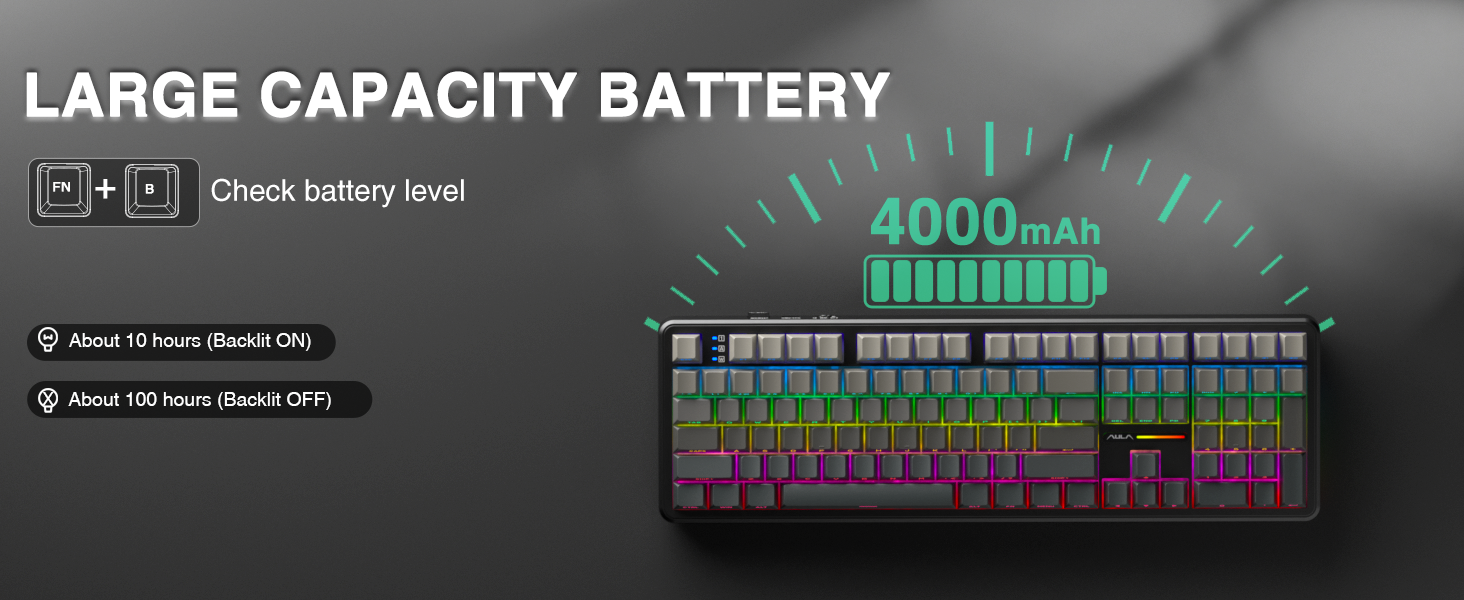
Image: Illustration highlighting the 4000mAh battery capacity of the AULA F108 keyboard, with estimated usage times of approximately 10 hours with backlight on and 100 hours with backlight off.
6. Vedligeholdelse
6.1 Rengøring
- Frakobl tastaturet fra alle strømkilder før rengøring.
- Brug en blød, fnugfri klud lidt damprengøres med vand eller en mild rengøringsopløsning til at tørre tastaturets overflade af.
- Brug trykluft eller en lille børste til at fjerne støv og snavs mellem tasterne.
- Undgå at bruge skrappe kemikalier eller slibende materialer.
6.2 Hot-swapping-switche
The AULA F108 features hot-swappable sockets, allowing you to change switches without soldering.
- Sluk: Ensure the keyboard is powered off and disconnected from any device.
- Fjern tastehætte: Brug den medfølgende tastaftrækker til forsigtigt at fjerne den ønskede tast.
- Fjern kontakt: Brug den medfølgende afbryder til forsigtigt at gribe fat i afbryderen og trække den lige op.
- Indsæt ny kontakt: Align the pins of the new 3-pin or 5-pin switch with the holes on the PCB. Press the switch firmly until it clicks into place. Ensure pins are not bent.
- Udskift tastehætte: Sæt tastaturet tilbage på den nye switch.
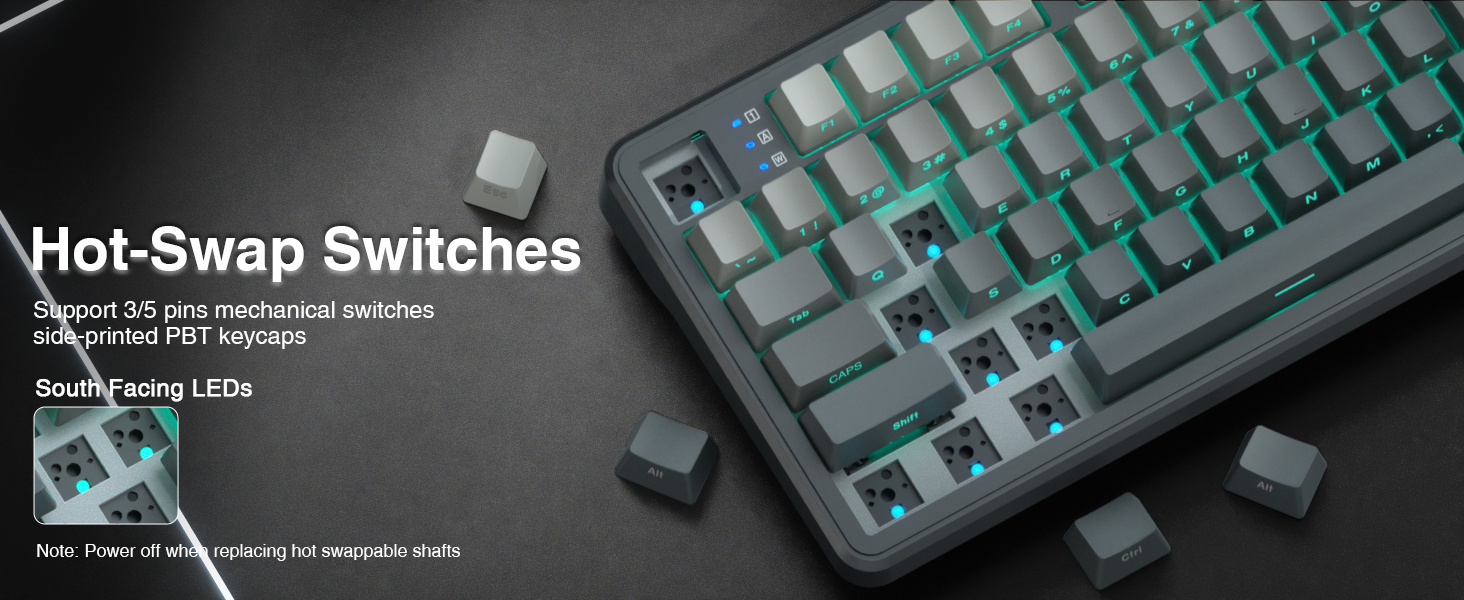
Image: Instructions for hot-swapping switches, showing the removal of keycaps and switches, and the insertion of new 3-pin or 5-pin mechanical switches. Emphasizes powering off the keyboard before performing this action.
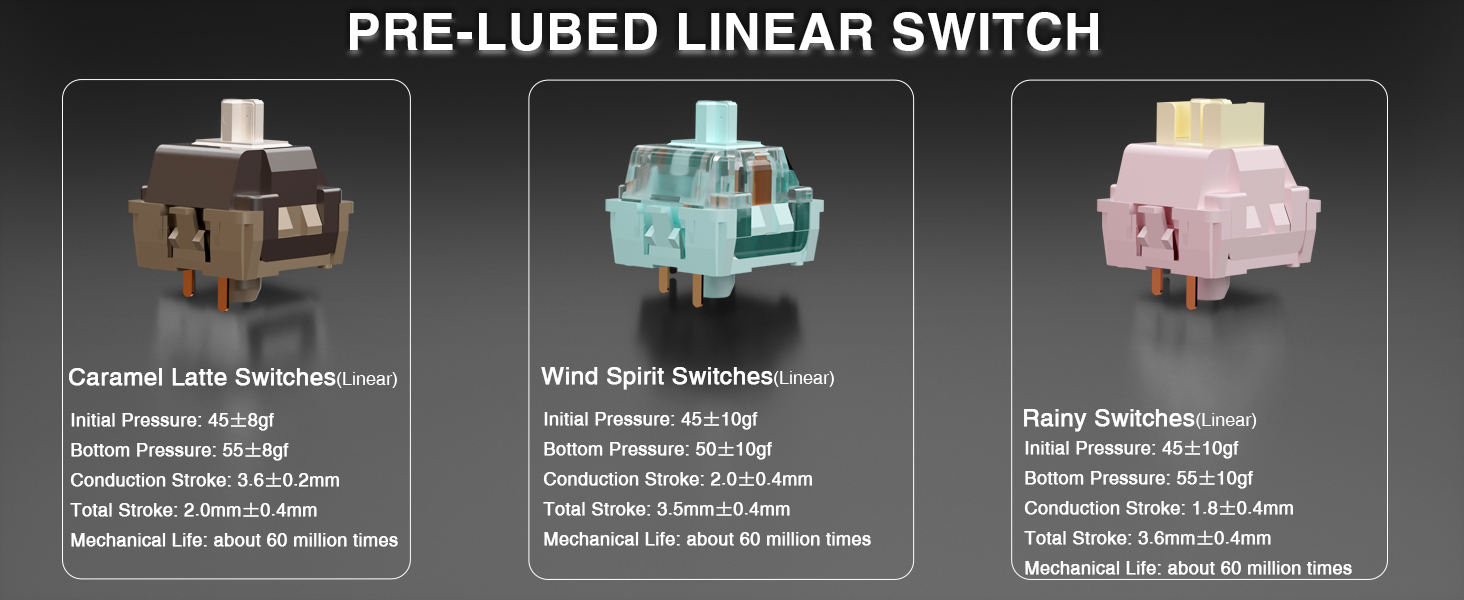
Image: Detailed specifications of the pre-lubed Wind Spirit linear switches, including initial pressure, bottom pressure, conduction stroke, total stroke, and mechanical life, highlighting their smooth operation.
7. Fejlfinding
- Tastaturet reagerer ikke:
- Sørg for, at tastaturet er tændt.
- Check the connection mode (wired, 2.4GHz, or Bluetooth) and ensure it matches your device's connection.
- For 2.4GHz, ensure the USB receiver is properly inserted.
- For Bluetooth, ensure the keyboard is paired and selected on your device. Try re-pairing if necessary.
- Check battery level (Fn+B) and charge if low.
- RGB-baggrundsbelysning fungerer ikke eller er forkert:
- Bruge Fn + \| to cycle through lighting effects or turn the backlight on/off.
- Juster lysstyrken med Fn + ↑/↓.
- If using custom software, ensure the keyboard is in wired mode and the software is correctly configured.
- Nøgler registreres ikke eller dobbelttastes:
- This may indicate a faulty switch. Use the included switch puller to replace the affected switch with one of the extra switches provided.
- Ensure the new switch is properly seated and its pins are not bent.
- F-zone functionality abnormal on Linux:
- This is a known compatibility issue with certain Linux driver versions and is considered normal behavior.
8. Specifikationer
| Feature | Detalje |
|---|---|
| Modelnummer | F108 |
| Mærke | AULA |
| Forbindelsesteknologi | 2.4 GHz trådløs, BT5.0, USB-C |
| Tastaturbeskrivelse | Mekanisk |
| Keycap materiale | PBT |
| Afbrydere | Pre-lubed Linear (Wind Spirit) |
| Hot-swappable | Ja (kompatibel med 3-bens/5-bens) |
| Baggrundsbelysning | RGB |
| Batteri | 4000mAh litium-ion (inkluderet) |
| Estimated Battery Life (Backlight ON) | Ca. 10 timer |
| Estimated Battery Life (Backlight OFF) | Ca. 100 timer |
| Kompatible enheder | Spillekonsol, bærbar computer, pc, smartphone, tablet |
| Varens vægt | 2.6 pund |
| Pakkedimensioner | 18.5 x 7 x 2.5 tommer |
9. Garanti og support
AULA is committed to providing quality products and after-sales service. For specific warranty details and support inquiries, please refer to the official AULA webwebsted eller kontakt din forhandler.
For driver downloads and additional resources, visit: bit.ly/m/AULA


