1. Introduktion
Thank you for choosing the GOBOULT Flex On-Ear Bluetooth Headphones. This manual provides essential information for setting up, operating, and maintaining your headphones. Please read it carefully before use to ensure optimal performance and longevity of your device.

Image: GOBOULT Flex On-Ear Bluetooth Headphones in Jet Black, showcasing det elegante design.
2. Hvad er der i æsken
Bekræft at alle varer er til stede i din pakke:
- GOBOULT Flex On-Ear Bluetooth Headphones
- Type-C hurtigopladningskabel
- AUX-kabel (til kabelforbindelse)
- Brugervejledning (dette dokument)
- Garantikort
3. Produktet er slutview
The GOBOULT Flex headphones feature an adjustable headband and soft earcups designed for comfort during extended use. Key components include:
- Justerbart pandebånd: For a customized fit.
- Ørekopper: Padded for comfort, housing the 40mm audio drivers.
- Kontrolknapper: Power, Volume Up/Down, Multi-function Button.
- Type-C opladningsport: Til genopladning af det interne batteri.
- AUX port: Til kablet lydforbindelse.
- Mikrofon: Integrated Zen™ ENC mic for clear calls.

Image: Close-up of the GOBOULT Flex headphones highlighting the adjustable headband and earcups for comfortable wear.
4. Opsætning
4.1 Opladning af hovedtelefonerne
Before first use, fully charge your headphones. Connect the provided Type-C charging cable to the headphone's charging port and the other end to a USB power source (e.g., wall adapter, computer USB port).
- En fuld opladning tager cirka 60 minutter.
- En 10 minutters opladning giver op til 5 timers spilletid.
- LED-indikatoren viser opladningsstatus (f.eks. rød for opladning, blå for fuldt opladet).
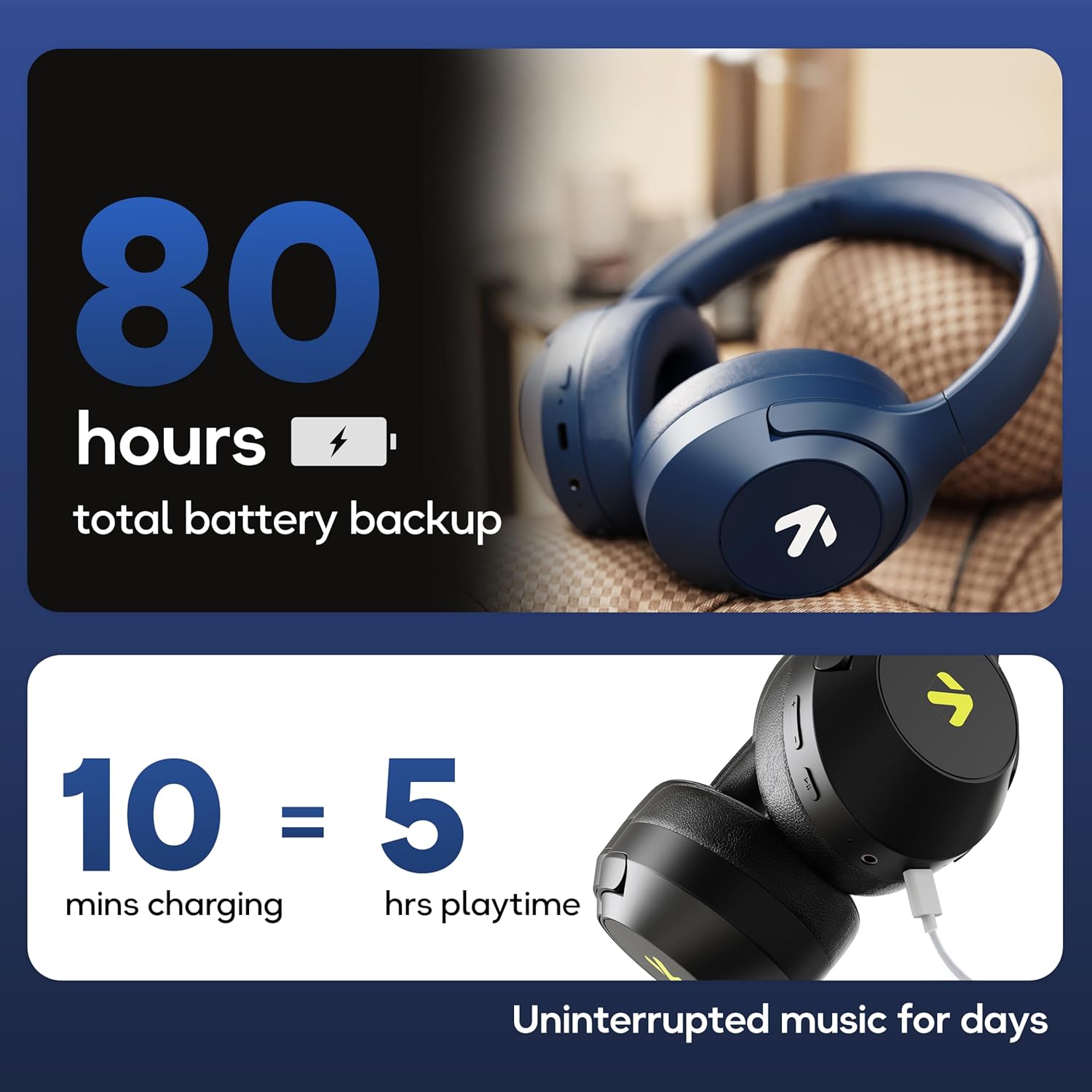
Image: Visual representation of the GOBOULT Flex headphones' battery life and fast charging capability.
4.2 Tænd/sluk
- For at tænde: Press and hold the Power button for 3 seconds. The LED indicator will flash.
- For at slukke: Tryk på tænd/sluk-knappen og hold den nede i 5 sekunder. LED-indikatoren slukker.
4.3 Bluetooth -parring
The GOBOULT Flex headphones utilize Bluetooth 5.4 for stable and fast connections.
- Sørg for, at hovedtelefonerne er slukket.
- Tryk på tænd/sluk-knappen og hold den nede i cirka 5-7 sekunder, indtil LED-indikatoren blinker skiftevis rødt og blåt, hvilket angiver parringstilstand.
- Aktiver Bluetooth på din enhed (smartphone, tablet, bærbar computer), og søg efter tilgængelige enheder.
- Select "GOBOULT Flex" from the list of devices.
- Når den er tilsluttet, blinker LED-indikatoren langsomt blåt.

Image: Illustration of the GOBOULT Flex headphones connecting via Bluetooth 5.4, highlighting the fast pairing feature.
4.4 AUX-forbindelse
You can use the headphones with a wired connection when the battery is low or for devices without Bluetooth. Connect one end of the 3.5mm AUX cable to the headphone's AUX port and the other end to your audio source's 3.5mm jack.
5. Betjeningsvejledning
5.1 Grundlæggende kontroller
| Fungere | Handling |
|---|---|
| Afspil/pause | Tryk én gang på multifunktionsknappen. |
| Lydstyrke op | Tryk på knappen Lydstyrke op (+). |
| Lydstyrke ned | Tryk på knappen Lydstyrke ned (-). |
| Næste spor | Tryk på knappen Lydstyrke op (+), og hold den nede. |
| Forrige spor | Tryk og hold nede på lydstyrke ned-knappen (-). |
5.2 Opkaldshåndtering
The integrated Zen™ ENC (Environmental Noise Cancellation) microphone ensures clear communication during calls.

Billede: Detaljeret view of the GOBOULT Flex headphones highlighting the Zen™ ENC mic for noise-reduced calls.
| Fungere | Handling |
|---|---|
| Besvar/afslut opkald | Tryk én gang på multifunktionsknappen. |
| Afvis opkald | Tryk og hold multifunktionsknappen nede i 2 sekunder. |
5.3 Stemmeassistent
Aktivér din enheds stemmeassistent (f.eks. Google Assistant, Siri) direkte fra dine hovedtelefoner.
- Aktiver stemmeassistent: Dobbelttryk på multifunktionsknappen.

Image: GOBOULT Flex headphones showing compatibility with voice assistants and IPX5 water resistance.
5.4 Gaming-tilstand (lav latenstid)
For an optimized gaming experience, activate the 60ms ultra-low latency Combat™ Gaming Mode.
- Aktivér spiltilstand: Refer to your device's specific instructions or the product's quick start guide for the button combination to toggle gaming mode.

Image: GOBOULT Flex headphones illustrating the Combat™ Gaming Mode with 60ms ultra-low latency for mobile gaming.
5.5 EQ-tilstande
The headphones feature 4 EQ modes to customize your audio experience:
- Bas
- Klippe
- Pop
- Vokal
To switch between EQ modes, refer to the specific button press sequence in your quick start guide or product packaging. This functionality allows you to tailor the sound profile til din præference.

Billede: Overview of GOBOULT Flex features, including the 4 EQ modes for sound customization.
6. Vedligeholdelse
6.1 Rengøring
Wipe the headphones with a soft, dry cloth. Do not use abrasive cleaners or solvents. For earcups, gently wipe with a damp klud og lad den lufttørre helt inden brug.
6.2 Opbevaring
Store the headphones in a cool, dry place away from direct sunlight and extreme temperatures. The foldable design allows for compact storage.
6.3 Vandtæthed (IPX5)
The GOBOULT Flex headphones are rated IPX5, meaning they are resistant to sweat and light splashes of water. They are not designed for submersion in water. Avoid exposing them to heavy rain or showering.
7. Fejlfinding
| Problem | Mulig løsning |
|---|---|
| Hovedtelefonerne tændes ikke. | Sørg for, at hovedtelefonerne er opladet. Tilslut til en strømkilde med Type-C-kablet. |
| Kan ikke parres via Bluetooth. | Ensure headphones are in pairing mode (flashing red/blue). Turn off and on your device's Bluetooth. Move closer to the device. |
| Ingen lyd. | Kontrollér lydstyrken på både hovedtelefoner og den tilsluttede enhed. Sørg for, at hovedtelefonerne er korrekt parret, eller at AUX-kablet er sat helt i. |
| Dårlig opkaldskvalitet. | Ensure the microphone is not obstructed. Move to a quieter environment. |
8. Specifikationer
| Feature | Detalje |
|---|---|
| Modelnavn | Flex (ProBass) |
| Forbindelse | Bluetooth 5.4, AUX |
| Audio driver størrelse | 40 mm |
| Spilletid | Op til 80 timer |
| Opladningsport | Type-C |
| Opladningstid | Ca. 60 minutter |
| Mikrofon | Zen™ ENC Mic |
| Lav latenstilstand | 60ms (Combat™ Gaming Mode) |
| Vandmodstand | IPX5 |
| Frekvensrespons | 20 Hz |
| Følsomhed | 118 dB |
| Impedans | 32 Ohm |
| Varens vægt | 214 gram |
9. Garanti og support
The GOBOULT Flex headphones come with a 1-year warranty. To avail of the extended warranty and for any support inquiries, please register your product on the official GOBOULT website. For technical assistance or customer service, refer to the contact information provided on your warranty card or the GOBOULT official webwebsted.
Manufacturer: Exotic Mile Private Limited
Oprindelsesland: Kina


