1. Introduktion
Thank you for choosing the Hama Ultimate Pro Portable Bluetooth Speaker. This manual provides essential information for the safe and efficient use of your device. Please read it carefully before use and keep it for future reference.
Pakkeindhold:
- 1x Hama Ultimate Pro Portable Bluetooth Speaker
- 1x USB-C opladerkabel
- 1x bærerem
- 1x brugermanual
2. Sikkerhedsinstruktioner
- Do not open the device. Incorrect assembly can lead to electric shock, fire, or damage.
- Keep the device away from extreme temperatures, direct sunlight, and humidity.
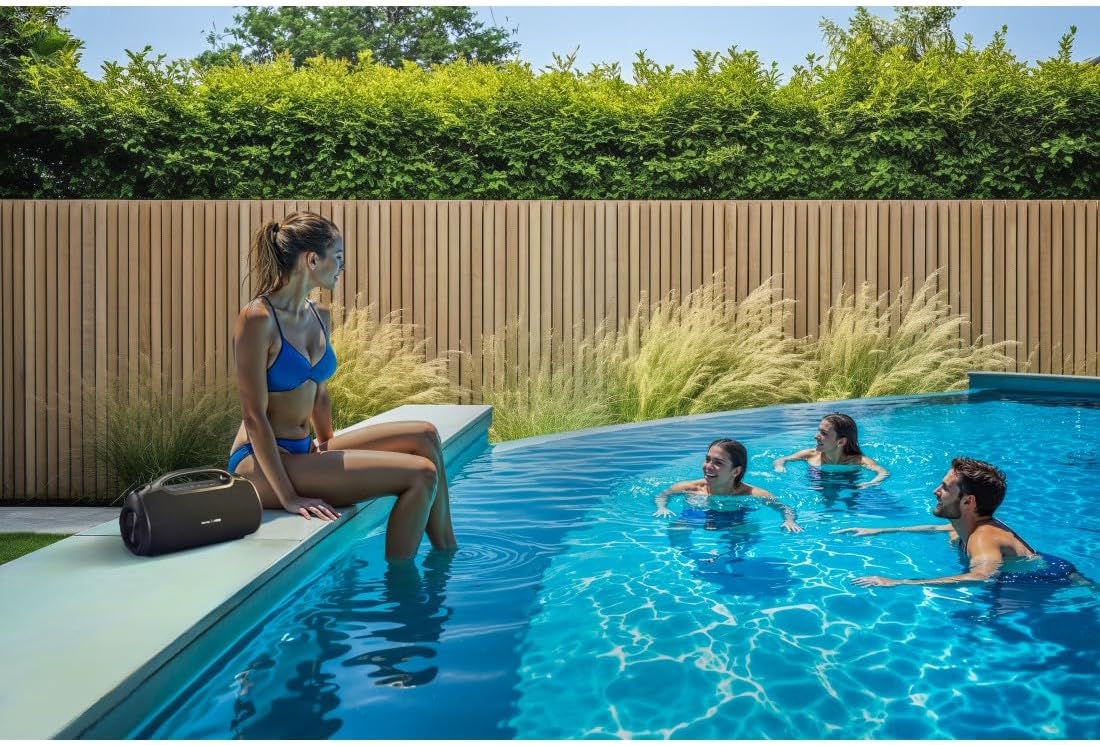
- This speaker is rated IPX6, meaning it is protected against strong continuous rain and splashing water. Do not submerge the speaker in water.
- Brug kun det medfølgende USB-C-kabel til opladning.
- Brug ikke enheden, hvis den er synligt beskadiget.
- Protect the battery from overheating.
3. Produktet er slutview
Familiarize yourself with the speaker's features and connections.

The Hama Ultimate Pro speaker highlights its key features: 24-hour battery life, IPX6 waterproof rating, Bluetooth connectivity, and 120W sound output.
Kontrolpanel:

Detaljeret view of the speaker's top control panel, showing buttons for power, volume adjustment, play/pause, mode selection, and equalizer settings.
- Power knap: Press and hold to turn on/off. Short press to check battery status.
- Skrue ned for lyden (-): Sænk volumen.
- Afspil/pause knap: Afspil eller sæt lyd på pause.
- Lydstyrke op (+): Øg volumen.
- Mode-knap (M): Skift mellem inputtilstande (Bluetooth, AUX, USB).
- Equalizer Button (EQ): Cycle through equalizer presets (Bass Sound, Power Sound, Balanced Sound).
Porte og forbindelser:

The speaker's rear port panel includes a USB-C charging port, a USB-A port for external devices, a reset button, and a 6.3mm jack input.
- USB-C-port: For charging the speaker and for Power Bank output.
- USB-A-port: For playing music from USB storage devices or for Power Bank output.
- AUX Input (3.5mm Jack): Til tilslutning af eksterne lydenheder via et 3.5 mm lydkabel.
- Microphone/Guitar Input (6.3mm Jack): Til tilslutning af mikrofon eller guitar.
- Nulstil knap: Use a thin object to press and reset the speaker if needed.
4. Opsætning
4.1 Opladning af højttaleren
- Tilslut det medfølgende USB-C-opladerkabel til USB-C-porten på højttaleren.
- Connect the other end of the USB-C cable to a suitable USB power adapter (not included). A 30W charger is recommended for fast charging.
- The charging indicator will show the charging status. The speaker is fully charged in approximately 2.5 hours.
4.2 Tænd/sluk
- To turn on: Press and hold the Power button for a few seconds until you hear an audible prompt.
- To turn off: Press and hold the Power button for a few seconds until you hear an audible prompt.
4.3 Bluetooth -parring
- Sørg for, at højttaleren er tændt og i Bluetooth-tilstand (indikeret med en blinkende blå LED). Hvis ikke, skal du trykke på tilstandsknappen (M) for at skifte til Bluetooth-tilstand.
- Aktiver Bluetooth på din enhed (smartphone, tablet, bærbar computer), og søg efter tilgængelige enheder.
- Select "Hama Ultimate Pro" from the list of devices.
- Når parringen er afsluttet, lyser LED-indikatoren konstant blåt, og du vil høre en bekræftelseslyd.
4.4 Tilslutning via AUX-indgang
- Tilslut den ene ende af et 3.5 mm lydkabel (medfølger ikke) til AUX-indgangsporten på højttaleren.
- Tilslut den anden ende til lydudgangen på din eksterne enhed.
- Press the Mode button (M) on the speaker to switch to AUX mode.
4.5 Connecting USB Storage
- Indsæt et USB-flashdrev med lyd files into the USB-A port on the speaker.
- Press the Mode button (M) to switch to USB mode. The speaker will automatically begin playing audio from the USB drive.
4.6 Connecting Microphone or Guitar
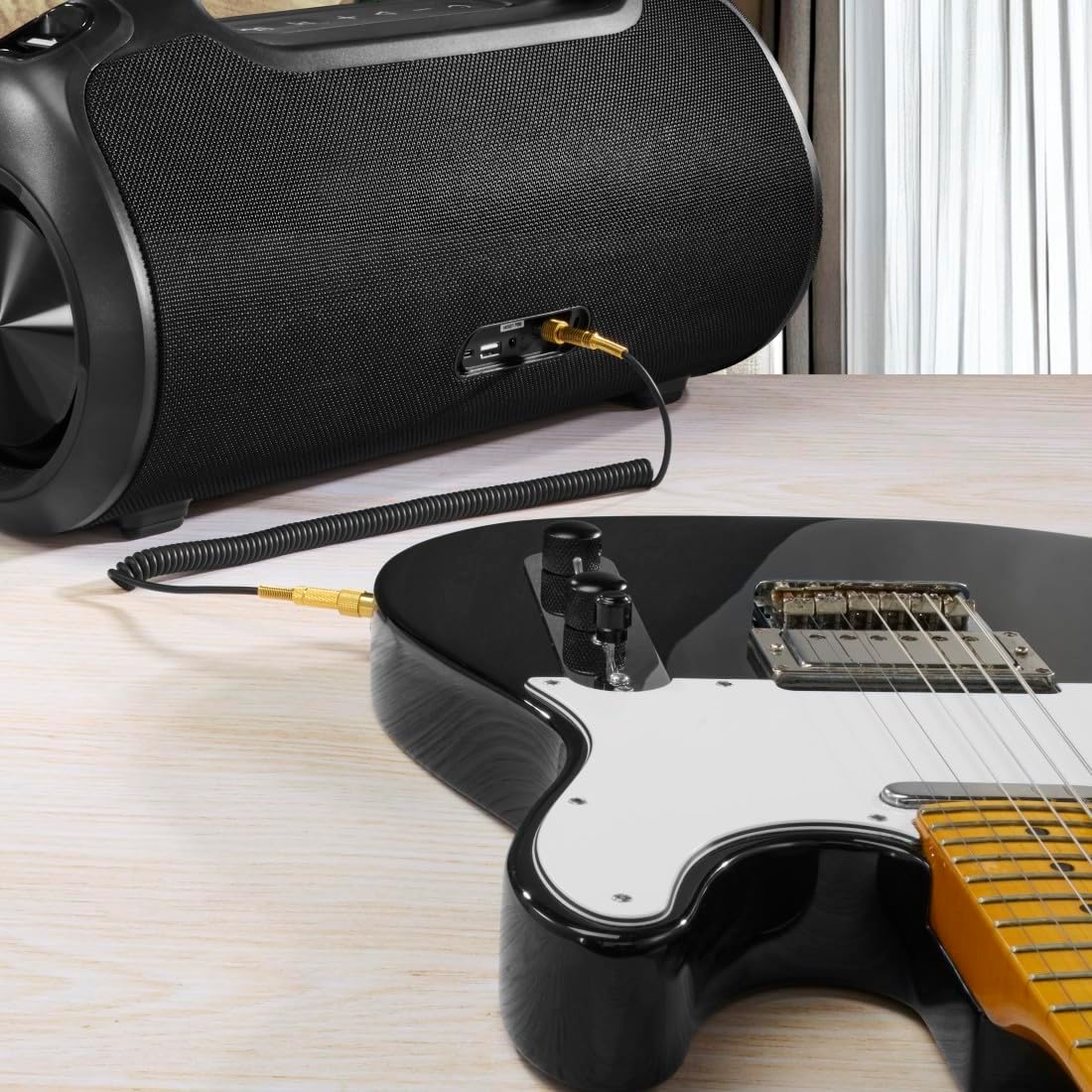
The speaker can be used as an amplifier by connecting an electric guitar via its 6.3mm jack input.
A microphone can be connected to the speaker's 6.3mm jack input for karaoke or public speaking.
- Connect your microphone or guitar to the 6.3mm jack input on the speaker.
- Adjust the volume on your connected device and the speaker as needed.
4.7 Ægte trådløs stereo (TWS) parring
The Hama Ultimate Pro supports TWS for connecting two speakers for a stereo sound experience. Refer to the specific TWS pairing instructions in the full manual if available, as this feature typically involves pressing a dedicated TWS button on both speakers simultaneously.
5. Betjening af højttaleren
5.1 Grundlæggende afspilningskontroller
- Afspil/pause: Tryk kort på Play/Pause-knappen.
- Lydstyrke op: Tryk kort på knappen Lydstyrke op (+).
- Skrue ned for lyden: Tryk kort på lydstyrke ned-knappen (-).
- Næste nummer: Tryk længe på knappen Lydstyrke op (+).
- Forrige nummer: Tryk længe på lydstyrke ned-knappen (-).
5.2 Equalizer-tilstande
The speaker offers three distinct equalizer modes to optimize your listening experience:
- Bas lyd: Enhances low frequencies for a deeper bass response.
- Power Sound: Provides a balanced, powerful sound profile.
- Balanceret lyd: Offers a neutral and clear audio output.
To switch between modes, short press the EQ button on the control panel.
5.3 Hama Smart Home App Control

The Hama Smart Home app allows for convenient control and customization of the speaker, including battery status and sound settings.
Download the "Hama Smart Home" app from your device's app store to access additional features:
- Custom equalizer settings.
- Change the speaker's name.
- View precise battery status in percentage.
- Remote control of playback and settings.
5.4 Powerbankens funktion

The speaker's integrated power bank allows you to charge external devices like smartphones via its USB-C or USB-A ports.
The Hama Ultimate Pro speaker features an integrated power bank function, allowing you to charge other devices:
- Connect your smartphone, tablet, or other USB-powered device to the USB-C or USB-A port on the speaker using a compatible charging cable.
- The speaker's internal battery will begin charging your connected device.
6. Vedligeholdelse
6.1 Rengøring
The speaker has a resistant and washable surface. To clean:
- Ensure the speaker is turned off and all cables are disconnected.
- Brug en blød, damp cloth to wipe the surface. Do not use harsh cleaning agents or solvents.
- Til genstridigt snavs kan en mild sæbeopløsning anvendes, efterfulgt af aftørring med en ren,amp klæde.
- Allow the speaker to dry completely before use.
6.2 Opbevaring
- Opbevar højttaleren et køligt, tørt sted væk fra direkte sollys og ekstreme temperaturer.
- Hvis batteriet opbevares i en længere periode, skal det oplades til cirka 50% hver par måneder for at opretholde batteriets tilstand.
6.3 Pleje af batterier
- Undgå at aflade batteriet helt ofte.
- Do not expose the battery to heat sources or direct flame.
- Bortskaf batterier i henhold til lokale regler.
7. Fejlfinding
Hvis du støder på problemer med din højttaler, kan du bruge følgende almindelige løsninger:
- Ingen strøm: Sørg for, at højttaleren er opladet. Tilslut den til en strømkilde med USB-C-kablet.
- Kan ikke parres via Bluetooth:
- Sørg for, at højttaleren er i Bluetooth-parringstilstand (blinkende blå LED).
- Sørg for, at Bluetooth er aktiveret på din enhed, og at den er inden for 10 meter fra højttaleren.
- Glem højttaleren fra din enheds Bluetooth-liste, og prøv at parre igen.
- Genstart både højttaleren og din enhed.
- Ingen lyd:
- Kontroller lydstyrkeniveauerne på både højttaleren og din tilsluttede enhed.
- Ensure the correct input mode (Bluetooth, AUX, USB) is selected on the speaker.
- Hvis du bruger AUX, skal du sørge for, at kablet er sat helt i og fungerer.
- Opladningsproblemer:
- Verify the USB-C cable is not damaged and is properly connected.
- Prøv en anden USB-strømadapter.
- Højttaler reagerer ikke: If the speaker becomes unresponsive, use a thin object (like a paperclip) to press the Reset button located on the port panel.
8. Specifikationer

Physical dimensions of the Hama Ultimate Pro speaker for reference.
| Modelnummer | 00188232 |
| Mærke | Hama |
| Farve | Sort |
| Forbindelsesteknologi | Bluetooth 5.3 |
| Max rækkevidde | 10 meter |
| Lydsystem | Stereoanlæg |
| Maksimal musikkraft | 120 W |
| Batteritype | Integreret lithium-ion |
| Batterikapacitet | 4500 mAh |
| Batteri Voltage | 11.4 V |
| Batteristrøm | 51.3 Wh |
| Max batterilevetid | 24 timer |
| Opladningstid | Ca. 2.5 timer |
| USB PD-understøttelse | Ja |
| IP-vurdering | IPX6 (Protection against strong continuous rain) |
| Dimensioner (L x B x H) | 46.5 x 19.2 x 25.4 cm |
| Vægt | 5200 g (5.2 kg) |
| Kompatible enheder | MP3 Player, Personal Computer, Smartphone, Tablet, Television |
9. Garanti
Hama GmbH & Co KG provides a warranty for this product. Please refer to the warranty card included in your package or visit the official Hama webwebstedet for detaljerede garantivilkår og -betingelser, der er specifikke for din region.
10. Support
For technical support, troubleshooting assistance, or further inquiries, please contact Hama customer service. Contact details can typically be found on the official Hama webwebstedet eller på produktemballagen.
You can also visit the Hama webhjemmeside for ofte stillede spørgsmål og yderligere produktinformation: www.hama.com


