1. Introduktion
This manual provides comprehensive instructions for the setup, operation, maintenance, and troubleshooting of your EPOMAKER Aula Hero 68 HE Wired Magnetic Gaming Keyboard. Please read this manual thoroughly to ensure proper use and to maximize your keyboard's performance.

Image 1.1: EPOMAKER Aula Hero 68 HE Wired Magnetic Gaming Keyboard.
2. Pakkens indhold
Bekræft at alle varer er til stede i pakken:
- EPOMAKER Aula Hero 68 HE Keyboard
- USB A til C kabel
- 2-i-1 tastekappe-og-kontakt-udtrækker
- 2 Extra Magnetic Switches
- Keyboard Ribbon
- Brugervejledning (dette dokument)
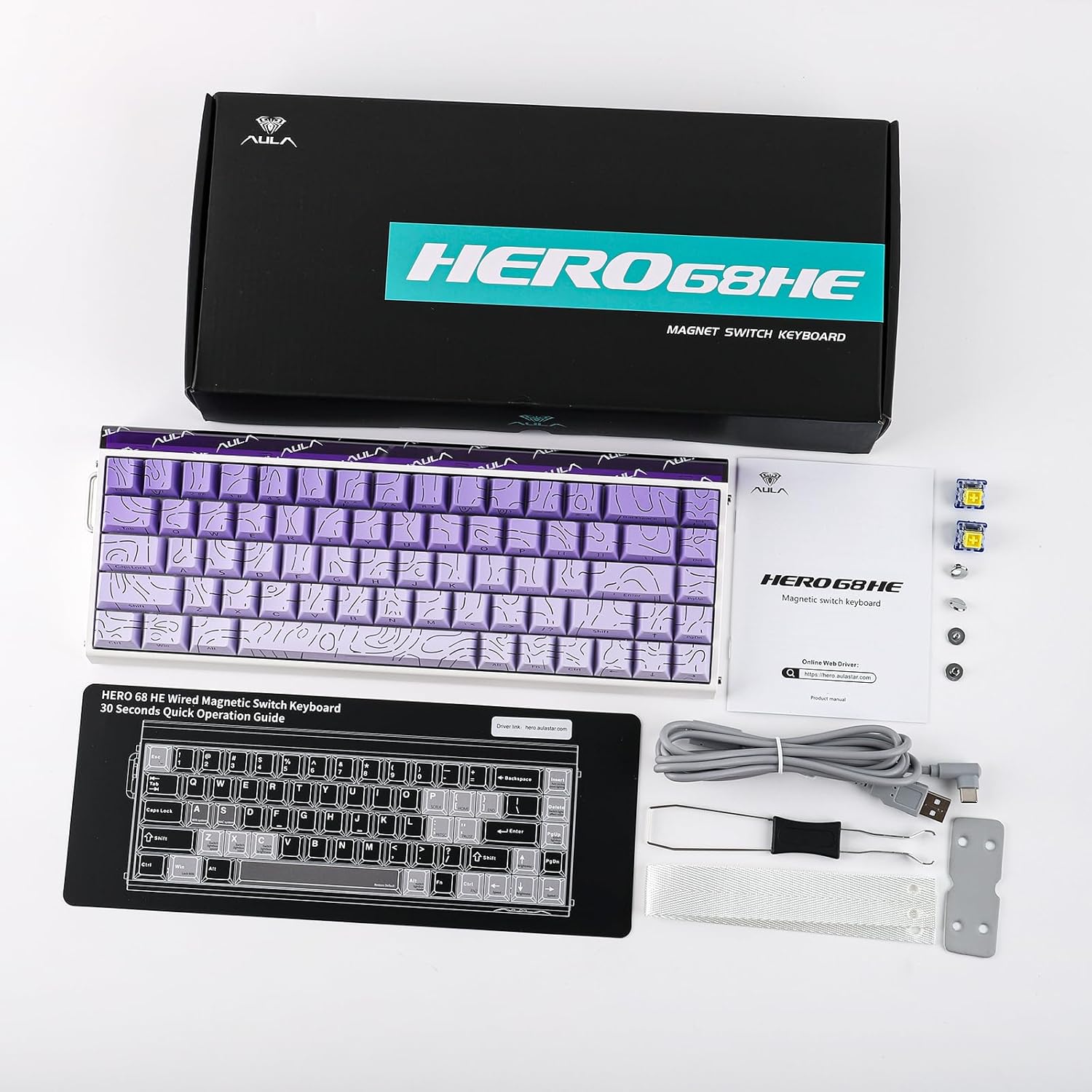
Image 2.1: Contents included in the EPOMAKER Aula Hero 68 HE package.
3. Produktet er slutview
3.1 Nøglefunktioner
- Magnetic Hall Effect Switches: Offers adjustable actuation from 0.01mm to 3.4mm.
- 8kHz pollinghastighed: Provides ultra-low latency for rapid response.
- 5-lags lyd Dampslutning: Enhances typing acoustics.
- RGB Box & Backlight: Customizable per-key RGB lighting and side light effects.
- Hot-swap-design: Compatible with various magnetic switches.
- Web Chauffør: Online configuration tool for advanced customization.
- Avancerede spilfunktioner: Includes SOCD, Mod Tap, and Dynamic Keystroke.
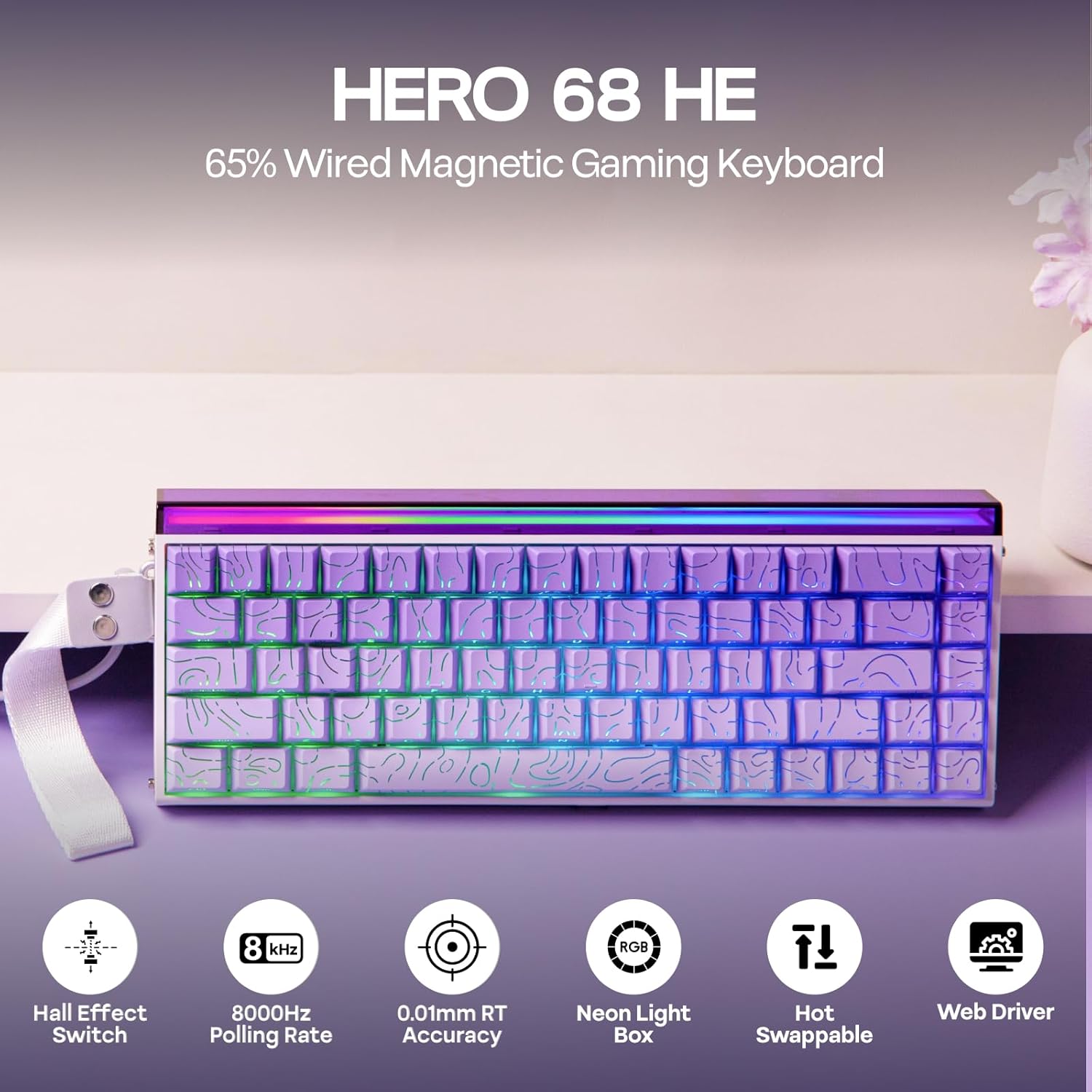
Billede 3.1: Overview of the Hero 68 HE keyboard and its main features.
3.2 Tastaturlayout
The Hero 68 HE features a 65% compact layout with 68 keys, designed for efficiency and space-saving. The keycaps are side-printed PBT with a Cherry profile for ergonomic comfort.

Image 3.2: Details of the keycap design and ergonomic profile.
4. Opsætning
4.1 Tilslutning af tastaturet
- Locate the USB A to C cable included in the package.
- Tilslut USB-C-enden af kablet til porten på tastaturet.
- Tilslut USB-A-enden af kablet til en ledig USB-port på din computer eller kompatible enhed.
- Tastaturet vil automatisk blive genkendt af dit operativsystem.
The Hero 68 HE is a wired-only keyboard, ensuring consistent performance without wireless latency.

Image 4.1: The keyboard is compatible with Windows, macOS, Laptops, Xbox, PlayStation, and Switch.
5. Betjeningsvejledning
5.1 Justerbar aktivering
The magnetic Hall Effect switches allow for precise adjustment of the actuation point from 0.01mm to 3.4mm. This feature enables users to customize key sensitivity for different tasks, such as rapid trigger for gaming or a deeper press for typing accuracy.

Image 5.1: Visual representation of adjustable actuation for magnetic switches.
5.2 Afstemningsprocent
The keyboard supports an 8kHz polling rate, significantly reducing input latency to 0.125ms. This high polling rate ensures that every keystroke is registered almost instantaneously, which is crucial for competitive gaming.

Image 5.2: Latency and polling rate settings for the Hero 68 HE keyboard.
5.3 Tilpasning med Web Chauffør
The Hero 68 HE utilizes a web-based driver for comprehensive customization. Access the driver via a Chromium-based browser to configure:
- Nøgleomlægning
- RGB Effect Settings
- Hall Effect Switch Customization
- Makrooptagelse
- Dynamic Keystroke and Mod Tap functions
- SOCD (Simultaneous Opposite Cardinal Directions) settings
De web driver allows for advanced control over your keyboard's behavior without installing desktop software.

Image 5.3: The programmable web driver for customizing keyboard settings.
5.4 RGB-belysning
The keyboard features per-key RGB backlighting and a side light box. Lighting effects, colors, saturation, brightness, and speed can be fully customized through the web driver to match your preferences.

Image 5.4: The keyboard's customizable RGB lighting and light box.
5.5 Hot-swap-kontakter
The Hero 68 HE is hot-swappable, allowing you to easily change switches without soldering. This provides flexibility for users to experiment with different magnetic switch types.

Image 5.5: The hot-swappable design allows for easy switch replacement.
6. Vedligeholdelse
6.1 Rengøring af tastaturet
- Generel rengøring: Brug en blød, fnugfri klud lidt dampTør tasterne og kabinettet af med vand eller en mild rengøringsopløsning. Undgå for meget fugt.
- Fjernelse af støv: Brug trykluft til at fjerne støv og snavs mellem tastaturerne og kontakterne.
- Fjernelse af nøglekapsel: Use the included keycap puller to carefully remove keycaps for deeper cleaning. Gently pull straight up to avoid damaging the switch stem.
6.2 Skiftpleje
While magnetic switches are durable, avoid exposing them to strong magnetic fields or excessive force. If replacing switches, use the included switch puller and ensure proper alignment before pressing them into the PCB.
7. Fejlfinding
| Spørgsmål | Mulig årsag | Løsning |
|---|---|---|
| Tastaturet reagerer ikke | Løs kabelforbindelse, defekt USB-port, driverproblem. | Ensure USB cable is securely connected. Try a different USB port. Restart your computer. Check the web driver for any error messages. |
| RGB-belysning virker ikke | Lighting disabled, software conflict, faulty LED. | Kontroller RGB-indstillingerne i web driver. Ensure no other lighting software is interfering. |
| Nøgler registreres ikke eller dobbelttastning | Switch issue, actuation point set too low/high, debris under keycap. | Clean under the keycap. Adjust actuation point in the web driver. If a specific switch is faulty, replace it using the hot-swap feature. |
| Web driver not accessible | Browser incompatibility, internet connection issue. | Ensure you are using a Chromium-based browser (e.g., Chrome, Edge). Check your internet connection. |
8. Specifikationer
| Feature | Detalje |
|---|---|
| Model | Hero 68 HE |
| Tastaturbeskrivelse | Magnetisk gaming tastatur |
| Forbindelsesteknologi | Wired Only (USB A to C cable included) |
| Aktivering | 0.01mm - 3.4mm Adjustable |
| Afstemningsfrekvens | 8kHz |
| Lyd Dampslutning | 5-Layer Construction |
| Baggrundsbelysning | RGB (Per-key & Side Light Box) |
| Afbrydere | Hall Effect, Hot-Swappable |
| Kompatible enheder | Gaming Console, Laptop, PC, Projector |
| Produktdimensioner | 4.7 x 12.3 x 1.2 tommer (12 cm L x 31.2 cm B x 3 cm H) |
| Varens vægt | 2.46 pund (1.11 kg) |
| Materiale | Plast |

Image 8.1: Detailed technical specifications and physical dimensions.

Image 8.2: Internal structure illustrating the five-layer sound dampendesystem.
9. Garanti og support
9.1 Garantioplysninger
EPOMAKER products typically come with a standard manufacturer's warranty. For specific warranty terms and conditions, please refer to the warranty card included with your product or visit the official EPOMAKER webwebsted. Beskyttelsesplaner kan også være tilgængelige for udvidet dækning.
9.2 Kundesupport
For technical assistance, troubleshooting, or product inquiries, please contact EPOMAKER customer support through their official website. You can also refer to the digital user manual (PDF) available at https://manuals.plus/m/3bf63b34745dab409acedb4a4009fb12c0590896132f9c6ba67c6c5c399490a5 for yderligere detaljer.


