1. Vigtige sikkerhedsinstruktioner
Please read all safety instructions carefully before operating the HTVRONT Heat Press Machine. Failure to follow these instructions may result in injury or damage to the product.
- Varme overflader: The heating plate reaches high temperatures. Avoid direct contact with the heating plate during operation and cool-down. Use the handle for opening and closing.
- Forebyggelse af forbrændinger: The 180° swing-away design helps reduce the risk of burns by moving the hot plate away from your workspace. Always utilize this feature when placing or removing materials.
- Elektrisk sikkerhed: Sørg for, at maskinen er tilsluttet en jordet stikkontakt med den korrekte lydstyrke.tage (110 Volts). Do not operate with damaged cords or plugs. Unplug the machine when not in use or before cleaning.
- Overophedningsbeskyttelse: The machine features a special plastic casing designed to prevent the surface from overheating. However, exercise caution.
- Independent Control Panel: The control panel is connected via a 1-meter cable, allowing you to operate settings at a safe distance from the hot plate.
- Automatisk slukning: For enhanced safety, the heat press will automatically shut off after 15 minutes of inactivity.
- Børn og kæledyr: Keep the heat press machine out of reach of children and pets.
- Ventilation: Betjen maskinen i et godt ventileret område.
2. Produktet er slutview
2.1 Komponenter og funktioner
The HTVRONT Heat Press Machine is designed for efficient and precise heat transfer projects. Familiarize yourself with its main components:

Image: The HTVRONT 15x15 Swing-Away Heat Press Machine, showcasing its main unit and detached control pad.

Image: A detailed diagram illustrating the various parts of the heat press machine, including the comfortable handle, pressure regulator, wire protective tube, swivel heat plate, ironing board, metal base, and control pad.
- Komfortabelt håndtag: Ergonomically designed for easy operation.
- Trykregulator: Knob for adjusting the pressing pressure.
- Wire Protective Tube: Houses and protects internal wiring.
- Swivel Heat Plate: The upper heating element that rotates 180 degrees for safe material placement.
- Ironing Board (Lower Platen): The base where materials are placed for pressing.
- Metal base: Giver stabilitet til maskinen.
- Kontrolpude: Detached unit for setting temperature and time.
2.2 What's Included in the Box
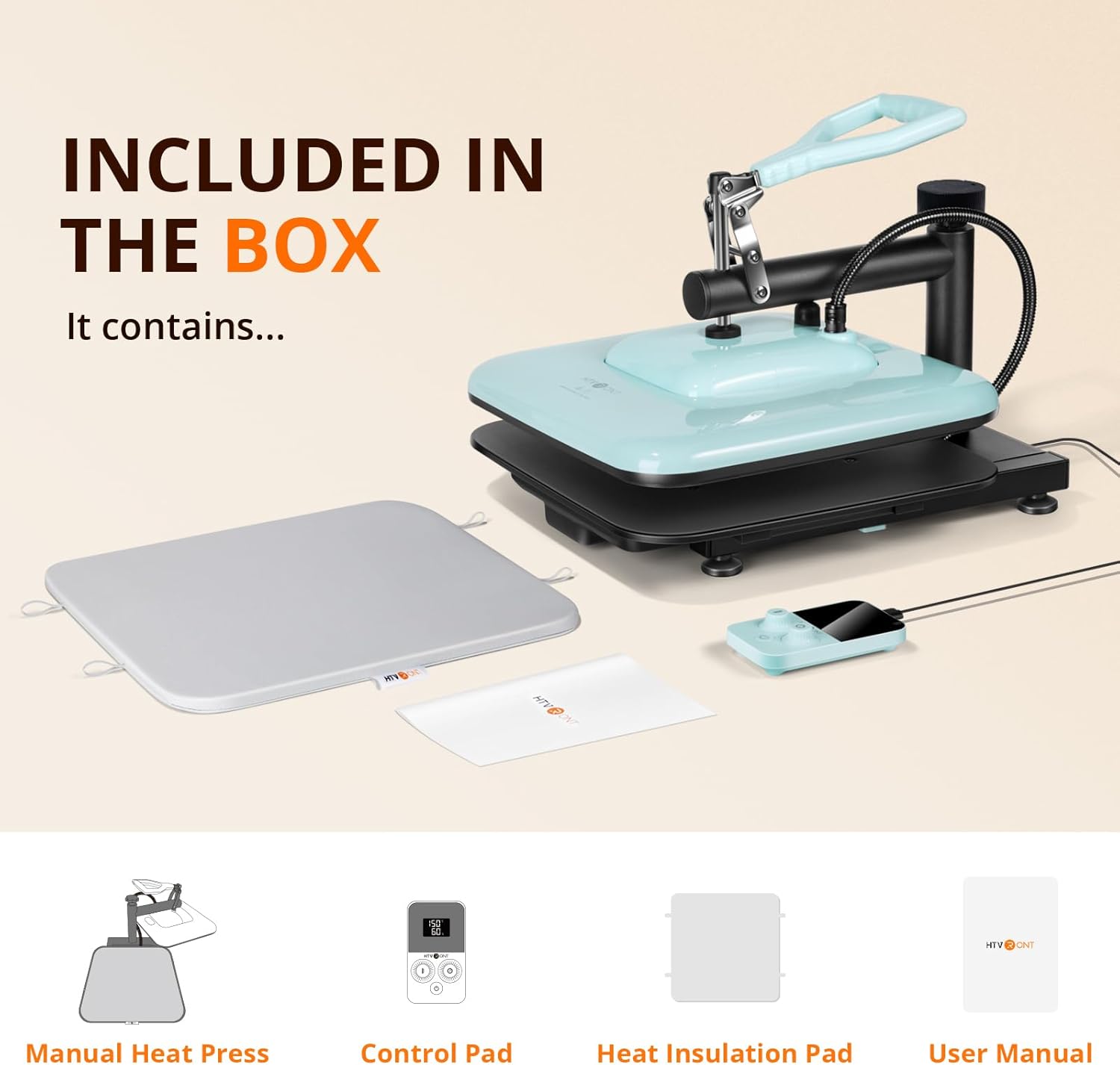
Image: An illustration showing the items included in the product packaging: the manual heat press unit, control pad, heat insulation pad, and user manual.
- HTVRONT Manual Heat Press x 1
- Kontrolpude x 1
- Heat Insulation Pad x 1
- Brugervejledning x 1
3. Indledende opsætning
- Pakker ud: Fjern forsigtigt alle komponenter fra emballagen.
- Placering: Place the heat press machine on a stable, heat-resistant surface in a well-ventilated area. Ensure there is enough space around the machine for the swing-away function.
- Connect Control Pad: Plug the control pad cable into the designated port on the heat press machine.
- Strømtilslutning: Sæt netledningen i en jordet 110V stikkontakt.
- Tjek før brug: Before first use, ensure all parts are securely assembled and there are no visible damages.
4. Betjening
4.1 Temperatur- og tidsindstillinger
The detached control pad allows for precise adjustment of temperature and time.

Image: The control pad displaying temperature and time settings, with indicators for bell reminder and temperature range.
- Tænd: Press the power button on the control pad to turn on the machine.
- Indstil temperatur: Use the temperature adjustment knob/buttons on the control pad to set the desired temperature. The machine supports a range of 104-410°F (40-210°C).
- Indstil tid: Use the time adjustment knob/buttons to set the desired pressing duration (0-999 seconds).
- Forvarmning: The machine will begin to heat up once settings are applied. The 1500W dual-zone heating engine ensures rapid and even heat distribution. A bell reminder will sound when the set temperature is reached.
4.2 Justering af tryk
The pressure adjustment knob located on top of the heat press allows you to customize the pressure based on the thickness of your material.
- Øg trykket: Drej knappen med uret.
- Reducer tryk: Drej knappen mod uret.
- Adjust until the heat plate makes firm, even contact with your material.
4.3 The Pressing Process
Follow these steps for a successful heat transfer:

Image: A visual guide showing the four main steps of operation: 1. Prepare materials, 2. Set time and temperature on the control pad, 3. Adjust pressure, 4. Press the handle down to start the transfer.
- Forberede: Place your material (e.g., T-shirt) and the transfer design onto the ironing board. Ensure the material is flat and free of wrinkles. You may use the included heat insulation pad.
- Sæt: Use the control pad to set the appropriate temperature and time for your specific transfer material (HTV, sublimation, etc.). Allow the machine to preheat until the set temperature is reached.
- Justere: Rotate the swivel heat plate 180 degrees to move it away from the ironing board. Adjust the pressure regulator knob to achieve the desired pressure for your material.
- Trykke: Once the machine is preheated and the pressure is set, swing the heat plate back over your material. Firmly press the handle down to engage the heat plate. The handle will self-lock during heating, allowing you to release it and perform other tasks.
- Nedtælling: The timer on the control pad will begin counting down. A bell reminder will sound when the pressing cycle is complete.
- Slutte: Lift the handle to release the pressure, then swing the heat plate away. Carefully remove your pressed item.
4.4 Automatisk slukningsfunktion
The HTVRONT Heat Press Machine is equipped with an automatic shut-off feature. If the machine remains inactive for 15 minutes, it will automatically power down to conserve energy and enhance safety.
5. Vedligeholdelse
Korrekt vedligeholdelse sikrer din varmepresses lange levetid og optimale ydeevne.
- Cleaning the Heat Plate: Allow the machine to cool completely. Use a soft, damp cloth to wipe down the heat plate. For stubborn residue, use a non-abrasive cleaner specifically designed for heat press platens. Do not use harsh chemicals or abrasive materials.
- Rengøring af kroppen: Tør maskinens yderside af med en blød, tør klud.
- Opbevaring: Opbevar varmepressen et tørt og støvfrit miljø, når den ikke er i brug.
- Regelmæssig kontrol: Undersøg regelmæssigt netledningen og stikket for tegn på skader.
6. Fejlfinding
Hvis du støder på problemer med din HTVRONT-varmepressemaskine, kan du se følgende almindelige problemer og løsninger:
- Maskinen tænder ikke:
- Sørg for, at netledningen er korrekt tilsluttet både maskinen og en fungerende stikkontakt.
- Tjek om stikkontakten har strøm ved at tilslutte en anden enhed.
- Ujævn opvarmning:
- While the machine is designed for even heat distribution, ensure the heat plate is clean and free of debris.
- Verify that the pressure is evenly applied across the entire platen. Adjust the pressure knob as needed.
- Timer Issues (e.g., not resetting or starting):
- Ensure the control pad cable is firmly connected.
- Try powering off the machine and restarting it.
- Refer to the specific instructions in the included user manual for detailed control pad operation.
- Transfer Not Adhering Properly:
- Check that the temperature and time settings are correct for your specific transfer material.
- Ensure sufficient and even pressure is applied.
- Verify that the material and transfer are properly prepared (e.g., pre-pressed fabric, correct peeling method).
For further assistance, please contact HTVRONT customer support.
7. Tekniske specifikationer
| Feature | Specifikation |
|---|---|
| Modelnummer | SG-RYJ-0329-US-A |
| Voltage | 110 volt |
| Magt | 1500W |
| Varmepladens dimensioner | 15 x 15 tommer |
| Temperaturområde | 40-210 °C (104-410 °F) |
| Tidsområde | 0 - 999 sekunder |
| Produktdimensioner | 14 cm L x 8 cm B x 18 cm H |
| Varens vægt | 20 pund |
| Automatisk sluk | Efter 15 minutters inaktivitet |
8. Kundesupport og garanti
For any questions, technical support, or warranty inquiries regarding your HTVRONT Heat Press Machine, please contact HTVRONT customer service through the official webwebsted eller din købsplatform.
Gem venligst dit købsbevis for garantikrav.


