1. Introduktion
Thank you for choosing the GOLDCHAMP 990B SMD Tweezers Meter. This device is designed for precise measurement of surface-mount device (SMD) components, offering functions such as resistance, capacitance, diode, and continuity testing. Its compact design and automatic features make it an ideal tool for electronics repair, manufacturing, and DIY projects.
This manual provides essential information for the safe and effective operation of your 990B SMD Tweezers Meter. Please read it thoroughly before use and retain it for future reference.

Figure 1: GOLDCHAMP 990B SMD Tweezers Meter and included accessories.
2. Sikkerhedsoplysninger
To ensure safe operation and prevent damage to the meter, please observe the following safety precautions:
- Always inspect the meter for any damage before use. Do not use if damaged.
- Anvend ikke voltage exceeding the maximum input rating (36V DC/AC) to the test pins.
- Ensure the device under test is de-energized before performing resistance, capacitance, or continuity measurements.
- Avoid touching the metal parts of the test pins during measurements to prevent electric shock.
- Udskift batterierne med det samme, når indikatoren for lavt batteri vises, for at sikre nøjagtige aflæsninger.
- Brug ikke måleren i eksplosive atmosfærer eller i nærheden af brandfarlige gasser eller støv.
- Hold enheden tør og ren.
3. Produktet er slutview
The GOLDCHAMP 990B SMD Tweezers Meter features a clear LCD display and intuitive controls for efficient component testing. Below is a diagram illustrating the key components of the device.

Figure 2: Structure of the GOLDCHAMP 990B SMD Tweezers Meter.
Nøglekomponenter:
- LCD-skærm: Viser måleaflæsninger og indikatorer.
- HOLD knap: Fryser den aktuelle aflæsning på displayet.
- FUNC-knap: Selects measurement functions (Resistance, Capacitance, Diode, Continuity, LED/Semiconductor Test).
- Funktionskontakt: Rotary switch for selecting primary measurement modes (R/D/C, DC 36V, LED/Semiconductor Test).
- Test Pins (Gold-plated): Used to contact SMD components for measurement. Gold plating ensures better conductivity and durability.
- Pin Holder: Connects to external test leads for larger components or traditional multimeter use.
4. Opsætning
4.1 Batteriinstallation
The GOLDCHAMP 990B is powered by 1.5V (AAA) batteries. To install or replace batteries:
- Find batteridækslet på bagsiden af måleren.
- Skub dækslet åbent.
- Indsæt batterierne, og sørg for korrekt polaritet (+/-).
- Luk batterirummets dæksel forsvarligt.
4.2 Indledende tænding
To turn on the meter, rotate the Function Switch to any desired measurement mode. The LCD display will illuminate, indicating the meter is ready for use. The meter features an auto power-off function after 15 minutes of inactivity to conserve battery life.

Figure 3: Package contents including the meter, case, test leads, and batteries.
5. Betjeningsvejledning
The 990B SMD Tweezers Meter offers various measurement modes and smart functions for efficient testing.
5.1 Måletilstande
The meter can perform the following tests:
- Modstand: Measures resistance from 400Ω to 40MΩ.
- Kapacitans: Measures capacitance from 5.12nF to 200µF.
- Diode test: Kontrollerer den fremadrettede lydstyrketage drop of diodes.
- Kontinuitetstjek: Indicates continuity with an audible buzzer if resistance is below a certain threshold (<30Ω).
- LED/Semiconductor Test: Tests LEDs and other semiconductors.

Figure 4: The 990B meter displaying its various measurement capabilities.
5.2 Udførelse af målinger
- Vælg funktion: Rotate the Function Switch to the desired primary mode (R/D/C for Resistance, Diode, Capacitance, or LED/Semiconductor Test). Use the FUNK button to cycle through specific functions within that mode.
- Contact Component: Gently pinch the SMD component with the gold-plated test pins. Ensure good contact for accurate readings.
- Læs display: The measurement will be shown on the LCD display. The meter features auto-ranging, so it will automatically select the appropriate range.
- Hold læsning: Tryk på HOLDE knappen for at fryse den aktuelle aflæsning på displayet. Tryk igen for at slippe.

Figur 5: Eksamples of Resistance Measurement, Diode Test, Auto Range Test, and LED Test.
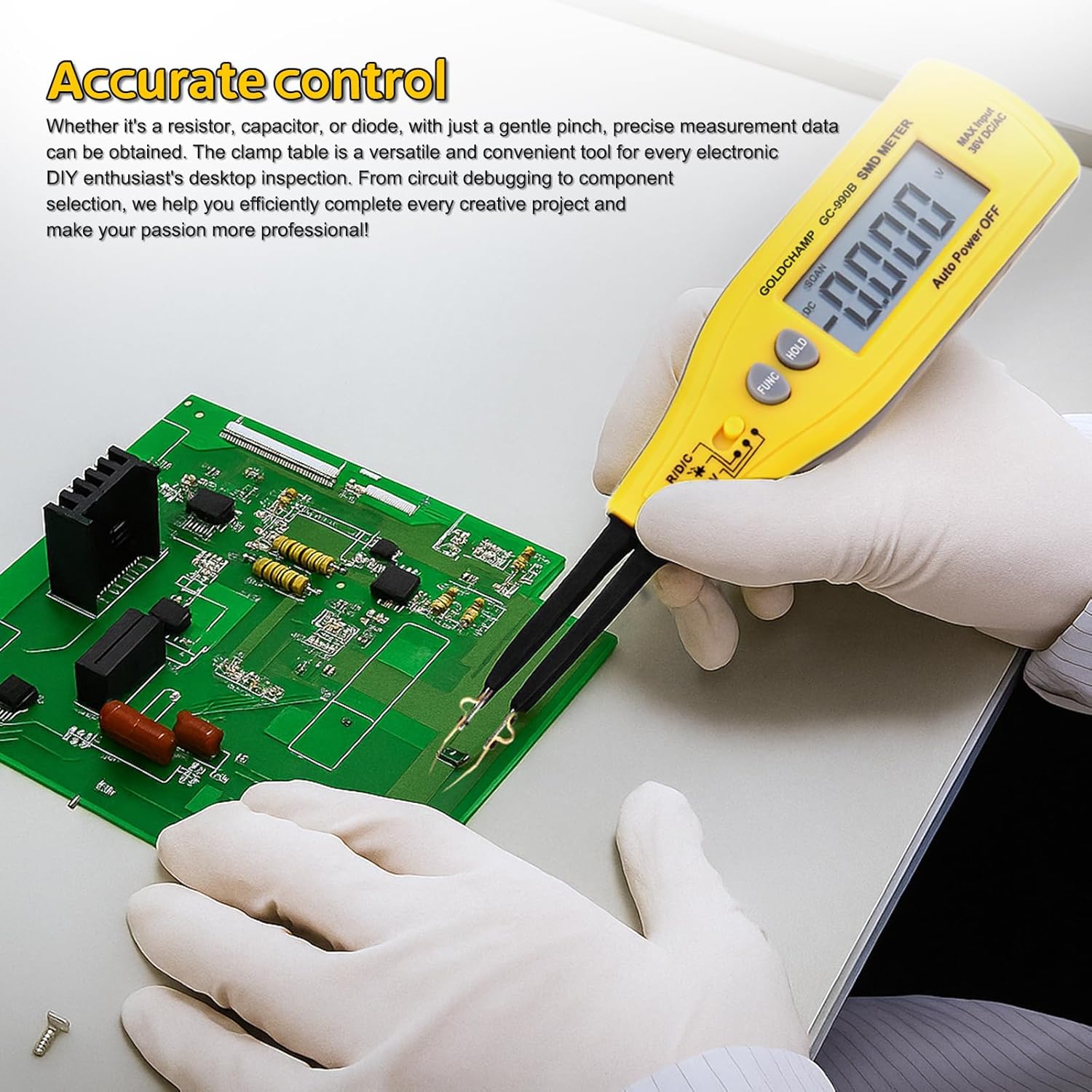
Figure 6: Using the 990B for accurate control and testing on a circuit board.
5.3 Smarte funktioner
- Auto-Range: The meter automatically selects the correct measurement range, eliminating the need for manual range selection.
- Automatisk sluk: The meter will automatically power off after 15 minutes of inactivity to save battery power.
- Relative Value Measurement: This function allows you to measure the difference between a stored reference value and the current measurement.
6. Vedligeholdelse
6.1 Rengøring
To maintain the accuracy and longevity of your meter:
- Tør måleren af med en blød kludamp klæde. Brug ikke slibende rengøringsmidler eller opløsningsmidler.
- Keep the test pins clean and free of debris to ensure good electrical contact.
6.2 Udskiftning af batteri
When the low battery warning appears on the display, replace the batteries as described in Section 4.1. Always use fresh 1.5V (AAA) batteries.
6.3 Opbevaring
When not in use for extended periods, remove the batteries to prevent leakage. Store the meter in its protective case in a cool, dry place, away from direct sunlight and extreme temperatures.
7. Fejlfinding
| Problem | Mulig årsag | Løsning |
|---|---|---|
| Måleren tænder ikke. | Døde eller forkert installerede batterier. | Kontroller batteripolariteten, eller udskift batterierne med nye. |
| Low battery warning displayed. | Batterierne er lave. | Udskift batterierne med det samme. |
| "OL" (Overload) indicator. | Målingen overstiger målerens rækkevidde. | Ensure the component value is within the meter's specifications for the selected range. |
| Unøjagtige eller ustabile aflæsninger. | Poor contact with component, dirty test pins, or environmental interference. | Ensure firm contact, clean test pins, and perform measurements in a stable environment. |
| Auto power-off too soon. | Meter inactive for 15 minutes. | This is a normal function to save battery. Reactivate by pressing a button or rotating the switch. |
8. Specifikationer
The following table outlines the technical specifications of the GOLDCHAMP 990B SMD Tweezers Meter:
| Feature | Specifikation |
|---|---|
| Vis tæller | 4000 |
| Modstandsområde | 400Ω - 40MΩ |
| kapacitans Range | 5.12nF – 200µF |
| Diode Test Voltage | 1.5V |
| Kontinuitetskontrol | <30Ω (audible buzzer) |
| DC bindtage Test (via Pin Holder) | 36V (maks.) |
| Auto rækkevidde | Ja |
| Automatisk sluk | 15 minutter |
| Overbelastningsbeskyttelse | Yes (OL indicator) |
| Advarsel om lavt batteri | Ja |
| Strømforsyning | 1.5V (AAA) battery |
| Dimensioner | 207 × 36 × 24mm (8 x 2.8 x 1.3 inches) |
| Vægt | 50 g (2.4 ounce) |
| Materiale | ABS |

Figure 7: Comparison of GOLDCHAMP 990A and 990B models.
9. Garanti og support
9.1 Garantioplysninger
The GOLDCHAMP 990B SMD Tweezers Meter comes with a 365-day warranty from the date of purchase, covering manufacturing defects. This warranty does not cover damage caused by misuse, accidents, unauthorized modifications, or improper operation.
9.2 Kundesupport
If you have any questions regarding the operation, maintenance, or troubleshooting of your GOLDCHAMP 990B SMD Tweezers Meter, please do not hesitate to contact our customer support team. We are committed to providing assistance and ensuring your satisfaction.


