1. Introduktion
This manual provides comprehensive instructions for the installation, operation, and maintenance of your MokerLink 10G Easy Web Managed Switch. Please read this manual thoroughly before using the device to ensure proper functionality and to prevent damage.
Pakkens indhold
- 10G Managed Switch
- Strømkabel
- Brugermanual
2. Produktet er slutview
The MokerLink 10G Easy Web Managed Switch is designed to provide high-speed network connectivity with advanced management features. It offers a versatile port configuration and robust performance for various network environments.

Figur 1: Forside view of the MokerLink 10G Easy Web Managed Switch, showing the power input, 2.5G Ethernet ports, 10G RJ45 port, and 10G SFP port.
Nøglefunktioner
- 2.5G and 10G Ports: Equipped with 4x2.5Gbps Ethernet ports (supporting 2.5G/1000M) and 1x10Gbps Ethernet RJ45 port (supporting 10G/5G/2.5G/1000M). Includes 1x10G SFP Port for optical fiber transmission.
- Let Web Ledelse: Supports Layer 2 management features such as QoS, ACL, Link Aggregation (LACP), Loop Detection, VLAN configuration, IP-MAC-VLAN Port Binding, Port Mirroring/Isolation/Rate-limit/Security, Storm Control, Spanning Tree, diagnosis/Ping, and SNMP. Configurations are saved and persistent after reboot. Can also function as an unmanaged switch without configuration.
- 60 Gbps båndbredde: Offers a switching capacity of 60Gbps, with two 10G ports providing a cost-effective solution for high-speed network links.
- Brugervenligt design: Features auto MDI/MDIX and auto-negotiation rate. Durable metal casing and fanless design ensure quiet, stable operation and low energy consumption. Power and port LED indicators clearly display status.
- Alsidige applikationer: Desktop/wall-mounting design suitable for home entertainment, offices, 8K video streaming, gaming PCs, NAS, PCIe adapters, servers, and WiFi APs.

Figure 2: Visual representation of the switch's key features including 2.5G ports, 10G uplinks, web management, L2 features, and fanless design.

Figure 3: Diagram illustrating 2.5G and 10G speeds and compatibility with different Ethernet cable categories (CAT5e, CAT6, CAT6A).

Figur 4: Detaljeret view of the switch's ports, including DC input, PWR LED, 2.5Gbps ports (1-4), 10Gbps RJ45 port (5), and 10Gbps SFP+ port (6), along with a reset button and performance metrics.
3. Opsætning
Follow these steps to set up your MokerLink 10G Easy Web Administreret switch:
- Pak enheden ud: Tag forsigtigt kontakten og alt tilbehør ud af emballagen.
- Vælg en placering: Placer kontakten på en stabil, plan overflade, eller monter den på en væg med passende beslag (medfølger ikke). Sørg for tilstrækkelig ventilation omkring enheden.
- Tilslut strøm: Connect the provided power cable to the DC 12V input port on the switch and then plug it into a power outlet. The PWR LED indicator will light up.
- Tilslut netværksenheder:
- Connect your 2.5G compatible devices (e.g., gaming PCs, NAS) to ports 1-4 using Ethernet cables.
- Connect your 10G compatible devices or uplink to a router/server to port 5 (10G RJ45) or port 6 (10G SFP+) using appropriate Ethernet or fiber optic cables/modules.
- Bekræft forbindelser: Check the Link/Act LEDs for each connected port. A solid green or yellow light indicates a successful connection, and a blinking light indicates data transmission.

Figure 5: Illustration of connecting various devices like NAS, AP, gaming PC, and 8K video sources to the switch using CAT5e, CAT6, or CAT6a cables, and SFP modules for 10Gbps connections.
4. Brugsanvisning (Web Ledelse)
The MokerLink 10G Easy Web Managed Switch offers a user-friendly web interface for configuration and monitoring. If no specific configuration is required, the switch operates as an unmanaged device.
Adgang til Web Interface
- Ensure your computer is connected to one of the switch's Ethernet ports.
- Åbn a web browser (f.eks. Chrome, Firefox).
- Enter the default IP address of the switch: 192.168.2.1
- Log ind med standardoplysningerne:
- Brugernavn: admin
- Adgangskode: admin
- Når du har logget ind, får du adgang til web management interface. Remember to save any configuration changes and reboot the device for them to take effect.

Figur 6: Skærmbillede af web management interface, showing device information and port status, with default login credentials highlighted.
Key L2 Management Features
De web interface allows you to configure various Layer 2 features:
- Servicekvalitet (QoS): Prioritize network traffic for critical applications (e.g., video, voice) to ensure smooth performance.
- Adgangskontrolliste (ACL): Filter network traffic based on defined rules for enhanced security.
- Link Aggregation Control Protocol (LACP): Kombinér flere fysiske links til et enkelt logisk link for at øge båndbredden og give redundans.
- Loopdetektion: Automatically detect and prevent network loops that can cause broadcast storms and network instability.
- VLAN-konfiguration: Create Virtual Local Area Networks to segment your network, improving security and performance.
- Port Mirroring/Isolation/Rate-limit/Security: Configure individual port settings for monitoring, traffic separation, bandwidth control, and access security.
- Storm kontrol: Prevent network performance degradation caused by excessive broadcast, multicast, or unknown unicast traffic.
- Spanning Tree-protokol (STP): Prevent network loops in redundant topologies.
- SNMP: Overvåg netværksenheder og administrer netværkets ydeevne.

Figure 7: Diagram illustrating various L2 management features such as Port Mirroring, LACP, QoS, VLAN, IGMP, EEE, and Storm Control.
5. Connectivity and Applications
The MokerLink 10G Easy Web Managed Switch is designed for seamless integration into various network setups, enhancing performance for demanding applications.
Kompatible enheder
- Stationære computere
- Bærbare computere
- Spillekonsoller
- Network Attached Storage (NAS) devices
- Servere
- Printere
- IP kameraer
- WiFi Access Points (APs)
- PCIe adaptere
Applikationsscenarier
This switch is well-suited for environments requiring high-bandwidth and low-latency connections:
- Hjemmebiografi: Stream 8K video content and enjoy online gaming without lag.
- Small and Home Offices: Facilitate fast data transfer and reliable connectivity for multiple workstations and servers.
- Arbejdsstationer: Enable instant transfer of large files for video editing, graphic design, and other data-intensive tasks.
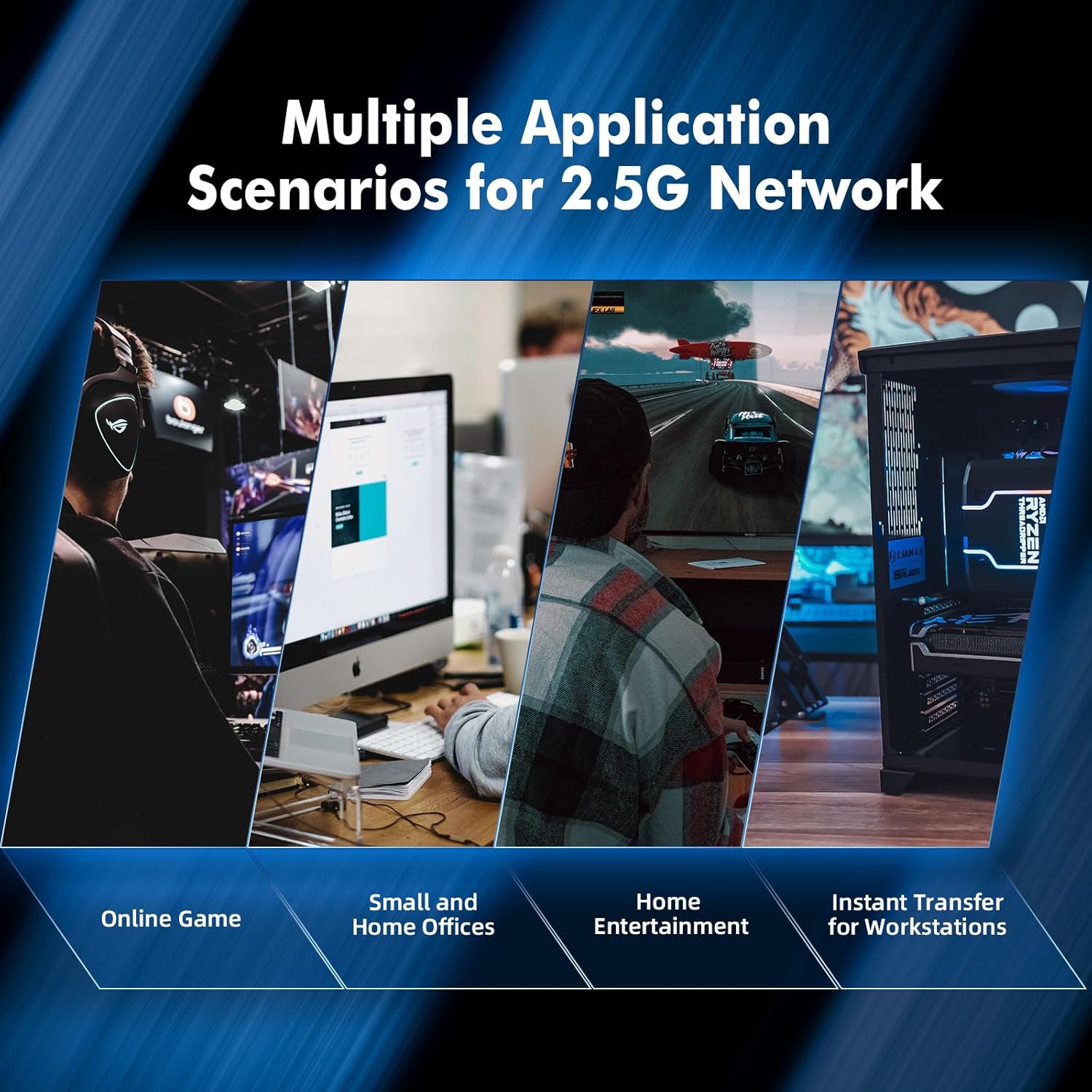
Figur 8: Eksamples of multiple application scenarios for 2.5G networks, including online gaming, small and home offices, home entertainment, and instant transfer for workstations.
6. Specifikationer
| Feature | Beskrivelse |
|---|---|
| Mærke | MokerLink |
| Modelnummer | 4*2.5G,10G RJ45,10G SFP Managed |
| Interface Type | SFP, RJ45 |
| Antal havne | 6 (4x2.5G RJ45, 1x10G RJ45, 1x10G SFP) |
| Dataoverførselshastighed | 60 Gigabit pr. sekund (switchingkapacitet) |
| Farve | Sort |
| Varens vægt | 1.11 pund |
| Pakkedimensioner | 6.97 x 4.89 x 2.92 tommer |
| Inkluderede komponenter | 10G Managed Switch, Power Cable, User Manual |
| Kompatible enheder | Camera, Desktop, Gaming Console, Laptop, Printer, Server |
7. Vedligeholdelse
The MokerLink 10G Easy Web Managed Switch is designed for minimal maintenance due to its robust construction and fanless operation.
- Rensning: Brug en blød, tør klud til at rengøre ydersiden af kontakten. Undgå at bruge flydende rengøringsmidler eller rengøringsmidler på sprayform.
- Ventilation: Although fanless, ensure the ventilation slots on the sides of the device are not obstructed to allow for proper heat dissipation.
- Miljøforhold: Operate the switch within recommended temperature and humidity ranges to ensure longevity.
- Firmwareopdateringer: Periodically check the MokerLink official webwebstedet for tilgængelige firmwareopdateringer for at sikre optimal ydeevne og sikkerhed.
8. Fejlfinding
If you encounter issues with your MokerLink 10G Easy Web Managed Switch, refer to the following common troubleshooting steps:
- Ingen strøm:
- Sørg for, at strømkablet er korrekt tilsluttet til afbryderen og en fungerende stikkontakt.
- Kontroller, om strømadapteren fungerer korrekt.
- Ingen LED-indikator for link/aktivitet:
- Verify that the Ethernet or fiber optic cable is securely connected to both the switch port and the connected device.
- Sørg for, at den tilsluttede enhed er tændt og fungerer korrekt.
- Try a different cable or port to rule out cable or port issues.
- Langsom netværkshastighed:
- Ensure you are using appropriate cables (CAT6A for 10G, CAT5e/CAT6 for 2.5G/1G) for your desired speed.
- Check the Link/Act LED color to confirm the negotiated speed (refer to Figure 4 for LED indications).
- Verify that your connected devices support the desired speeds (2.5G or 10G).
- Kan ikke få adgang Web Interface:
- Confirm your computer's IP address is in the same subnet as the switch (e.g., 192.168.2.x).
- Ensure you are using the correct default IP address (192.168.2.1) and login credentials (admin/admin).
- If you have forgotten the password or made incorrect configurations, perform a factory reset by pressing and holding the reset button for 6 seconds (refer to Figure 4).
9. Garanti og support
MokerLink-produkter er designet til pålidelighed og ydeevne. For specifikke garantioplysninger henvises til garantikortet, der følger med dit produkt, eller besøg MokerLinks officielle hjemmeside. website. For technical support, product registration, or to download the latest drivers and firmware, please visit the MokerLink support page or contact their customer service.


