Indledning
This manual provides detailed instructions for the setup, operation, and maintenance of your PRITOM TAB7 PRO Kids Tablet. Please read this guide thoroughly to ensure proper use and to maximize your tablet's features. The PRITOM TAB7 PRO is designed to offer a safe and engaging digital experience for children, featuring a durable design and comprehensive parental controls.
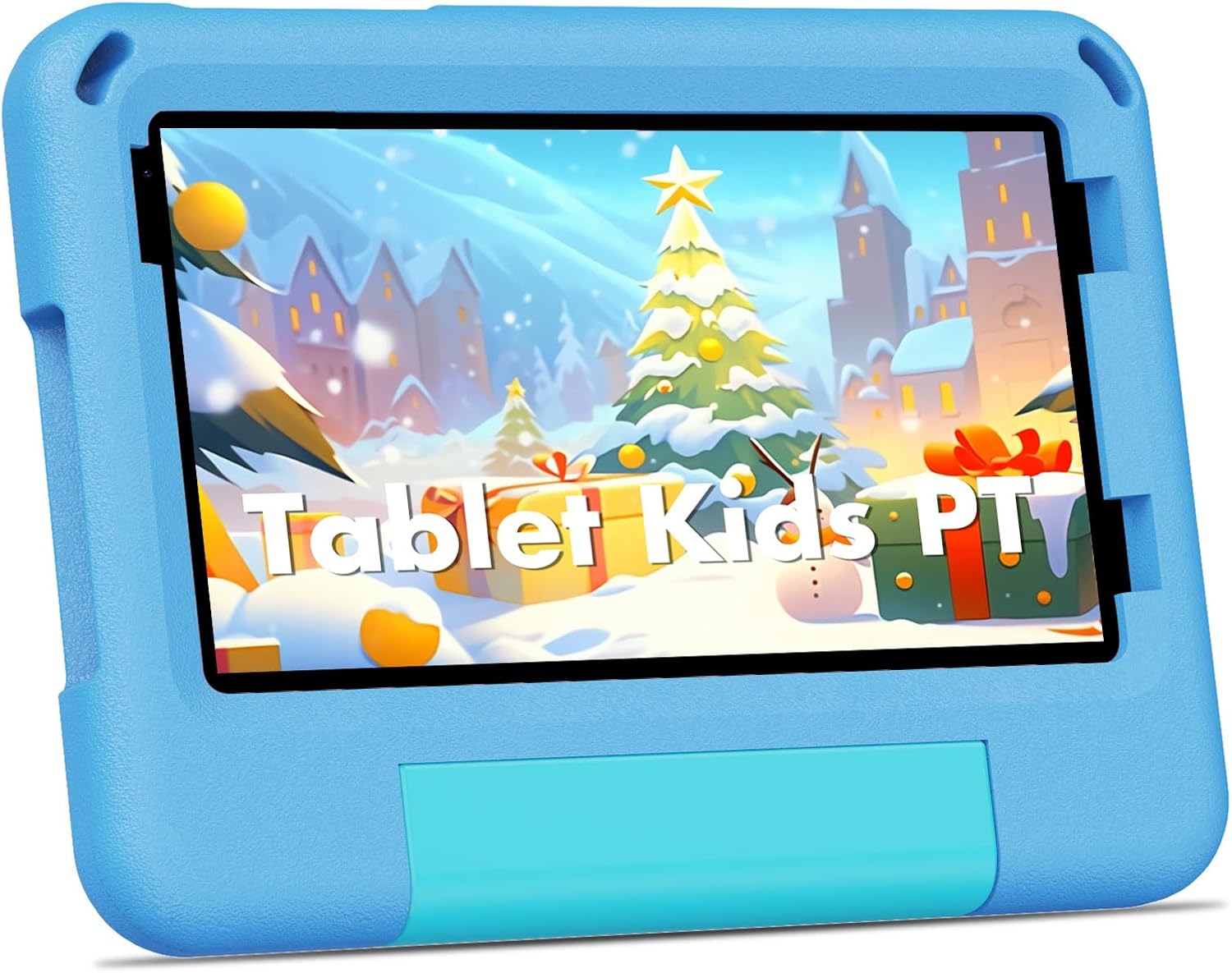
Image: The PRITOM TAB7 PRO Kids Tablet, showcasing its protective blue casing og en levende skærm.
Pakkens indhold
Upon opening your PRITOM TAB7 PRO Kids Tablet package, verify that all items listed below are present:
- PRITOM TAB7 PRO Kids Tablet
- Oplader
- Protective Cover Case
- Brugervejledning (denne manual)
Indledende opsætning
1. Opladning af tabletten
Before first use, fully charge the tablet. Connect the provided charger to the tablet's Type-C port and plug it into a power outlet. The charging indicator will illuminate. A full charge typically takes several hours.
2. Tænd/sluk
- For at tænde: Press and hold the Power button located on the side of the tablet until the PRITOM logo appears.
- For at slukke: Press and hold the Power button, then select "Power Off" from the options that appear on the screen.
- For at genstarte: Tryk og hold tænd/sluk-knappen nede, og vælg derefter "Genstart" fra valgmulighederne.
3. Indledende konfiguration
Upon first startup, follow the on-screen prompts to configure basic settings:
- Sprogvalg: Vælg dit foretrukne sprog.
- Wi-Fi-forbindelse: Vælg dit Wi-Fi-netværk, og indtast adgangskoden for at oprette forbindelse til internettet.
- Dato og tid: Set the correct date and time, or allow the tablet to synchronize automatically via network.
- Google-konto: Sign in with an existing Google account or create a new one. This is necessary for accessing the Google Play Store and other Google services.
4. Installing a Micro SD Card (Optional)
The tablet supports storage expansion up to 1 TB using a Micro SD card. Locate the Micro SD card slot on the side of the tablet. Gently insert the card until it clicks into place. Ensure the tablet is powered off before inserting or removing the card.

Image: The tablet's durable EVA case provides protection, as demonstrated by a child using the device.
Betjening af din tablet
1. Navigering i grænsefladen
The PRITOM TAB7 PRO uses a touch-based interface. Common gestures include:
- Tryk på: For at vælge et element eller åbne et program.
- Tryk og hold: For at få adgang til kontekstmenuer eller flytte ikoner.
- Stryg: Til at rulle gennem skærme eller lister.
- At klemme: For at zoome ind eller ud på billeder og web sider.
2. Kids Mode (iWawa) and Adult Mode
The tablet features a dedicated Kids Mode (iWawa) for a child-friendly environment and a standard Adult Mode for full Android functionality.

Image: The iWawa Kids Software interface, showing a selection of pre-installed educational applications and games designed for children.
- Entering Kids Mode: The tablet typically boots into Kids Mode by default. If not, locate the iWawa app icon and tap it.
- Exiting Kids Mode: To switch to Adult Mode, locate the "Exit" or "Parental Control" icon within iWawa, enter your parental password, and confirm to exit.
- Using Adult Mode: In Adult Mode, the tablet functions as a standard Android 14 device, allowing access to all installed applications and settings.

Image: The tablet operating in Adult Mode, showcasing common Android applications such as web browsers, app stores, and media players.
3. Forældrekontrolfunktioner
The iWawa software includes robust parental control options to manage your child's tablet usage.
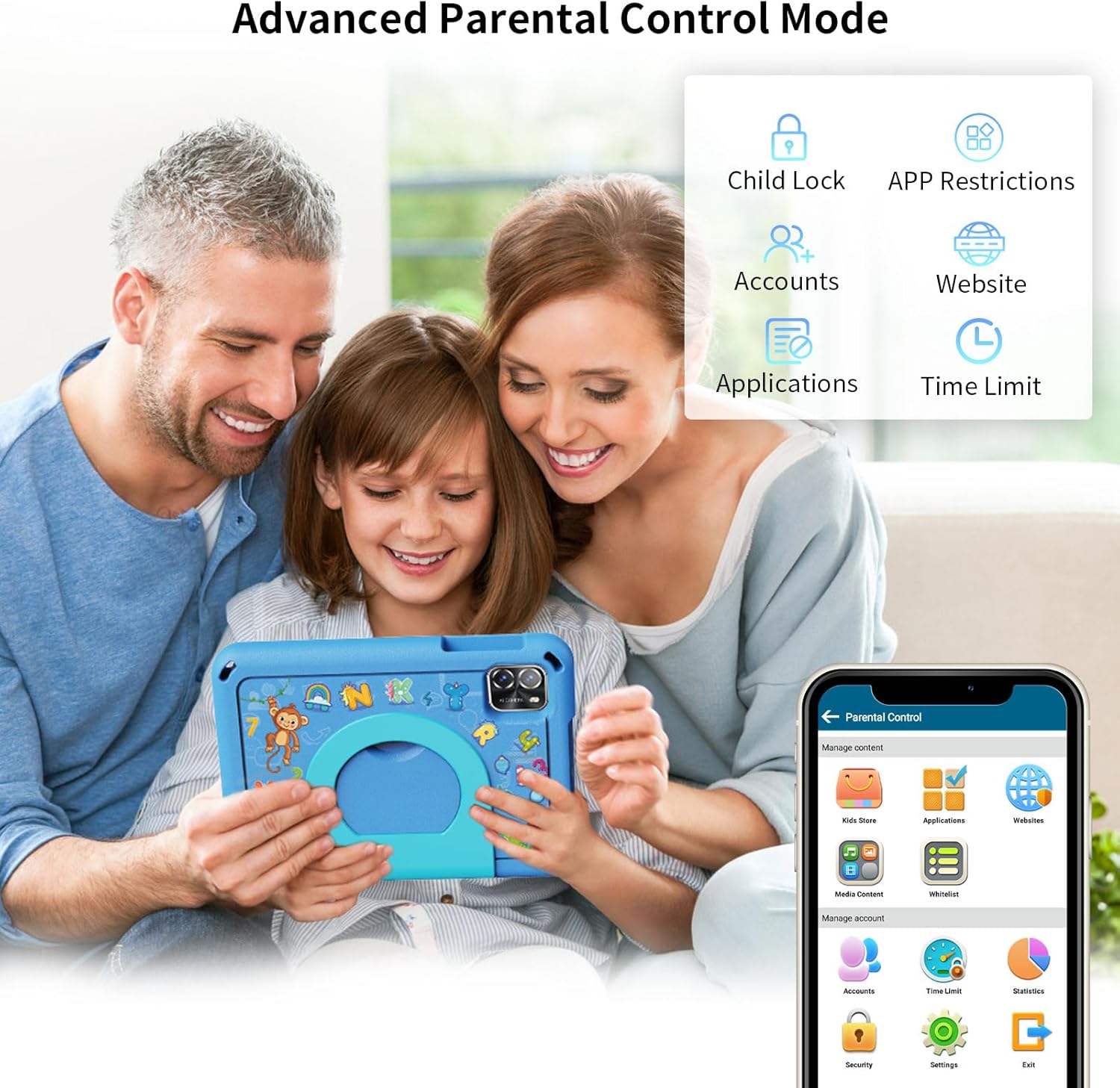
Image: The Parental Control interface, illustrating various settings such as app restrictions, time limits, and content filtering.
- APP Restrictions: Select which applications your child can access.
- Tidsgrænser: Set daily usage limits or specific time blocks for tablet use.
- Indholdsstyring: Filter websites and recommend age-appropriate content.
- Child Locks: Prevent children from accessing unauthorized settings or exiting Kids Mode without permission.
- Flere konti: Opret separat profiles for different children with individualized settings.
4. Download af applikationer
- iWawa Kids Store: Access a curated selection of free educational and entertainment apps within Kids Mode.
- Google Play Butik: In Adult Mode, you can download a wider range of applications from the Google Play Store. A Google account is required.
5. Kamerabrug
The tablet is equipped with dual cameras. Open the Camera application to take photos or record videos. Tap the screen to focus and press the shutter button to capture.
Vedligeholdelse og pleje
1. Rengøring af tabletten
Brug en blød, fnugfri klud til at rengøre skærmen og tablettens kabinet. Tør let ved genstridige pletter.ampRengør kluden med vand eller et skærmrensemiddel. Undgå at bruge skrappe kemikalier eller slibende materialer.
2. Batteripleje
- Undgå at aflade batteriet helt ofte.
- Udsæt ikke tabletten for ekstreme temperaturer.
- Brug kun den medfølgende oplader eller en certificeret kompatibel oplader.
3. Lagerstyring
Regularly check the tablet's storage space. Delete unnecessary files, apps, or clear app caches to maintain optimal performance. Utilize the Micro SD card for additional storage of media files.
4. Softwareopdateringer
Periodically check for system updates in the tablet's settings. Software updates can improve performance, add new features, and enhance security.
Fejlfinding
Almindelige problemer og løsninger:
- Tablet will not turn on: Sørg for, at batteriet er opladet. Tilslut opladeren, og vent et par minutter, før du forsøger at tænde igen.
- Tabletten reagerer ikke: Tryk og hold tænd/sluk-knappen nede i cirka 10-15 sekunder for at fremtvinge en genstart.
- Problemer med Wi-Fi-forbindelse: Verify your Wi-Fi password. Restart your router and the tablet. Ensure the tablet is within range of the Wi-Fi signal.
- Apps går ned eller kører langsomt: Close background applications. Clear app caches in settings. Ensure sufficient storage space is available. Restart the tablet.
- Batteriet aflades hurtigt: Reduce screen brightness. Close unused apps. Disable Wi-Fi or Bluetooth when not in use. Check for apps consuming excessive power in battery settings.
- Parental control password forgotten: Refer to the iWawa application's support or reset options, which may require a linked email for recovery.
Fabriksnulstilling (sidste udvej)
Hvis der opstår vedvarende problemer, kan en fabriksnulstilling muligvis løse dem. Advarsel: This will erase all data on the tablet. Back up important files before proceeding. Navigate to Indstillinger > System > Nulstil indstillinger > Slet alle data (fabriksnulstilling) og følg anvisningerne.
Produktspecifikationer

Image: Key specifications of the PRITOM TAB7 PRO, including operating system, memory, storage, and display features.
| Feature | Detalje |
|---|---|
| Modelnavn | TAB7 PRO |
| Operativsystem | Android 14 |
| Skærmstørrelse | 7 tommer |
| Skærmopløsning | 1024 x 600 IPS HD |
| Processor | Quad-core, 1.8 GHz |
| VÆDDER | 3 GB (+5GB Virtual) |
| Intern opbevaring | 64 GB |
| Udvidelig opbevaring | Op til 1 TB via Micro SD-kort |
| Trådløs forbindelse | Wi-Fi (802.11ac, 802.11ax, 802.11b, 802.11g, 802.11n), Bluetooth |
| Kameraer | Dual Cameras (2.0MP Front, 8.0MP Rear) |
| Gennemsnitlig batterilevetid | 6 timer |
| Dimensioner (LxBxH) | 8.2 x 6 x 1 tommer |
| Vægt | 14.8 ounce |
Garanti og support
Your PRITOM TAB7 PRO Kids Tablet is covered by a manufacturer's warranty. Please refer to the warranty card included in your package for specific terms and conditions. For technical support, product inquiries, or warranty claims, please contact PRITOM customer service through their official webwebstedet eller de kontaktoplysninger, der er angivet med dit køb.
For additional resources and frequently asked questions, visit the official PRITOM store on Amazon: PRITOM Official Store.


