1. Produktet er slutview
The Micro Center Inland XXL Gaming Mouse Pad is designed to provide an optimal surface for both gaming and office tasks. Its large size accommodates a mouse, full-size keyboard, and other desk accessories, promoting an organized and efficient workspace. Key features include a smooth, precision-enhancing surface, a spill-resistant coating, durable anti-fray edges, and a stable non-slip rubber base.

Image: The Inland XXL Gaming Mouse Pad featuring the Ocean Wave design, showcasing its large surface area and vibrant pattern.
2. Opsætningsvejledning
Setting up your new mouse pad is straightforward. Follow these steps for optimal placement and performance:
- Pakker ud: Carefully remove the mouse pad from its packaging.
- Udrulning: Gently unroll the mouse pad and lay it flat on your desired desk surface. Due to packaging, it may have a slight curl initially; this will flatten out with use.
- Position: Place your keyboard, mouse, and other accessories on the pad as desired. The anti-slip rubber base will ensure the pad remains firmly in place during use.

Image: The mouse pad positioned on a desk, providing ample space for a keyboard, mouse, and other accessories, demonstrating a typical setup.
3. Betjeningsvejledning
The Inland XXL Gaming Mouse Pad is designed for enhanced precision and comfort during extended use. Its micro-weave fabric surface provides a smooth glide for your mouse, ensuring accurate tracking and control for both gaming and productivity tasks. The generous dimensions (35.4" x 15.8") allow for wide mouse movements without lifting, and provide a consistent surface for your entire desk setup.
4. Vedligeholdelse og pleje
To ensure the longevity and optimal performance of your mouse pad, follow these maintenance guidelines:
- Rengøring af spild: The water-resistant coating causes liquids to bead up. In case of spills, gently wipe them away immediately with a clean, dry cloth. Do not rub vigorously.
- Generel rengøring: Til generel rengøring, brug adamp cloth with a small amount of mild soap (if necessary) and gently wipe the surface. Avoid harsh chemicals or abrasive cleaners. Allow the pad to air dry completely before use.
- Edge Care: Den lavproffefile stitching is designed to prevent fraying. Avoid picking at or pulling the edges to maintain their integrity.
- Opbevaring: When not in use or for transport, the mouse pad can be easily rolled up without causing wrinkles or creases. Store it in a cool, dry place.

Billede: Et nærbillede view of the mouse pad's non-slip rubber base, highlighting its texture designed for secure grip on surfaces.
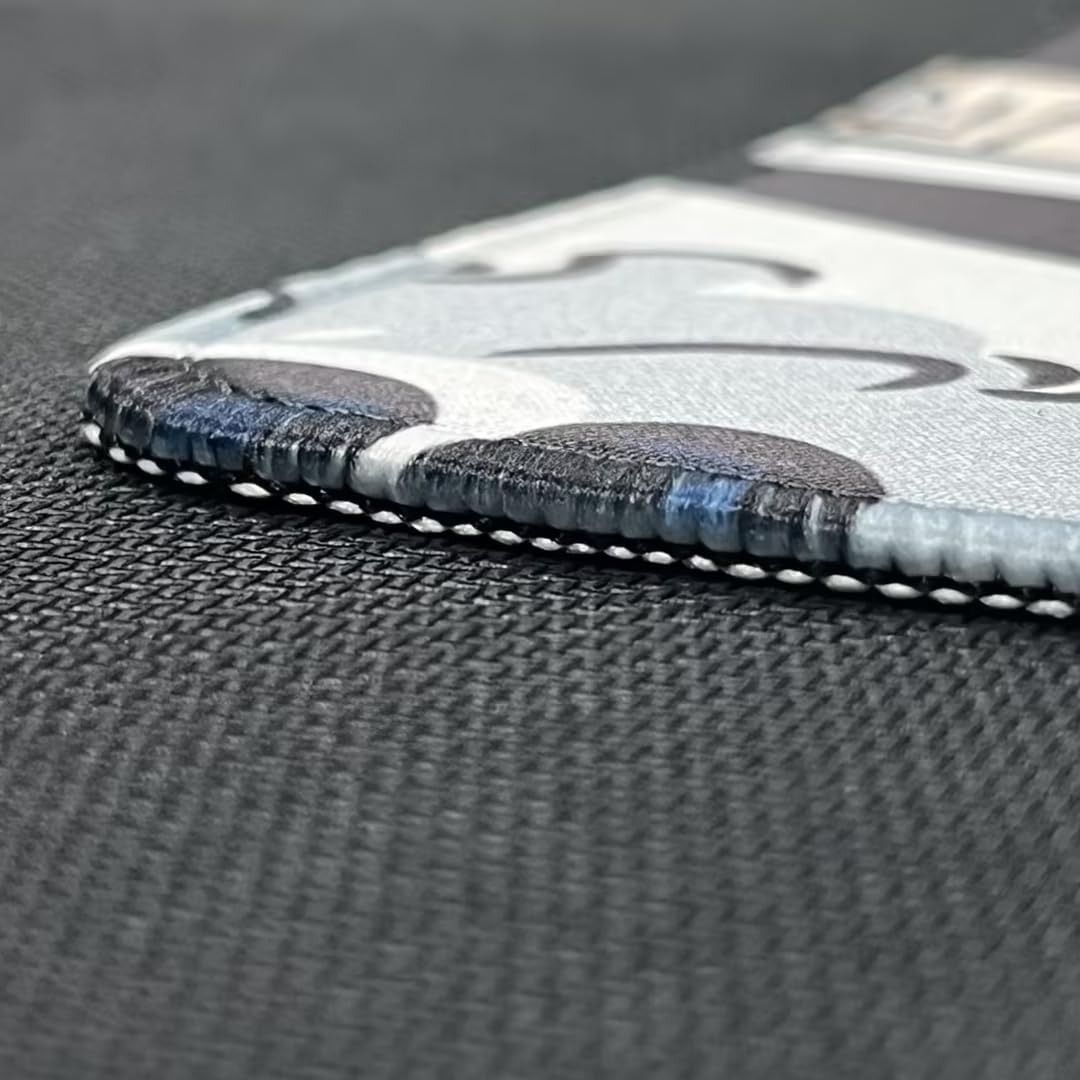
Billede: En detaljeret view of the mouse pad's expertly crafted low-profile stitching along the edges, designed to prevent fraying and enhance durability.
5. Fejlfinding
If you encounter any issues with your mouse pad, consider the following common solutions:
- Pad is not lying flat: If the pad has been rolled for an extended period, it may take some time to fully flatten. Lay it flat on a surface, or gently roll it in the opposite direction for a short period to help it relax.
- Pad is sliding on the desk: Ensure the desk surface is clean and dry. The non-slip rubber base requires direct contact with a clean surface to maintain its grip.
- Stains or marks: Refer to the 'Maintenance and Care' section for proper cleaning instructions. Promptly addressing spills is key to preventing stains.
6. Specifikationer
Detailed specifications for the Micro Center Inland XXL Gaming Mouse Pad:
| Feature | Detalje |
|---|---|
| Modelnummer | IGM-2XL BLK |
| Dimensioner (L x B x H) | 35.43 x 15.75 x 0.1 tommer (900 x 400 x 3 mm) |
| Vægt | 1.54 pund |
| Farve | Ocean Wave |
| Materiale | Rubber (Base), Fabric (Surface) |
| Form | Rektangulær |
| Særlige funktioner | Non-Slip Rubber Base, Anti-Fray Stitched Edges, Water-Resistant Surface |

Image: A visual representation of the mouse pad's dimensions, indicating its length of 35.43 inches (900mm) and width of 15.75 inches (400mm).
7. Garantioplysninger
Specific warranty details for the Micro Center Inland XXL Gaming Mouse Pad are not provided in the product listing. For information regarding product warranty, please refer to the manufacturer's official website or contact their customer support directly. Standard return policies may apply as per the retailer's terms.
8. Kundesupport
For further assistance, product inquiries, or support, please visit the official INLAND brand store or contact Micro Center customer service.
- INLAND Brand Store: Visit the INLAND Store on Amazon
- Producentkontakt: Refer to the packaging or the INLAND official website for direct manufacturer contact information.


