1. Introduktion
This user manual provides comprehensive instructions for the Huidun Mini PC, Model H30 N150. This compact and powerful mini PC is equipped with the Intel Twin Lake N150 processor, 16GB DDR4 RAM, and a 512GB M.2 SSD, designed for efficient daily work, office tasks, and home entertainment. It supports 4K dual display output, features 5G WiFi and Bluetooth connectivity, and comes with Windows 11 Pro pre-installed. Please read this manual thoroughly before operating your device to ensure optimal performance and longevity.

Billede: Forside view of the Huidun Mini PC H30 N150, showcasing its compact design and Intel Inside branding.
2. Hvad er der i æsken
Når du åbner pakken, skal du kontrollere, at alle komponenter er til stede:
- 1 x Huidun Mini PC H30
- 1 x strømadapter
- 1 x HDMI kabel
- 1 x Brugermanual (dette dokument)
- 1 x VESA-beslag med skruer
3. Opsætningsvejledning
3.1 Tilslutning af din mini-pc
- Strømtilslutning: Connect the power adapter to the DC-in port on the mini PC and then plug it into a power outlet.
- Skærmforbindelse: Connect your monitor(s) to the HDMI ports on the mini PC using the provided HDMI cable. The mini PC supports dual 4K displays.
- Perifer forbindelse: Tilslut dit tastatur, din mus og andre USB-enheder til de tilgængelige USB 2.0- eller USB 3.0-porte.
- Netværks forbindelse: For wired internet, connect an Ethernet cable to the RJ45 LAN port. For wireless internet, the mini PC supports 5G WiFi.
- Lydforbindelse: Connect speakers or headphones to the 3.5mm audio jack if desired.

Billede: Detaljeret view of the Huidun Mini PC's versatile ports, including USB, HDMI, LAN, and audio jack.
3.2 Første opstart
After connecting all necessary peripherals, press the power button located on the front of the mini PC. The system will boot into Windows 11 Pro. Follow the on-screen instructions to complete the initial Windows setup, including language, region, and network settings.

Image: The Huidun Mini PC connected to dual monitors, displaying the Windows 11 Pro interface, highlighting its pre-installed operating system.
3.3 Installation af VESA-beslag
The included VESA bracket allows you to mount the mini PC to the back of a compatible monitor or to a wall, saving desk space. Secure the VESA bracket to the mini PC using the provided screws, then attach the bracket to your monitor's VESA mounting holes or a wall mount.
4. Betjeningsvejledning
4.1 Generel brug
The Huidun Mini PC is designed for a wide range of applications, from everyday computing and office tasks to educational and entertainment purposes. Its Intel Twin Lake N150 processor ensures smooth performance for multitasking, web browsing, document editing, and media consumption.

Image: A desktop setup showing the Huidun Mini PC facilitating multiple open applications on a single monitor, demonstrating its multitasking capabilities.
4.2 Opsætning af dobbelt skærm
Utilize the two HDMI ports to connect two monitors simultaneously. This feature enhances productivity by allowing for extended desktop space or mirrored displays. To configure dual displays in Windows 11, right-click on the desktop, select "Display settings," and adjust the display arrangement and resolution as needed.
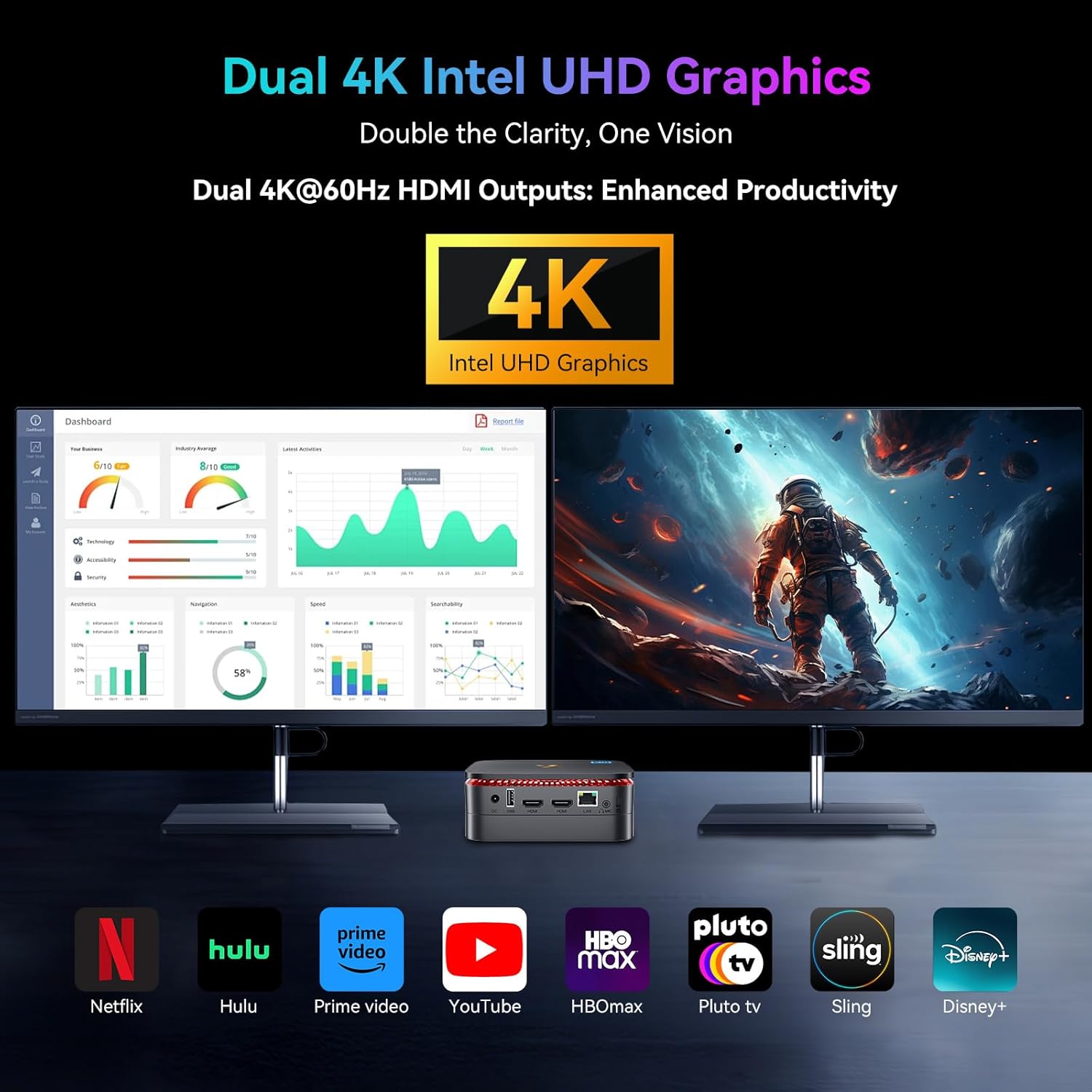
Image: The Huidun Mini PC connected to two 4K monitors, illustrating its dual display capability for enhanced productivity and visual clarity.
4.3 Lagerudvidelse
The mini PC comes with a 512GB M.2 SSD. For additional storage, it supports an expandable 2.5" SATA HDD/SSD up to 2TB. To install an additional drive, refer to the detailed instructions in the "Maintenance" section or consult the online support resources.

Billede: En eksploderet view of the Huidun Mini PC showing the compartment for an additional 2.5" SATA HDD/SSD, demonstrating its storage expansion capability.
4.4 Forbindelse
The mini PC offers robust connectivity options:
- WiFi: Supports dual-band 5G WiFi for fast and stable wireless internet.
- Bluetooth 4.2: Connect wireless peripherals such as keyboards, mice, and headphones.
- RJ45 Gigabit Ethernet: Provides a reliable wired network connection for high-speed data transfer.
5. Vedligeholdelse
5.1 Rengøring
To maintain optimal performance, regularly clean the exterior of the mini PC with a soft, dry cloth. Ensure the ventilation grilles are free from dust and debris to prevent overheating. Do not use liquid cleaners or aerosols directly on the device.
5.2 Softwareopdateringer
Keep your Windows 11 Pro operating system and drivers updated to ensure security, stability, and optimal performance. Windows updates can be managed through the "Settings" app under "Windows Update."
5.3 Effektivt kølesystem
The Huidun Mini PC features an optimized cooling solution with a copper tube, aluminum heat sink, and a fan operating at 4,500 RPM. This system is designed to dissipate heat quickly, ensuring stable operation and extending the CPU's lifespan. Avoid blocking the ventilation openings to allow for proper airflow.

Billede: En intern view of the Huidun Mini PC highlighting its efficient cooling system components, including the copper tube, aluminum heat sink, and fan.
6. Fejlfinding
| Problem | Mulig årsag | Løsning |
|---|---|---|
| Ingen strøm/Tænder ikke | Strømadapteren er ikke tilsluttet korrekt; Problem med stikkontakten. | Ensure power adapter is securely connected to the mini PC and a working power outlet. Try a different outlet. |
| Ingen visning på skærmen | HDMI-kabel løst eller defekt; Forkert inputkilde på skærmen. | Check HDMI cable connections. Ensure monitor is set to the correct HDMI input. Try a different HDMI port or cable. |
| Langsom ydeevne | Too many applications running; Insufficient storage space; Outdated drivers. | Luk unødvendige programmer. Frigør diskplads. Opdater Windows og drivere. |
| Ingen Wi-Fi-forbindelse | Wi-Fi adapter disabled; Router issue; Driver problem. | Check Wi-Fi settings in Windows. Restart your router. Update Wi-Fi drivers. |
| Ingen lyd | Incorrect audio output selected; Volume too low; Driver issue. | Check audio output settings in Windows. Increase volume. Update audio drivers. |
7. Specifikationer
| Feature | Detalje |
|---|---|
| Model | Huidun H30 N150 mini computer |
| Processor | Intel Twin Lake N150 (up to 3.6GHz, 6W) |
| VÆDDER | 16 GB DDR4 RAM |
| Opbevaring | 512GB M.2 2280 SSD (Expandable up to 2TB 2.5" SATA HDD/SSD) |
| Grafik | Integrated Intel Graphics (up to 1000MHz), supports 4K dual display |
| Operativsystem | Windows 11 Pro, Linux compatible |
| Trådløs forbindelse | 5G WiFi (802.11a/b/g/n/ac), Bluetooth 4.2 |
| Havne | 2x USB 3.0, 2x USB 2.0, 2x HDMI (4K@60Hz), 1x RJ45 LAN, 1x 3.5mm Audio Jack, 1x DC-in |
| Kølesystem | Optimized solution with copper tube, aluminum heat sink, and 4,500 RPM fan |
| Dimensioner | 9.37 x 7.28 x 2.48 tommer |
| Vægt | 1.63 pund |
| Farve | Sort |
8. Officiel produktvideo
Video: En officiel produktvideoasing the Huidun Mini PC N150, highlighting its features and compact design.
9. Garanti og support
Huidun provides a 24 måneders begrænset garanti for the Mini PC H30 N150. Additionally, lifetime technical support is available for all microcomputers.
For any inquiries, technical assistance, or warranty claims, please contact our dedicated customer service team. You can find contact information on the Huidun official website or through your purchase platform. Our computer specialists are ready to provide professional and free services.

Image: Visual representation of Huidun's commitment to customer satisfaction, including 24-month warranty and lifetime technical support.


