1. Introduktion
Welcome to the TABWEE T80 Tablet user manual. This guide provides comprehensive instructions to help you get the most out of your new Android 15 tablet. The T80 is designed for a seamless and powerful user experience, featuring advanced AI capabilities, a vibrant display, and robust performance for both work and entertainment.
Nøglefunktioner:
- Android 15-operativsystem: Experience the latest features and security enhancements.
- Gemini AI 2.0: Enhanced AI for smarter interactions and controls.
- 10.5-tommer HD+ IPS-skærm: Enjoy clear and vibrant visuals with a wide viewvinkel.
- Kraftig ydeevne: Equipped with a 2.0GHz CPU, 12GB RAM, and 64GB ROM (expandable up to 2TB via TF card).
- Langtidsholdbart batteri: 6000mAh mega battery for extended use.
- Avanceret forbindelse: Supports 5G WiFi and Bluetooth 5.0.
- 5MP Google Lens Camera: For clear photos and smart scene recognition.

Figure 1.1: The TABWEE T80 Tablet, showcasing dens elegante design og display.
2. Opsætning
2.1 Udpakning og første opkrævning
Carefully remove your TABWEE T80 Tablet from its packaging. Before first use, it is recommended to fully charge the device using the provided USB-C cable and power adapter. The charging port is located on the side of the tablet.
2.2 Tænding og indledende konfiguration
- Press and hold the Power button (located on the side) until the TABWEE logo appears on the screen.
- Følg vejledningen på skærmen for at vælge dit sprog, oprette forbindelse til et Wi-Fi-netværk og konfigurere din Google-konto.
- Review og accepter vilkårene og betingelserne for at fuldføre opsætningsprocessen.

Figur 2.1: En overview of the TABWEE T80's core specifications and features.
3. Betjening af tabletten
3.1 Android 15-funktioner
Your TABWEE T80 runs on the latest Android 15, offering enhanced user experience, improved privacy, and smart features.
Split-Screen Combo
The split-screen feature allows you to run two applications simultaneously, enhancing multitasking and productivity. You can easily save app pairs for quick access.
Video 3.1: Demonstrates how to use the split-screen feature to run two applications concurrently on the TABWEE T80 tablet.
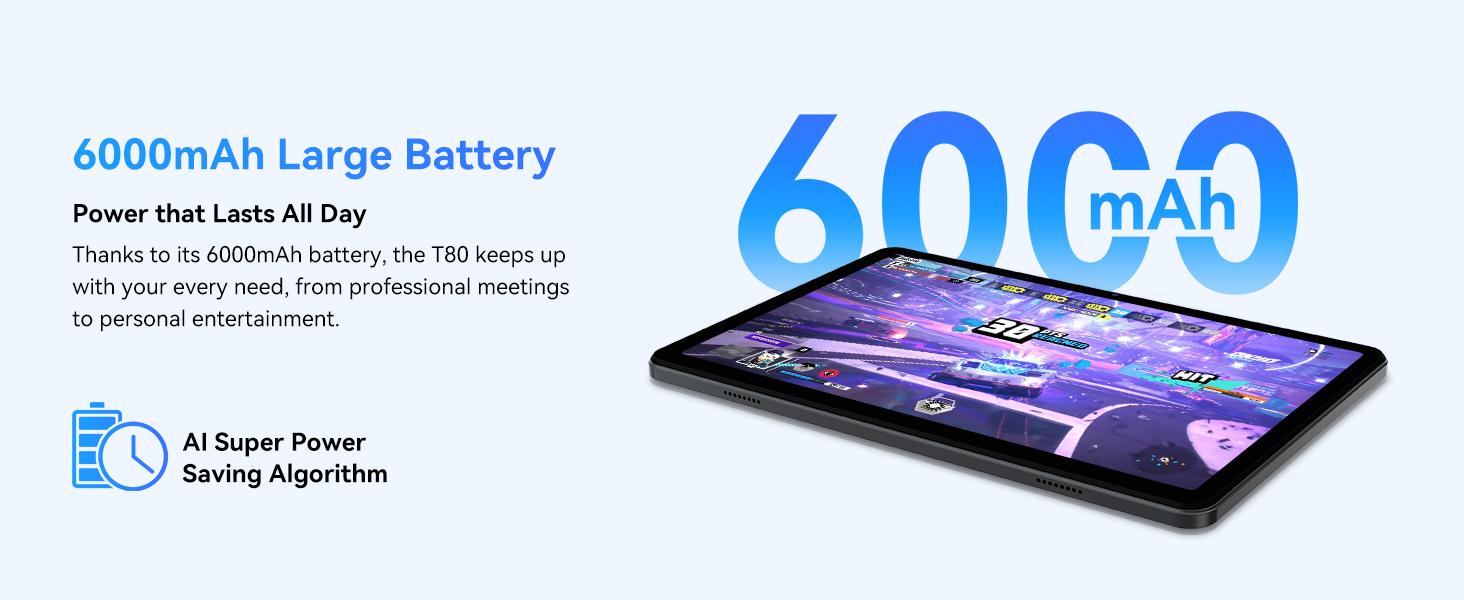
Figure 3.1: Visual representation of the split-screen functionality, allowing for efficient multitasking.
Desktop Customization and Widgets
Personalize your home screen by dragging and grouping apps freely. You can also add various widgets, such as the calendar, to quickly access information and tasks.
Video 3.2: Illustrates how to customize your desktop layout and add widgets for quick access to information.
Fortrolighedskontrol
Android 15 offers enhanced privacy controls, allowing you to manage app permissions and secure your data. You can block app access to sensitive information like location.
Video 3.3: Shows how to manage privacy settings and control app access to your data on the TABWEE T80.
Parental Controls with Gemini AI
Utilize Gemini AI parental controls to manage screen time, automatically lock games during homework, and ensure a safe digital environment for children.
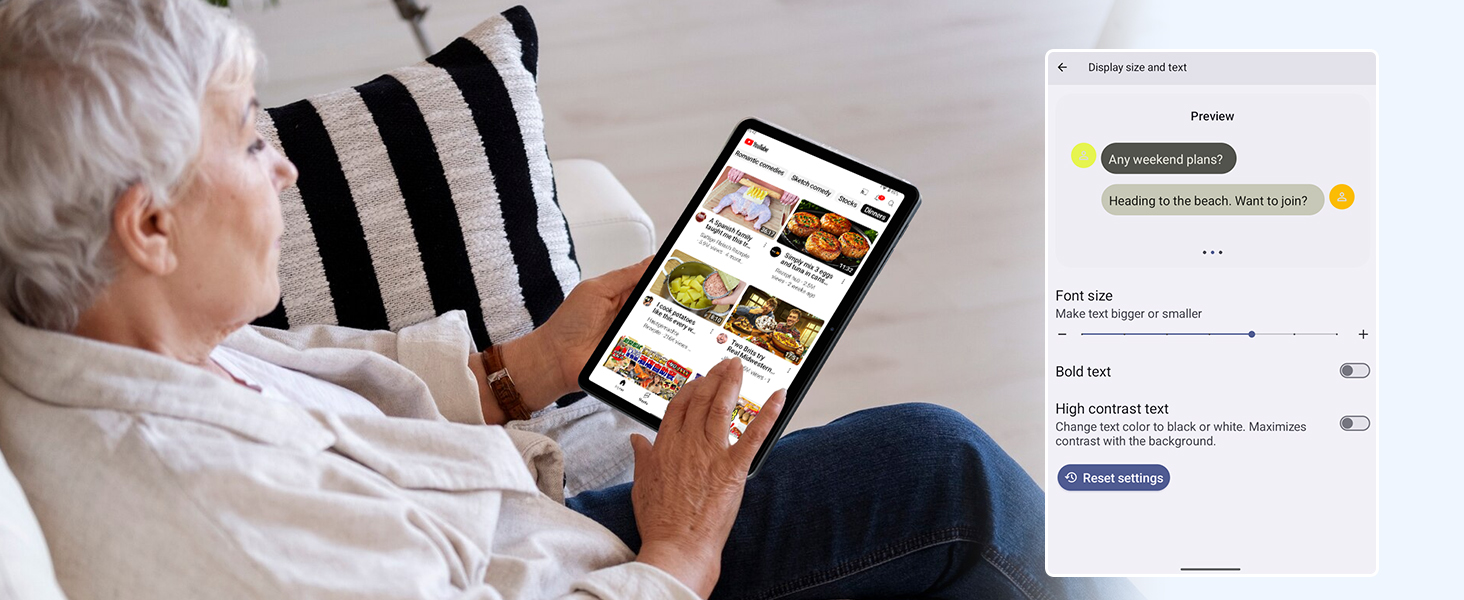
Figure 3.2: The Digital Wellbeing interface, demonstrating options for managing screen time and parental controls.
3.2 Display og visuelle elementer
The 10.5-inch HD+ IPS display provides a clear and immersive viewing experience with a 1280x800 resolution and 84.9% screen-to-body ratio. It's ideal for watching videos, browsing, and reading.

Figure 3.3: Details of the tablet's display, highlighting its resolution and IPS full view kapaciteter.
3.3 Ydeevne og lagring
Powered by a 2.0GHz Unisoc T310 CPU and 12GB RAM (expandable via software memory extension), the T80 ensures smooth multitasking and responsive performance. With 64GB of internal storage and support for up to 2TB TF cards, you have ample space for all your files, apps, and media.

Figure 3.4: Illustration of the tablet's processing power and memory, enabling seamless multitasking and productivity.
3.4 Batterilevetid
The 6000mAh mega battery provides extended usage, offering up to 8 hours of video streaming, 6 hours of gaming, or 30 hours of music playback. Smart power-saving modes further optimize battery longevity.

Figure 3.5: Depiction of the tablet's large 6000mAh battery and its USB-C charging port.
3.5 Kamerafunktioner
The T80 features a 5MP Google Lens enabled camera. This allows for scene recognition, night mode optimization, and useful functions like text translation and object identification.

Figur 3.6: En overview of the tablet's camera and its integration with Google Lens for smart functions.
4. Vedligeholdelse
To ensure the longevity and optimal performance of your TABWEE T80 Tablet, follow these maintenance guidelines:
- Rensning: Brug en blød, fnugfri klud til at rengøre skærmen og kabinettet. Undgå slibende materialer eller barske kemikalier.
- Softwareopdateringer: Søg regelmæssigt efter og installer systemopdateringer for at drage fordel af de nyeste funktioner, sikkerhedsrettelser og forbedringer af ydeevnen.
- Batteripleje: Undgå ekstreme temperaturer. Lad ikke batteriet aflades helt for ofte. Ved langtidsopbevaring skal batteriet oplades til ca. 50%.
- Lagerstyring: Ryd periodisk unødvendigt fileog apps for at frigøre lagerplads og opretholde problemfri drift.
- Beskyttelse: Overvej at bruge et beskyttende cover og en skærmbeskytter for at beskytte mod fald og ridser.
5. Fejlfinding
Dette afsnit omhandler almindelige problemer, du kan støde på med din TABWEE T80-tablet.
5.1 Enheden tændes ikke
- Tjek batteri: Ensure the tablet has sufficient charge. Connect it to the charger and wait a few minutes before attempting to power on again.
- Hård nulstilling: Tryk og hold tænd/sluk-knappen nede i cirka 10-15 sekunder, indtil enheden genstarter.
5.2 Problemer med Wi-Fi-forbindelse
- Slå Wi-Fi til/fra: Slå Wi-Fi fra og til igen i Indstillinger.
- Genstart routeren: Tænd og sluk din Wi-Fi-router.
- Glem netværk: Go to Wi-Fi settings, forget the problematic network, and then reconnect.
5.3 Langsom ydeevne
- Luk baggrundsapps: Luk ubrugte programmer, der kører i baggrunden.
- Ryd cache: Regularly clear app caches in Settings > Apps.
- Frigør lagerplads: Slet unødvendigt files or uninstall rarely used apps.
- Genstart enhed: A simple restart can often resolve temporary slowdowns.
5.4 Apps der går ned eller ikke svarer
- Tvangsstop-appen: Go to Settings > Apps, select the problematic app, and choose 'Force Stop'.
- Clear App Data/Cache: In the same app settings, try clearing its cache or data (note: clearing data will reset the app to its default state).
- Geninstaller app: Uninstall and then reinstall the app from the Google Play Store.
6. Specifikationer
Detaljerede tekniske specifikationer for TABWEE T80-tabletten:
| Feature | Specifikation |
|---|---|
| Mærke | TABWEE |
| Modelnavn | T80 |
| Operativsystem | Android 15 |
| Skærmstørrelse | 10.5 tommer |
| Skærmopløsning | 1280 x 800 pixels |
| Processor | 2.0 GHz Unisoc T310 |
| Hukommelse (RAM) | 12 GB |
| Lager (ROM) | 64 GB |
| Udvidelig opbevaring | Op til 2 TB TF-kort |
| Bag Webcam opløsning | 5 MP |
| Trådløs type | 802.11n, 802.11b, 802.11a, 802.11ac, 802.11g (5G WiFi) |
| Bluetooth | Bluetooth 5.0 |
| Batterikapacitet | 6000mAh |
| Gennemsnitlig batterilevetid | 550 timer (standby) |
| Varens vægt | 1.1 pund (ca. 523 gram) |
| Produktdimensioner | 9.5 x 6.4 x 0.3 tommer |
| Farve | Grå |
7. Garanti og support
TABWEE is committed to quality and customer satisfaction. Your T80 Tablet comes with comprehensive support to ensure a worry-free experience.
7.1 Garantioplysninger
The TABWEE T80 Tablet is backed by a 2 års garanti. This warranty covers manufacturing defects and ensures free repair service for eligible issues. Please retain your proof of purchase for warranty claims.
7.2 Kundesupport
For any questions, technical assistance, or warranty claims, please contact our dedicated support team:
- 24/7 Online Call Support: Tilgængelig for øjeblikkelig assistance.
- Livsvarig teknisk support: Expert help whenever you need it.
- Hassle-Free Service: Assistance available through the TABWEE Official Flagship Store.
We are dedicated to providing prompt and effective solutions to all your inquiries.

Figure 7.1: Our dedicated customer support team is ready to assist you.


