Produkt overview
The ATTACK SHARK R5Ultra is a high-performance wireless gaming mouse designed for speed and precision. It features an ultra-lightweight carbon fiber composite construction, weighing only 39g, ensuring durability and comfort during extended use. Equipped with the advanced PixArt PAW3950 MAX sensor and Nordic 52840 MCU chip, it offers exceptional accuracy and a high polling rate for competitive gaming.
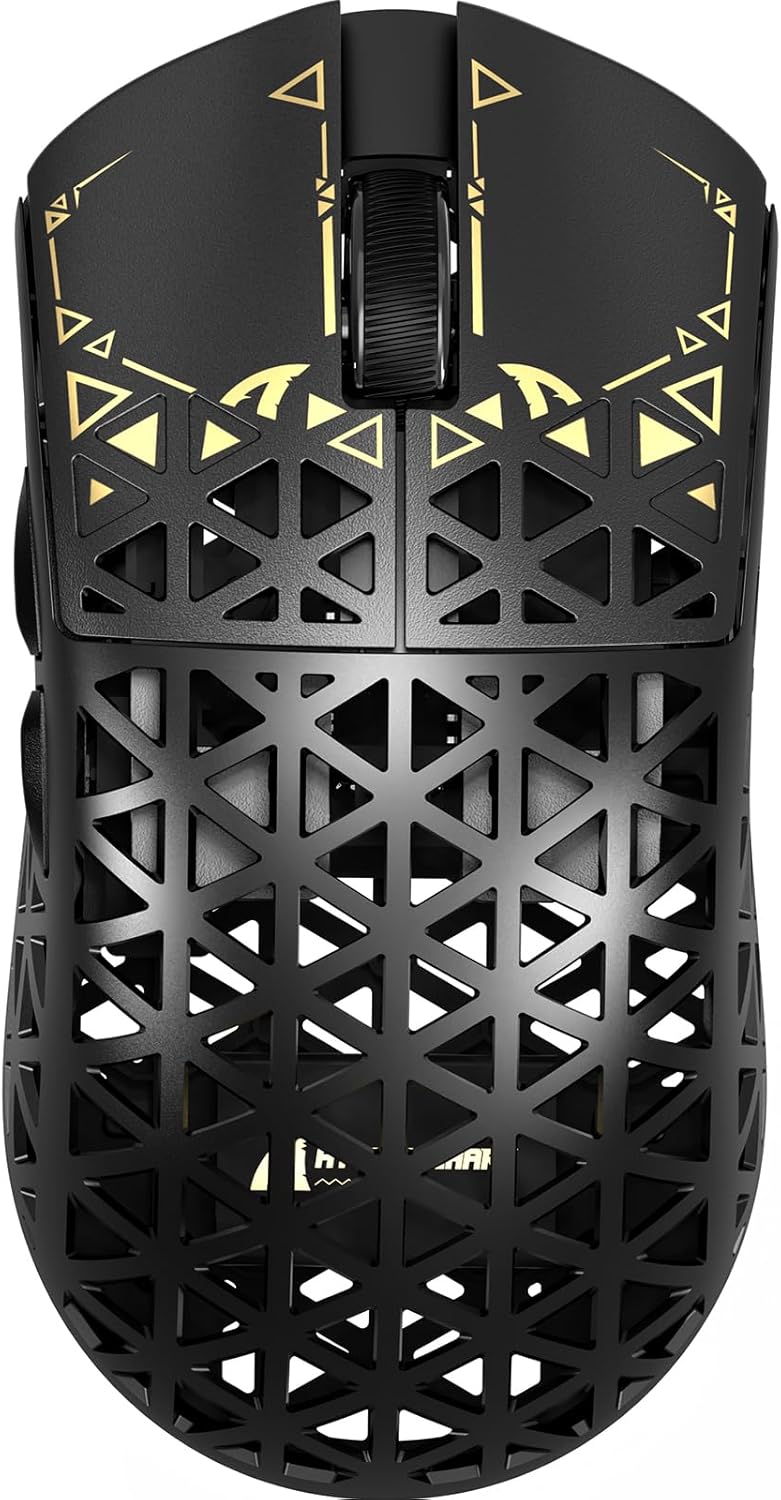
Billede: Top view of the ATTACK SHARK R5Ultra gaming mouse, showcasing its lightweight carbon fiber design and intricate patterns.
This mouse supports tri-mode connectivity, allowing seamless switching between 2.4GHz wireless, Bluetooth, and wired USB connections. Its programmable features are managed via an innovative cloud-driven webpage, eliminating the need for traditional software installations.
Pakkens indhold
- ATTACK SHARK R5Ultra Wireless Gaming Mouse
- USB-C ladekabel
- 8K Mini Receiver (USB Dongle)
- Brugervejledning (dette dokument)
- Additional PTFE feet (may be included)
Opsætningsvejledning
1. Første opladning
Før første brug anbefales det at oplade musen helt. Tilslut det medfølgende USB-C-kabel til musens opladningsport og den anden ende til en USB-strømkilde (f.eks. computerens USB-port eller USB-vægadapter).
2. Forbindelsestilstande
The R5Ultra mouse supports three connection modes: 2.4GHz Wireless, Bluetooth, and Wired USB. A switch on the back of the mouse allows you to select your preferred mode.

Image: Diagram illustrating the tri-mode connectivity options: 2.4G Wireless with receiver, Bluetooth, and USB-C wired connection, along with charging.
2.1. 2.4 GHz trådløs tilstand
- Locate the 8K Mini Receiver (USB dongle) included in the package.
- Sæt USB-modtageren i en ledig USB-port på din computer.
- Skift tilstandsvælgeren nederst på musen til ikonet for 2.4 GHz trådløs.
- Musen skal automatisk oprette forbindelse til modtageren.
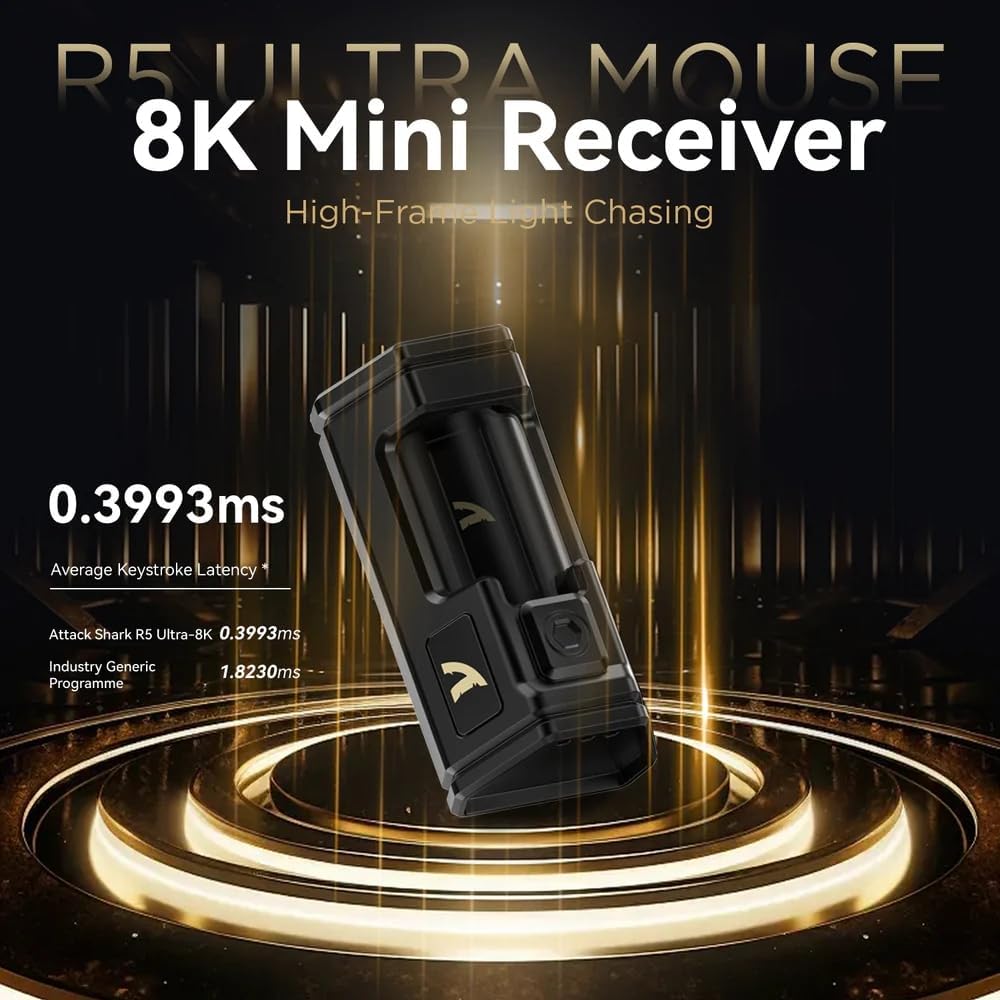
Image: Close-up of the compact 8K Mini Receiver, highlighting its low latency capabilities.
2.2. Bluetooth-tilstand
- Skift tilstandsvælgeren nederst på musen til Bluetooth-ikonet.
- Åbn Bluetooth-indstillingerne på din computer eller enhed, og søg efter nye enheder.
- Select "ATTACK SHARK R5Ultra" from the list of available devices to pair.
2.3. Wired USB Mode
- Tilslut det medfølgende USB-C-kabel til musen og den anden ende til en USB-port på din computer.
- Musen skifter automatisk til kablet tilstand og begynder at oplade.
3. Driver and Customization
The R5Ultra utilizes an AI-designed cloud-driven webpage for customization, eliminating the need for traditional software downloads. Access the customization options by visiting the official ATTACK SHARK website and navigating to the R5Ultra product page or driver section. The webpage will automatically detect your system.
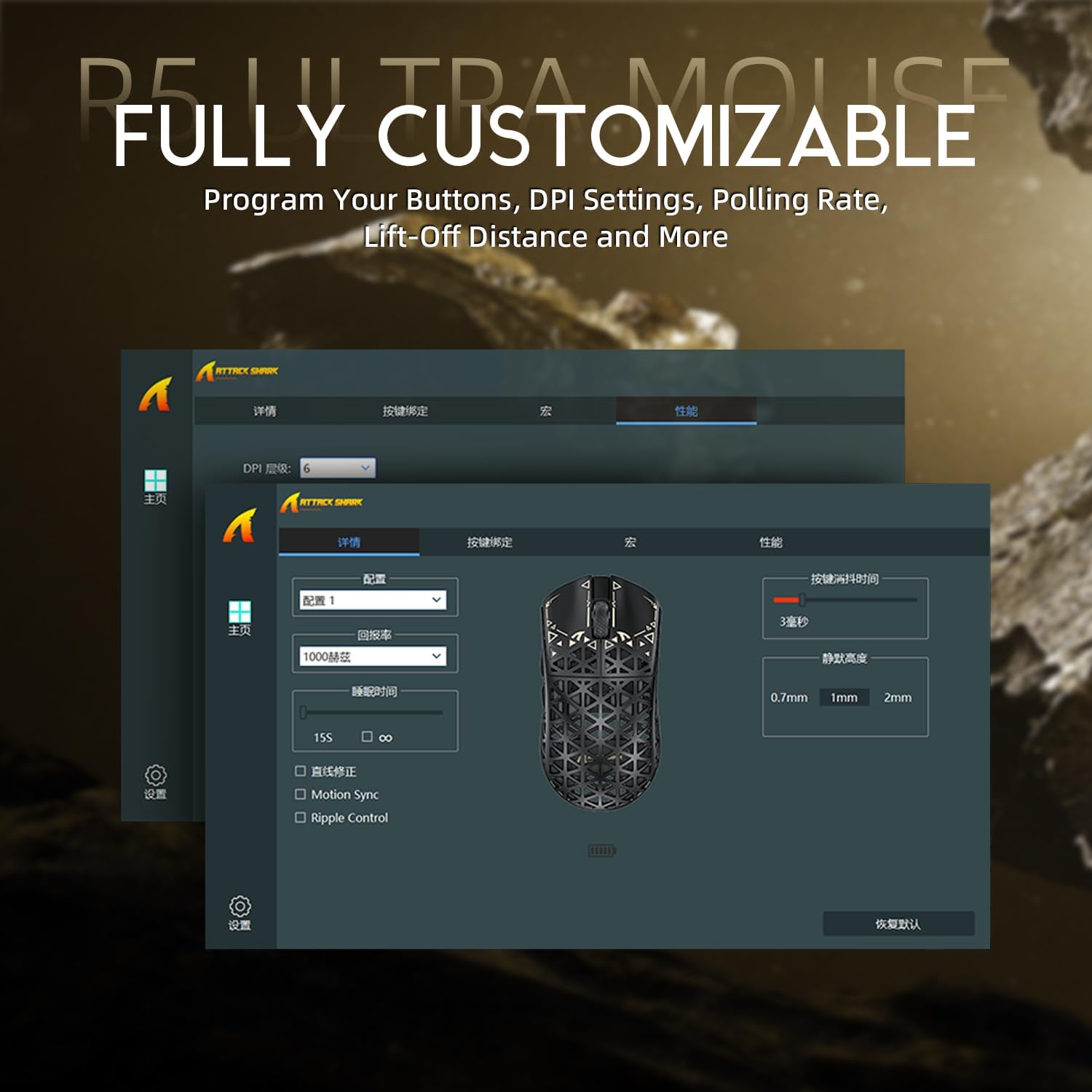
Image: Screenshot of the R5Ultra's web-based customization interface, showing options for DPI, polling rate, and button mapping.
Betjeningsvejledning
DPI justering
The R5Ultra mouse features a PixArt PAW3950 MAX sensor capable of up to 42,000 programmable DPI. DPI settings can be adjusted through the cloud-driven customization webpage. You can set multiple DPI stages and switch between them using a dedicated button on the mouse (if configured) or through the software.

Billede: Detaljeret view of the PixArt PAW3950 MAX sensor, highlighting its advanced capabilities for high DPI and acceleration.
Afstemningsfrekvens
The mouse supports an 8KHz wireless polling rate, providing extremely low latency and fast data transmission. In wired mode, a 1KHz polling rate is maintained. Higher polling rates consume more battery power. You can adjust the polling rate via the customization webpage to balance performance and battery life.
Programmerbare knapper
The R5Ultra features multiple programmable buttons. Through the cloud-driven customization webside, kan du:
- Remap button functions.
- Opret og tildel makroer.
- Adjust lift-off distance.
- Configure competitive modes.
Batteristyring
To optimize battery life, consider adjusting the polling rate to a lower setting (e.g., 1KHz or 2KHz) when not engaged in competitive gaming. The mouse can be charged while in wired mode, allowing continuous use.
Nøglefunktioner
- Ultralet design: Weighing only 39g, constructed from injection-molded carbon fiber material with a hollow design for enhanced durability and reduced weight.

Billede: Flere views of the R5Ultra mouse, showcasing its carbon fiber composite housing and lightweight structure.
- Avanceret sensor: Features the PixArt PAW3950 MAX sensor, offering up to 42,000 DPI, 750 IPS speed, and 50g acceleration for precise tracking.
- Høj meningsmålingsrate: Supports an 8KHz wireless polling rate for minimal latency and rapid response, crucial for competitive gaming.
- Tri-mode-tilslutning: Seamlessly switch between 2.4GHz wireless, Bluetooth, and wired USB connections for versatile use across various devices and platforms.
- Holdbare afbrydere: Equipped with OMRON microswitches, rated for over 100 million clicks, ensuring long-lasting performance and crisp feedback.
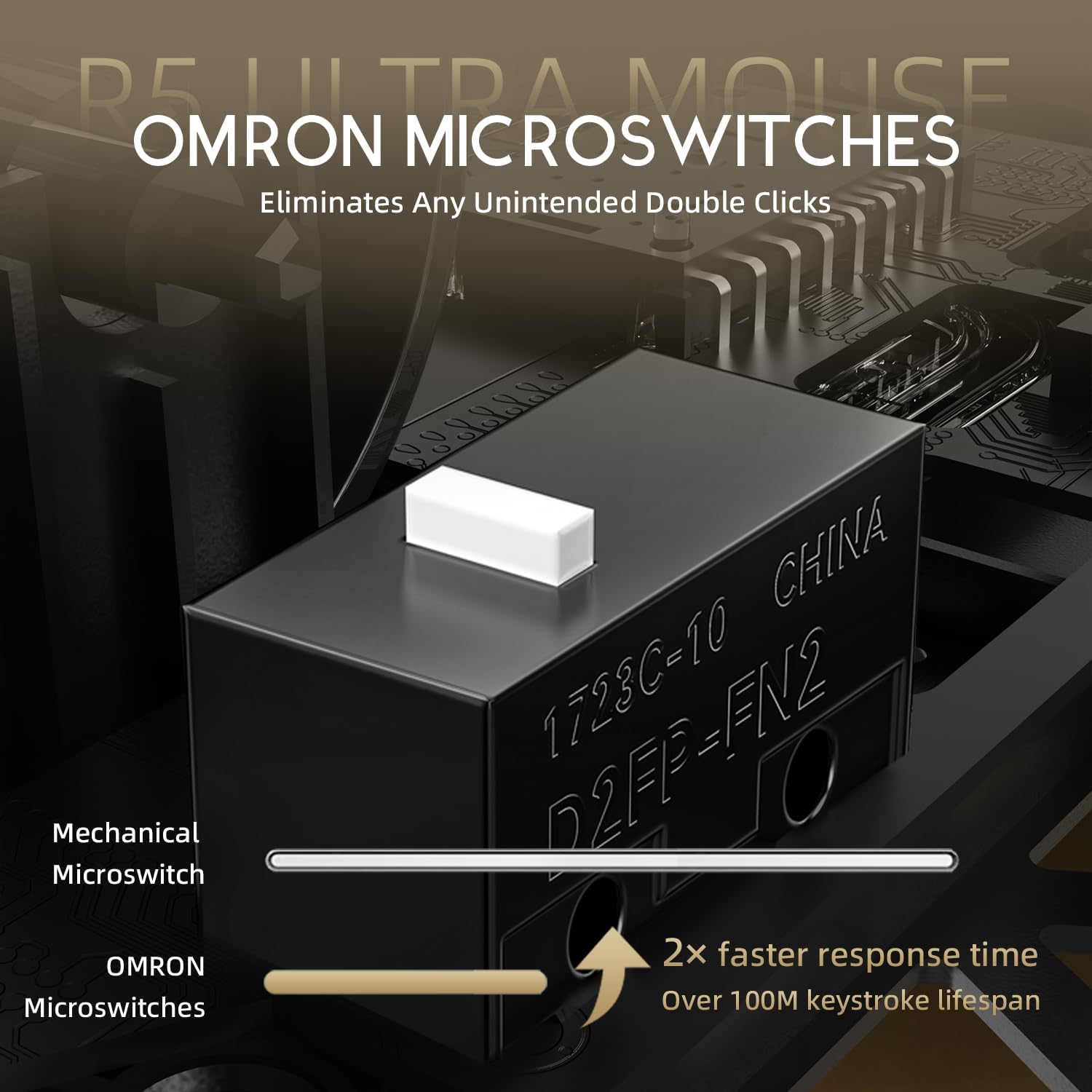
Image: Close-up of the OMRON microswitches, illustrating their mechanical design and durability for over 100 million clicks.
- Cloud-Based Driver: Innovative AI-designed driver accessible via a webpage, allowing for comprehensive customization without software installation.
- PTFE fødder: 100% Virgin Grade PTFE feet provide consistent and smooth glide for optimal mouse movement.
Vedligeholdelse og pleje
- Rensning: Brug en blød, tør klud til at tørre musens overflade af. Ved genstridigt snavs, tør den let.amp klud kan bruges, så der ikke kommer væske ind i musen. Undgå barske kemikalier eller slibende materialer.
- Vedligeholdelse af sensor: Keep the optical sensor area on the bottom of the mouse clean and free from dust or debris to ensure accurate tracking.
- Opbevaring: Opbevar musen et køligt, tørt sted væk fra direkte sollys og ekstreme temperaturer.
- Batteripleje: Avoid fully discharging the battery frequently. For long-term storage, charge the mouse to about 50% to prolong battery life.
Fejlfinding
Forbindelsesproblemer
- 2.4 GHz trådløs: Ensure the USB receiver is securely plugged in and the mouse is switched to 2.4GHz mode. Try plugging the receiver into a different USB port.
- Bluetooth: Verify Bluetooth is enabled on your device and the mouse is in Bluetooth pairing mode. Remove previous pairings and re-pair if necessary.
- wired: Check the USB-C cable connection at both ends. Try a different USB port or cable if available.
Sporingsproblemer
- Rengør den optiske sensor på undersiden af musen.
- Ensure you are using the mouse on a suitable surface (e.g., a mouse pad). Highly reflective or uneven surfaces can affect tracking.
- If experiencing issues at higher polling rates (e.g., 8KHz), try reducing the polling rate via the customization webpage to 1KHz, 2KHz, or 4KHz to see if performance improves.
- Check the mouse feet (PTFE skates) for wear or damage. Worn feet can affect glide and tracking consistency.
Batteriet aflades hurtigt
- Higher polling rates (e.g., 8KHz) consume more power. Reduce the polling rate if extended battery life is desired.
- Sørg for, at musen er fuldt opladet.
- Kontakt kundesupport, hvis problemet fortsætter.
Specifikationer
| Feature | Detalje |
|---|---|
| Modelnummer | R5 |
| Forbindelse | 2.4G Wireless, Bluetooth, USB Wired |
| Sensor | PixArt PAW3950 MAX Optical Sensor |
| DPI rækkevidde | Up to 42,000 DPI (Programmable) |
| Afstemningsfrekvens | 8000Hz Wireless, 1000Hz Wired |
| Acceleration | 50 g |
| IPS-hastighed | 750 IPS |
| Afbrydere | OMRON Microswitches (100 Million Clicks Lifespan) |
| Vægt | Approximately 39g (Ultra-lightweight) |
| Materiale | Kulfiber komposit |
| Feet Material | 100% Virgin Grade PTFE |
| Dimensioner | 6.85 x 4.21 x 2.8 tommer (pakkemål) |
| Kompatibilitet | Windows, macOS, PCs, Laptops, Mac, Tablet Devices, Consoles |
Garanti og support
For warranty information, please refer to the warranty card included with your product or visit the official ATTACK SHARK website. If you encounter any issues not covered in this manual or require further assistance, please contact ATTACK SHARK customer support through their official webwebstedet eller de kontaktoplysninger, der er angivet med dit køb.
You can visit the ATTACK SHARK Store for more information and support: ATTACK SHARK Butik på Amazon


