Indledning
This manual provides comprehensive instructions for the installation, operation, and maintenance of your PROVISION ISR 2MP Dome Security Camera. This wired security camera is designed for stable and reliable surveillance, offering high-definition video quality and robust performance in various environments.

Billede: Forside view of the PROVISION ISR 2MP Dome Security Camera, showcasing its compact black dome design with a red accent ring around the lens.
Hvad er der i æsken
Ved udpakning skal du kontrollere, at alle komponenter er til stede:
- Kamerahus
- Instruktionsmanual
Opsætning og installation
The PROVISION ISR Dome Security Camera is designed for straightforward installation, primarily as a ceiling-mounted unit. It requires a wired connection for stable operation and is compatible with various DVR systems.
1. Montering af kameraet
This camera is designed for screw-in installation, typically on a ceiling. Ensure the mounting surface is stable and can support the camera's weight. Proper positioning is crucial for optimal coverage.

Image: A technician installing the PROVISION ISR dome camera on a ceiling, demonstrating the simple installation process.
2. Wired Connection and DVR Integration
This camera operates via a wired Ethernet connection and is compatible with AHD/TVI/CVI DVRs. Connect the camera to your DVR system using appropriate cabling. The camera supports multiple analog formats, including CVBS, ensuring seamless integration with existing surveillance infrastructure.

Image: A PROVISION ISR camera connected to a DVR system, displaying multiple camera feeds on a monitor, illustrating easy integration into an analog infrastructure.
Betjeningsvejledning
Your PROVISION ISR camera provides high-definition surveillance with advanced features for optimal monitoring.
1. High-Definition Video and Viewi vinkel
The camera delivers 2MP resolution (1920x1080), ensuring sharp and detailed video quality. The motorized lens offers an adjustable 92° field of view, allowing for comprehensive coverage of large areas.

Image: A visual comparison demonstrating the superior clarity of 2MP (1920x1080) resolution compared to 920P (1280x720), highlighting the camera's high-definition capability.
2. Nattesynsfunktioner
Equipped with a high-power IR LED, the camera provides a 40-meter infrared range for clear night vision. This ensures 24/7 surveillance, even in low-light or complete darkness.
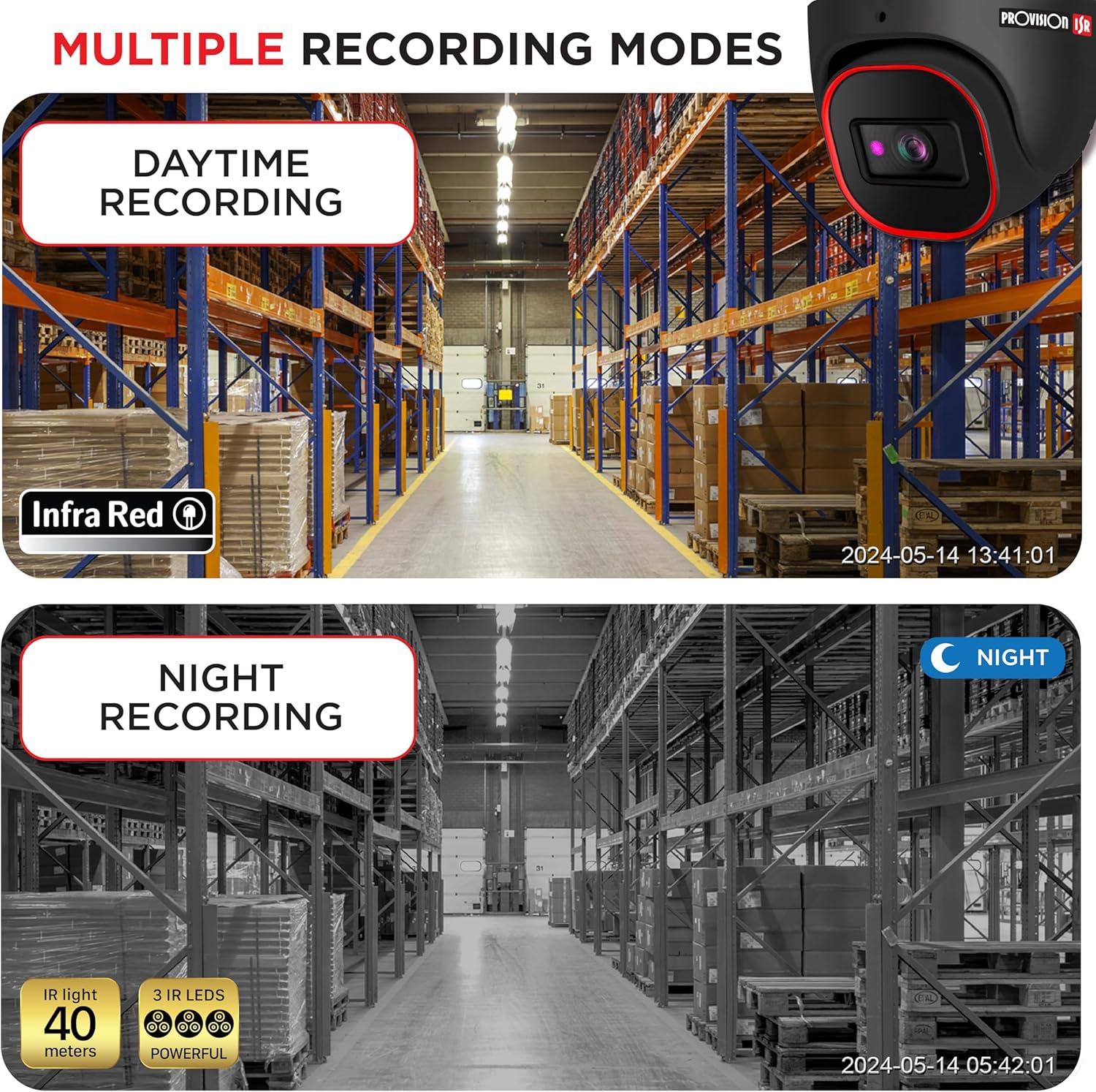
Image: A split image showing the camera's performance in both daytime and nighttime recording modes, demonstrating its effective infrared night vision up to 40 meters.
3. Real-Time Surveillance and Remote Monitoring
When connected to a compatible DVR and configured with a mobile application, you can monitor live feeds and recorded footage from your smartphone, enabling real-time surveillance from anywhere.
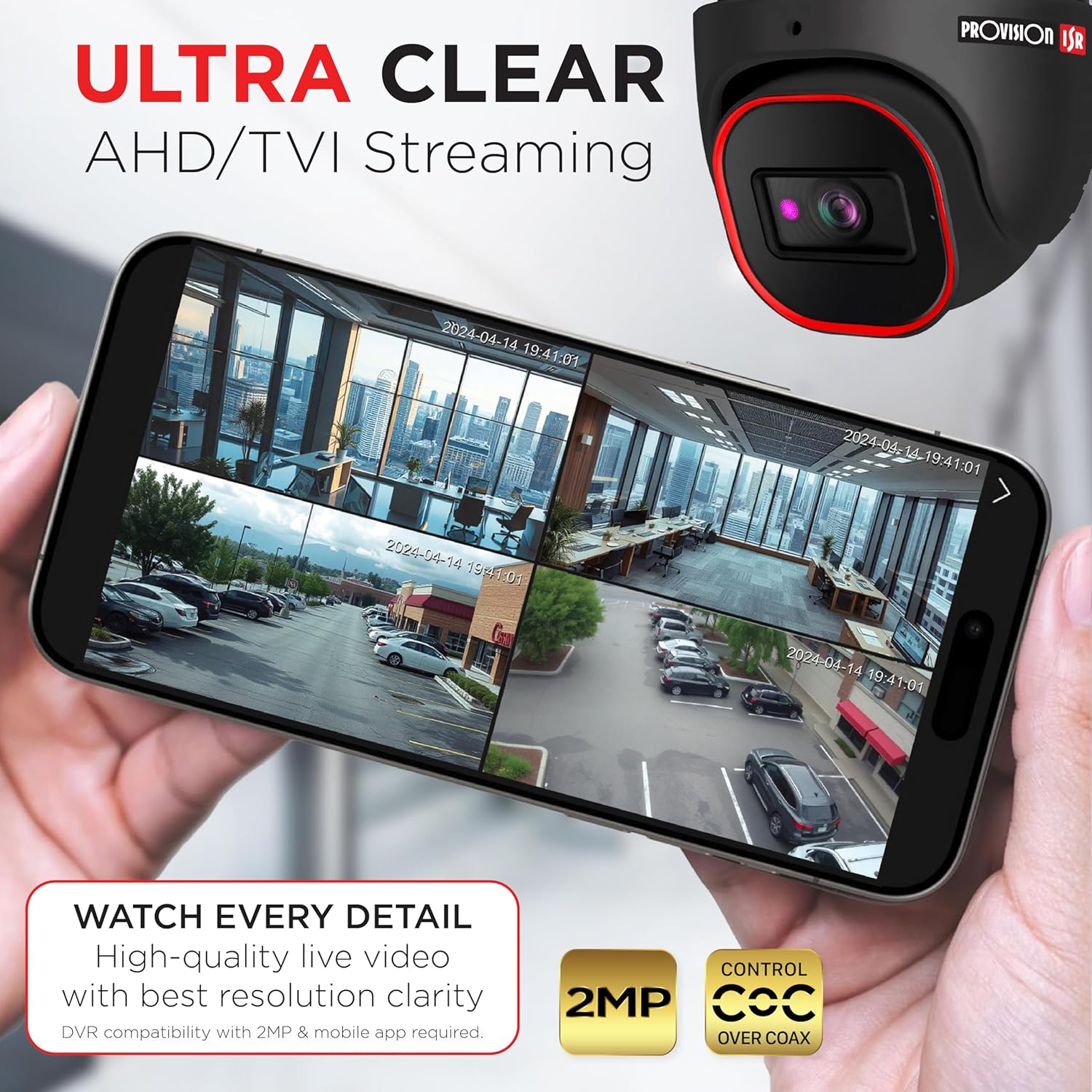
Image: A smartphone displaying multiple live camera feeds, illustrating the ultra-clear AHD/TVI streaming capability and remote monitoring via a mobile app.

Image: A person holding a smartphone displaying a live feed from the security camera, emphasizing real-time surveillance and remote access.
Opretholdelse
The PROVISION ISR camera is built for durability and requires minimal maintenance.
Vejrbestandigt design
With an IP67-rated weatherproof design, this camera is protected against dust and water ingress, making it suitable for outdoor use in harsh weather conditions. Regular visual inspection for any physical damage or obstructions to the lens is recommended.

Image: The PROVISION ISR camera shown in a rainy environment, highlighting its IP67 waterproof and dustproof rating for durable outdoor performance.
Fejlfinding
If you encounter issues with your PROVISION ISR camera, please refer to the following common troubleshooting steps:
- Intet videosignal: Check all cable connections between the camera and the DVR. Ensure the power supply is connected and functioning correctly. Verify the DVR input channel settings.
- Dårlig billedkvalitet: Clean the camera lens with a soft, dry cloth. Ensure the camera's resolution settings on the DVR match the camera's capabilities (2MP). Check for obstructions in the camera's field of view.
- Nattesynsproblemer: Ensure there are no strong light sources directly facing the camera at night, which can interfere with IR performance. Verify the IR LEDs are illuminating.
- Problemer med fjernadgang: Confirm your DVR is connected to the internet and configured for remote access. Check network settings and firewall rules. Ensure the mobile application is updated to the latest version.
For further assistance, please contact PROVISION ISR customer support.
Specifikationer
| Feature | Detalje |
|---|---|
| Modelnavn | Analog Security Camera |
| Varemodelnummer | DI-320A-VF-G |
| Videooptagelsesopløsning | 2MP (1920x1080) |
| Viewi vinkel | 92 Degrees (Adjustable) |
| Night Vision Range | 40 meter |
| Indendørs/Udendørs brug | Indendørs, Udendørs |
| Vejrbestandig vurdering | IP67 |
| Forbindelsesteknologi | Kablet (Ethernet) |
| Kompatible enheder | Digital Video Recorder, Smartphone |
| Controller type | DVR |
| Monteringstype | Loftmontering |
| Installationstype | Skru ind |
| Produktdimensioner | 6.25 x 5.5 x 5.5 tommer |
| Farve | Sort |
| Fabrikant | ISR-bestemmelse |
Garanti og support
PROVISION ISR stands behind the quality of its products.
Garantioplysninger
For detailed warranty terms and conditions, please refer to the official PROVISION ISR webwebstedet eller kontakt deres kundeservice. Der kan også være beskyttelsesplaner tilgængelige for udvidet dækning.
Kundesupport
Should you require technical assistance, have questions about installation, or need to report an issue, please contact PROVISION ISR customer support. Contact information can typically be found on the manufacturer's webwebstedet eller på produktemballagen.


