Indledning
This manual provides essential information for the proper setup, operation, and maintenance of your RAPIQUE R306C USB C Wireless Mouse. Please read these instructions carefully before using the product to ensure optimal performance and longevity.
Pakkens indhold
- RAPIQUE R306C Wireless Mouse x 1
- USB-C-modtager x 1
- Brugervejledning x 1
Produkt overview
The RAPIQUE R306C is an ultra-slim, portable 2.4GHz wireless mouse designed for modern USB-C devices. It features silent clicks, a smooth scroll wheel, and adjustable DPI settings for precise control.

Image: The RAPIQUE R306C USB C Wireless Mouse, showcasing its sleek, minimalist design in white, alongside its compact USB-C receiver.
Nøglefunktioner:
- Elegant og minimalistisk design: Streamlined shape with a premium finish, high-gloss top buttons, and a matte metallic base.
- Silent Click & Smooth Scroll: Enjoy low-noise clicks and a soft, silent scroll wheel for focused work environments. Note: The mouse wheel scrolls vertically only.
- Ultra-Slim and Portable: Compact and lightweight, ideal for travel and mobile use.
- Justerbar DPI: Easily switch between 800 / 1200 / 1600 DPI for precise tracking.
- Lang batterilevetid: Powered by one AA battery (not included), offering up to 480 hours of use with smart auto-sleep mode.
- Universal kompatibilitet: Works seamlessly with USB-C devices including MacBook Air/Pro, Mac, iPad Pro/Air, Android tablets, and other modern computers.
Opsætningsvejledning
1. Installer batteriet
- Gently slide off the top cover of the mouse to reveal the battery compartment.
- Sæt et AA-batteri (medfølger ikke) i batterirummet, og sørg for at polerne vender korrekt (+/-).
- Sæt topdækslet på igen, og sørg for, at det klikker sikkert på plads.
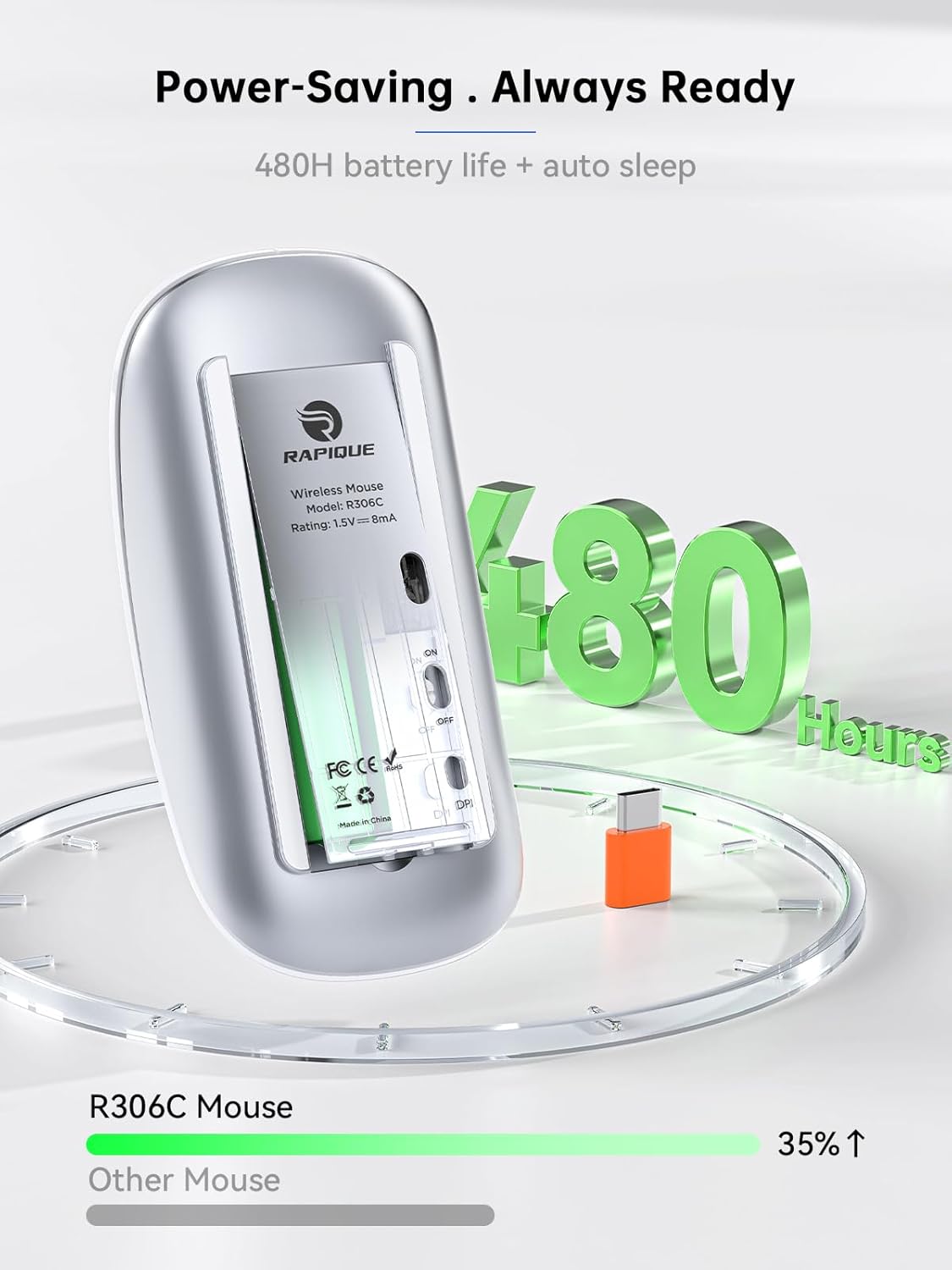
Image: The underside of the RAPIQUE R306C mouse with the battery cover removed, showing the AA battery slot and the USB-C receiver storage.
2. Connect USB-C Receiver
- Locate the USB-C receiver, typically stored within the mouse's battery compartment or packaged separately.
- Plug the USB-C receiver directly into an available USB-C port on your laptop, MacBook, iPad, or other compatible device.

Image: The RAPIQUE R306C mouse positioned next to a laptop, with its orange USB-C receiver visibly plugged into the laptop's USB-C port, illustrating a plug-and-play connection.
3. Tænd
- Flip the ON/OFF switch located on the underside of the mouse to the "ON" position.
- The mouse should automatically connect to your device. No additional drivers are typically required for most operating systems.
Betjeningsvejledning
Grundlæggende funktioner
- Venstre klik: Tryk på venstre knap.
- Højreklik: Tryk på den højre knap.
- Rul: Roll the scroll wheel up or down to navigate vertically.
DPI justering
The mouse features a DPI button on its underside, allowing you to adjust tracking sensitivity.
- Tryk på DPI knap once to cycle through the available DPI settings (800 / 1200 / 1600 DPI).
- Select the DPI setting that best suits your task for optimal cursor speed and precision.
Auto-dvaletilstand
To conserve battery life, the mouse will automatically enter a sleep mode after a period of inactivity. To wake the mouse, simply move it or click any button.
Opretholdelse
Udskiftning af batteri
When the mouse performance degrades or stops responding, it may be time to replace the AA battery. Follow the battery installation steps in the Setup Guide.
Rensning
To clean your mouse, use a soft, dry cloth. Avoid using harsh chemicals or abrasive materials, as these may damage the surface.
Fejlfinding
- Musen svarer ikke:
- Sørg for, at musen er tændt.
- Check if the USB-C receiver is securely plugged into your device.
- Udskift AA-batteriet, hvis det er lavt eller afladet.
- Try plugging the USB-C receiver into a different port on your device.
- Intermitterende forbindelse:
- Sørg for, at musen er inden for modtagerens rækkevidde på 10 meter.
- Avoid obstructions between the mouse and the receiver.
- Minimér interferens fra andre trådløse 2.4 GHz-enheder.
- Markørbevægelsen er uregelmæssig eller langsom:
- Adjust the DPI setting using the DPI button on the underside of the mouse.
- Sørg for, at musen bruges på en ren, ikke-reflekterende overflade.
Specifikationer
| Feature | Detalje |
|---|---|
| Modelnummer | R306C |
| Forbindelsesteknologi | 2.4GHz Wireless (USB-C Receiver) |
| Bevægelsesdetektion | Optisk |
| DPI-indstillinger | 800/1200/1600 |
| Batteritype | 1 x AA batteri (medfølger ikke) |
| Batterilevetid | Up to 480 hours (may vary with usage) |
| Driftsområde | Op til 10 meter |
| Dimensioner | 4.5 x 2.3 x 0.98 tommer (ca.) |
| Vægt | 2.29 ounce |
Garanti og support
For warranty information and customer support, please refer to the documentation included with your purchase or visit the official RAPIQUE webwebsted. Gem din købsbevis i tilfælde af garantikrav.

