1. Introduktion
Tak for købetasing the Chefman Countertop Microwave Oven. This manual provides important information regarding the safe operation, installation, maintenance, and troubleshooting of your appliance. Please read it thoroughly before use and retain it for future reference.

Billede 1.1: Forside view of the Chefman Countertop Microwave Oven.
2. Vigtige sikkerhedsforanstaltninger
When using electrical appliances, basic safety precautions should always be followed to reduce the risk of fire, electric shock, burns, or injury. Read all instructions before using this appliance.
- Brug ikke ovnen, hvis den har en beskadiget ledning eller stik, hvis den ikke fungerer korrekt, eller hvis den er blevet beskadiget eller tabt.
- Opvarm ikke væsker eller andre fødevarer i lukkede beholdere, da de er tilbøjelige til at eksplodere.
- Brug ikke ætsende kemikalier eller dampe i dette apparat.
- Lad ikke ledningen hænge ud over kanten af et bord eller bord eller røre ved varme overflader.
- Always ensure the glass turntable and roller ring are correctly positioned before operation.
- Forsøg ikke at betjene denne ovn med døren åben, da dette kan resultere i skadelig eksponering for mikrobølgeenergi.
- Dette apparat er kun beregnet til husholdningsbrug.
3. Produktet er slutview
The Chefman Countertop Microwave Oven features a compact design with 0.9 cubic feet capacity and 900 watts of cooking power. It includes various presets and user-friendly controls for efficient food preparation.
3.1 Nøglefunktioner
- Kapacitet: 0.9 Kubikfod
- Magt: 900 Watts with 10 Power Levels
- Forudindstillinger for madlavning: 6 popular presets (Popcorn, Pizza, Beverages, Veggies, Potatoes, Leftovers)
- Kontrolpanel: Digital controls with One-Touch Express Cook
- Særlige funktioner: Eco Mode, Child Safety Lock, Mute Button, Memory Function
- Indre: Easy-clean interior with dishwasher-safe glass turntable

Billede 3.1: Overview of key features including capacity, power, and safety.
4. Opsætning
4.1 Udpakning
Carefully remove the microwave oven and all packaging materials from the carton. Check the oven for any damage, such as dents or a broken door. Do not operate the oven if it is damaged. Retain the carton and packaging materials for future use or dispose of them responsibly.
4.2 Placering
- Placer ovnen på en plan, stabil overflade, der kan bære dens vægt og den tungeste madvare, der sandsynligvis vil blive tilberedt i ovnen.
- Ensure adequate ventilation. Allow at least 4 inches (10 cm) of space on the top, back, and sides of the oven for proper airflow. Do not block any ventilation openings.
- Hold ovnen væk fra varmekilder, damp eller sprøjtende væsker.
- Do not place the oven near a radio or TV, as microwave operation may cause interference.
4.3 Elektrisk tilslutning
Plug the oven into a standard 120V, 60Hz AC outlet. Ensure the outlet is properly grounded. Do not use an extension cord unless absolutely necessary, and if so, ensure it is a grounded 3-prong cord with a rating equal to or greater than the microwave's rating.
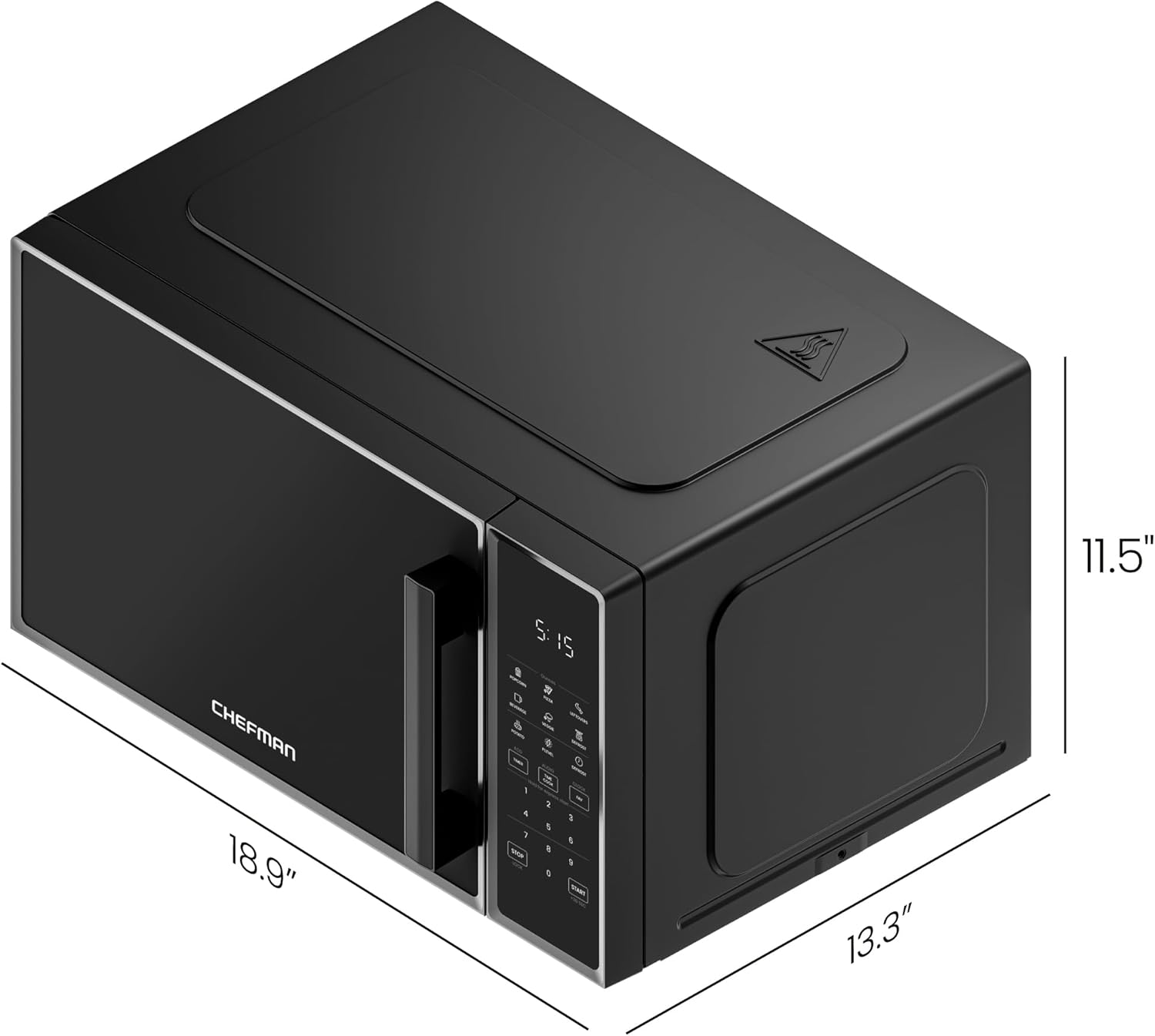
Image 4.1: Product dimensions for proper placement.
5. Betjeningsvejledning
5.1 Indstilling af uret
- Tryk på UR knap én gang.
- Use the number pads to enter the current time (e.g., 1-2-3-0 for 12:30).
- Tryk på UR knappen igen for at bekræfte.
5.2 Grundlæggende mikrobølgeovnstilberedning
- Placer maden i en mikrobølgeovnssikker beholder på glasdrejetallerkenen.
- Luk døren forsvarligt.
- Tryk på TIDSTILBEREDNING knap.
- Enter the desired cooking time using the number pads (e.g., 1-0-0 for 1 minute).
- To adjust power level (default is 100%): Press P.LEVEL, then use number pads (1-0 for 100%, 5 for 50%, etc.).
- Trykke STARTE at begynde at lave mad.
5.3 Express Cook Function
For quick cooking, simply press any number key (1-6) to start cooking immediately for that number of minutes at 100% power. For example, pressing '1' will cook for 1 minute.
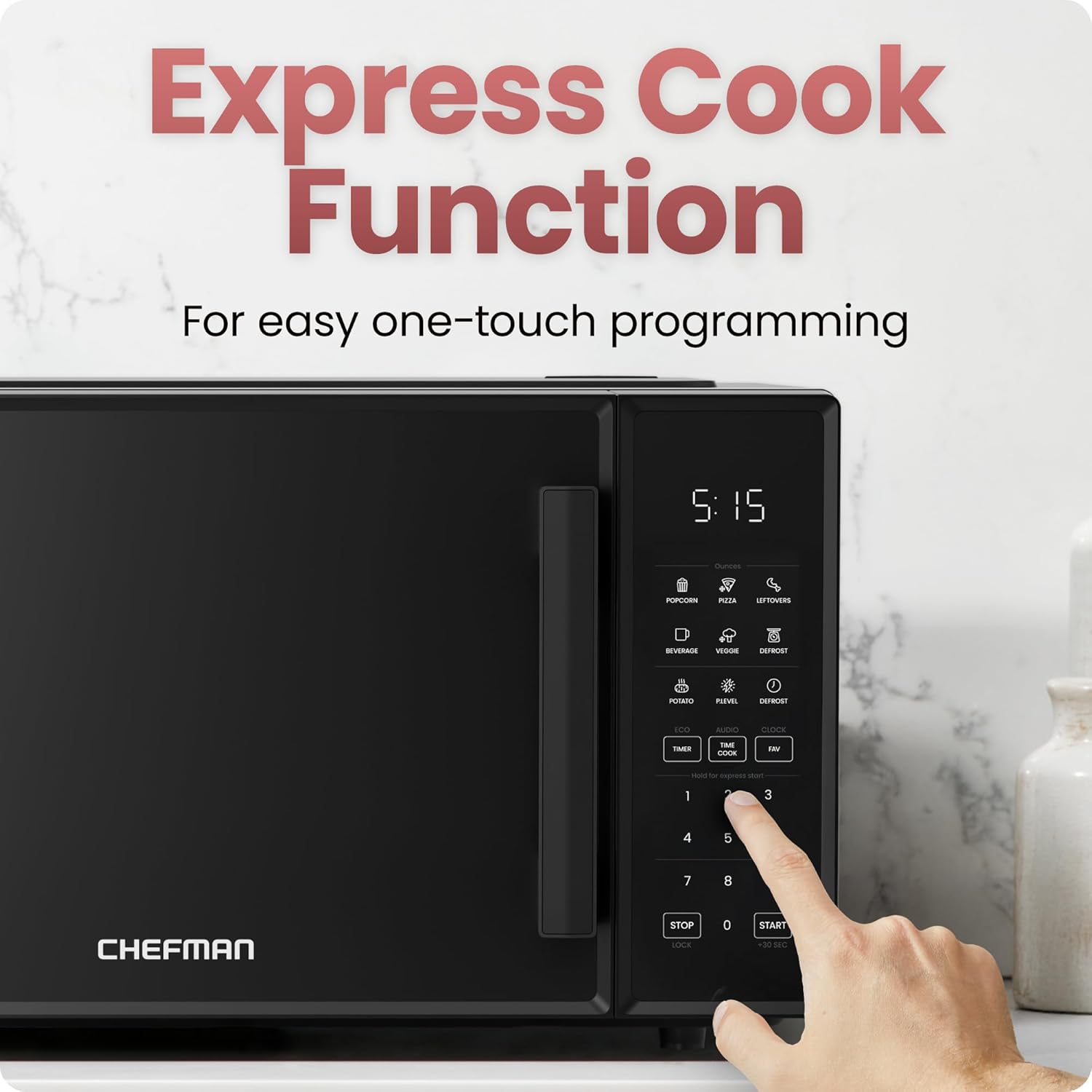
Image 5.1: Using the Express Cook function.
5.4 Forudindstillede tilberedningsfunktioner
The microwave includes 6 one-touch preset options for common foods:
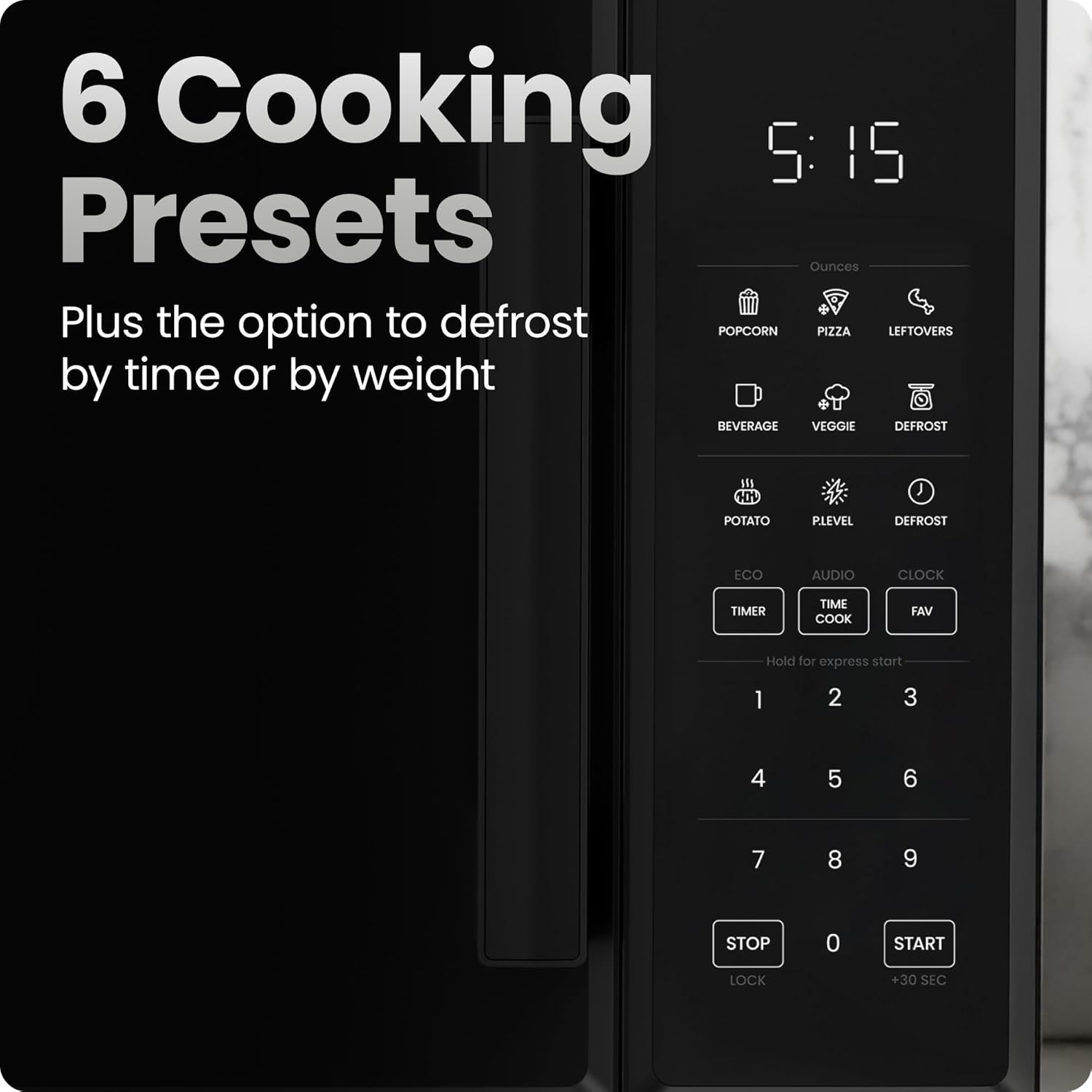
Image 5.2: Control panel with 6 cooking presets.
- Sæt maden i ovnen.
- Press the corresponding preset button (e.g., POPCORN, PIZZA, DRIK, VEGGIE, KARTOFFEL, RESTER).
- The oven will automatically set the appropriate cooking time and power level.
- Trykke STARTE at begynde.
5.5 Afrimningsfunktion
The microwave offers defrosting by time or weight.
- Afrimning efter vægt: Trykke AFrimning once. Use number pads to enter the weight of the food in ounces. Press STARTE.
- Afrimning efter tid: Trykke AFrimning twice. Use number pads to enter the desired defrosting time. Press STARTE.
5.6 Memory Function (FAV)
Program up to three frequently used cooking settings for one-touch access.
- For at indstille: Tryk FAV, then press a number (1, 2, or 3) to select a memory slot. Enter your desired cooking time and power level (as in Basic Microwave Cooking). Press FAV igen for at gemme.
- To use: Press FAV, then the corresponding number (1, 2, or 3). Press STARTE.
5.7 Eco-tilstand
To save power, the display can be turned off when not in use.
- To activate: Press ØKO. The display will turn off after a few seconds of inactivity, showing only the clock.
- To deactivate: Press any button to wake the display, then press ØKO igen.
5.8 Mute Button (AUDIO)
Silence the microwave's beeping sounds.
- To mute: Press LYD. The sound will be turned off.
- To unmute: Press LYD igen.
5.9 Child Safety Lock (LOCK)
Prevent unintended operation, especially by children.

Image 5.3: Child safety lock feature on the door handle.
- For at aktivere: Tryk og hold nede STOP/LOCK button for 3 seconds. An indicator will appear on the display.
- For at deaktivere: Tryk og hold nede STOP/LOCK button for 3 seconds again. The indicator will disappear.
6. Vedligeholdelse og rengøring
Regelmæssig rengøring og vedligeholdelse vil sikre din mikrobølgeovns levetid og optimale ydeevne.
6.1 Udvendig rengøring
Tør de udvendige overflader af med adamp klud og mildt rengøringsmiddel. Undgå slibende rengøringsmidler eller barske kemikalier, der kan beskadige overfladen.
6.2 Indvendig rengøring
Clean the interior cavity regularly. For spills, wipe immediately with a damp cloth. For stubborn food residue, place a bowl of water with lemon slices inside and microwave for 2-3 minutes. The steam will loosen the residue, making it easier to wipe clean.

Image 6.1: Easy-clean interior with glass turntable.
6.3 Glass Turntable and Roller Ring
The glass turntable and roller ring can be removed for cleaning. Wash them in warm, soapy water or place them on the top rack of your dishwasher. Ensure they are completely dry and correctly positioned before returning them to the oven.
7. Fejlfinding
Hvis du støder på problemer med din mikrobølgeovn, kan du se følgende tabel for almindelige problemer og løsninger.
| Problem | Mulig årsag | Løsning |
|---|---|---|
| Ovnen starter ikke | Door not closed properly; Power cord unplugged; Fuse blown or circuit breaker tripped; Child safety lock activated. | Ensure door is firmly closed; Check power cord connection; Reset circuit breaker or replace fuse; Deactivate child safety lock. |
| Maden varmer ikke | Incorrect cooking time/power level; Microwave-safe dish not used. | Adjust cooking time and power level; Use only microwave-safe cookware. |
| Drejeskive roterer ikke | Turntable or roller ring not positioned correctly; Food too large or obstructing movement. | Reposition turntable and roller ring; Ensure food does not obstruct rotation. |
| Overdreven støj under drift | Loose parts; Food container rattling. | Check for loose components; Ensure cookware is stable on the turntable. |
If the problem persists after attempting these solutions, please contact Chefman Customer Support.
8. Specifikationer
| Specifikation | Detalje |
|---|---|
| Modelnummer | RJ55-9-V2 |
| Kapacitet | 0.9 Kubikfod |
| Wattage | 900 watt |
| Voltage | 120 volt |
| Produktmål (D x B x H) | 13.27 cm x 18.9 cm x 11.52 cm |
| Varens vægt | 28.4 pund |
| Materiale | Metal, Plast |
| Farve | Sort |
| Installationstype | Bordplade |
9. Garanti og support
This Chefman Countertop Microwave Oven comes with a 1 års garanti provided by Chefman, covering defects in materials and workmanship under normal household use.
For warranty claims, technical support, or further assistance, please visit the official Chefman website or contact their customer service department. You can find more information and products at the Chefman Store.


