1. Introduktion
Tak fordi du valgte wansview H6 Video Doorbell Camera. This wireless security device is designed to enhance your home's safety with advanced features such as 2K video resolution, PIR human detection, night vision, two-way audio, and flexible storage options. This manual provides comprehensive instructions for setup, operation, maintenance, and troubleshooting to ensure optimal performance and a secure environment.
2. Produktet er slutview
2.1. Pakkens indhold
Kontroller venligst, at alle nedenstående varer er inkluderet i din pakke:
- Doorbell camera x 1
- Bundbeslag x 1
- Klokkeklokke x 1
- Skruepakke x 1
- Type-C-kabel x 1
- AAA battery x 3 (for chime)
- 24V AC cable x 2 (for wired power option)
- Template sticker x 1
- Hurtig installationsvejledning x 1

2.2. Nøglefunktioner
De wansview H6 Video Doorbell Camera offers a range of features for comprehensive home security:
- 2K videoopløsning: Giver klare og detaljerede billeder.
- PIR-detektion af mennesker: Advanced motion sensing to reduce false alarms by distinguishing human activity.
- Infrarødt nattesyn: Ensures clear visibility in low-light conditions up to 8 meters.
- Tovejs lyd: Communicate with visitors from anywhere using the built-in microphone and speaker.
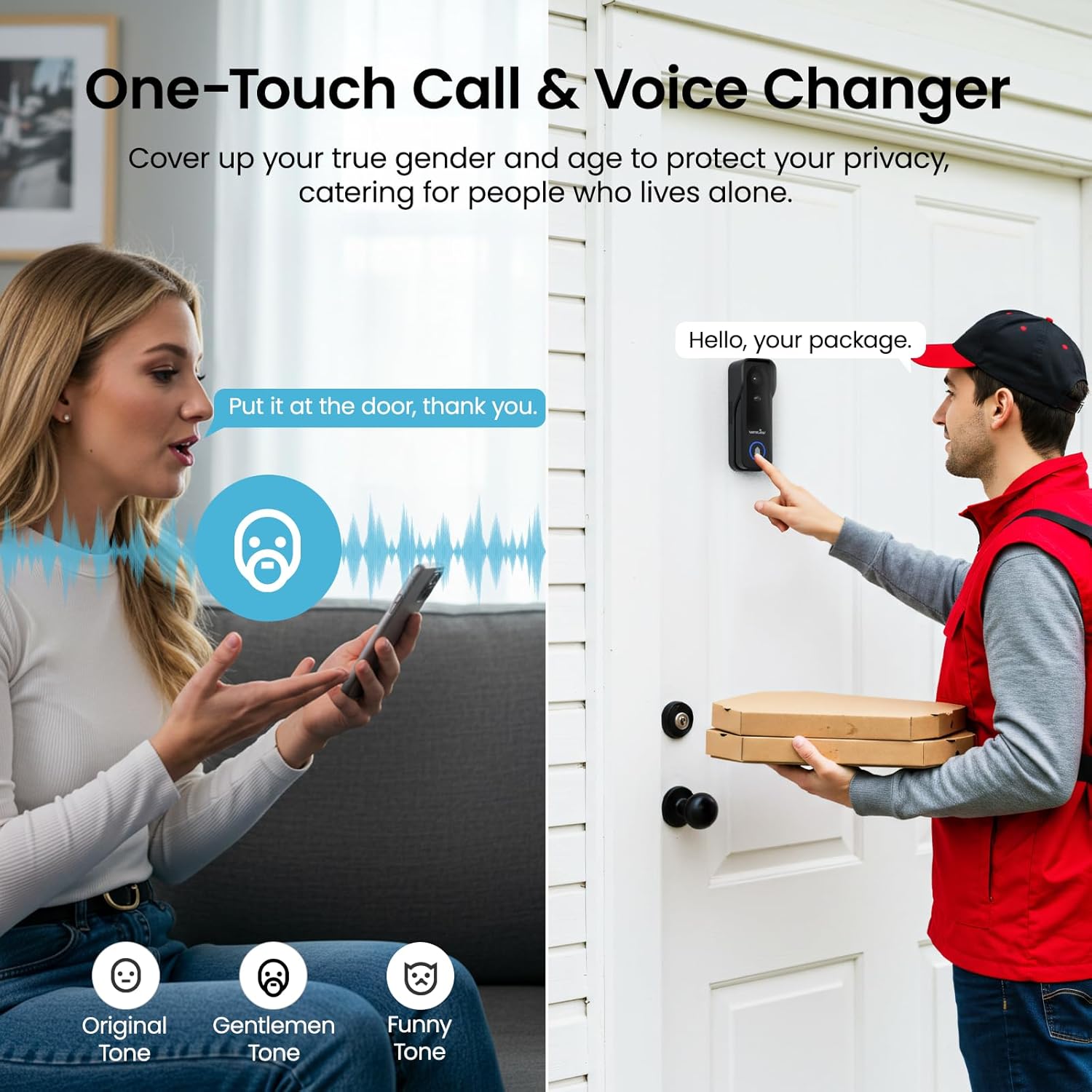
- Opkald med et enkelt tryk: Visitors can initiate a call to your smartphone directly from the doorbell.
- Stemmeskifter: Option to alter your voice for privacy during two-way communication.
- Fleksible strømmuligheder: Operates on a built-in 5200mAh rechargeable battery or can be wired to a 24V AC power supply for continuous operation.
- IP65 vandtæt rating: Designed for outdoor use, resistant to rain and dust.
- Lokal og cloud-lagring: Supports up to 128GB Micro SD card (not included) and optional cloud storage for video recordings.
- Tamper-proof Alert: Triggers an alarm and sends a notification if the doorbell is tampered med.
- 2.4 GHz Wi-Fi-forbindelse: Stable wireless connection (5GHz Wi-Fi is not supported).

3. Opsætning
3.1. Opladning af dørklokken
Before initial use, fully charge the doorbell camera using the provided Type-C cable. A full charge typically takes 4-5 hours. The doorbell can also be continuously powered by a 24V AC wired connection.

3.2. Installation af dørklokken
The doorbell offers two installation methods:
- 3M Tape Mounting: For a quick, no-drill installation, ideal for renters. Ensure the surface is clean and dry before applying the strong adhesive tape to the base bracket.
- Skrue montering: For a more permanent and secure installation. Use the provided screw pack to fix the base bracket to your desired location.
The doorbell is IP65 waterproof, allowing installation in exposed outdoor areas.

3.3. Appinstallation og parring
To use your wansview H6 doorbell, download the "Wansview Cloud" app and pair the device:
- Download appen: Søg efter "Wansview Cloud" on the App Store (iOS) eller Google Play Butik (Android) and install it. Register for a new account if you don't have one.
- Tænd: Ensure the doorbell camera is fully charged or connected to a 24V AC power source.
- Opret forbindelse til Wi-Fi: Connect your phone to a 2.4GHz Wi-Fi network. The doorbell only supports 2.4GHz Wi-Fi.
- Tilføj enhed: Follow the in-app instructions to add your H6 doorbell. Ensure the doorbell's indicator light is flashing as instructed.
- Parring af klokke:
- Insert 3 AAA batteries into the chime unit.
- Press the pairing button on the chime; it will slowly flash a red light.
- Press the call button on the doorbell camera.
- The chime and doorbell camera will sound "Ding-dong" indicating successful pairing.


4. Betjeningsvejledning
4.1. Two-Way Audio and One-Touch Call
When a visitor presses the doorbell button, you will receive a call notification on your Wansview Cloud app. You can then answer the call to speak with the visitor. The voice changer feature allows you to modify your voice for privacy.
4.2. PIR Human Detection and Alerts
The doorbell utilizes PIR (Passive Infrared) and human detection to accurately identify human activity and send real-time alerts to your phone, minimizing false alarms from pets or environmental factors.

4.3. Nattesyn
Equipped with infrared lights, the H6 doorbell provides clear 2K visuals even in complete darkness, ensuring 24/7 monitoring of your doorstep.

4.4. Opbevaringsmuligheder
The doorbell supports two storage methods for recorded video:
- Micro SD-kort: Indsæt et Micro SD-kort (op til 128 GB, medfølger ikke) i den dertil beregnede plads til lokal lagring.
- Cloud Storage: An optional cloud storage service is available, often with a 30-day free trial. This provides off-site backup of your recordings.

4.5. Tamper-proof Alert
If someone attempts to remove or tamper with the doorbell, it will automatically trigger a local alarm and send an immediate notification to your smartphone, deterring potential theft and preserving evidence.

5. Vedligeholdelse
- Batteriopladning: Regularly check the battery level via the Wansview Cloud app. Recharge the doorbell promptly when the battery is low to ensure continuous operation.
- Rensning: Tør kameralinsen og dørklokkens yderside regelmæssigt af med en blød klud.amp klud til at fjerne støv og snavs. Undgå at bruge skrappe kemikalier eller slibende materialer.
- Firmwareopdateringer: Check the Wansview Cloud app for available firmware updates. Keeping your device's firmware updated ensures optimal performance and access to new features.
6. Fejlfinding
| Problem | Mulig årsag | Løsning |
|---|---|---|
| Dørklokken opretter ikke forbindelse til Wi-Fi | Incorrect Wi-Fi password; 5GHz network used; too far from router. | Ensure correct 2.4GHz Wi-Fi password. Move doorbell closer to the router. Reset and re-pair. |
| Ingen advarsler om bevægelsesdetektering | PIR sensitivity too low; app notifications disabled; battery low. | Adjust PIR sensitivity in app settings. Enable notifications for the Wansview Cloud app. Charge the doorbell. |
| Dårlig videokvalitet | Dirty lens; weak Wi-Fi signal; low light conditions. | Clean the camera lens. Improve Wi-Fi signal strength. Ensure sufficient lighting for optimal night vision. |
| Klokken ringer ikke | Chime batteries dead; chime not paired; chime too far from doorbell. | Replace AAA batteries in the chime. Re-pair the chime with the doorbell. Move chime closer to the doorbell. |
| False alarms from motion detection | PIR sensitivity too high; environmental factors (e.g., trees, pets). | Lower PIR sensitivity in app settings. Adjust detection zones if available. |
For detailed notification settings in the app, refer to the following steps:

7. Specifikationer
| Feature | Detalje |
|---|---|
| Model | H6 |
| Skærmopløsning | 3 MP (2K) |
| Viewi vinkel | 126 grader |
| Wi-Fi-frekvens | 2.4GHz Wi-Fi Only |
| Vandtæt klasse | IP65 |
| Arbejdstemperatur | -10°C til 50°C |
| Arbejdsfugtighed | 20% - 95% |
| Datalagring | Cloud & Micro SD Card Storage (Not Included, up to 128GB) |
| Strømforsyning | 5V Type-C Cable & 24V AC Doorbell Adapter |
| Input bindtage Strøm | 5V DC (USB-C), 24V AC (Wired) |
| Udgangseffekt | 10 watt |
| Batteri | 5200mAh Lithium Ion (2 included) |
| Opladningstid | 4-5 timer |
| Dimensions (Doorbell) | 12.4 x 6 x 3.6 cm |
| Dimensions (Chime) | 6.6 x 6.2 x 2.7 cm |
| Nattesynsrækkevidde | 8 meter |
| Materiale | Plast |
| Varens vægt | 400 g |
8. Garanti og support
wansview provides customer support for its products. For any technical assistance, warranty claims, or inquiries, please contact wansview kundeservice:
- Fabrikant: wansview
- US After-sales Service Email: service03@wansview.com
- EU After-sales Service Email: info.de@wansview.com
- UK After-sales Service Email: info.uk@wansview.com
Gem venligst din købsbevis af garantihensyn.


