1. Produktet er slutview
The Aputure Infinibar PB6 is a flexible, wireless, and versatile RGBWW full-color LED pixel bar designed for professional lighting applications. It features 48 individual pixels, an integrated battery, and advanced connectivity options, making it suitable for creating dynamic and colorful lighting designs. This 2-foot (60 cm) pixel bar excels in building unique shapes and effects, bringing scenes to life with its infinite blending design.
This bundle includes the Aputure Infinibar PB6 Pixel Bar and the Aputure INFINIBAR PB6 Rectangular LED Light Modifier Softbox with a 45-Degree Grid.
2. Hvad er inkluderet
Before proceeding with setup, please verify that all components are present in your package.

Figure 2.1: Contents of the Aputure Infinibar PB6 bundle. This image displays the Aputure Infinibar PB6 pixel bar, its dedicated softbox with grid, power adapter, various cables, and a carrying case, illustrating all items included in the product package.
- Aputure Infinibar PB6 Flexible, Wireless, Versatile, and Easy to Mount Pixel Bar with Battery
- Aputure INFINIBAR PB6 Rectangular LED Light Modifier Softbox with 45-Degree Grid
- Strømadapter og kabler
- Bæretaske
- Mounting Accessories (e.g., bracket mount)
- Brugervejledning (dette dokument)
3. Opsætning og montering
3.1 Indledende opladning
The Infinibar PB6 features a built-in 29.6Wh Lithium battery. For optimal performance, fully charge the device before its first use. Connect the provided power adapter to the Infinibar PB6 and a suitable power outlet. The charging indicator will provide status updates.
3.2 Mounting the Infinibar PB6
The Infinibar PB6 supports various mounting options, including bracket mounts. Securely attach the pixel bar to your desired stand or rigging using the appropriate mounting accessories. Ensure the mounting point is stable and capable of supporting the weight of the unit.
3.3 Linking Multiple Infinibars (Infinite Blending Design)
A unique feature of the Infinibar PB6 is its ability to link multiple units seamlessly, creating extended or custom shapes without visible gaps between lights. This is achieved using 10 differently shaped connectors (sold separately or included in specific kits) that attach to the ends of the bars.

Figure 3.1: Infinite Blending Design. This image shows two Infinibar PB6 units joined together, highlighting the seamless connection that eliminates visible gaps, allowing for continuous pixelated effects.
When linking multiple Infinibars, you can operate them using a single power supply via power-sharing connectors or utilize their internal batteries for increased versatility. The 48 RGB pixels on each PB6 contribute to seamless pixelated effects across the combined length.
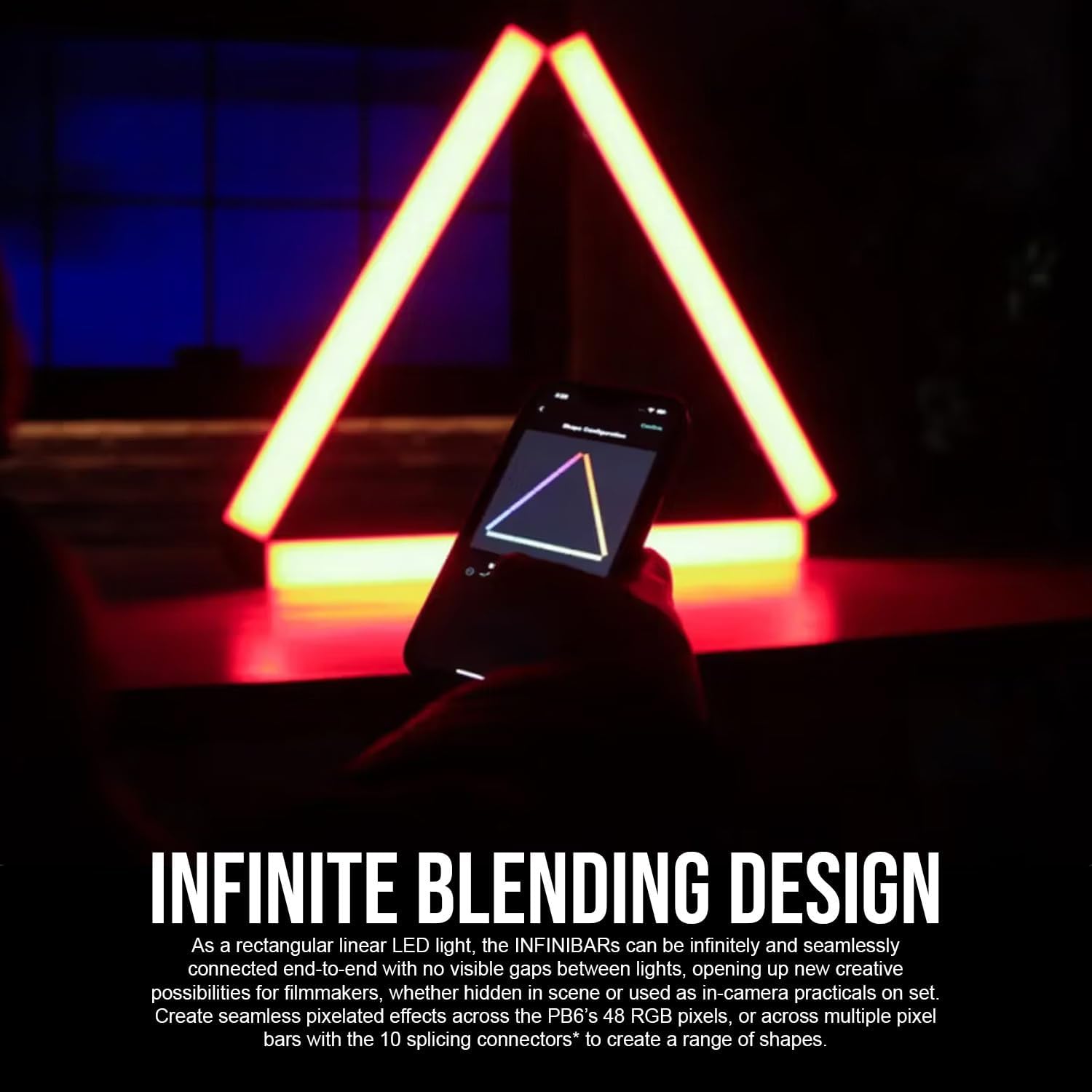
Figure 3.2: Creative Configurations. This image illustrates three Infinibar PB6 units connected to form a triangle, showcasing the product's flexibility in creating various geometric shapes for lighting designs.

Figure 3.3: Infinite Connectivity. This image displays several Infinibar PB6 units arranged into a hexagon, emphasizing the extensive design and configuration possibilities when connecting multiple pixel bars.
3.4 Attaching the Softbox
The included Rectangular LED Light Modifier Softbox with 45-Degree Grid is designed to soften and control the light output of the Infinibar PB6. Carefully attach the softbox to the pixel bar according to the softbox's specific instructions, ensuring a secure fit. The 45-degree grid helps to narrow the beam spread and prevent light spill.
4. Betjeningsvejledning
4.1 Tænd/sluk
Locate the power button on the Infinibar PB6. Press and hold to power on or off the device. A short press may cycle through basic modes or display battery status, depending on the current operating state.
4.2 Trådløs forbindelse
The Infinibar PB6 offers advanced wireless control options:
- Sidus Link-appen: Download the Sidus Link app on your smartphone or tablet. Follow the in-app instructions to pair your Infinibar PB6 units. The app allows for grouping and individual control of the 48 pixels.
- LumenRadio CRMX: For professional setups, the Infinibar PB6 supports LumenRadio CRMX for robust wireless DMX control. Refer to your CRMX transmitter's manual for pairing instructions.
- Wired DMX: The unit can be controlled via wired DMX using Aputure's USB-C to DMX Adapter (sold separately).
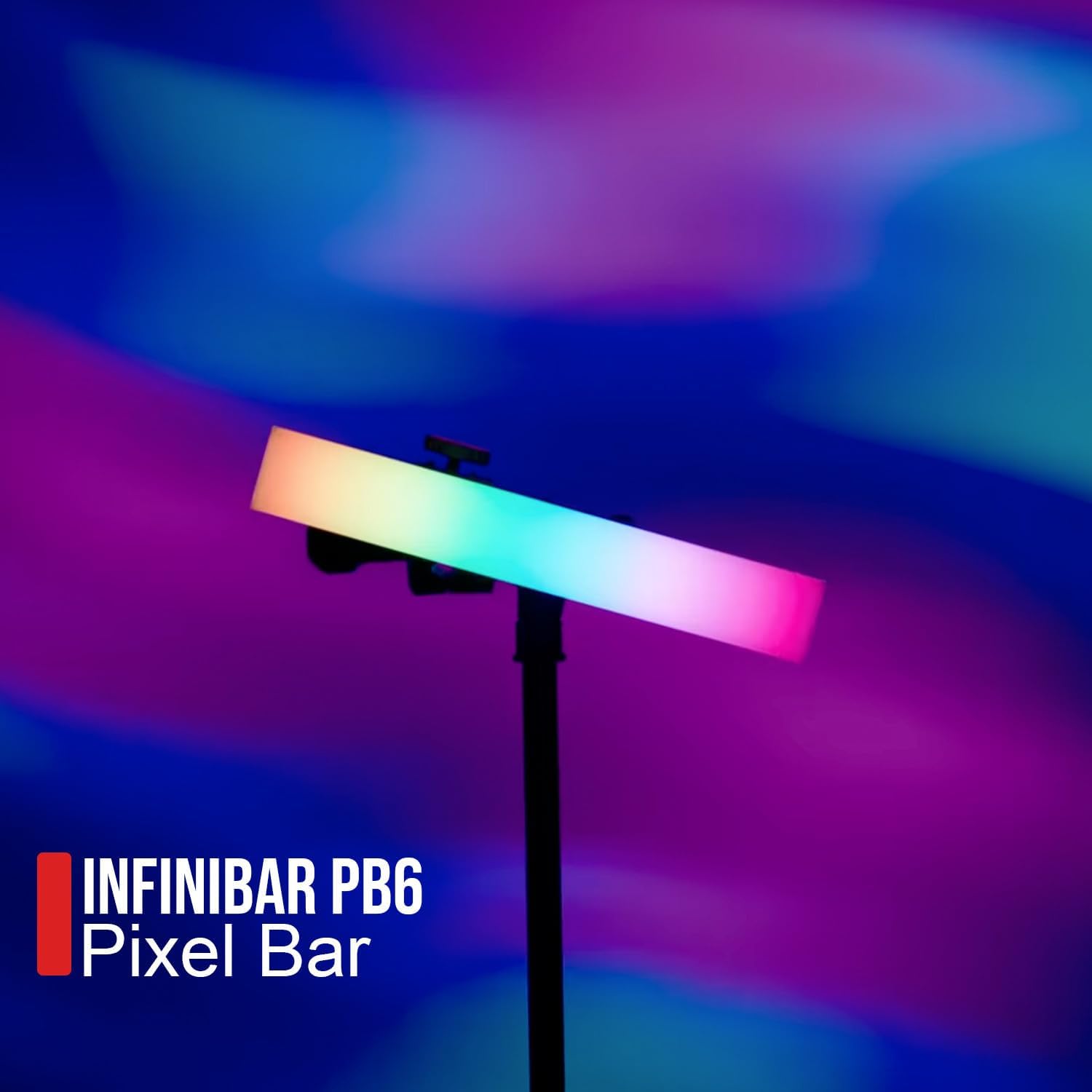
Figure 4.1: Infinibar PB6 in Operation. This image shows the Infinibar PB6 pixel bar actively emitting light, demonstrating its vibrant color capabilities and typical use in a studio environment.
4.3 Color Control and Effects
The Infinibar PB6 provides comprehensive color control:
- CCT-interval: Adjust the Correlated Color Temperature from 2,000K (warm tungsten) to 10,000K (cool daylight).
- Green-Magenta Adjustment: Fine-tune the color balance with full green-magenta adjustment.
- Advanced HSI: Control Hue, Saturation, and Intensity with white-point adjustability.
- RGB & xy: Direct control over Red, Green, Blue values, and xy color coordinates for precise color matching.
- Indbygget FX: Access 9 built-in System FX and 7 built-in Pixel FX for dynamic lighting sequences.
- Custom FX: Save up to 20 Custom FX within the Sidus Link app for quick recall.
5. Vedligeholdelse
5.1 Rengøring
To maintain the performance and appearance of your Infinibar PB6 and softbox, regularly clean them. Use a soft, dry cloth to wipe down the exterior of the pixel bar. For the softbox, a soft brush or a slightly damp cloth can be used to remove dust or light smudges. Avoid using harsh chemicals or abrasive materials, as these can damage the finish or optical components.
5.2 Pleje af batterier
The integrated Lithium battery requires proper care to ensure longevity:
- Undgå at aflade batteriet helt ofte.
- If storing the unit for an extended period, charge the battery to approximately 50-70% before storage.
- Opbevares køligt og tørt, væk fra ekstreme temperaturer.
- Oplad batteriet hver 3.-6. måned under langtidsopbevaring for at forhindre dyb afladning.
6. Fejlfinding
6.1 Strømproblemer
- Enheden tændes ikke: Ensure the battery is charged or the power adapter is securely connected to both the unit and a working power outlet.
- Kort batterilevetid: Verify the unit is fully charged. Operating at maximum output (14W) will consume battery faster (approx. 100 minutes at max output). Reduce brightness or use external power for longer operation.
6.2 Forbindelsesproblemer
- Cannot connect via Sidus Link: Ensure Bluetooth is enabled on your mobile device. Restart the Infinibar PB6 and the Sidus Link app. Make sure the app is updated to the latest version.
- CRMX/DMX control issues: Verify that the CRMX transmitter or DMX controller is correctly configured and paired with the Infinibar PB6. Check all cable connections for wired DMX.
6.3 Light Output Irregularities
- Inconsistent color or brightness: Ensure the firmware of the Infinibar PB6 is up to date via the Sidus Link app. Perform a factory reset if issues persist (refer to app or Aputure support for specific steps).
- Gaps between linked units: Re-check the connection of the splicing connectors. Ensure they are fully inserted and aligned to maintain the seamless blending design.
7. Specifikationer
| Feature | Specifikation |
|---|---|
| Modelnummer | APM0300A1G |
| Lyskildetype | Lysdiode (LED) |
| Farve | RGBWW (Red, Green, Blue, Warm White, Cool White) |
| CCT-rækkevidde | 2,000K til 10,000K |
| Green-Magenta Adjustment | Full adjustment capability |
| Antal pixel | 48 |
| Strømkilde | Battery Powered (Built-in 29.6Wh Lithium) / AC Power |
| Max Output Wattage | 14 watt |
| Battery Life (Max Output) | Ca. 100 minutter |
| Voltage | 5 volt |
| Trådløs forbindelse | Sidus Link, LumenRadio CRMX |
| Kablet tilslutning | USB-C to DMX (via adapter) |
| Dimensioner (produkt) | 26.5 x 12.6 x 19.7 tommer |
| Varens vægt | 11 pund |
| Skærmmateriale | Polycarbonat (PC) |
| Monteringstype | Beslagsophæng |
8. Garanti og support
8.1 Garantioplysninger
This product may be eligible for extended protection plans. Please refer to your purchase documentation or the retailer's website for details on available 3-Year or 4-Year Protection Plans, or monthly Complete Protect plans. These plans are typically offered by third-party providers and cover various aspects of product longevity and repair.
For specific warranty terms provided by Aputure, please visit the official Aputure webwebstedet eller kontakt deres kundeservice direkte. Gem din købsbevis til eventuelle garantikrav.
8.2 Kundesupport
Should you encounter any issues not covered in this manual or require further assistance, please contact Aputure customer support. You can typically find contact information, including phone numbers, email addresses, and support portals, on the official Aputure webwebsted (www.aputure.com). When contacting support, please have your product model number (APM0300A1G) and purchase details ready.


