1. Introduktion
This manual provides comprehensive instructions for the XYGStudy RP2350A USB Mini Development Board. It covers product features, setup, operation, maintenance, troubleshooting, and detailed specifications to help you effectively use this dual-core microcontroller board.
2. Produktet er slutview
The RP2350A USB Mini Development Board is based on the Raspberry Pi RP2350A dual-core and dual-architecture microcontroller. It operates at a flexible clock frequency of up to 150 MHz, offering robust performance for various embedded applications. The board features a compact design with a USB Type-C connector for modern connectivity and a castellated module for direct soldering to carrier boards.
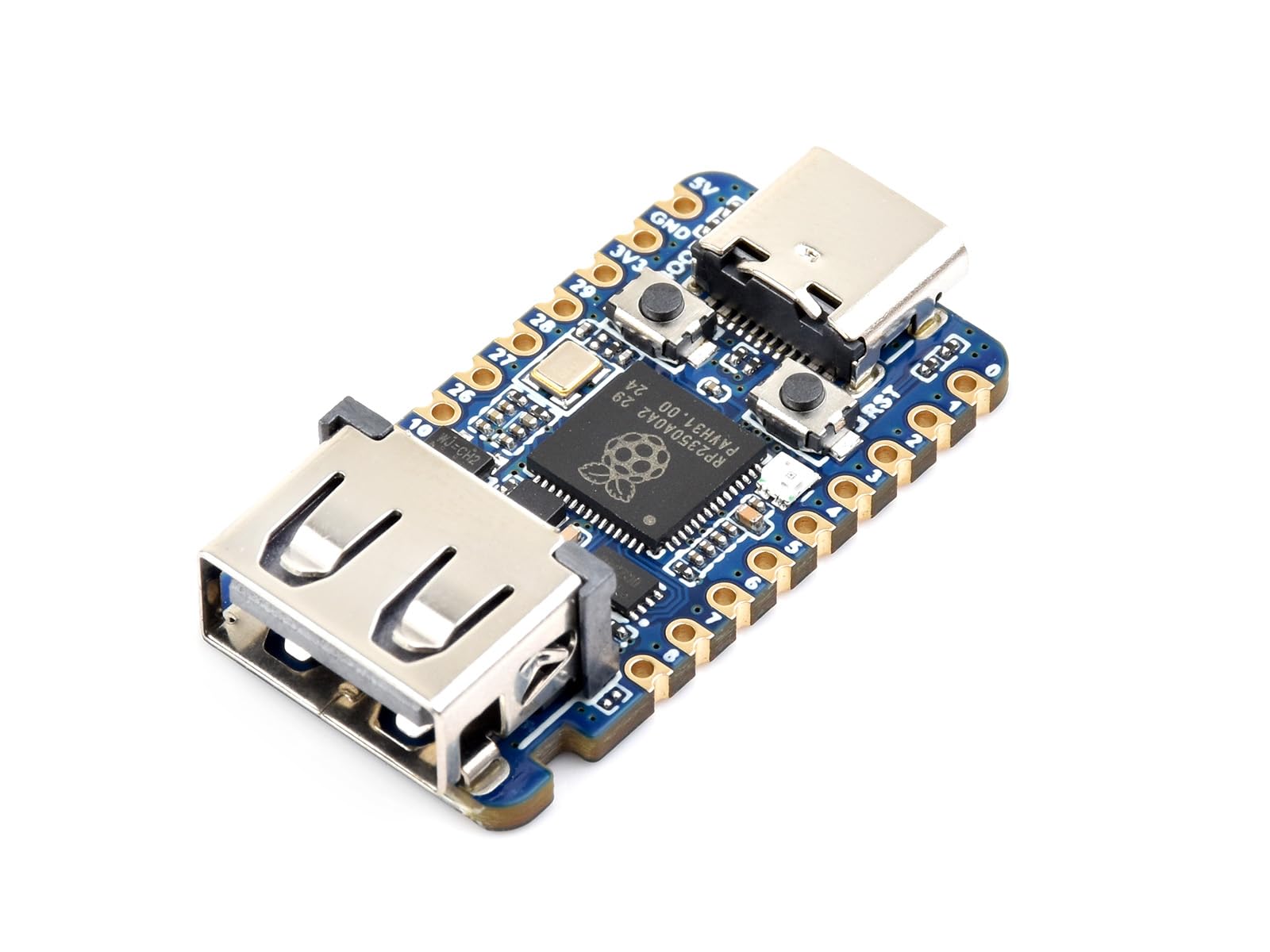
Image 2.1: The RP2350A USB Mini Development Board, showcasing its compact size and key features like the USB Type-C port and castellated edges.
3. Funktioner
- Mikrocontroller: RP2350A, designed by Raspberry Pi, featuring a unique dual-core and dual-architecture design.
- Processor Cores: Dual-core Arm Cortex-M33 processor and dual-core Hazard3 RISC-V processor.
- Driftsfrekvens: Flexible clock running up to 150 MHz.
- Hukommelse: 520KB of SRAM and 2MB of onboard Flash memory.
- Forbindelse: USB Type-C connector for power and data, USB 1.1 with device and host support.
- Udvidelse: Onboard 1x USB Type A expansion port via PIO, compatible with USB 2.0/1.1 transmission.
- GPIO: 15 multi-function GPIO pins for flexible development and integration.
- Periferiudstyr: 2x SPI, 2x I2C, 2x UART, 4x 12-bit ADC, 14x styrbare PWM-kanaler.
- Yderligere funktioner: Low-power sleep and dormant modes, drag-and-drop programming via USB mass storage, temperature sensor, accelerated floating-point libraries on-chip, 12x Programmable I/O (PIO) state machines for custom peripheral support.
- Formfaktor: Castellated module allows direct soldering to carrier boards.

Image 3.1: Visual representation of the RP2350A's dual-core, dual-architecture design, highlighting its processing capabilities.

Image 3.2: Detailed pinout diagram showing the 15 multi-function GPIO pins and their various capabilities, including power, ground, ADC, SPI, UART, I2C, and PWM.
4. Hvad er der i æsken
Pakken indeholder følgende varer:
- RP2350-USB-A Mini Development Board x1

Image 4.1: The RP2350A USB Mini Development Board, representing the contents of the package.
5. Opsætning
Follow these steps to set up your RP2350A USB Mini Development Board:
- Tilslut til computer: Use a USB Type-C cable to connect the RP2350A board to your computer. The board will typically power on automatically.
- Enter Bootloader Mode (if needed): To upload new firmware, press and hold the BOOT button while connecting the board to your computer, then release the BOOT button. The board should appear as a mass storage device (e.g., RPI-RP2).
- Installer drivere (hvis nødvendigt): For some operating systems or specific development environments, you might need to install drivers. Refer to the official Raspberry Pi documentation for RP2350A for detailed instructions.
- Forbered udviklingsmiljø: Install a suitable Integrated Development Environment (IDE) such as Visual Studio Code with the Pico C/C++ SDK, or the Arduino IDE.

Billede 5.1: En detaljeret view of the RP2350A board, showing the USB Type-C connector (8), BOOT button (2), and Reset button (3) which are crucial for initial setup and programming.
6. Betjeningsvejledning
The RP2350A board supports various methods for programming and operation:
- Drag-and-Drop Programming: In bootloader mode, the board appears as a USB mass storage device. You can simply drag and drop a compiled
.uf2firmware file onto this drive. The board will automatically reboot and run the new firmware. - C/C++ SDK: Utilize the official Raspberry Pi C/C++ SDK for advanced development. This allows for comprehensive control over the microcontroller's features. Resources and tutorials are available from Raspberry Pi.
- Arduino IDE: The RP2350A can be programmed using the Arduino IDE, providing a familiar and accessible environment for many developers. Ensure you have the correct board support package installed in the Arduino IDE.
- GPIO-brug: Connect external components to the 15 multi-function GPIO pins as per your project requirements. Refer to the pinout diagram (Image 3.2) for pin assignments and capabilities.
- USB Type A Expansion: The onboard USB Type A port can be used for connecting USB 2.0/1.1 compatible devices, expanding the board's functionality.
7. Vedligeholdelse
To ensure the longevity and optimal performance of your RP2350A USB Mini Development Board, follow these maintenance guidelines:
- Håndteres med forsigtighed: Undgå at tabe boardet eller udsætte det for fysiske stød.
- Hold tør: Beskyt pladen mod fugt og væsker.
- Renhed: Hold printpladen fri for støv og snavs. Brug en blød, tør børste eller trykluft til rengøring.
- Statisk elektricitet: Håndter altid kortet i et antistatisk miljø for at forhindre skader fra elektrostatisk udladning (ESD).
- Strømforsyning: Use a stable and appropriate 5V power supply via the USB Type-C port.
8. Fejlfinding
If you encounter issues with your RP2350A board, consider the following troubleshooting steps:
- Board ikke fundet:
- Ensure the USB Type-C cable is securely connected and functional.
- Prøv en anden USB-port på din computer.
- Attempt to enter bootloader mode (hold BOOT button while connecting USB) to see if it appears as a mass storage device.
- Fejl i upload af firmware:
- Bekræft, at
.uf2file er gyldig og ikke beskadiget. - Ensure the board is in bootloader mode before dragging and dropping the file.
- Check your development environment settings if using an IDE.
- Bekræft, at
- Programmet kører ikke:
- After uploading firmware, the board should automatically reboot. If not, press the RESET button.
- Review your code for errors.
- Kontroller strømforsyningens stabilitet.
- Perifere problemer:
- Double-check wiring connections to GPIO pins.
- Verify pin assignments in your code against the pinout diagram.
- Ensure external components are correctly powered and functioning.
9. Specifikationer

Image 9.1: A comprehensive list of the RP2350A board's specifications, including processor details, memory, and peripheral capabilities.
| Feature | Detalje |
|---|---|
| mikrocontrollere | Raspberry Pi RP2350A |
| Processorarkitektur | Dual-core Arm Cortex-M33 + Dual-core Hazard3 RISC-V |
| Driftsfrekvens | Op til 150 MHz |
| SRAM | 520KB |
| Flash-hukommelse | 2MB (onboard) |
| USB interface | USB Type-C (programming), USB 1.1 (device/host) |
| USB-udvidelsesport | 1x USB Type A (PIO, compatible with USB 2.0/1.1) |
| GPIO pins | 15 multi-function |
| Periferiudstyr | 2x SPI, 2x I2C, 2x UART, 4x 12-bit ADC, 14x PWM, Temperature sensor, 12x PIO state machines |
| Dimensioner (ca.) | 33.00 mm x 17.50 mm |
| Vægt | 0.004 kg |
Image 9.2: Detailed outline dimensions of the RP2350A board, indicating its physical size in millimeters.
10. Garanti
The XYGStudy RP2350A USB Mini Development Board comes with a 1-års garanti fra købsdatoen. Denne garanti dækker fabrikationsfejl ved normal brug. Gem venligst din købsbevis i tilfælde af garantikrav.
11. Support
For additional resources, technical assistance, or any questions regarding your RP2350A USB Mini Development Board, please contact XYGStudy directly via Amazon message. We will provide further documentation and support as needed.


