1. Produktet er slutview
The UNIWA F41 is a rugged 4G Android mobile phone designed with walkie-talkie capabilities, featuring a durable build, long-lasting battery, and support for various communication applications like Zello. It combines smartphone functionality with push-to-talk (PTT) features, making it suitable for professional and outdoor use.

Figur 1: For og bag view of the UNIWA F41 device, showing the display, keypad, PTT button, and rear clip.
Nøglefunktioner:
- Operativsystem: Android 8.1
- Processor: MT6739 Quad Core
- Hukommelse: 1GB RAM + 8GB ROM (expandable up to 64GB with Micro SD)
- Vise: 2.4-inch IPS capacitive touch screen (320x240 resolution)
- Batteri: Removable 4600mAh Li-Polymer battery with 10W fast charging
- Holdbarhed: IP54 waterproof, drop, and shockproof
- Forbindelse: 2G/3G/4G global network bands, Wi-Fi (2.4GHz/5GHz), Bluetooth 4.2, GPS/BeiDou/GLONASS
- Kameraer: 5MP foran, 8MP bag
- Lyd: Front Φ36/3 Watt BOX Speaker
- Særlige funktioner: Zello intercom, Smart PTT, Posctar support, NFC for patrolling, SOS button, Dual SIM
2. Pakkens indhold
Bekræft at alle varer er til stede i pakken:
- UNIWA F41 Talkie Walkie Smartphone (x1)
- Power Adapter (5V/2A) (x1)
- USB -kabel (x1)
- Klip (x1)
- Antenne (x1)
- Brugervejledning (x1)

Figur 2: Contents of the UNIWA F41 retail package.
3. Opsætning
3.1. Batteriinstallation og første opladning
- Fjern enhedens bagside.
- Insert the 4600mAh Li-Polymer battery into the battery compartment, ensuring the contacts align.
- Sæt bagdækslet sikkert på igen.
- Connect the provided USB cable to the device's USB Type-C port and the power adapter.
- Sæt strømadapteren i en stikkontakt.
- Charge the device for at least 1 hour before initial use. The charging indicator will show progress.

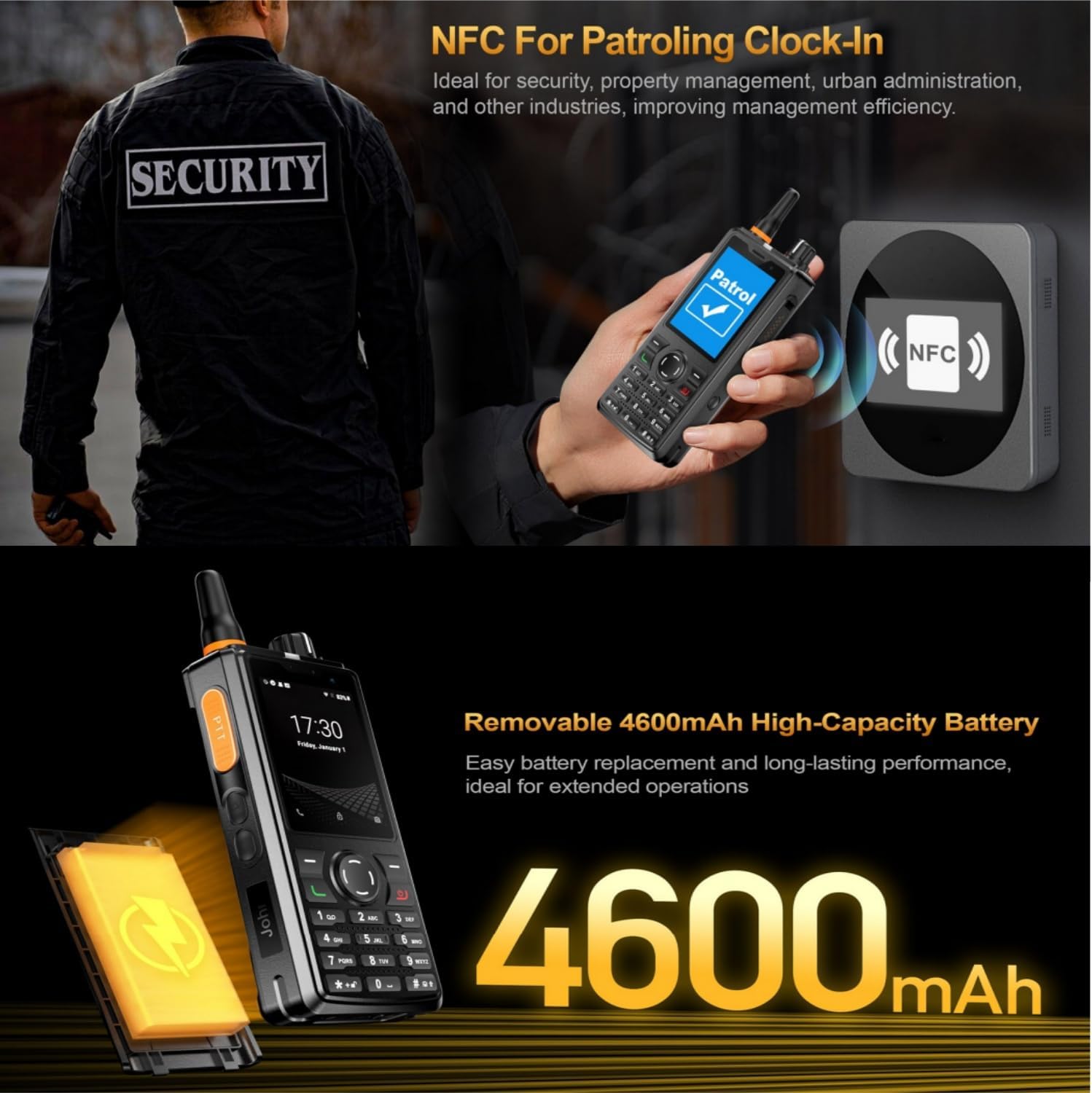
Figur 3: The UNIWA F41 device with its high-capacity 4600mAh removable battery.
3.2. Installation af SIM-kort og Micro SD-kort
The device supports dual SIM cards and one TF (Micro SD) card.
- With the device powered off, remove the back cover and battery.
- Locate the SIM card slots (SIM Card Slot *2) and TF Card Slot *1.
- Carefully insert your SIM card(s) into the designated slots with the gold contacts facing down.
- Insert your Micro SD card (up to 64GB) into the TF card slot.
- Sæt batteriet og bagdækslet på igen.
3.3. Antennetilslutning
Screw the provided antenna onto the top of the device until it is finger-tight. Ensure it is securely attached for optimal signal reception.
4. Betjeningsvejledning
4.1. Tænd/sluk
- Tænd: Tryk og hold tænd/sluk-knappen nede (normalt på siden), indtil skærmen lyser.
- Sluk: Tryk og hold tænd/sluk-knappen nede, og vælg derefter "Sluk" fra mulighederne på skærmen.
4.2. Grundlæggende navigation
The UNIWA F41 features a 2.4-inch IPS capacitive touch screen and a T9 keypad for navigation.
- Berøringsskærm: Tryk for at vælge, stryg for at rulle.
- Tastatur: Use the directional keys for menu navigation and the central button to confirm selections.
- Tilbage knap: Vender tilbage til den forrige skærm.
- Hjemknappen: Vender tilbage til startskærmen.

Figur 4: The 2.4-inch IPS capacitive touch screen of the UNIWA F41, displaying various application icons.
4.3. Using Walkie-Talkie (Zello/PTT) Functionality
The UNIWA F41 is pre-adapted for popular PTT applications like Zello, Real PTT, and Pocstar.
- Ensure you have an active internet connection (Wi-Fi or 4G).
- Open your preferred PTT application (e.g., Zello).
- Log ind eller opret en konto.
- Join a channel or contact.
- Press and hold the dedicated PTT Intercom Button (located on the side) to transmit your voice. Release to listen.
- Use the Group Switching Knob (if available on your model) to quickly switch between talk groups.

Figur 5: The UNIWA F41 showcasing its integration with Zello and other PTT applications, highlighting the ergonomic PTT button.
4.4. Network Connectivity (4G, Wi-Fi, Bluetooth)
- 4G-netværk: Ensure your SIM card supports the device's network bands (2G: GSM850/900/1800/1900MHz; 3G: WCDMA B1/B2/B5/B8, TD-SCDMA B34/B39; 4G: FDD-LTE:B1/B3/B7/B8/B20; TDD-LTE:B38/B39/B40/B41). The device will automatically connect to available cellular networks.
- Wi-Fi: Go to Settings > Network & Internet > Wi-Fi to connect to available Wi-Fi networks.
- Bluetooth: Gå til Indstillinger > Forbundne enheder > Bluetooth for at parre med Bluetooth-tilbehør.

Figur 6: The UNIWA F41's capability to support global 2G/3G/4G network bands for seamless communication.
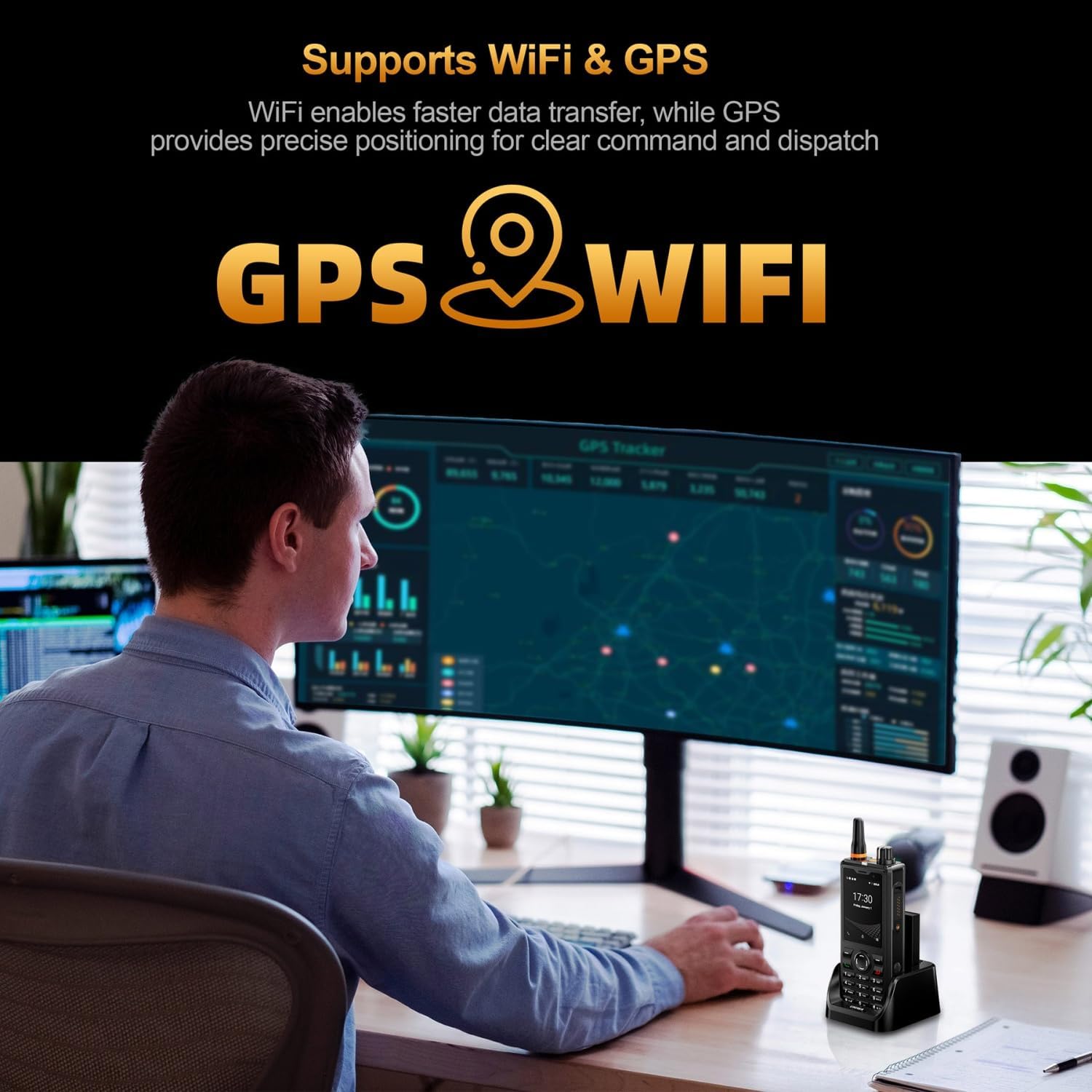
Figur 7: Illustration of the UNIWA F41's integrated WiFi for faster data and GPS for precise positioning.
4.5. Kamerabrug
The device features a 5MP front camera and an 8MP rear camera.
- Åbn Kamera-appen fra startskærmen eller app-skuffen.
- Tryk på udløserknappen for at tage et billede.
- Skift mellem forreste og bageste kamera ved hjælp af kamera-til/fra-ikonet.
- Vælg videotilstand for at optage videoer.
Figur 8: The UNIWA F41's dual camera system, featuring a 5MP front camera and an 8MP rear camera for high-definition capture.
4.6. NFC-funktionalitet
The built-in NFC can be used for applications such as patrolling clock-in.
- Ensure NFC is enabled in Settings.
- Open the relevant NFC-enabled application.
- Tap the device near an NFC tag or reader to perform the desired action (e.g., clock-in).

Figur 9: The UNIWA F41 utilizing its NFC feature for applications like patrolling clock-in, ideal for various industries.
4.7. SOS-nødopkald
The device includes a dedicated SOS button for emergency situations.
- Configure emergency contacts in the device settings.
- In an emergency, press the SOS Button (usually on the side) to initiate an emergency call or send an SOS message to pre-set contacts.
5. Vedligeholdelse
5.1. Rengøring af enheden
- Use a soft, lint-free cloth to wipe the screen and body of the device.
- Til genstridigt snavs, let dampRengør kluden med vand eller et mildt skærmrensemiddel.
- Avoid using harsh chemicals, abrasive cleaners, or aerosols.
- Sørg for, at alle porte er tørre, før du oplader eller tilslutter tilbehør.
5.2. Batteripleje
- Oplad batteriet helt inden første brug.
- Undgå ekstreme temperaturer, da de kan forringe batteriets ydeevne.
- Batteriet må ikke punkteres, skilles ad eller kortsluttes.
- Hvis enheden ikke skal bruges i en længere periode, skal den oplades til ca. 50% og opbevares et køligt og tørt sted.
5.3. Softwareopdateringer
Important Note: Currently, the F41 only supports Android 8.1. Do not upgrade the Android version, otherwise the phone will not work.
Regularly check for official software updates from UNIWA to ensure optimal performance and security. Follow the instructions provided by the update notification or check in Settings > System > System update.
6. Fejlfinding
| Problem | Mulig årsag | Løsning |
|---|---|---|
| Enheden tænder ikke. | Low battery; Battery not installed correctly; Software issue. | Charge the device for at least 1 hour. Reinstall the battery. Perform a force restart (refer to device specific instructions if available). |
| Intet netværkssignal. | SIM-kort ikke isat korrekt; Uden for netværksdækning; Forkerte netværksindstillinger. | Reinsert SIM card. Move to an area with better coverage. Check APN settings in Network & Internet settings. Ensure antenna is securely attached. |
| PTT function not working. | No internet connection; PTT app not configured; App permissions. | Verify Wi-Fi or 4G connection. Ensure PTT app is logged in and configured correctly. Check app permissions for microphone and network access. |
| Batteriet aflades hurtigt. | High screen brightness; Many apps running in background; Poor network signal. | Reduce screen brightness. Close unused apps. Disable Wi-Fi/Bluetooth when not in use. Use power-saving mode. |
| Enheden er langsom eller reagerer ikke. | Too many apps open; Low storage; Software glitch. | Luk baggrundsapps. Ryd cache. Frigør lagerplads. Genstart enheden. |
| Cannot upgrade Android version. | Enhedsbegrænsning. | The UNIWA F41 is designed to operate on Android 8.1. Attempting to upgrade may cause the device to malfunction. Do not upgrade the Android version. |
| Højttalerlydstyrken er lav eller forvrænget. | Volume settings; Speaker obstruction; Software issue. | Increase volume using the volume buttons. Ensure speaker is not blocked. Restart the device. |
| GPS'en er ikke præcis. | Poor satellite signal; GPS settings. | Sørg for at du er i et åbent område med klar himmel view. Check location settings and ensure GPS is enabled. |
| NFC virker ikke. | NFC disabled; Incorrect positioning. | Enable NFC in settings. Ensure the device's NFC area is close to the tag/reader. |
7. Specifikationer
| Feature | Detalje |
|---|---|
| Mærke | UNIWA udvidelse |
| Model | F41 |
| Operativsystem | Android 8.1 |
| CPU | MT6739 Quad Core |
| Hukommelse (RAM) | 1 GB |
| Lager (ROM) | 8 GB |
| Udvidelig opbevaring | Op til 64 GB (Micro SD) |
| SIM-kort support | Dobbelt SIM |
| Skærmstørrelse | 2.4 tommer |
| Display Type | IPS kapacitiv berøringsskærm |
| Skærmopløsning | 320x240 |
| Bagkamera | 8 MP |
| Forreste kamera | 5 MP |
| Batterikapacitet | 4600mAh Li-Polymer (Removable) |
| Opladning | 10W Fast Charging, USB Type-C, Dock charging connectors |
| Dimensioner | 135.6 x 60.5 x 26.0 mm |
| Vægt | 265g (including battery and clip) |
| Vand/støv modstand | IP54 Waterproof, Drop and Shockproof |
| Netværksbånd | 2G: GSM850/900/1800/1900MHz; 3G: WCDMA B1/B2/B5/B8, TD-SCDMA B34/B39; 4G: FDD-LTE:B1/B3/B7/B8/B20; TDD-LTE:B38/B39/B40/B41 |
| Wi-Fi | 2.4GHz / 5GHz |
| Bluetooth | BT4.2 |
| GNSS | GPS/BeiDou/GLONASS |
| NFC | Ja |
| Højttaler | Front Φ36/3 Watt BOX Speaker |
| Knapper | PTT Intercom Button, Volume +/-, SOS Button, Customize Button, T9 Keypad |
| Hovedtelefonstik | M6 Headphone Jack |
| Driftstemperatur | -20℃ til +60℃ |
8. Sikkerhedsoplysninger
- Læs alle instruktioner omhyggeligt, før du bruger enheden.
- Udsæt ikke enheden for ekstreme temperaturer, direkte sollys eller overdreven fugtighed.
- Use only manufacturer-approved accessories (battery, charger, antenna).
- Forsøg ikke selv at adskille, reparere eller ændre enheden. Kontakt kvalificeret servicepersonale.
- Bortskaf enheden og batteriet på en ansvarlig måde i henhold til lokale regler.
- Undgå at bruge enheden under kørsel eller betjening af tunge maskiner.
- Maintain a safe distance from medical implants (e.g., pacemakers) when using the device.
- The device is IP54 rated for water and dust resistance, but it is not fully submersible. Avoid prolonged exposure to water.
9. Garanti og support
For warranty information, please refer to the warranty card included with your product or contact UNIWA customer support. Keep your purchase receipt as proof of purchase.
For technical support or service inquiries, please contact your retailer or visit the official UNIWA webwebsted for kontaktoplysninger.


