Indledning
Thank you for choosing the hOmeLabs 25 Pint Wi-Fi Dehumidifier. This manual provides essential information for the safe operation, maintenance, and troubleshooting of your new appliance. Designed for efficient moisture removal in spaces up to 3,500 sq ft, this dehumidifier features Wi-Fi smart control, quiet operation, and flexible drainage options to enhance your indoor environment.
Vigtige sikkerhedsinstruktioner
Please read all instructions carefully before using the dehumidifier. Failure to follow these instructions may result in electric shock, fire, or serious injury.
- Slut altid affugteren til en jordforbundet stikkontakt.
- Betjen ikke enheden, hvis netledningen eller stikket er beskadiget.
- Sørg for, at enheden er placeret på en plan og stabil overflade for at forhindre, at den vælter.
- Bloker ikke luftindtag eller -udtag. Hold mindst 8 cm afstand omkring enheden.
- Tag stikket ud af affugteren, før du rengør, flytter eller udfører vedligeholdelse.
- Brug ikke enheden i områder, hvor der opbevares brandfarlige væsker eller gasser.
- Dette apparat er kun til privat brug.
- Hold børn og kæledyr væk fra enheden under drift.
Produkt overview
Familiarize yourself with the components of your hOmeLabs dehumidifier.

The hOmeLabs 25 Pint Wi-Fi Dehumidifier shown alongside its blue and white product packaging, highlighting its compact design and brand.

An illustration showing the dimensions of the dehumidifier: 19.6 inches high, 12.2 inches wide, and 8.2 inches deep, emphasizing its compact form factor.

A close-up of the dehumidifier's control panel, displaying buttons for Wi-Fi, fan speed, timer, comfort mode, and indicators for tank full and filter status.

The dehumidifier positioned in a gym setting next to a yoga mat, illustrating its compact design and emphasizing its ultra-quiet operation at 47 dB.
Nøglekomponenter:
- Kontrolpanel: Digital display and buttons for settings.
- Luftindtag/udtag: Hvor luft kommer ind og ud af enheden.
- Vandtank: Removable bucket for collected moisture.
- Kontinuerlig drænudløb: Port for connecting a drain hose for continuous operation.
- Caster Wheels & Handle: For nem transport.
- Vaskbart filter: Located at the back for air purification.
Opsætningsinstruktioner
- Udpakning: Tag forsigtigt affugteren ud af emballagen. Gem emballagematerialerne til senere opbevaring eller transport.
- Placering: Place the unit upright on a firm, level surface in the area where dehumidification is desired. Ensure there is at least 8 inches (20 cm) of space around all sides of the unit for proper airflow. Avoid placing it near heat sources or in direct sunlight.
- Strømtilslutning: Plug the power cord into a grounded 110-120V/60Hz electrical outlet. The unit will beep once, and the display will light up.
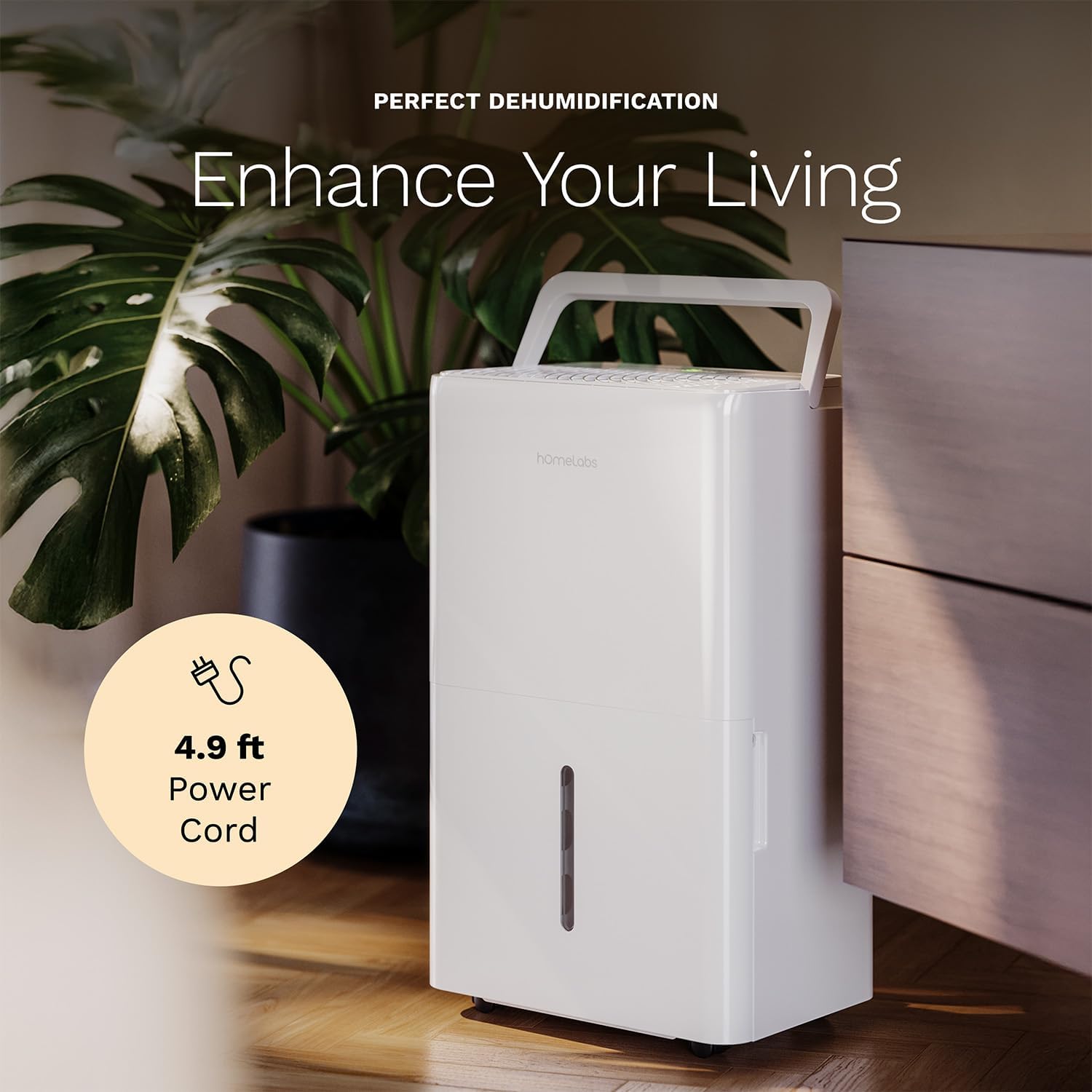
The dehumidifier positioned in a room, highlighting its 4.9 ft power cord for flexible placement.
- Drainage Option (Optional):

An image illustrating the two drainage options: using the built-in tank (manual emptying) or connecting a gravity drain hose for continuous drainage.
- Manuel dræning: The unit will collect water in the internal tank. When the tank is full, the unit will automatically shut off and indicate "Tank Full". Empty the tank as described in the Maintenance section.
- Kontinuerlig dræning: For continuous operation without emptying the tank, attach the included drain hose to the continuous drain outlet. Ensure the hose is sloped downwards to a suitable drain (e.g., floor drain, large bucket) to allow gravity drainage.
Betjeningsvejledning
Kontrolpanelets funktioner:
- Power knap: Tryk for at tænde eller slukke enheden.
- Knapper til indstilling af fugtighed (+/-): Adjust the desired humidity level from 35% to 85% relative humidity (RH) in 5% increments.
- Ventilatorhastighedsknap: Cycle through High, Medium, and Low fan speeds.
- Timer knap: Set a timer for automatic ON/OFF operation (1-24 hours).
- Komforttilstandsknap: Activates a preset humidity level for optimal comfort.
- Wi-Fi knap: Activates Wi-Fi pairing mode.
Wi-Fi Smart Control:
Your dehumidifier can be controlled remotely via Wi-Fi using a smartphone app, Google Assistant, or Alexa.

The dehumidifier shown with icons indicating compatibility with Google Home and Alexa, along with a smartphone icon representing app control for remote operation.
- Download app: Download the hOmeLabs app from your smartphone's app store (iOS or Android).
- Parring: Follow the in-app instructions to pair your dehumidifier with your home Wi-Fi network. This typically involves pressing and holding the Wi-Fi button on the control panel until the indicator light flashes.
- Fjernbetjening: Once paired, you can adjust settings, monitor humidity levels, and set schedules from anywhere using your smartphone.
Opretholdelse
Regelmæssig vedligeholdelse sikrer optimal ydeevne og forlænger levetiden på din affugter.
Tømning af vandtanken:
- When the water tank is full, the "Tank Full" indicator will illuminate, and the unit will stop operating.
- Træk forsigtigt vandtanken ud fra enhedens forside.
- Tøm det opsamlede vand i en vask eller et afløb.
- Skub den tomme tank tilbage i enheden, indtil den klikker på plads. Enheden genoptager driften.
Rengøring af luftfilteret:
The "Filter" indicator light will illuminate after 250 hours of operation, reminding you to clean the filter. Clean the filter every two weeks or more frequently depending on usage and air quality.
- Sluk for affugteren, og tag stikket ud af stikkontakten.
- Fjern luftfilteret fra bagsiden af enheden.
- Vask filteret med varmt sæbevand. Skyl grundigt.
- Lad filteret lufttørre helt, før det monteres igen. Brug ikke en tørretumbler eller direkte varme.
- Once the filter is reinstalled, press and hold the "Filter" button for 3 seconds to reset the filter timer.
Generel rengøring:
- Tør ydersiden af enheden af med en blød, damp klæde.
- Brug ikke skrappe kemikalier, slibemidler eller opløsningsmidler.
- Rengør vandtanken regelmæssigt for at forhindre vækst af skimmelsvamp og meldug.
Fejlfinding
Se dette afsnit for almindelige problemer og deres løsninger.
| Problem | Mulig årsag | Løsning |
|---|---|---|
| Affugteren tænder ikke. | No power; Power cord not plugged in; Tank full. | Check power supply; Plug in power cord securely; Empty water tank. |
| Enheden kører, men opsamler ikke vand. | Humidity setting too high; Room temperature too low; Air filter clogged. | Lower desired humidity setting; Ensure room temperature is above 41°F (5°C); Clean air filter. |
| Enheden er støjende. | Enheden er ikke i vater; Luftfilteret er tilstoppet; Ventilatoren er blokeret. | Placer på en plan overflade; Rengør luftfilteret; Kontroller for blokeringer i ventilatorområdet. |
| Problemer med Wi-Fi-forbindelse. | Forkert Wi-Fi-adgangskode; Router for langt væk; App-problemer. | Verify Wi-Fi password; Move unit closer to router; Restart app/unit. |
Specifikationer
| Feature | Detalje |
|---|---|
| Mærke | hOmeLabs |
| Modelnavn | hOmelabs - Dehumidifier - 25 Pint - WIFI (HME0088) |
| Affugtningskapacitet | 25 Pints per Day (at 80°F, 60%RH) / MAX 64 Pints (at 95°F, 90%RH) |
| Dækningsområde | Op til 3,500 Sq Ft |
| Tankvolumen | 1 gallon |
| Produktmål (D x B x H) | 8.2" D x 12.2" B x 19.6" H |
| Varens vægt | 27.1 pund |
| Driftstilstand | Automatisk |
| Særlige funktioner | Adjustable Humidity Control, Automatic Defrost, Automatic Moisture Removal, Automatic Shutoff, Bucket Storage, Digital Display, Portable, Quiet Operation, Removable Tank, Timer, Washable Filter, Wi-Fi Enabled |
| Energieffektivitet | Energy Star Most Efficient 2024 Certified |
Garanti og support
Your hOmeLabs 25 Pint Wi-Fi Dehumidifier comes with a standard manufacturer's warranty. For detailed warranty information, please refer to the official warranty document provided with your purchase or visit the hOmeLabs webwebsted.
Garantidokument: Download garanti (PDF)
For technical support, troubleshooting assistance, or to inquire about replacement parts, please contact hOmeLabs customer service. Contact information can typically be found on the hOmeLabs webwebstedet eller i din produktemballage.


