1. Introduktion
Thank you for choosing the DOOGEE Tab A9 PRO Tablet. This manual provides essential information for setting up, operating, and maintaining your device. Please read it carefully before using the tablet to ensure proper functionality and longevity.
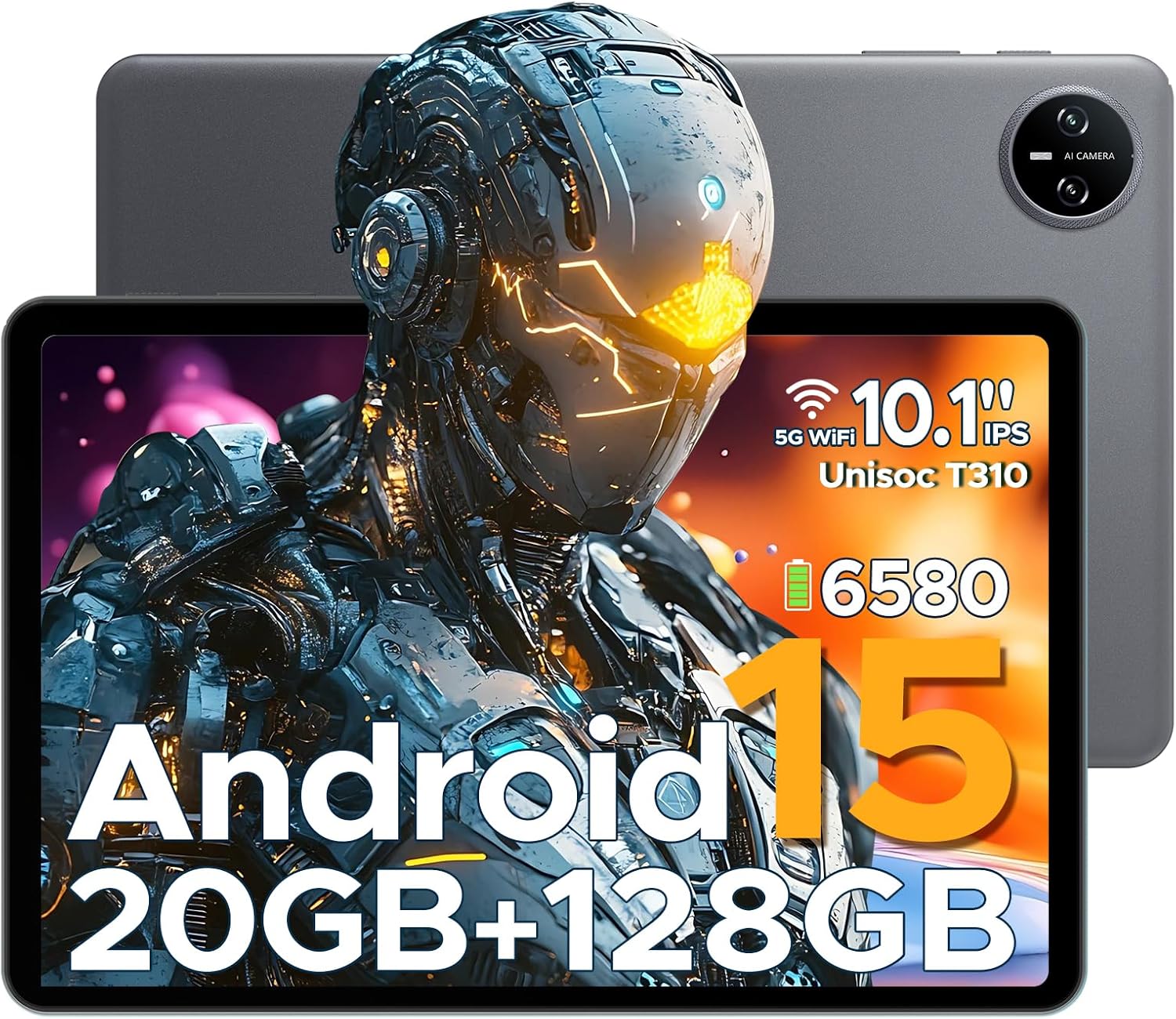
Figure 1.1: DOOGEE Tab A9 PRO Tablet. This image displays the tablet from both the front, highlighting its display, and the back, showing the camera module and overall grey finish.
2. Hvad er der i æsken
Bekræft at alle varer er til stede i pakken:
- DOOGEE Tab A9 PRO Tablet
- Oplader
- Type-C USB-kabel
- Tool for taking card (SIM/SD card tray ejector)
3. Opsætning
3.1 Indledende opladning
Before first use, fully charge the tablet using the provided charger and Type-C USB cable. Connect the Type-C cable to the tablet's charging port and the charger to a power outlet.
3.2 Tænd/sluk
- Sådan tænder du: Tryk på tænd/sluk-knappen, og hold den nede, indtil DOOGEE-logoet vises.
- Sådan slukker du: Tryk på tænd/sluk-knappen og hold den nede, og vælg derefter "Sluk" fra indstillingerne.
3.3 Guide til indledende opsætning
Upon first power-on, the tablet will guide you through an initial setup process. This includes selecting your language, connecting to Wi-Fi, setting up your Google account, and configuring security options like face recognition.

Figure 3.1: Android 15 System Interface. This image illustrates the clean and intuitive interface of the Android 15 operating system, showing various application icons and system settings.
3.4 Indsættelse af et MicroSD-kort (valgfrit)
The tablet supports expandable memory up to 2TB via a MicroSD card (purchased separately). Use the provided tool to open the card tray and insert the MicroSD card as indicated.

Figure 3.2: Storage Capabilities. This image highlights the tablet's 20GB Max RAM (composed of 4GB Basic and 16GB Virtual RAM) and 128GB internal storage, with the option to expand up to 2TB using a TF card.
4. Betjening af tabletten
4.1 Display og navigation
The DOOGEE Tab A9 PRO features a 10.1-inch IPS HD+ display with a resolution of 1280x800 pixels, offering clear visuals and a wide field of view.

Figure 4.1: Display Specifications. This image details the 10.1-inch IPS HD display, including its 1280x800 resolution, 80.2% screen-to-body ratio, and 16.7 million colors.
4.2 Kamerafunktioner
The tablet is equipped with an 8MP main camera and a 5MP front camera, suitable for capturing photos, videos, and video calls.

Figure 4.2: Camera Features. This image highlights the tablet's 8MP main camera and 5MP front camera, demonstrating their use for capturing moments and video calls.
4.3 Lyd
The tablet features 1217 BOX Dual Speakers for enhanced audio experience. It also includes a 3.5mm headphone jack for private listening.

Figure 4.3: Dual Speaker System. This image illustrates the tablet's 1217 BOX Dual Speakers, designed to provide clear and immersive audio.
4.4 Forbindelse
- Wi-Fi: Connect to available Wi-Fi networks via Settings > Network & internet > Wi-Fi.
- Bluetooth 5.0: Pair with Bluetooth devices (headphones, speakers, etc.) via Settings > Connected devices > Bluetooth.
- OTG (på farten): Supports connecting USB peripherals like flash drives or keyboards via a compatible OTG adapter (not included).
- Wireless Screencasting: Easily connect to a large TV or display for screen mirroring.
5. Vedligeholdelse
5.1 Rengøring
Brug en blød, fnugfri klud til at rengøre skærmen og tablettens kabinet. Undgå at bruge skrappe kemikalier eller slibende materialer.
5.2 Pleje af batterier
The tablet is equipped with a 6580mAh Lithium Polymer battery. To prolong battery life:
- Undgå ekstreme temperaturer.
- Lad ikke batteriet aflades helt for ofte.
- Brug den medfølgende oplader.
- Enable power saving mode when needed.
5.3 Softwareopdateringer
Søg regelmæssigt efter og installer systemopdateringer for at sikre optimal ydeevne, sikkerhed og adgang til nye funktioner. Gå til Indstillinger > System > Systemopdatering.
6. Fejlfinding
6.1 Almindelige problemer og løsninger
| Problem | Løsning |
|---|---|
| Tabletten tænder ikke | Ensure the battery is charged. Press and hold the power button for 10-15 seconds to force a restart. |
| Langsom ydeevne | Close unused applications. Clear cache. Restart the tablet. Check for system updates. |
| Problemer med Wi-Fi-forbindelse | Restart the tablet and your Wi-Fi router. Forget and reconnect to the network. |
| Apps går ned | Clear the app's cache and data (Settings > Apps > [App Name] > Storage). Reinstall the app. |
7. Specifikationer
| Feature | Detalje |
|---|---|
| Model | DOOGEE Tab A9 PRO |
| Operativsystem | Android 15 |
| Processor | Quad-Core (Unisoc T310) |
| VÆDDER | 12 GB |
| Intern opbevaring | 128 GB ROM |
| Udvidelig opbevaring | Up to 2TB (MicroSD, sold separately) |
| Vise | 10.1-inch IPS HD+ (1280x800) |
| Hovedkamera | 8 MP |
| Forreste kamera | 5 MP |
| Batteri | 6580mAh Lithium Polymer |
| Forbindelse | Wi-Fi, Bluetooth 5.0, OTG, Type-C USB |
| Lyd | 1217 BOX Dual Speakers, 3.5mm headphone jack |
| Dimensioner | 25.7 x 16.88 x 0.79 cm |
| Vægt | 400 g |

Figure 7.1: Unisoc T310 Processor. This image details the specifications of the Unisoc T310 processor, highlighting its powerful quad-core architecture, 2.0GHz ultimate frequency, and 12nm advanced process technology.
8. Garanti og support
For garantioplysninger og teknisk support henvises til den officielle DOOGEE-side. webwebstedet eller kontakt deres kundeservice. Gem din købskvittering til garantikrav.
DOOGEE Officiel Webwebsted: www.doogee.cc


