Indledning
This manual provides detailed instructions for the setup, operation, maintenance, and troubleshooting of your toocki Flip Bluetooth 5.3 Wireless Earbuds, Model TTWS-YL02. Please read this manual thoroughly before using the product to ensure optimal performance and longevity.

Image: The toocki Flip Bluetooth 5.3 Wireless Earbuds, black, resting inside their open charging case. A small LED indicator is visible on the front of the case.
Pakkens indhold
Sørg for at alle varer er til stede i pakken:
- toocki Flip Bluetooth 5.3 Wireless Earbuds (Left and Right)
- Opladningsetui
- USB opladningskabel
- Flere størrelser ørepropper (S, M, L)
- Brugermanual
Produkt overview
Familiarize yourself with the components of your earbuds.

Image: A detailed diagram highlighting various parts of the toocki Flip Wireless Earbuds and their charging case, including touch control area, microphone, charging contacts, and LED indicators.
- Earbud Touch Control Area: For managing playback, calls, and other functions.
- Mikrofon: Integreret til opkald og stemmeassistent.
- Opladningskontakter: Located at the bottom of each earbud for charging within the case.
- LED-indikator for opladningsetuiet: Viser opladningsstatus og batteriniveau.
- USB-C opladningsport: Placeret på opladningsetuiet.
Opsætning
1. Opladning af øretelefoner og etuiet
Oplad ørepropperne og opladningsetuiet helt inden første brug.
- Placer øretelefonerne i opladningsetuiet.
- Tilslut USB-opladerkablet til opladningsporten på etuiet og til en strømkilde.
- LED-indikatoren på etuiet viser opladningsstatus. Når den er fuldt opladet, ændres eller slukkes indikatoren.

Image: An illustration showing the earbuds in their charging case, with a visual representation of the 4.5 hours of single-use battery life and the charging case capacity.
2. Parring med en enhed
Ørepropperne går automatisk i parringstilstand, når de tages ud af opladningsetuiet.
- Åbn opladningsetuiet, og fjern begge ørepropper. De tændes automatisk og går i parringstilstand.
- Aktiver Bluetooth på din enhed (smartphone, tablet osv.).
- Søg efter "toocki Flip" (or similar name) in the list of available Bluetooth devices and select it to connect.
- Once connected, you will hear a confirmation tone, and the earbud indicator lights will turn off.
Automatisk genopret forbindelse: After the initial pairing, the earbuds will automatically reconnect to the last paired device when removed from the case, provided Bluetooth is enabled on the device.

Image: A graphic illustrating the earbuds' compatibility with various devices (cell phones, tablets) and the auto-reconnect function shown with a smartphone's Bluetooth settings.
Betjeningsvejledning
The toocki Flip earbuds feature intuitive touch controls. The touch control area is located on the outer surface of each earbud.
Tryk på kontrolfunktioner

Image: A visual guide detailing the various touch control gestures for the earbuds, including play/pause, volume, call management, song switching, voice assistant, game mode, and reset.
| Fungere | Gestus |
|---|---|
| Afspil/pause musik | Double-tap Left or Right earbud |
| Lydstyrke op | Single-tap Right earbud |
| Lydstyrke ned | Single-tap Left earbud |
| Næste sang | Tredobbelt tryk på højre øretelefon |
| Forrige sang | Tryk tre gange på venstre øretelefon |
| Besvar/læg på opkald | Double-tap Left or Right earbud |
| Afvis opkald | Long press Left or Right earbud for 2 seconds |
| Aktiver Voice Assistant | Four taps on the Right earbud |
| Spiltilstand Til/Fra | Long press Left earbud for 2 seconds to enter; long press again for 2 seconds to exit. |
| Nulstilling af headset | Tap the headset 7 times in a row |
Støjreduktion
The earbuds feature Hybrid Active Noise Cancellation (ANC) with AI, capable of reducing background noise by up to 99% (40dB depth, +4000Hz bandwidth).
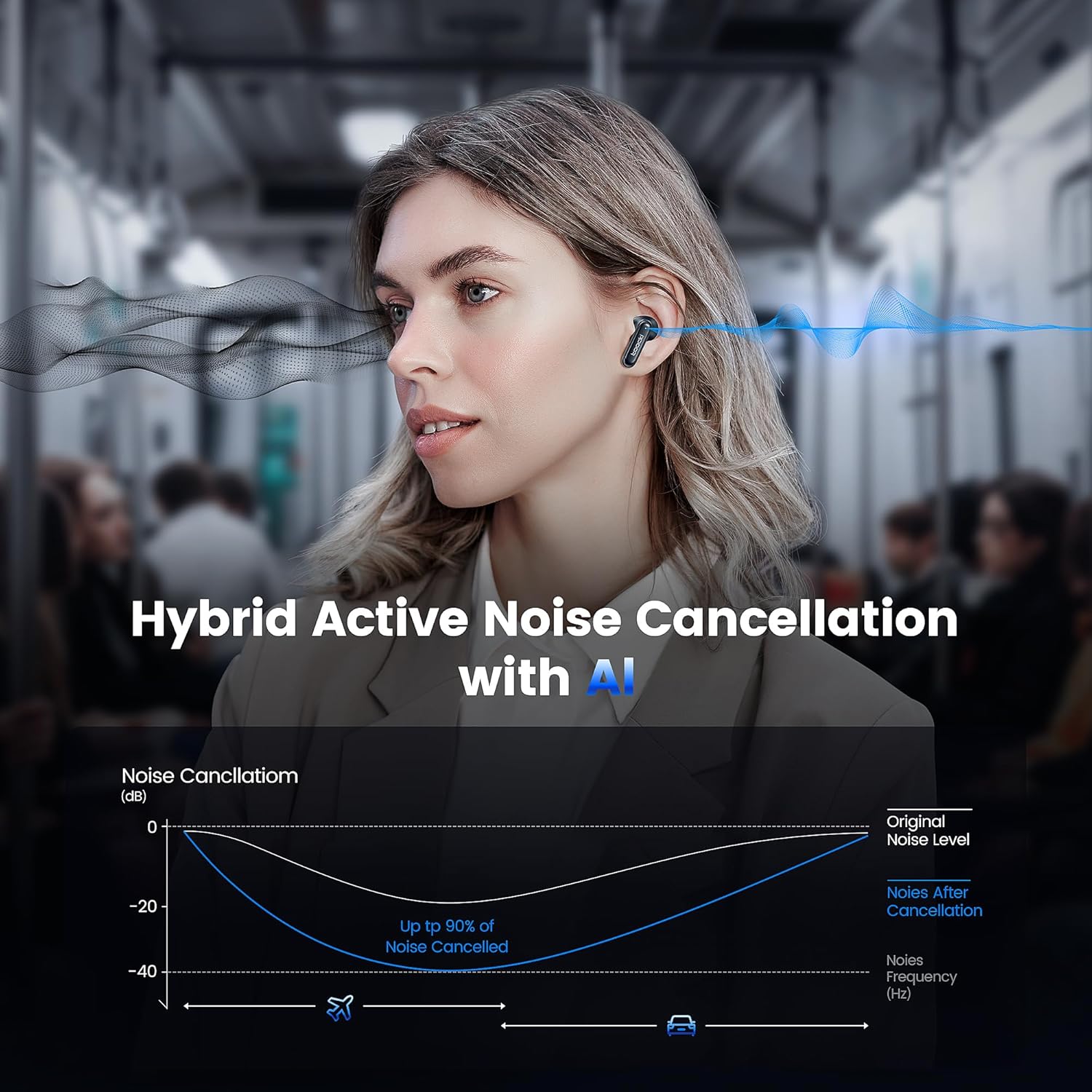
Image: A graph illustrating the effectiveness of Hybrid Active Noise Cancellation with AI, showing a significant reduction in noise levels across various frequencies, applicable in environments like airplanes and cars.
This technology is designed to enhance your listening experience by minimizing distractions from your surroundings, whether you are indoors, outdoors, or commuting.

Image: A person studying indoors with earbuds, illustrating how noise cancellation weakens sounds from turning books, air conditioners, and other machines.

Image: A person walking outdoors with earbuds, demonstrating the ability to block out crowd noise.

Image: A person commuting on public transport with earbuds, showing how noise cancellation blocks out airplane, high-speed train, and subway noise.
Opkaldsstyring
The earbuds are equipped with 4 microphones and advanced algorithms to enhance call clarity, ensuring your voice is heard clearly even in noisy environments.

Image: A person smiling while holding a smartphone and wearing the earbuds, with an overlay indicating "4 Mic + AI Call Noise Cancellation" to highlight enhanced call quality.
Lydoplevelse
Experience 360° panoramic sound with stereo dual-channel audio and 10mm drivers, delivering rich bass and clear treble for an immersive listening experience.
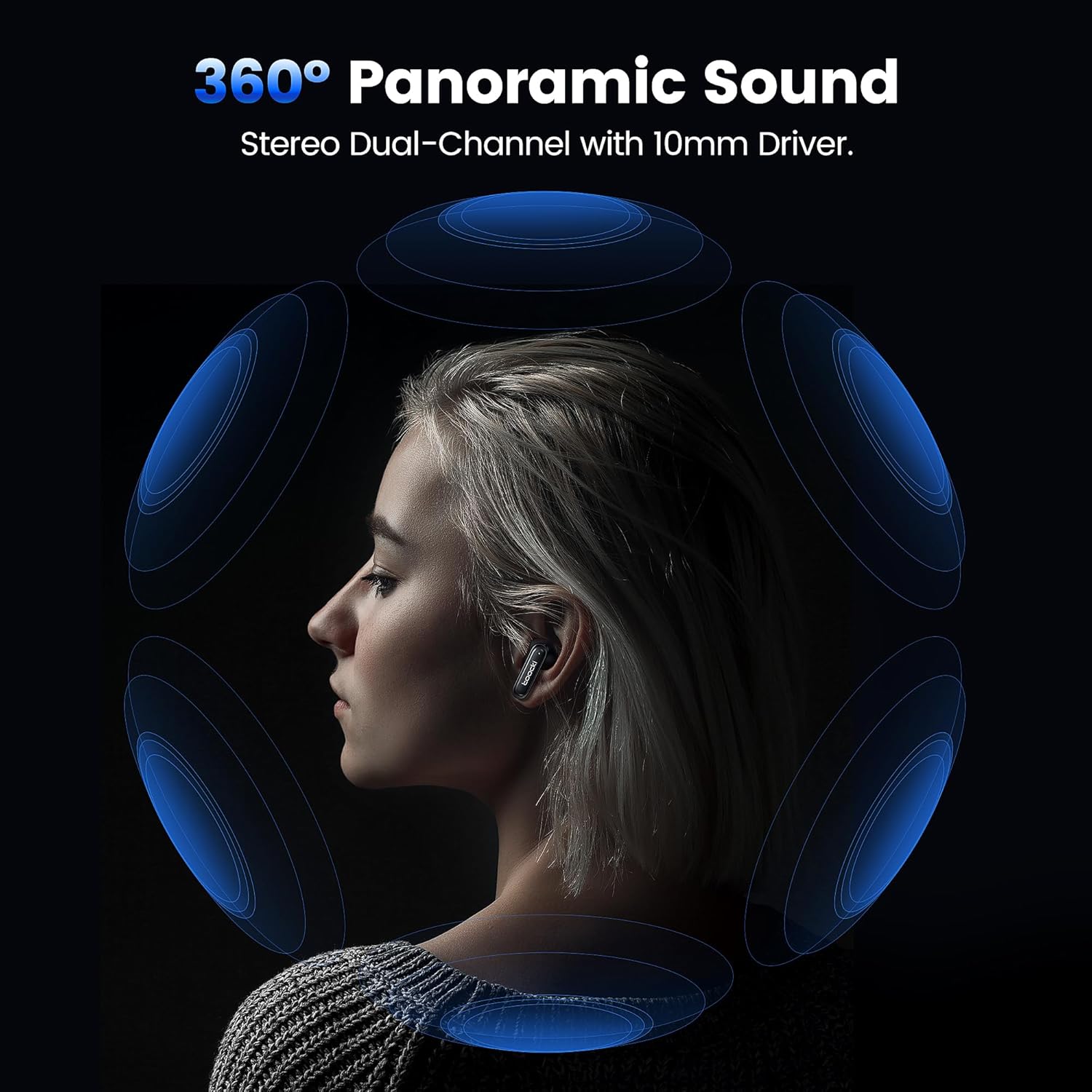
Image: A visual representation of 360° panoramic sound emanating from an earbud, with text indicating "Stereo Dual-Channel with 10mm Driver."

Image: A cutaway diagram of a 10mm moving coil unit, illustrating its internal components and emphasizing its role in delivering extraordinary sound performance with larger vibration area, pure bass, and treble.
Opretholdelse
Korrekt vedligeholdelse sikrer dine øreproppers levetid og optimale ydeevne.
- Rensning: Regularly clean the earbuds, especially the eartips and charging contacts, with a soft, dry, lint-free cloth. Do not use abrasive cleaners or solvents.
- Ørespidser: The earbuds come with multiple sizes of eartips (S, M, L). Choose the size that provides the best seal and comfort for your ears. This also helps with noise cancellation effectiveness.
- Opbevaring: Når ørepropperne ikke er i brug, skal de opbevares i deres opladningsetui for at beskytte dem og holde dem opladede.
- Vandtæthed: The earbuds are waterproof. However, avoid prolonged exposure to water and ensure they are dry before placing them back in the charging case to prevent damage to the charging contacts.
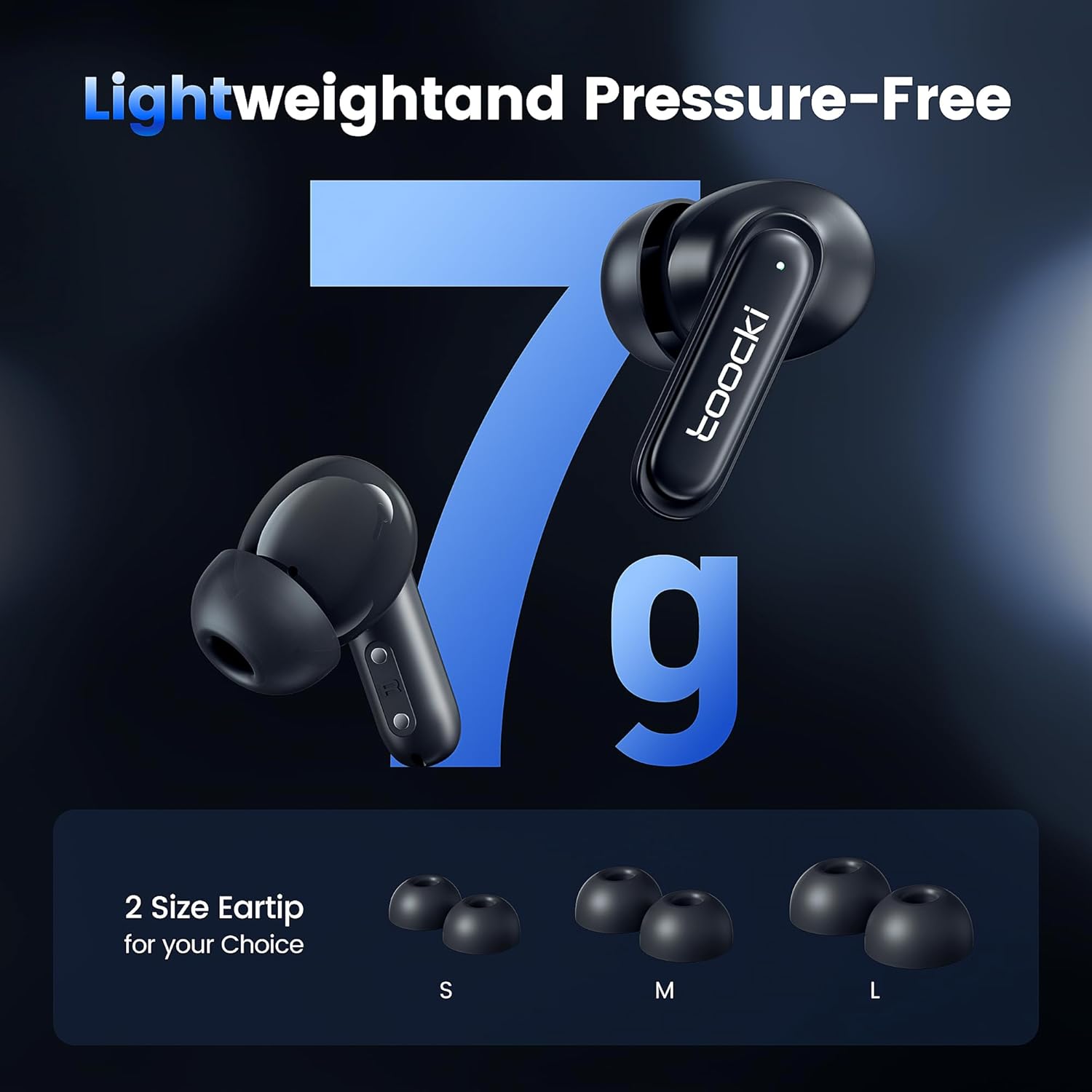
Image: The earbuds displayed alongside three pairs of eartips in small (S), medium (M), and large (L) sizes, emphasizing the lightweight design and choice of eartips for comfort.
Fejlfinding
Hvis du støder på problemer, kan du prøve følgende løsninger:
- Ørepropper parrer ikke:
- Sørg for, at begge øretelefoner er opladet.
- Sluk Bluetooth på din enhed, og tænd den igen.
- Forget the "toocki Flip" device from your device's Bluetooth settings and try pairing again.
- Perform a headset reset (tap 7 times in a row).
- Kun én øreprop virker:
- Sørg for, at begge øretelefoner er opladet.
- Placer begge ørepropper tilbage i opladningsetuiet, luk låget, vent et par sekunder, og tag dem derefter ud igen.
- Prøv at nulstille øretelefonerne.
- Lav lydstyrke eller dårlig lydkvalitet:
- Juster lydstyrken på både din enhed og ørepropperne.
- Ensure the eartips are properly seated in your ear to create a good seal. Try different eartip sizes.
- Rengør eventuelt snavs fra øreproppernes højttalere og ørepropper.
- Opladningsproblemer:
- Kontrollér opladningskablet og strømadapteren. Prøv et andet kabel eller en anden adapter.
- Ensure the charging contacts on both the earbuds and the case are clean and free of obstruction.
Specifikationer
| Modelnavn | TTWS-YL02 |
| Mærke | toocki |
| Forbindelsesteknologi | Trådløs (Bluetooth 5.3) |
| Øreplacering | In-Ear |
| Formfaktor | In-Ear |
| Støjkontrol | Active Noise Cancellation (up to 40dB depth, 99% background noise reduction) |
| Driver størrelse | 10 mm |
| Playtime (Single Use) | Cirka 4.5 timer |
| Opladningsetui Kapacitet | 400mAh (estimeret ud fra billede) |
| Kontrolmetode | Røre |
| Særlige funktioner | Fast Charging, Waterproof, 4 Microphones + AI for Call Noise Cancellation |
| Farve | Sort |
| Vægt (pr. øreprop) | Ca. 7 g |
Garanti og support
For warranty information or technical support, please refer to the documentation included with your purchase or contact toocki customer service through their official webwebstedet eller forhandleren, hvor produktet blev købt.


