1. Introduktion
This manual provides essential information for the safe and effective use of your boAt Aavante Bar Quake 2.1 Channel Soundbar with Wired Subwoofer. Please read this manual thoroughly before operating the device and retain it for future reference. The boAt Aavante Bar Quake is designed to enhance your audio experience with its 200W RMS output and versatile connectivity options.
Nøglefunktioner omfatter:
- 200W RMS boAt Signature Sound: Leverer kraftfuld og klar lyd.
- 2.1 Channel Soundbar with Wired Subwoofer: Provides immersive sound with enhanced bass.
- Multichannel Connectivity: Supports Bluetooth v5.3, AUX, USB, Optical, and HDMI-ARC.
- EQ-tilstande: Offers tailored audio profiles for Movies, Music, News, and 3D content.
- Bas- og diskantkontroller: Giver mulighed for personlige lydjusteringer.
2. Vigtige sikkerhedsoplysninger
For at sikre sikker drift og forhindre skader, bedes du overholde følgende forholdsregler:
- Udsæt ikke enheden for regn, fugt eller ekstreme temperaturer.
- Åbn ikke c'enasing. Overlad al service til kvalificeret personale.
- Sørg for ordentlig ventilation omkring soundbaren og subwooferen.
- Brug kun den strømadapter, der følger med enheden.
- Hold enheden væk fra varmekilder og direkte sollys.
- Avoid placing heavy objects on the soundbar or subwoofer.
- Tag stikket ud af stikkontakten under tordenvejr eller når apparatet ikke bruges i længere perioder.
3. Pakkens indhold
Bekræft at alle varer er til stede i pakken:
- boAt Aavante Bar Quake Soundbar
- Kablet subwoofer
- Remote Control (with 2 x 12V Alkaline batteries included)
- Brugervejledning (dette dokument)
- Garantikort
- Strømadapter
4. Produktet er slutview
Familiarize yourself with the components of your boAt Aavante Bar Quake sound system.
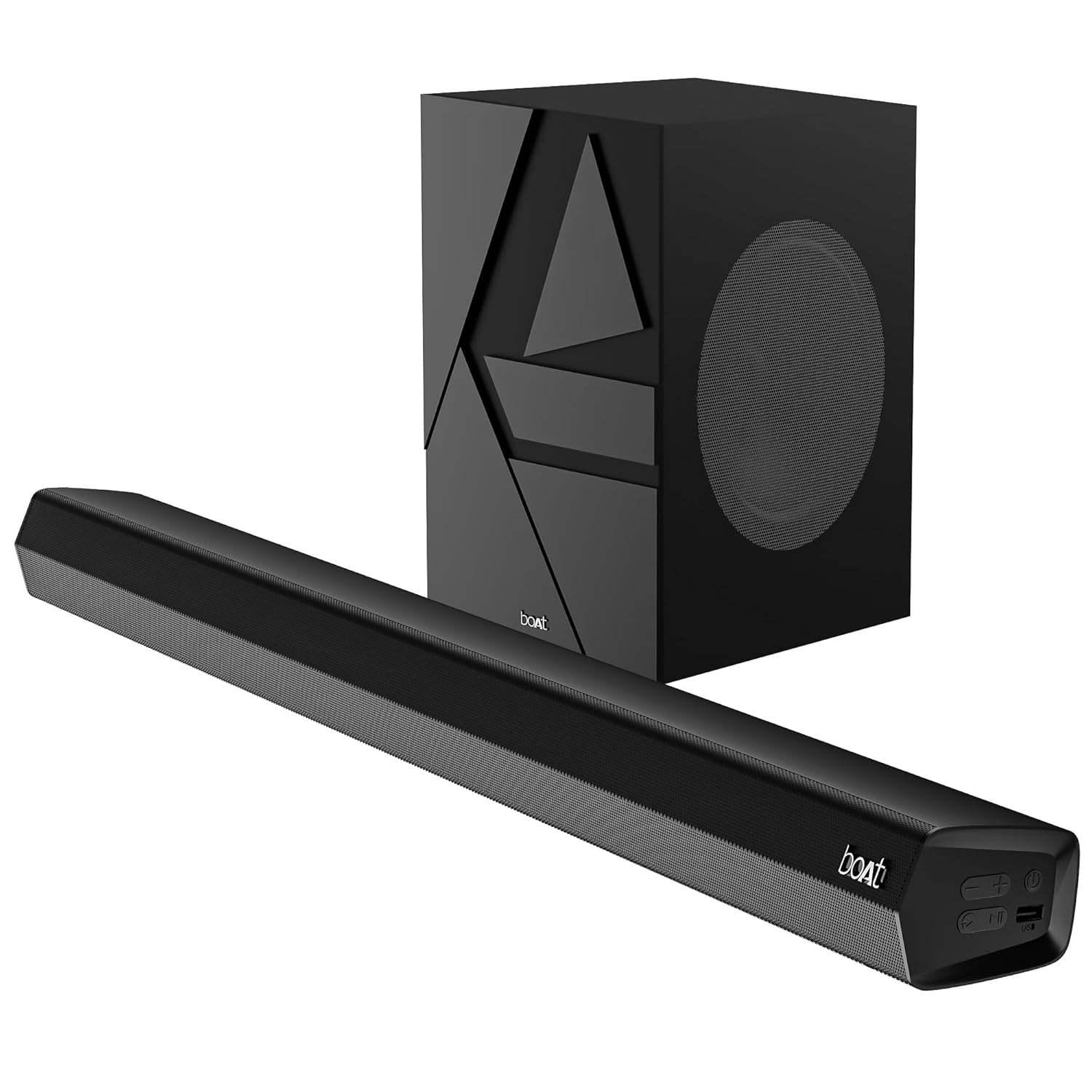
Image 1: The boAt Aavante Bar Quake soundbar and its accompanying wired subwoofer, showcasing deres design og relative størrelser.
4.1 Soundbar-funktioner

Billede 2: Et nærbillede view of the boAt Aavante Bar Quake soundbar, highlighting its sleek design and the '200W RMS boAt Signature Sound' feature.
The soundbar houses the main speakers and control interface. It delivers 200W RMS boAt Signature Sound for a powerful audio experience.
4.2 kablet subwoofer

Image 3: An illustration showing the boAt Aavante Bar Quake soundbar and its wired subwoofer integrated into a home entertainment setup, emphasizing the 2.1 channel configuration.
The wired subwoofer provides deep, rich bass, complementing the soundbar for a full-range audio output.
4.3 Forbindelsesporte

Billede 4: En detaljeret view of the rear panel of the boAt Aavante Bar Quake soundbar, clearly showing the various input ports including USB, HDMI (ARC), AUX, and Optical, along with Bluetooth connectivity.
The soundbar features multiple input options for connecting various devices:
- USB-port: Til afspilning af lyd fra USB-drev.
- HDMI (ARC)-port: For high-quality audio connection to compatible TVs.
- Bluetooth: Til trådløs lydstreaming fra mobile enheder.
- AUX-indgang: Til tilslutning af enheder via et 3.5 mm lydkabel.
- Optisk indgang: For digital audio connection from TVs or other sources.
4.4 Fjernbetjening

Image 5: The master remote control for the boAt Aavante Bar Quake, illustrating buttons for power, mute, input selection, volume, playback, EQ modes (Music, Movies, News, 3D), and dedicated bass and treble controls.
The included remote control allows full command over the soundbar's functions, including power, volume, input selection, EQ modes, and bass/treble adjustments.
5. Opsætning
5.1 Placering
- Soundbar: Place the soundbar on a stable, flat surface directly in front of your television, or mount it on the wall below your TV. Ensure there are no obstructions in front of the soundbar.
- subwoofer: Position the subwoofer on the floor, preferably in a corner or near a wall, to enhance bass response. Ensure it is within reach of the soundbar for the wired connection.
5.2 Tilslutning af subwooferen
Connect the wired subwoofer to the dedicated subwoofer output port on the soundbar using the integrated cable.
5.3 Strømtilslutning
- Tilslut strømadapteren til DC IN-porten på soundbaren.
- Sæt den anden ende af strømadapteren i en stikkontakt.
- Ensure the subwoofer is also connected to a power source if it has a separate power cable (for this model, it's wired to the soundbar).
5.4 Lydforbindelser
Vælg en af følgende metoder til at tilslutte din lydkilde:
- HDMI ARC (anbefales): Connect an HDMI cable from the HDMI ARC port on your TV to the HDMI ARC port on the soundbar. This allows audio to be sent from the TV to the soundbar and often enables TV remote control of the soundbar volume.
- Optisk: Connect an optical cable from your TV's optical output to the OPTICAL IN port on the soundbar.
- AUX: Connect a 3.5mm audio cable from your device's audio output to the AUX IN port on the soundbar.
- USB: Sæt et USB-drev i USB-porten på soundbaren for at afspille lyd files direkte.
- Bluetooth: See Section 6.2 for Bluetooth pairing instructions.
6. Betjeningsvejledning
6.1 Tænd/sluk
Tryk på Magt knappen på soundbaren eller fjernbetjeningen for at tænde eller slukke enheden.
6.2 Bluetooth -parring
- Tænd soundbaren, og vælg Bluetooth-tilstand ved hjælp af Input button on the remote or soundbar. The LED indicator will flash.
- Aktiver Bluetooth på din mobilenhed, og søg efter tilgængelige enheder.
- Select "boAt Aavante Bar Quake" from the list.
- Når parringen er afsluttet, vil LED-indikatoren stoppe med at blinke og forblive konstant.
6.3 Valg af indgangskilde
Tryk på Input button on the remote control or soundbar repeatedly to cycle through the available input sources: Bluetooth, AUX, Optical, HDMI ARC, and USB.
6.4 Lydstyrkekontrol
Brug Volumen + og Volumen - buttons on the remote control or soundbar to adjust the volume level.
6.5 EQ-tilstande
The soundbar offers four preset equalizer modes to optimize audio for different content types. Press the corresponding button on the remote control to select:
- Film: Enhances dialogue and cinematic effects.
- Musik: Giver en afbalanceret lydprofessionelfile til musikafspilning.
- Nyheder: Optimizes vocal clarity for news and spoken content.
- 3D: Creates a wider, more immersive soundstage.
6.6 Bass & Treble Controls
Brug BASS+ / BASS- og TREB+ / TREB- knapperne på fjernbetjeningen for at finjustere bas- og diskantniveauerne efter dine præferencer.
7. Vedligeholdelse
7.1 Rengøring
- Tør overfladerne på soundbaren og subwooferen af med en blød, tør klud.
- Do not use liquid cleaners, aerosols, or abrasive chemicals, as these may damage the finish.
- Sørg for, at enheden er taget ud af stikkontakten før rengøring.
7.2 Opbevaring
If storing the unit for an extended period, unplug it from the power outlet and store it in a cool, dry place, away from direct sunlight and extreme temperatures.
8. Fejlfinding
| Problem | Mulig årsag | Løsning |
|---|---|---|
| Ingen strøm | Strømkabel ikke tilsluttet; Strømudtag ikke aktivt | Sørg for, at strømkablet er korrekt tilsluttet; prøv en anden stikkontakt |
| Ingen lyd | Incorrect input source; Volume too low; Mute activated; Incorrect cable connection | Vælg korrekt inputkilde; Øg lydstyrken; Deaktiver mute; Kontroller lydkabelforbindelserne |
| Bluetooth-parring mislykkes | Soundbaren er ikke i parringstilstand; Enheden er for langt væk; Interferens | Ensure soundbar is in Bluetooth pairing mode; Move device closer; Avoid interference from other devices |
| Fjernbetjening virker ikke | Batterierne er opbrugt; Blokering mellem fjernbetjening og soundbar | Replace remote control batteries; Remove any obstructions |
9. Specifikationer
| Modelnavn | Aavante Bar Quake |
| Højttaler type | Soundbar |
| Surround Sound Kanalkonfiguration | 2.1 |
| Højttaler Maksimal udgangseffekt | 200 watt RMS |
| Forbindelsesteknologi | Bluetooth v5.3, AUX, USB, Optical, HDMI-ARC |
| Frekvensrespons | 40 Hz |
| Lydudgangstilstand | Stereo, Movies, Music, News, 3D |
| Kontrolmetode | Fjern |
| Monteringstype | Bord og væg |
| Produktdimensioner | 90.3D x 6.5B x 8.6H Centimeter |
| Varens vægt | 6.5 kg |
| Inkluderede komponenter | User Manual, Warranty Card, Soundbar, Wired Subwoofer, Remote Control |
| Strømkilde | Kablet elektrisk |
| Batterier påkrævet | Yes (2 x 12V Alkaline for remote, included) |
| Fabrikant | Forestil dig Marketing Limited |
10. Garanti og support
10.1 Garantioplysninger
The boAt Aavante Bar Quake comes with a 1 års begrænset garanti from the date of purchase. This warranty covers manufacturing defects. Please retain your purchase receipt and warranty card for any warranty claims.
10.2 Kundesupport
For technical assistance, troubleshooting, or warranty claims, please contact boAt customer support. Refer to the contact information provided on your warranty card or visit the official boAt website for the latest support details.


