Indledning
Welcome to the Gravity C26 Smartwatch user manual. This guide provides detailed instructions on how to set up, operate, and maintain your new smartwatch. The Gravity C26 features a 1.96-inch AMOLED display, Bluetooth calling, over 100 sports modes, comprehensive health monitoring, and an AI voice assistant. Its robust design ensures durability for various environments.
Pakkens indhold
Markér venligst feltet for følgende elementer:
- Gravity C26 Smartwatch
- Ladekabel
- Brugervejledning (dette dokument)
Produkt overview
Familiarize yourself with the components and key features of your Gravity C26 Smartwatch.

Billede: Front view af Gravity C26 Smartwatch, vistasing its square AMOLED display, two side buttons labeled "POWER" and "SPORT", and a durable black strap.
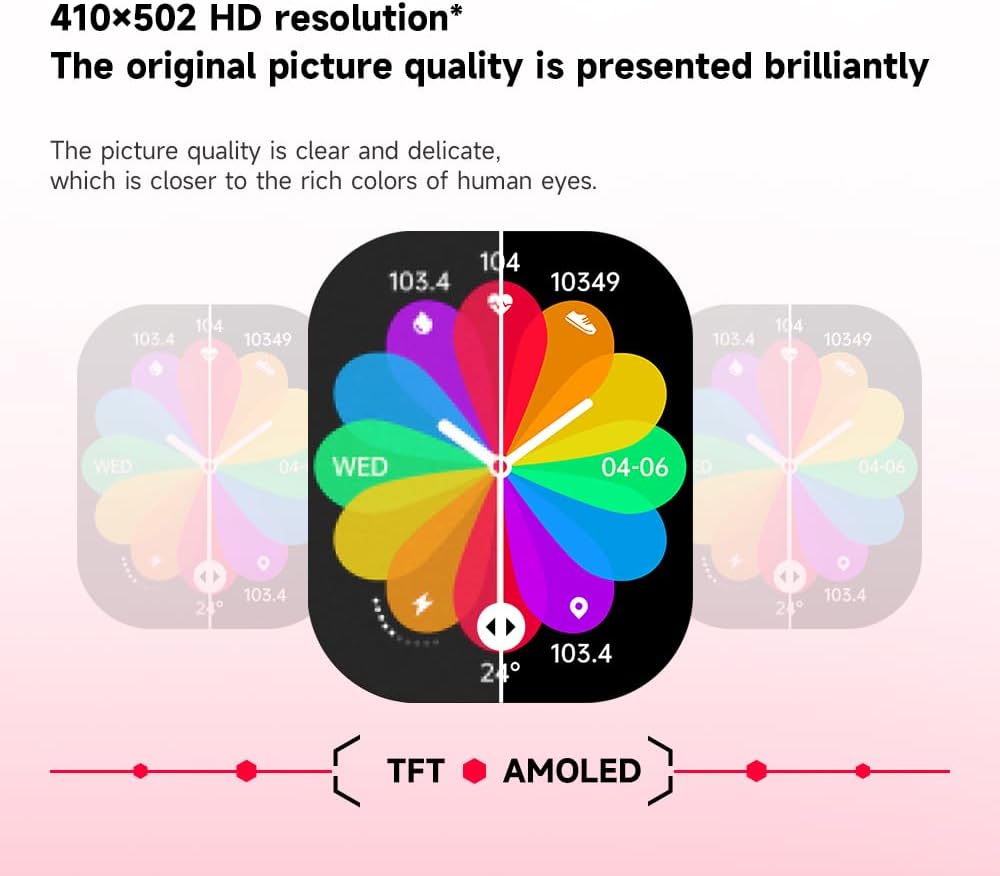
Billede: Illustration demonstrating the superior visual quality of the 410x502 HD AMOLED display compared to a TFT screen, highlighting vibrant colors and clarity.

Billede: Nærbillede view of the 1.96-inch AMOLED screen, emphasizing its explosion-proof and drop-proof tempered glass, thermal shock resistance, anti-corrosion, and anti-scratch properties.
Opsætning
1. Opladning af smartwatchet
Oplad dit Gravity C26 Smartwatch helt før første brug. Tilslut det magnetiske opladningskabel til opladningspunkterne på bagsiden af uret, og sæt USB-enden i en strømadapter (medfølger ikke) eller en computers USB-port.
- En fuld opladning tager typisk cirka 2 timer.
- The watch features a 350mAh battery, providing up to 25 days of standby time.

Billede: Visual representation of the Gravity C26 Smartwatch's 350mAh battery, highlighting intelligent battery life upgrade, over-temperature protection, overvoltage protection, and intelligent optimization of application scenarios.
2. Pairing with Your Smartphone (FitCloudPro App)
To unlock the full potential of your Gravity C26, download and install the FitCloudPro app on your iOS or Android smartphone.
- Download appen: Søg efter "FitCloudPro" in the Apple App Store (for iOS) or Google Play Store (for Android), or scan the QR code provided in the watch's quick start guide.
- Opret konto: Åbn FitCloudPro-appen, og følg instruktionerne på skærmen for at oprette en konto eller logge ind.
- Aktiver Bluetooth: Sørg for, at Bluetooth er aktiveret på din smartphone.
- Tilføj enhed: In the FitCloudPro app, navigate to the "Device" or "Add Device" section. The app will search for nearby smartwatches. Select "Gravity C26" from the list.
- Bekræft parring: En parringsanmodning vises på både din telefon og dit smartwatch. Bekræft parringen på begge enheder.
- Giv tilladelser: Tillad de nødvendige tilladelser (f.eks. notifikationer, placering, kontakter) for at appen kan fungere korrekt.
Once paired, the watch will synchronize data with your phone, and you can customize settings, view health data, and manage notifications through the app.
Betjeningsvejledning
1. Navigering i grænsefladen
The Gravity C26 features a touch-sensitive AMOLED display and two physical buttons for navigation.
- Berøringsskærm: Stryg til venstre/højre, op/ned for at navigere gennem menuer og widgets. Tryk for at vælge en mulighed.
- "POWER" Button (Top Right): Press to wake/sleep the screen, return to the watch face, or long-press to access power options.
- "SPORT" Button (Bottom Right): Press to quickly access the sports modes menu.

Billede: Display of four different menu styles available on the Gravity C26 Smartwatch, including grid views and list views for accessing various functions like settings, dialer, contacts, call records, and voice assistant.
2. Foretage og modtage opkald
With Bluetooth calling enabled, you can manage calls directly from your wrist.
- Foretag et opkald: Få adgang til tastaturet eller kontaktlisten på dit ur for at starte et opkald.
- Modtagelse af et opkald: Når et opkald kommer ind, viser uret nummeret på opkalderen. Tryk på det grønne ikon for at besvare eller det røde ikon for at afvise.

Billede: Depiction of the Gravity C26 Smartwatch's Bluetooth calling feature showing an incoming call screen and message notifications. Also illustrates the AI voice assistant responding to commands like "How is the weather tomorrow?" and "Call my mom."
3. Using AI Voice Assistant
The built-in AI voice assistant allows for hands-free control. Simply raise your hand to activate the voice assistant and speak your commands.
- Aktivering: Raise your wrist or use a specific gesture/button press (refer to app settings for customization).
- Kommandoer: Ask about weather, play music, set alarms, make calls, and more.
4. Tracking Sports Modes
The Gravity C26 supports over 100 sports modes for accurate workout tracking.
- Adgangstilstande: Press the "SPORT" button or navigate through the menu to find the sports modes.
- Start af træning: Select your desired activity (e.g., running, cycling, walking) and tap to start. The watch will track duration, heart rate, calories burned, and other relevant metrics.
- Ending a Workout: Swipe or press the appropriate button to pause or end the workout. Data will be synced to the FitCloudPro app.

Billede: Illustration showing the Gravity C26 Smartwatch tracking various sports activities such as walking, running, climbing, and cycling, with real-time data display for duration, heart rate, and calories.
5. Health Monitoring (Heart Rate, Sleep)
The smartwatch continuously monitors your health metrics.
- Puls: The watch automatically monitors your heart rate throughout the day. You can also initiate a manual measurement from the heart rate widget.
- Søvnsporing: Wear the watch to bed for automatic sleep analysis, including sleep stages (dyb, let, REM) og varighed.
- Hydration Reminders: Set up hydration reminders in the FitCloudPro app to ensure you stay hydrated.
6. Tilpasning af urskiver
Personalize your smartwatch with over 200 cool visual watch faces available through the FitCloudPro app.
- Skiftende ansigter: Open the FitCloudPro app, navigate to the watch face section, and select your preferred design. You can also long-press the watch face on the device to quickly switch between pre-loaded faces.
- Brugerdefinerede ansigter: Some watch faces allow for customization with your own photos.

Billede: A collage of various watch faces available for the Gravity C26 Smartwatch, demonstrating the wide range of visual styles and customization options.
Opretholdelse
1. Rensning
- Tør urets skærm og kabinet af med en blød, fnugfri klud.
- Brug en annonce til remmenamp en klud og en mild sæbe om nødvendigt, skyl derefter grundigt og tør helt, inden du tager den på.
- Undgå at bruge skrappe kemikalier eller slibende materialer.
2. Vandafvisende
The Gravity C26 is 1 ATM waterproof, meaning it can withstand splashes, rain, and brief immersion in shallow water. It is suitable for daily use and light water activities.
- Do not use the watch for diving, hot showers, or saunas, as steam and hot water can compromise the seals.
- Efter udsættelse for vand, især saltvand, skylles uret med ferskvand og tørres grundigt.
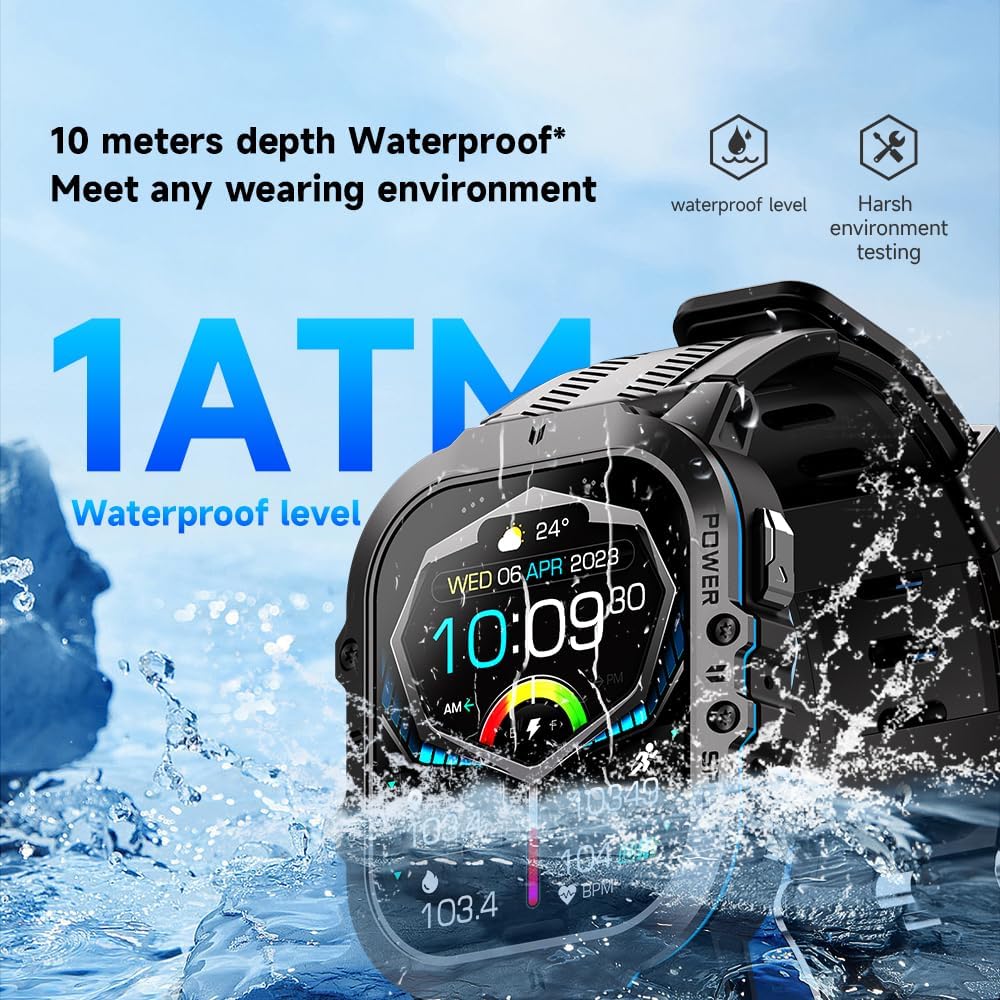
Billede: The Gravity C26 Smartwatch partially submerged in water, illustrating its 1 ATM waterproof rating and ability to meet various wearing environments.
3. Batteripleje
- Avoid extreme temperatures (below -24°C or above 60°C) as they can affect battery life and performance.
- Oplad uret regelmæssigt, selvom det ikke er i brug, for at opretholde batteriets sundhed.
Fejlfinding
| Problem | Mulig løsning |
|---|---|
| Uret tænder ikke | Sørg for, at uret er fuldt opladet. Tilslut det til opladningskablet og en strømkilde i mindst 30 minutter. |
| Kan ikke parres med smartphone |
|
| Notifikationer ikke modtaget |
|
| Unøjagtige sundhedsdata |
|
| Kort batterilevetid |
|
Specifikationer
| Feature | Detalje |
|---|---|
| Model | C26 |
| Vise | 1.96-tommer AMOLED-skærm med en opløsning på 410x502 |
| Batterikapacitet | 350 mAh |
| Standby tid | Op til 25 dage |
| Vandmodstand | 1 ATM (suitable for splashes, rain, brief immersion) |
| Forbindelse | Bluetooth |
| Kompatibilitet | iOS and Android (via FitCloudPro app) |
| Driftstemperatur | -24°C til 60°C |
| Varens vægt | 1 pund |
| Dimensioner | 9 x 4 x 1 tommer (pakkemål) |
Garanti og support
For warranty information and technical support, please refer to the official Gravity webwebstedet eller kontakt din forhandler. Gem din købskvittering som købsbevis.
For further assistance, you may also refer to the FitCloudPro app's help section or frequently asked questions.


