Indledning
This manual provides comprehensive instructions for the assembly, operation, and maintenance of your FLEXISPOT L Shaped Standing Desk. Please read this manual thoroughly before assembly and use to ensure safe and efficient operation. This desk is designed to provide a versatile and ergonomic workspace, allowing seamless transitions between sitting and standing positions.

Image: The FLEXISPOT L Shaped Standing Desk in a home office setting, showcasing its spacious design and ability to accommodate multiple devices like monitors and a printer.
Sikkerhedsoplysninger
Adherence to the following safety guidelines is crucial for preventing injury and damage to the desk:
- Always assemble the desk on a stable, level surface.
- Hold skrivebordet væk fra varmekilder.
- Do not place heavy objects on the desk when it is in the raised position beyond the specified weight capacity.
- Always use the desk with caution and follow all instructions provided in this manual.
- Ensure no obstructions are present in the desk's path during height adjustments to prevent collision.
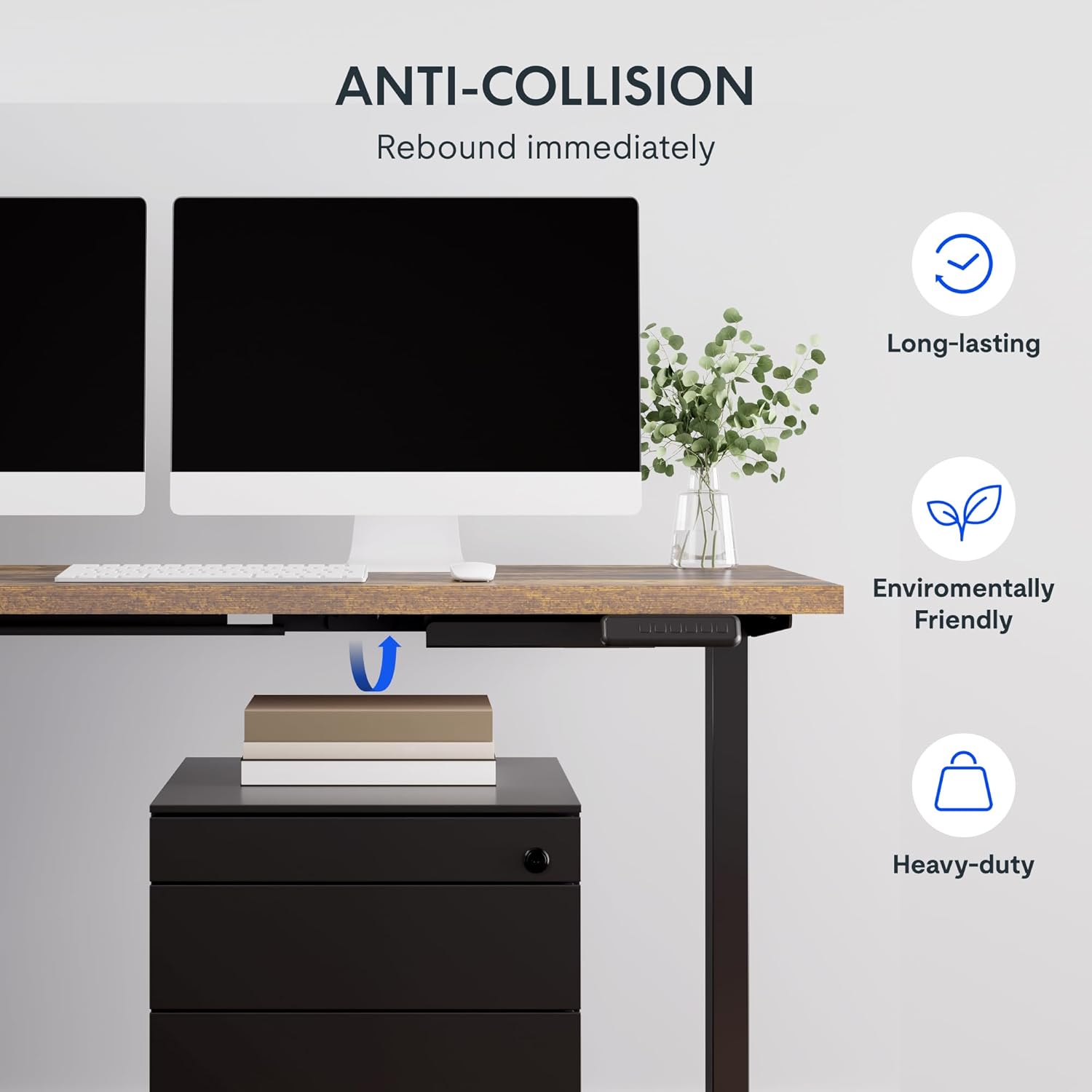
Image: Illustration of the desk's anti-collision feature, showing it rebounding when an object is detected underneath, ensuring safety during height adjustments.
Produktegenskaber
- Rummeligt skrivebord: The expansive L-shaped work surface is seamlessly crafted with environmentally sourced splice board, measuring 63.0" x 55.1". It provides ample space for ongoing projects and office supplies.
- Versatile Orientation: This height-adjustable desk features a wider desktop section that can be positioned on either the left or right side, allowing you to customize the layout to best fit your space.
- Solid konstruktion: The industrial-grade steel frame and solid desktop (1") combine to support a maximum weight capacity of up to 220 lbs, effortlessly handling your ideal work setup.
- Customizable LED Control Panel: The LED control pad allows you to customize the desk height with 4 different memory settings, enabling easy switching between your preferred standing and sitting positions.

Billede: Et overheadbillede view demonstrating the flexible right/left orientation of the L-shaped standing desk, highlighting its adaptability to various room layouts.

Billede: Et nærbillede view emphasizing the 1-inch thick commercial-grade desktop, indicating durability and suitability for monitor mounts.
Opsætning og montering
Your FLEXISPOT L Shaped Standing Desk ships in two separate packages, which may arrive on different days. Please ensure you have received both packages before beginning assembly.

Image: Visual representation indicating that the desk components are shipped in two separate boxes, which may arrive at different times.
Før du begynder:
- Ryd et rummeligt område til samling.
- Unpack all components and verify against the parts list (refer to the included assembly guide for a detailed list).
- It is recommended to have two people for assembly due to the weight and size of the components.
- Ensure all necessary tools are available. While some basic tools may be included, additional tools like a drill might be helpful for pre-drilled holes that may be missing (as noted in some customer reviews).
Monteringstrin:
- Assemble the desk frame according to the provided assembly instructions. Pay close attention to the orientation of the L-shaped sections, as they can be configured for left or right-sided use.
- Attach the desktop sections to the assembled frame. Ensure all screws are tightened securely.
- Connect the motor and control panel cables as indicated in the assembly guide.
- Vend forsigtigt skrivebordet oprejst med hjælp.
- Sæt skrivebordet i en stikkontakt.
Betjeningsvejledning
The FLEXISPOT L Shaped Standing Desk features an intuitive LED control panel for easy height adjustment and memory settings.

Billede: En detaljeret view of the smart control panel, showing the LED display, up/down buttons, four memory preset buttons, and the anti-collision indicator.
Justering af skrivebordshøjde:
- Brug Op (▲) og Ned (▼) pileknapperne på kontrolpanelet for manuelt at justere skrivebordets højde. Den aktuelle højde vises på LED-skærmen.
- The desk has a height range from 28.3 inches (minimum) to 45.9 inches (maximum).

Image: The desk demonstrating its large adjustable height range, from a minimum of 28.3 inches to a maximum of 45.9 inches, suitable for various user preferences.
Indstilling af hukommelsesforudindstillinger:
The control panel allows you to save up to four preferred height settings:
- Juster skrivebordet til den ønskede højde ved hjælp af Op/Ned-knapperne.
- Tryk på "M" button (or similar memory set button, if present). The display may flash.
- Tryk straks på en af de nummererede hukommelsesknapper (1, 2, 3 eller 4) for at gemme den aktuelle højde til den forudindstillede værdi.
- For at genkalde en gemt højde skal du blot trykke på den tilsvarende nummererede hukommelsesknap. Bordet vil automatisk flytte sig til den gemte position.
Anti-kollisionsfunktion:
The desk is equipped with an anti-collision system. If the desk encounters an obstruction during height adjustment, it will automatically stop and rebound slightly to prevent damage. Ensure the area around and under the desk is clear before adjusting height.
Opretholdelse
Regular maintenance ensures the longevity and optimal performance of your FLEXISPOT L Shaped Standing Desk.
- Rensning: Tør skrivebordet og rammen af med en blød kludamp cloth. Avoid abrasive cleaners or harsh chemicals that could damage the finish. For the rustic brown top, a mild cleaner can be used for smudges.
- Kabelstyring: Periodically check and organize cables to prevent tangling or interference with the desk's movement. The desk includes some small cable management tools.
- Motor og stel: The motor is designed for quiet and smooth operation. No specific user maintenance is required for the motor or frame. If you notice unusual noises or movement, refer to the troubleshooting section or contact customer support.
- Vægt kapacitet: Do not exceed the maximum weight capacity of 220 lbs. Distribute weight evenly across the desktop.
Fejlfinding
Hvis du støder på problemer med dit skrivebord, kan du se følgende almindelige problemer og løsninger:
| Problem | Mulig årsag | Løsning |
|---|---|---|
| Skrivebordet bevæger sig ikke eller reagerer ikke på betjeningselementer. | Power disconnected, motor cable loose, control panel issue. |
|
| Desk stops during adjustment or moves erratically. | Obstruction detected (anti-collision activated), uneven weight distribution, motor overload. |
|
| Hukommelsesforudindstillinger gemmes eller genkaldes ikke korrekt. | Incorrect saving procedure, temporary glitch. |
|
If the problem persists after attempting these solutions, please contact FLEXISPOT customer support for further assistance.
Specifikationer
| Feature | Detalje |
|---|---|
| Mærke | FLEXISPOT |
| Model | 63x55" Top (3-benet) |
| Produktmål (D x B x H) | 55.1" D x 63" B x 45.9" H |
| Farve | Black Frame + Rustic Brown Top |
| Stil | Moderne |
| Grundmateriale | Legeret stål |
| Top materialetype | Træ |
| Finish Type | Poleret |
| Speciel funktion | ledning |
| Møbelfinish | Valnød |
| UPC | 840460438421 |
| Varetypenavn | stående skrivebord |
| Minimum højde | 28.3 tommer |
| Maksimal højde | 45.9 tommer |
| Maksimal vægtanbefaling | 220 pund |
| Påkrævet samling | Ja |
| Garantitype | Udvidet |

Image: A detailed diagram illustrating the key dimensions of the L-shaped standing desk, including length, width, and height range.
Garanti og support
FLEXISPOT provides a comprehensive warranty for your peace of mind:
- 5-årig dækning: Gælder for skrivebordsstellet og motoren.
- 2 års beskyttelse: Gælder for kontrolpanelet og elektronikken.
For warranty claims, technical support, or any inquiries, please contact FLEXISPOT customer support. You can find contact information on the official FLEXISPOT webwebsted eller via din købsplatform.
Returpolitik: This product typically has a 30-day return policy for refund or replacement, subject to the retailer's terms and conditions.
Beskyttelsesplaner: Extended protection plans are available for purchase, including 2-Year and 3-Year options, as well as a monthly "Complete Protect" plan. These plans offer additional coverage beyond the standard manufacturer's warranty.


