Indledning
This manual provides detailed instructions for the assembly, operation, and maintenance of your ODK 51 Inch L Shaped Gaming Desk. Please read this manual thoroughly before assembly and use to ensure proper setup and safe operation. Keep this manual for future reference.

Image: The ODK 51 Inch L Shaped Gaming Desk, showcasing its L-shaped design suitable for corner placement, equipped with a monitor, keyboard, mouse, and gaming accessories.
Sikkerhedsoplysninger
Always assemble the desk on a flat, stable surface. Ensure all parts are securely fastened. This desk is heavy and large, so it may tip over if not properly assembled or if leaned on. Keep away from children and pets. Do not place heavy objects on the desk that could cause it to tip over.
Pakkens indhold
Før monteringen påbegyndes, skal du kontrollere, at alle komponenter er til stede og ubeskadigede. Hvis der mangler eller er beskadigede dele, bedes du kontakte kundesupport.
- Bordpaneler (L-formede sektioner)
- Metal Frame Components (legs, support beams, diagonal braces)
- Monteringshardware (skruer, bolte, skiver)
- Justerbare fodpuder
- Assembly Tools (screwdriver, Allen wrench)
- Instruktionsmanual
Monteringsvejledning
Assembly typically takes less than 30 minutes with the provided tools. Follow the steps carefully for a stable and secure desk.
- Trin 1: Udpak og identificer delene. Læg alle komponenterne på en ren, blød overflade for at undgå ridser. Se dellisten i den medfølgende manual for at identificere hver del.
- Step 2: Assemble the Frame Sections. Attach the metal frame components to form the individual desk sections. Ensure all screws are finger-tightened initially.
- Step 3: Connect Frame Sections. Join the two main frame sections to create the L-shape. Secure with the provided hardware.
- Step 4: Attach Diagonal Braces. Install the diagonal braces to the frame legs for enhanced stability.
- Trin 5: Placer skrivebordspaneler. Carefully position the desktop panels onto the assembled frame. Align screw holes.
- Step 6: Secure Desktop Panels. Fasten the desktop panels to the frame using the appropriate screws. Tighten all screws securely, but do not overtighten.
- Step 7: Install Adjustable Foot Pads. Screw the adjustable foot pads into the bottom of each leg.
- Step 8: Level the Desk. Adjust the foot pads as needed to ensure the desk is stable and level on uneven floors.

Image: A visual guide illustrating the 4 main steps for quick and easy assembly of the ODK L-shaped desk, estimated to take 25 minutes.
Betjeningsvejledning
The ODK 51 Inch L Shaped Gaming Desk is designed for optimal space utilization and comfort in home office, study, or gaming environments.
Placement and Space Utilization
The L-shaped design is ideal for corner placement, maximizing your available room space. The desk provides ample surface area for multiple monitors, a keyboard, mouse, and other peripherals.

Image: A user seated at the desk, highlighting the generous legroom and open space beneath the desktop for comfortable use.
Stability and Adjustments
The desk features a sturdy steel frame with eight support legs and diagonal braces for enhanced stability. Adjustable foot pads allow you to fine-tune the desk's level on uneven surfaces, preventing wobbling.
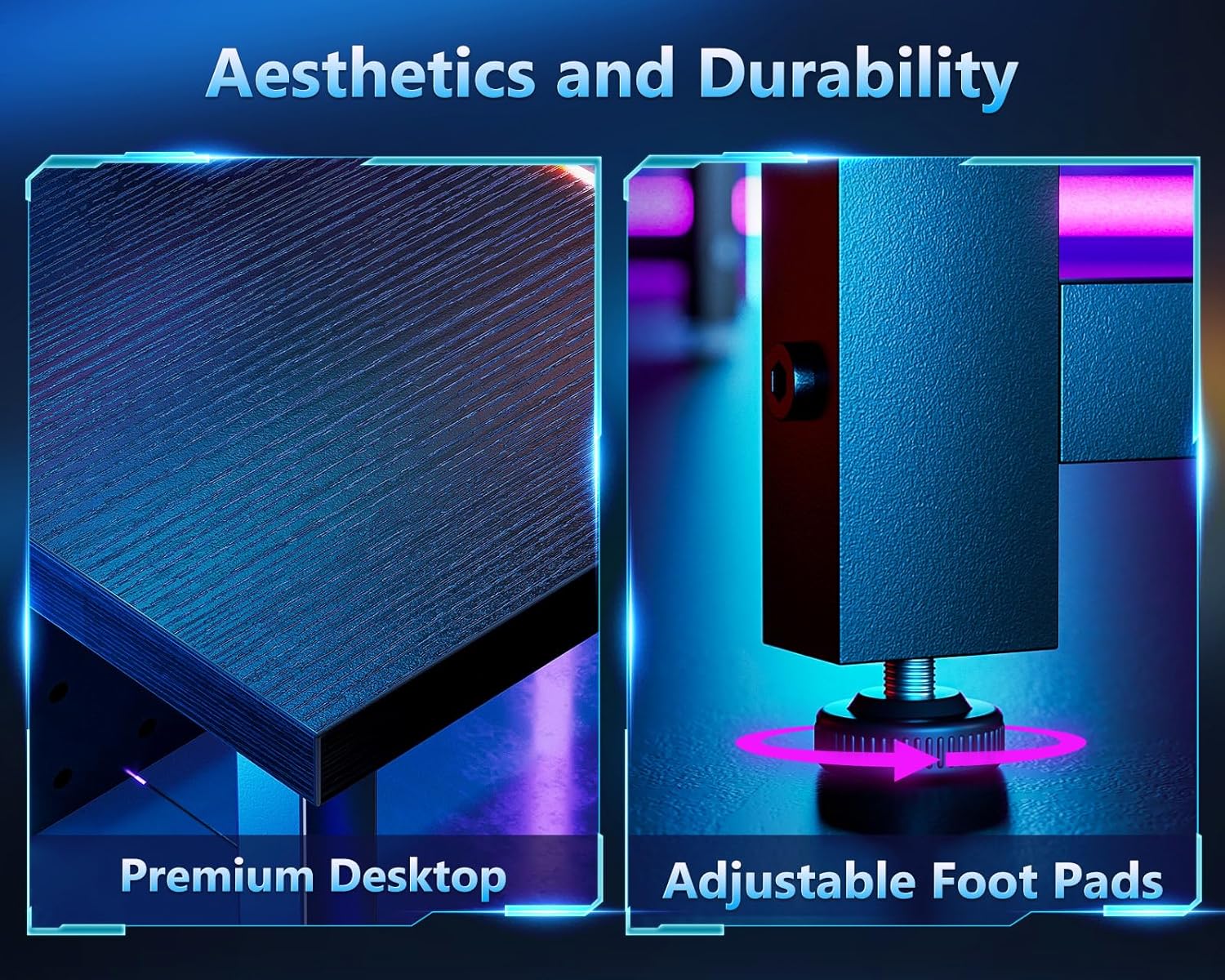
Billede: Detaljeret views of the desk's premium desktop surface and the adjustable foot pads, emphasizing durability and stability features.
Opretholdelse
- Rensning: Tør skrivebordet og rammen af med en blød kludamp klud. Undgå skrappe kemikalier eller slibende rengøringsmidler, der kan beskadige overfladen.
- Fastgørelseskontrol: Kontrollér regelmæssigt alle skruer og bolte for at sikre, at de forbliver stramme. Efterspænd om nødvendigt for at opretholde stabiliteten.
- Undgå overdreven vægt: Do not exceed the maximum weight recommendation of 150 pounds to prevent damage or instability.
Fejlfinding
- Skrivebordsslingrer: Ensure all assembly screws are fully tightened. Adjust the foot pads on each leg to level the desk on uneven flooring.
- Manglende dele: Hvis der mangler dele ved udpakning, skal du se pakkens indholdsliste og kontakte kundesupport for at få hjælp.
- Besvær med at samle: Review Læs monteringsvejledningen omhyggeligt. Sørg for, at komponenterne er vendt korrekt. Tving ikke delene sammen.
Specifikationer
| Feature | Detalje |
|---|---|
| Mærke | ODK |
| Modelnummer | SPCB02030901013USDF-2 |
| Produktmål (D x B x H) | 50.5" D x 50.5" B x 29.9" H |
| Farve | Klassisk sort |
| Top materialetype | Konstrueret træ |
| Grundmateriale | Metal |
| Varens vægt | 36.4 pund |
| Maksimal vægtanbefaling | 150 pund |
| Påkrævet samling | Ja |
| Anbefalede personer til forsamling | 1 |
| Inkluderede komponenter | Høretelefonkrog |

Image: A detailed diagram illustrating the dimensions of the ODK L-shaped desk, including length, width, and height measurements for each section.
Garanti og support
ODK provides a 30-day free return or exchange service for this product. For any issues, questions, or concerns, our professional customer service team is available 24 hours online to assist you.
Se venligst din købsdokumentation for specifikke garantivilkår.


