Produkt overview
The IMIKI XPLORER SCOUT D2 is a versatile smartwatch designed for both men and women, featuring a vibrant 1.43-inch AMOLED display. It offers seamless Bluetooth connectivity for calls and smart assistant integration, comprehensive health monitoring capabilities including blood oxygen and heart rate tracking, and support for over 100 sports modes. Its robust design is IP68 waterproof, making it suitable for various activities, and it boasts exceptional battery life with fast charging.
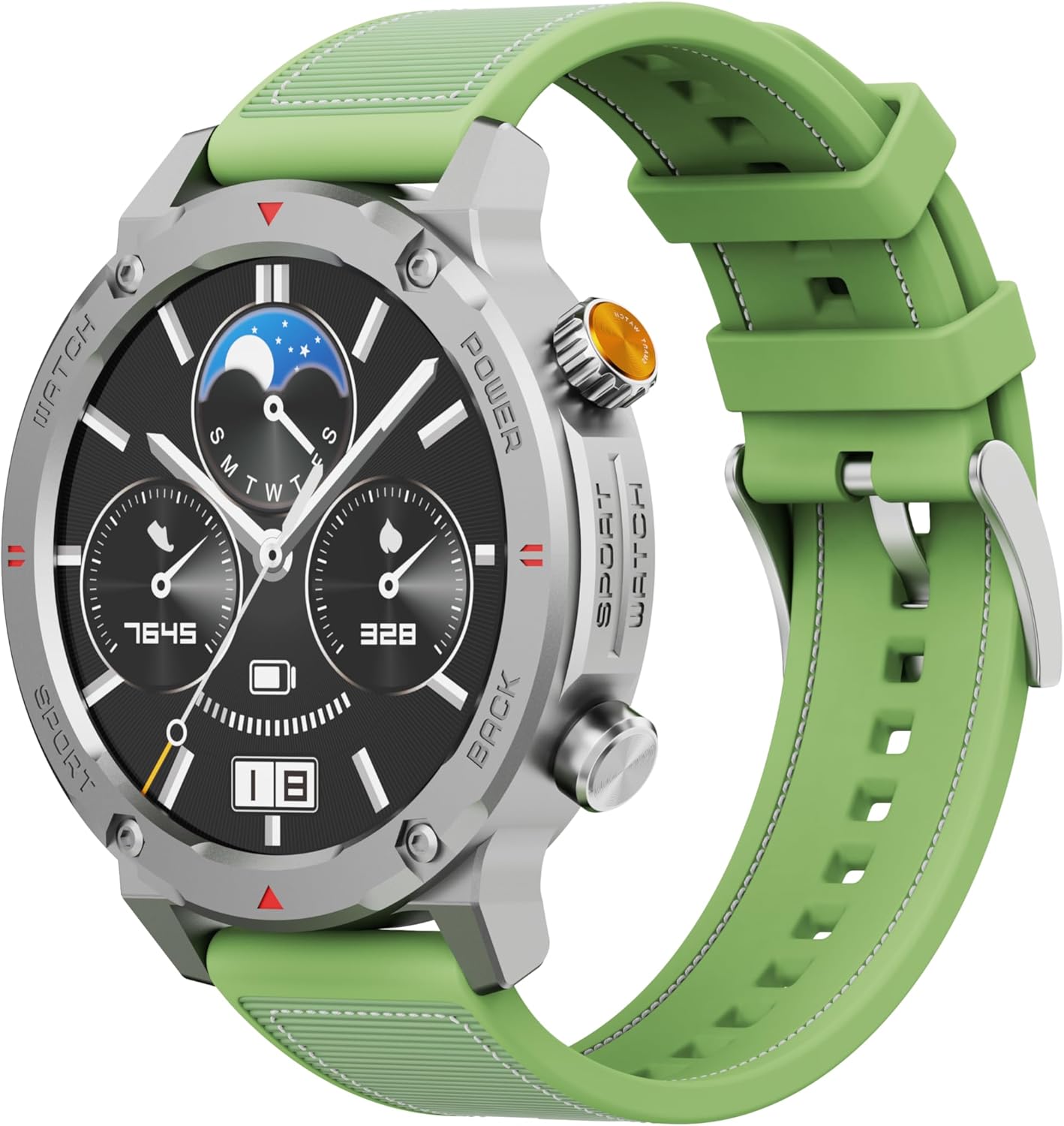
Figur 1: Forside view of the IMIKI XPLORER SCOUT D2 Smartwatch with its green strap.
Opsætningsvejledning
1. Hvad er der i æsken
Upon unboxing your IMIKI XPLORER SCOUT D2 Smartwatch, ensure all components are present:
- IMIKI XPLORER SCOUT D2 Smartwatch
- Ladekabel

Figure 2: The IMIKI XPLORER SCOUT D2 Smartwatch module separated from its bezel and strap, illustrating its modular design.
2. Opladning af smartwatchet
Before first use, fully charge your smartwatch. The 400 mAh battery provides up to 30 days of autonomy on a single charge, and it supports fast charging for quick power-ups.
- Tilslut opladningskablet til opladningsporten på bagsiden af smartwatchet.
- Sæt den anden ende af kablet i en USB-strømadapter (medfølger ikke) eller en computers USB-port.
- Urets display vil vise opladningsstatus. Sørg for tilstrækkelig tid til en fuld opladning.

Figur 3: Bagside view of the IMIKI XPLORER SCOUT D2 Smartwatch, highlighting the charging contacts and health sensors.
3. Indledende opsætning og parring
To unlock the full potential of your smartwatch, pair it with your smartphone via Bluetooth.
- Download appen: Søg efter the official IMIKI companion app on the Apple App Store (for iOS) or Google Play Store (for Android) and install it on your smartphone.
- Aktiver Bluetooth: Sørg for, at Bluetooth er aktiveret på din smartphone.
- Power On Watch: Press and hold the power button on the smartwatch to turn it on.
- Åbn app: Launch the IMIKI app on your smartphone and follow the on-screen instructions to add a new device.
- Parring: Select "IMIKI XPLORER SCOUT D2" from the list of available devices in the app. Confirm the pairing request on both your phone and the smartwatch if prompted.
Når parringen er fuldført, kan du tilpasse indstillingerne, view health data, and receive notifications directly on your smartwatch.
Betjeningsvejledning
1. Display og navigation
The IMIKI XPLORER SCOUT D2 features a 1.43-inch AMOLED display with a high resolution of 466x466 pixels, protected by tempered glass. Navigate the watch interface using touch gestures and the physical buttons.
- Stryg op/ned: Rul gennem menuer og notifikationer.
- Stryg til venstre/højre: Få adgang til hurtige widgets eller forskellige urskiver.
- Tryk på: Vælg et element, eller åbn et program.
- Fysiske knapper: Use the side buttons for power on/off, returning to the home screen, or quick access to sports modes.

Figure 4: Close-up of the smartwatch display, illustrating the clear AMOLED screen and various data points.
2. Sundhedsovervågning
The smartwatch is equipped with an optical sensor to monitor key health metrics:
- Puls (HR): Sporer kontinuerligt din puls hele dagen.
- Blodilt (SpO2): Måler dine iltmætningsniveauer i blodet.
- Søvnkvalitet: Monitors your sleep patterns and provides insights into sleep quality.
Access detailed health reports and historical data through the companion app.
3. Træningstilstande
With over 100 integrated sports modes, the XPLORER SCOUT D2 accurately records your exercise statistics. Select your desired activity from the watch's sports menu to begin tracking.

Figure 5: Visual representation of the smartwatch's diverse functionalities, including health tracking and sports modes.
4. Bluetooth Calling and Voice Assistant
The single-chipset Bluetooth 5.3 ensures stable and high-quality connectivity, allowing you to answer calls directly from your wrist. The integrated voice assistant enables hands-free control of your device with simple voice commands.
5. Meddelelser
Receive real-time notifications for calls, SMS messages, and app alerts directly on your smartwatch. Manage notification settings through the companion app.
6. Vandtæthed (IP68)
The IMIKI XPLORER SCOUT D2 is IP68 rated, meaning it is resistant to dust and water. This allows it to withstand splashes, rain, and brief immersion in shallow water. Note: While IP68 rated, it is not recommended for swimming, diving, or high-pressure water activities.

Figure 6: Illustration of the smartwatch's IP68 water resistance and exceptional battery autonomy.
Opretholdelse
Proper care and maintenance will extend the lifespan of your IMIKI XPLORER SCOUT D2 Smartwatch.
- Rensning: Regularly wipe the watch and strap with a soft, dry, lint-free cloth. For stubborn dirt, slightly dampRengør kluden med vand. Undgå at bruge skrappe kemikalier eller slibende materialer.
- Sensorpleje: Hold de optiske sensorer på bagsiden af uret rene for præcis sundhedsovervågning.
- Opbevaring: Opbevar smartwatchet et køligt, tørt sted væk fra direkte sollys og ekstreme temperaturer.
- Batteriets levetid: To maximize battery life, avoid fully discharging the battery frequently. Charge it before it completely runs out.
- Udskiftelige komponenter: The watch features a removable central case and interchangeable straps (Oyster, Active, Scout styles). Handle these components with care when changing them.

Figure 7: The IMIKI XPLORER series showcasing interchangeable straps and case styles.
Fejlfinding
If you encounter issues with your IMIKI XPLORER SCOUT D2 Smartwatch, try the following solutions:
| Problem | Mulig løsning |
|---|---|
| Uret tænder ikke. | Sørg for, at uret er fuldt opladet. Tilslut det til opladeren, og vent et par minutter, før du forsøger at tænde det igen. |
| Kan ikke parres med smartphone. |
|
| Unøjagtige sundhedsmålinger. |
|
| Notifikationer ikke modtaget. |
|
Specifikationer
| Feature | Detalje |
|---|---|
| Mærke | IMIKI |
| Modelnavn | IMIKI SMART WATCH XPLORER SCOUT D2 GREEN |
| Varemodelnummer | D2 GREEN |
| Skærmstørrelse | 1.43 tommer |
| Display Type | AMOLED |
| Forbindelsesteknologi | Bluetooth 5.3 |
| Batterikapacitet | 400 mAh |
| Gennemsnitlig batterilevetid | Op til 30 dage |
| Vandmodstand | IP68 |
| Sundhedsovervågning | Heart Rate, Blood Oxygen (SpO2), Sleep Quality |
| Træningstilstande | Over 100+ integrated modes |
| Særlige funktioner | Bluetooth Calling, Voice Assistant, Fast Charging, Removable Central Case, Tempered Glass Screen |
| Kompatible enheder | Smartphones (Android and iOS) |
| Varens vægt | 68 gram |
| Pakkedimensioner | 10.5 x 10.5 x 6 cm |
Garanti og support
For warranty information and customer support, please refer to the documentation included with your purchase or visit the official IMIKI webwebsted. Gem din købsbevis i tilfælde af garantikrav.
For further assistance, you may also contact the seller or Amazon customer service if purchased through Amazon.


