Indledning
This manual provides comprehensive instructions for the operation, maintenance, and troubleshooting of the UDIAG A200 OBD2 Scanner. Please read this manual thoroughly before using the device to ensure proper function and to prevent damage.
The UDIAG A200 is a professional all-system diagnostic scanner designed for BMW, Mini, and Rolls Royce vehicles after 1996. It offers full OBDII 10 Test Modes, bi-directional control, and over 40 special service functions.
Hvad er der i æsken
- A200 Diagnostic Scan Tool
- OBD II kabel
- TF kortlæser
- Beskyttende etui
- Brugervejledning (dette dokument)
Produkt overview

Figure 1: UDIAG A200 OBD2 Scanner and Packaging

Figure 2: Device Interface and Key Features
The UDIAG A200 features a clear display, intuitive button layout, and a robust OBDII connector. It is designed for ease of use, allowing quick navigation through diagnostic functions.
Opsætning
Indledende opsætning og tilslutning
- Find OBDII-porten: The OBDII port is typically located under the dashboard on the driver's side of the vehicle. Refer to your vehicle's owner's manual if you cannot locate it.
- Tilslut scanneren: Plug the OBDII cable from the A200 scanner into the vehicle's OBDII port. Ensure a secure connection.
- Tænd: The scanner will power on automatically once connected to the vehicle's OBDII port. No external power source or batteries are required as it draws power from the vehicle.
- Køretøjets tænding: Turn the vehicle's ignition key to the "ON" position (engine off). For some functions, the engine may need to be running; the scanner will prompt you if necessary.
Softwareopdateringer
It is recommended to update the scanner's software before first use to ensure access to the latest vehicle data and functions. Use the provided TF Card Reader to connect the scanner to a computer for updates. Visit the official UDIAG webwebstedet for detaljerede opdateringsinstruktioner og softwaredownloads.
Betjeningsvejledning
Navigering i menuen
Use the directional pad (up, down, left, right) to navigate through menu options. Press the OK button to confirm a selection. Use the Tilbage knappen for at vende tilbage til den forrige skærm.
Al systemdiagnostik
The A200 can diagnose all available control modules, including ABS, SRS, Engine, Transmission, Brake System, Suspension System, and Fuel system. From the main menu, select the "BMW" or "Application" option to begin a full system scan.

Figure 3: Comprehensive Diagnostic Functions

Figure 4: 40+ Special Maintenance Functions
OBDII funktioner
The A200 supports all 10 OBDII test modes for universal car makes. These include:
- Læs koder
- Ryd koder
- Data Stream (Live Data)
- Frys rammedata
- I/M-beredskab
- O2 monitor test
- On-board Monitor Test
- Komponenttest
- Køretøjsoplysninger
- DTC opslag

Figur 5: Fuld OBDII-funktioner
Bi-Directional Control / Active Test
The A200 supports active tests to control vehicle components directly from the scanner. This allows for quick verification of component functionality. Examples inkluderer:
- Foldbare spejle
- Roll Window
- Elektrisk blæser
- injektorer
- A/C Clutch on/off
- Viskertest
- Electronic Fuel Pump
- Turn on/off the Lights
- Deactivate Brakes
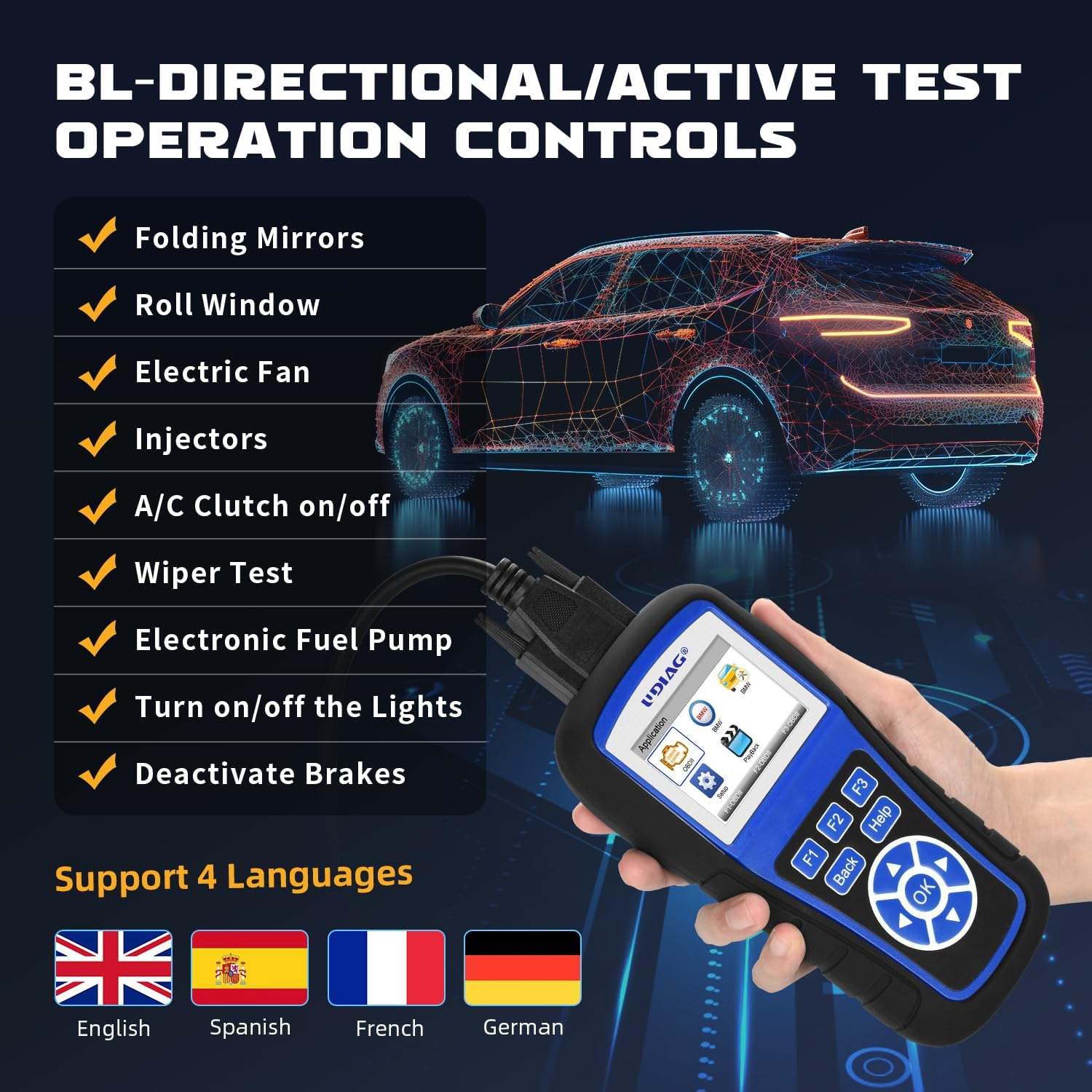
Figur 6: Tovejsstyringsfunktioner
Special Service Functions (40+)
The A200 includes advanced service functions such as EPB (Electronic Parking Brake) Reset, SAS (Steering Angle Sensor) Calibration, TBA/TPS (Throttle Body Alignment/Throttle Position Sensor) Reset, TPMS (Tire Pressure Monitoring System) Reset, ABS (Anti-lock Braking System) Bleeding, Oil Reset, Suspension Adaptation, Battery Reset, and Adaptive Gearbox functions. Select "Special Function" from the main menu to access these features.
Opretholdelse
Rengøring af enheden
Tør enheden af med en blød, damp klud. Brug ikke slibende rengøringsmidler eller opløsningsmidler. Sørg for, at enheden er frakoblet enhver strømkilde før rengøring.
Opbevaring
Store the A200 scanner in its protective case in a dry, cool environment, away from direct sunlight and extreme temperatures. Keep the OBDII cable free from kinks or damage.
Fejlfinding
| Problem | Mulig årsag | Løsning |
|---|---|---|
| Enheden tænder ikke. |
|
|
| Kommunikationsfejl med køretøjet. |
|
|
| Blank screen after power on. | Internal ribbon cable loose. | If comfortable, open the device and check if the internal ribbon cable on the circuit board has come loose. Re-seat and lock it. (Note: This action may void warranty. Consult UDIAG support first.) |
For further assistance, please contact UDIAG customer support.
Specifikationer
| Feature | Detalje |
|---|---|
| Mærke | udiag |
| Model | A200 for BMW |
| Operativsystem | Indlejret system |
| Skærmopløsning | 128x64 |
| Køretøjskompatibilitet | BMW/MINI/ROLLS ROYCE vehicles after 1996; Universal OBDII for other car makes (SUVs, light trucks, 12V diesel vehicles with OBD2) |
| Diagnostiske funktioner | All System Diagnostics, 10 OBDII Test Modes, Bi-Directional Control/Active Test, 40+ Special Service Functions |
| Opdatering | Livstids gratis opdatering |
Garanti og support
UDIAG provides quality assurance for its products. For any questions or concerns regarding the A200 scanner, please contact UDIAG customer service. Your satisfaction is their priority.
Contact information can typically be found on the official UDIAG webhjemmeside eller gennem den forhandler, hvor produktet blev købt.
For mere information, besøg UDIAG Store on Amazon.


