1. Introduktion
The Elitech LogEt5T is a reusable USB temperature data logger designed for precise temperature monitoring across various applications, including biosciences, cold chain logistics, and industrial environments. It features automatic PDF and CSV report generation, a wide temperature range, and enhanced data integrity functions.
Nøglefunktioner:
- Enhanced Shadow Data Function: Ensures data integrity even during accidental shutdowns or restarts.
- Reusable Temperature Logger: Wide temperature range of -30°C to 70°C with high accuracy (±0.1°C).
- Tilpassede parametre: Easily modify temperature units, alarm ranges, and logging intervals.
- Automatic PDF & CSV Reports: Generates reports automatically without additional software.
- On-screen Data Visualization: Displays current, max, min, MKT values, date, and recording points.

2. Opsætning
2.1 Indledende opsætning
- Batteri installation: The device comes with a pre-installed CR2450 battery. Ensure it is properly seated.
- Software Installation (Optional for Advanced Features): For advanced functionalities and detailed analysis, download the Elitechlog software from the official Elitech webwebsted. Denne software er kompatibel med Windows og macOS.
2.2 Customizing Parameters
Before starting a new recording, you can customize various parameters using the Elitechlog software:
- Temperaturenheder (°C/°F)
- Alarm thresholds (high and low temperature limits)
- Logging interval (how frequently data is recorded)
- Startforsinkelse
- Adgangskodebeskyttelse
3. Betjeningsvejledning
3.1 Start af en optagelse
Tryk og hold på STARTE button on the device until the recording indicator appears on the LCD screen. The device will begin logging data according to the configured interval.
3.2 Stopping a Recording
Tryk og hold på STOP button on the device until the recording indicator disappears. The device will cease logging data.
3.3 Viewing Data on Screen
The LCD screen provides real-time and summary data. Press the STARTE knap kort for at skifte mellem forskellige visningstilstande:
- Aktuel temperatur
- Maximum Temperature (MAX)
- Minimum Temperature (MIN)
- Average Temperature (AVG)
- Gennemsnitlig kinetisk temperatur (MKT)
- Dato og tid
- Number of Recorded Points (LOG)

3.4 Data Export and Report Generation
To access recorded data:
- Connect the LogEt5T to a computer's USB port.
- The device will automatically generate a PDF report and a CSV file containing all recorded data. These files can be found in the device's storage when connected to a computer.
- For more detailed analysis, open the Elitechlog software and import the data. The software allows for graphical comparison of data and trend analysis.

3.5 Reusing the Logger
The LogEt5T is reusable. To clear data and prepare for a new recording cycle:
- Tilslut enheden til en pc.
- Open the Elitechlog software.
- Perform a quick reset and confirm the action within the software.
Note: Always save historical data before resetting the device to prevent data loss.

4. Vedligeholdelse
4.1 Udskiftning af batteri
The LogEt5T uses a CR2450 button cell battery. When the battery indicator on the LCD screen shows low power, replace the battery:
- Åbn forsigtigt batterirummet.
- Fjern det gamle CR2450-batteri.
- Indsæt et nyt CR2450-batteri, og sørg for korrekt polaritet.
- Luk batterirummet forsvarligt.
4.2 Rengøring og opbevaring
- Rengør enheden med en blød, tør klud. Brug ikke slibende rengøringsmidler eller opløsningsmidler.
- Opbevar enheden et køligt, tørt sted væk fra direkte sollys og ekstreme temperaturer.
- Ensure the USB port is protected from moisture and dust when not in use.
5. Fejlfinding
Almindelige problemer og løsninger:
- Enheden starter ikke: Check battery level. Replace if low.
- No data export: Ensure the device is properly connected to the USB port. Try a different USB port or cable.
- Software genkender ikke enheden: Ensure Elitechlog software is installed correctly. Restart the software and reconnect the device.
- Unøjagtige aflæsninger: Ensure the device is placed in an appropriate environment, away from direct heat sources or extreme drafts. Refer to specifications for operating range.
For further assistance, consult the Elitechlog software's help section or contact Elitech customer support.
6. Specifikationer
The following table details the technical specifications of the Elitech LogEt5T USB Temperature Data Logger:
| Feature | Specifikation |
|---|---|
| Modelnavn | LogEt5T |
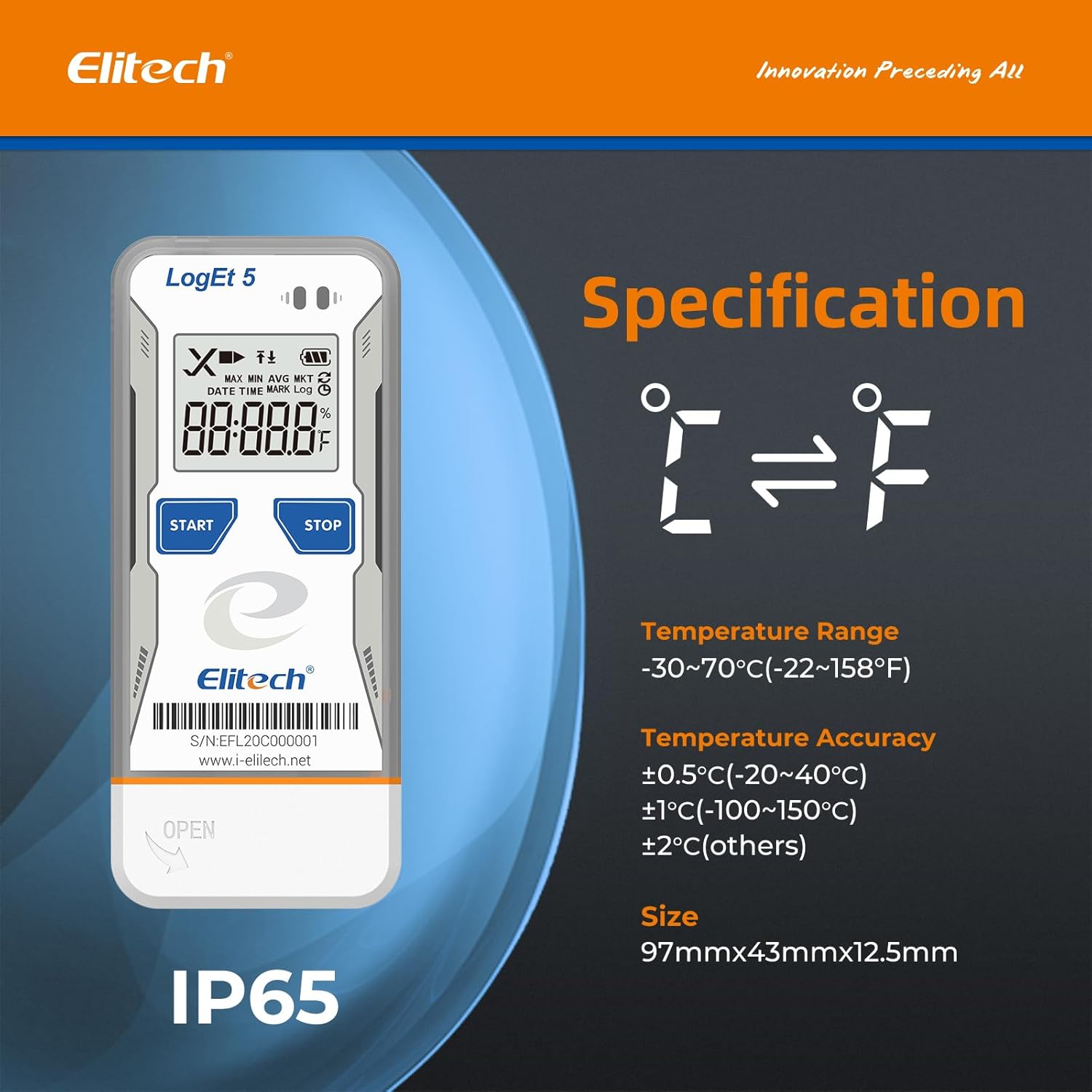
| Temperaturområde | -30°C til 70°C (-22°F til 158°F) |
| Temperatur nøjagtighed | ±0.5°C (-20~40°C), ±1°C (-100~150°C), ±2°C (others) |
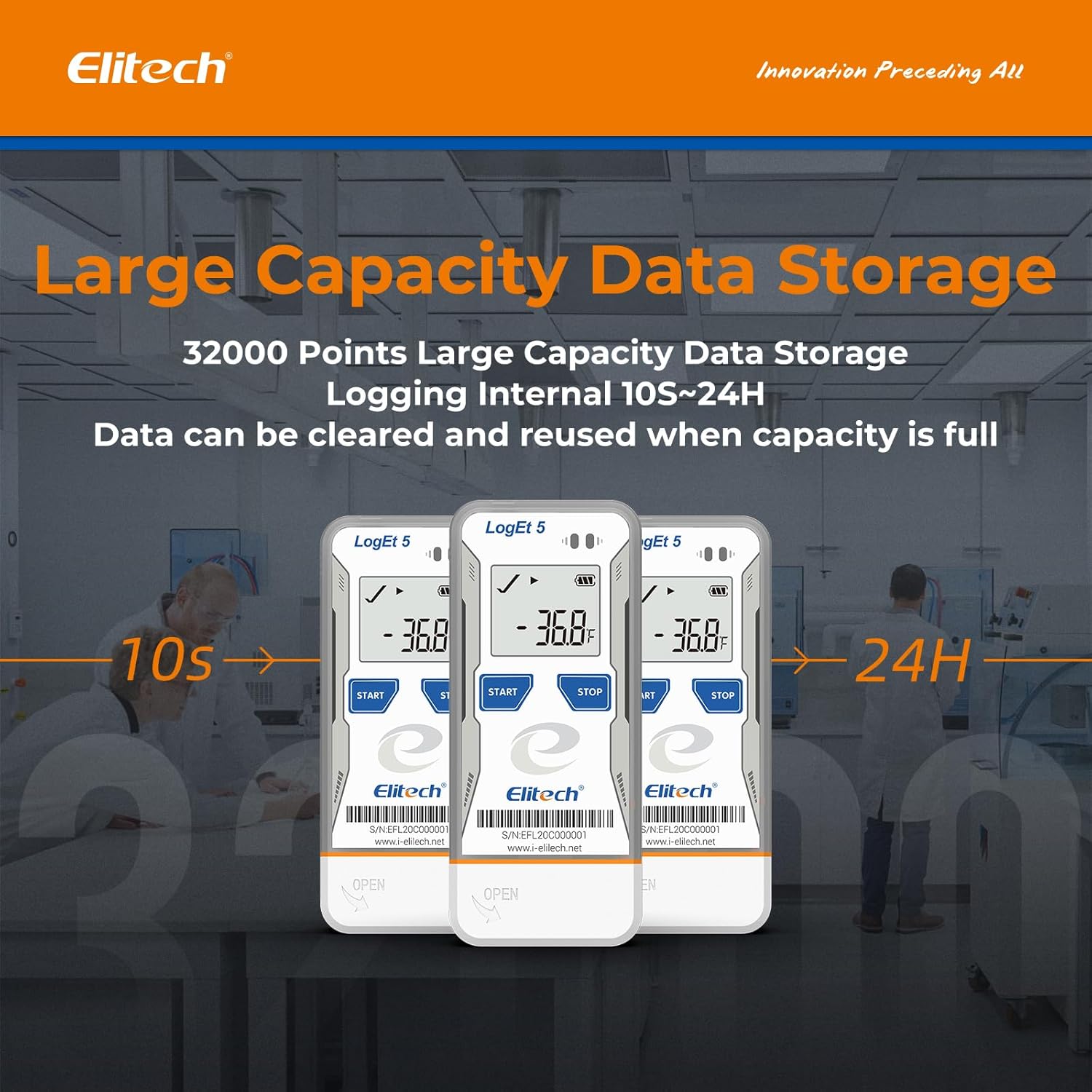
| Datalagringskapacitet | 32,000 point |
| Logningsinterval | Configurable (from 10 seconds to 24 hours) |
| Forbindelsesteknologi | USB |
| Display Type | Digital LCD |
| Strømkilde | Battery powered (1x CR2450, included) |
| Materiale | Rustfrit stål (udvendigt) |
| Dimensioner | 97 mm x 43 mm x 12.5 mm |
| Vægt | 80 gram |
| Overholdelse | FDA 21 CFR Part 11 |

7. Garanti og support
For information regarding product warranty, technical support, or service, please refer to the official Elitech website or contact Elitech customer service directly. Details are typically provided with the product packaging or available online.
Du kan også besøge Elitech Brand Store on Amazon for yderligere produktinformation og supportressourcer.


