1. Vigtige sikkerhedsoplysninger
Læs venligst alle sikkerhedsinstruktioner omhyggeligt, inden du bruger dit tv. Gem denne manual til senere brug.
- Strømforsyning: Ensure the TV is connected to a power source within the specified voltage-området. Overbelast ikke stikkontakterne.
- Ventilation: Bloker ikke ventilationsåbningerne. Sørg for tilstrækkelig plads omkring tv'et til korrekt luftgennemstrømning for at forhindre overophedning.
- Vand og fugt: Do not expose the TV to rain, moisture, or place objects filled with liquids on or near the TV.
- Rensning: Tag stikket ud af tv'et før rengøring. Brug en blød, tør klud. Brug ikke flydende rengøringsmidler eller sprayrengøringsmidler.
- Placering: Placer tv'et på en stabil, plan overflade. Undgå at placere det i direkte sollys eller i nærheden af varmekilder.
- Service: Forsøg ikke selv at reparere TV'et. Overlad al service til kvalificeret servicepersonale.
2. Pakkens indhold
Bekræft, at alle nedenstående varer er inkluderet i din pakke:
- Metz 32MTE7000Z TV Unit
- Fjernbetjening
- Strømkabel
- Brugervejledning (dette dokument)
- TV Bases (2x)
- Adapter
- Screws for Bases

3. TV Overview og forbindelser
3.1 Foran View
The front of the Metz 32MTE7000Z features a boundless screen design and powerful front-facing speakers for an immersive audio-visual experience.

3.2 bag View og havne
The rear panel of your TV provides various input and output ports for connecting external devices.
- HDMI (x2): High-Definition Multimedia Interface for connecting devices like Blu-ray players, game consoles, or set-top boxes.
- USB (x2): Universal Serial Bus for connecting USB storage devices to play media or for software updates.
- DVB-S/S2 (x1): Satellite input for connecting to a satellite dish.
- DC IN (x1): Power input for the TV's adapter.
- Digital lydudgang (x1): For connecting to external audio systems with digital input.
- LAN (x1): Ethernet port for a wired internet connection.
- AV (x1): Audio/Video input for older devices using composite cables.
- DVB-T/T2/DVB-C ATV (x1): Antenna input for terrestrial or cable TV signals.
- Headphone (x1): 3.5 mm stik til tilslutning af hovedtelefoner.

4. Opsætning
4.1 Montering af stativene
- Placer forsigtigt tv'et med forsiden nedad på en blød, flad overflade for at forhindre, at skærmen beskadiges.
- Juster hver stander med de tilsvarende riller i bunden af tv'et.
- Fastgør stativerne med de medfølgende skruer. Sørg for, at de er ordentligt fastgjort.
4.2 Tilslutning af strøm
- Connect the power adapter to the 'DC IN' port on the back of the TV.
- Sæt den anden ende af strømadapteren i en stikkontakt.
4.3 First-Time Power On and Google TV Setup
- Tryk på tænd/sluk-knappen på fjernbetjeningen eller på selve tv'et.
- Følg instruktionerne på skærmen for at vælge dit sprog og land og oprette forbindelse til dit Wi-Fi-netværk.
- Log ind med din Google-konto for at få adgang til Google TV-funktioner, apps og personlige anbefalinger.
- Complete the channel scan for over-the-air or cable broadcasts if applicable.
5. Betjening af dit TV
5.1 Fjernbetjening
Use the provided remote control to navigate the TV's interface, adjust settings, and access various functions. Familiarize yourself with the buttons for power, volume, channel, input selection, and Google Assistant.
5.2 Google TV-grænseflade
Your Metz TV runs on Google TV, providing a centralized hub for streaming services, live TV, and apps. The interface offers personalized recommendations based on your viewing vaner.

5.3 Audio Features: Dolby Audio and DBX-TV
The TV is equipped with advanced audio technologies for a superior sound experience:
- Dolby Audio: Delivers rich, clear, and powerful sound for movies, shows, and music.
- DBX-TV Technology: Enhances audio quality with features like Total Sonics (noise reduction, clearer voices), Total Surround (more immersive sound), and Total Volume (prevents sudden volume changes).
- 2x10W Front Speakers: Powerful front-facing speakers project sound directly towards you for clear and immersive audio without external speakers.


5.4 Display Features: HDR10 and Eye Comfort
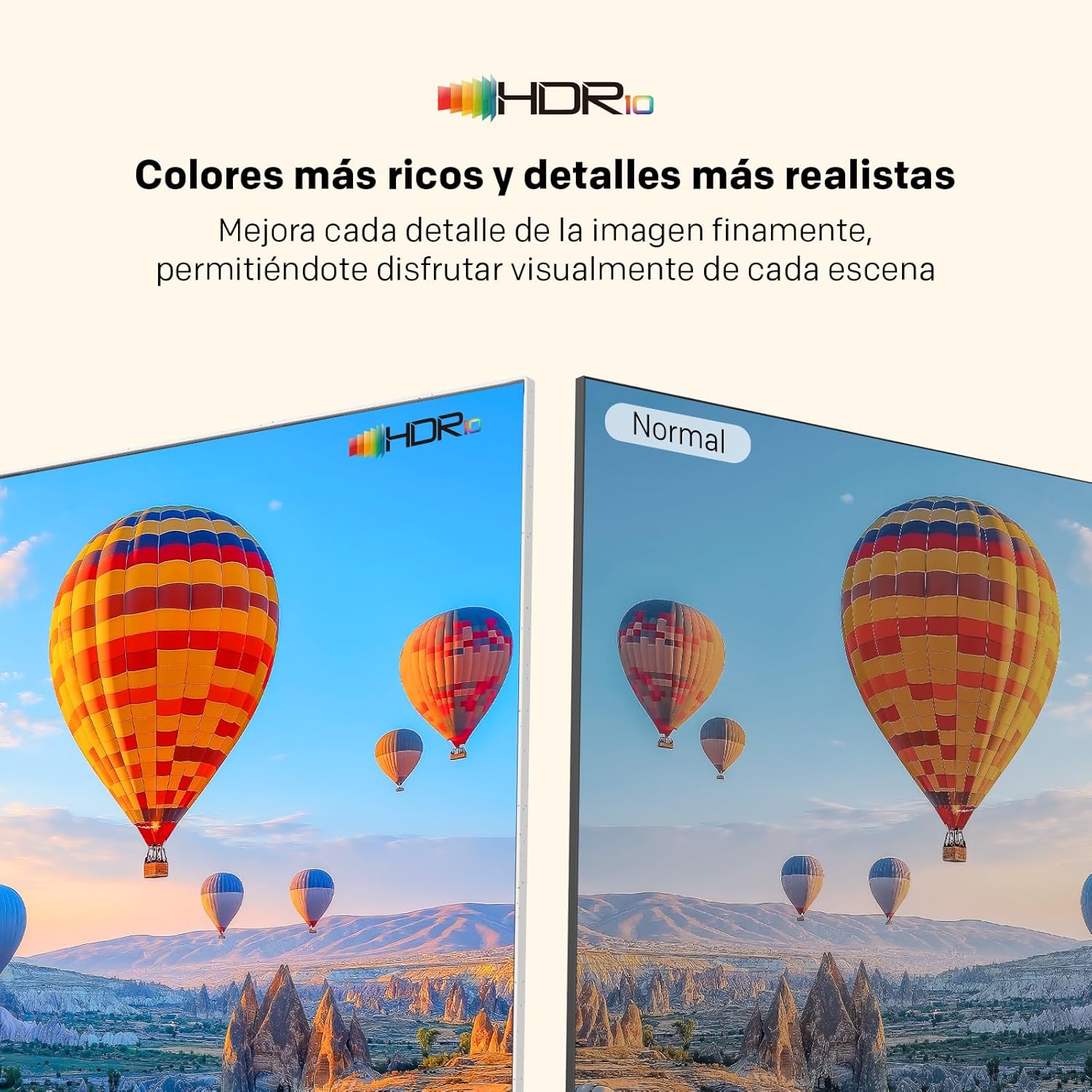
- HDR10: High Dynamic Range 10 provides richer colors and more realistic details, enhancing visual depth and contrast in compatible content.
- Øjenkomforttilstand: Reduces harmful blue light and eliminates flicker, providing a more comfortable and safer viewing experience during extended periods.
5.5 Chromecast Indbygget
The TV includes Chromecast built-in, allowing you to cast content (videos, music, photos) from your compatible smartphone, tablet, or computer directly to the TV screen.
5.6 Google Assistent
Utilize the integrated Google Assistant by pressing the dedicated button on your remote. Use voice commands to search for content, control smart home devices, get answers, and more.
6. Portable Design Features
The Metz 32MTE7000Z is designed for portability and aesthetic appeal:
- Letvægt: Weighing less than 3 kg, the TV is easy to move between rooms or for outdoor use.
- Integreret bærehåndtag: A convenient handle on the top rear of the TV allows for easy transportation.
- Elegant Checkered Back: The rear panel features a stylish checkered pattern, combining modern aesthetics with functionality.
- Versatile White Base: The clean white base complements various interior and exterior settings.


7. Vedligeholdelse
7.1 Rengøring af skærmen
To clean the screen, first unplug the TV. Gently wipe the screen with a soft, lint-free cloth. For stubborn marks, slightly dampen the cloth with water or a specialized screen cleaner, then wipe dry immediately. Avoid harsh chemicals or abrasive materials.
7.2 Generel pleje
Keep the TV free from dust by regularly wiping the cabinet with a soft, dry cloth. Ensure ventilation openings are clear. Do not place heavy objects on the TV or expose it to extreme temperatures.
8. Fejlfinding
Hvis du støder på problemer med dit tv, kan du se følgende almindelige problemer og løsninger:
- Ingen strøm:
- Check if the power cable is securely connected to the TV and the wall outlet.
- Sørg for, at stikkontakten fungerer ved at tilslutte en anden enhed.
- Prøv at trykke på tænd/sluk-knappen på selve tv'et, ikke kun på fjernbetjeningen.
- Intet billede, men der er lyd:
- Check the input source. Press the 'Input' button on your remote to cycle through sources.
- Ensure external devices (e.g., cable box, game console) are powered on and connected correctly.
- Ingen lyd, men der er billede:
- Øg lydstyrken ved hjælp af fjernbetjeningen.
- Check if the TV is muted. Press the 'Mute' button on the remote.
- Verify audio settings in the TV menu.
- Fjernbetjeningen virker ikke:
- Udskift batterierne i fjernbetjeningen.
- Sørg for, at der ikke er nogen forhindringer mellem fjernbetjeningen og tv'ets IR-sensor.
- Ret fjernbetjeningen direkte mod tv'et.
- Problemer med netværksforbindelse:
- Genstart din Wi-Fi-router.
- Check network settings on the TV to ensure correct Wi-Fi password or wired connection.
- Prøv at oprette forbindelse til et andet Wi-Fi-netværk, hvis det er tilgængeligt.
9. Specifikationer
Detailed technical specifications for the Metz 32MTE7000Z TV:
| Feature | Specifikation |
|---|---|
| Skærmstørrelse | 32 tommer |
| Mærke | Metz |
| Displayteknologi | LED |
| Opløsning | 768p |
| Opdateringshastighed | 60 Hz |
| Særlige funktioner | Auto Volume Leveller, Chromecast, Bezel-less Design, Eye Comfort Mode |
| Inkluderede komponenter | Remote Control, Cable, Manual, Bases |
| Forbindelsesteknologi | Bluetooth, USB, Wi-Fi |
| Aspektforhold | 16:9 |
| Produktdimensioner (DxBxH) | 13.9 x 71.9 x 47 cm |

10. Garanti og kundesupport
Your Metz 32MTE7000Z TV comes with a standard manufacturer's warranty. Please refer to the warranty card included in your package for specific terms and conditions, including the warranty period and coverage details.
For technical assistance, troubleshooting beyond this manual, or warranty claims, please contact Metz customer support. Contact information can typically be found on the Metz official webwebstedet eller i din garantidokumentation.


