1. Introduktion
This manual provides detailed instructions for the operation and maintenance of your BOGASING Era S9 Pro Bluetooth Speaker. Please read this manual thoroughly before use to ensure proper functionality and to maximize your listening experience.
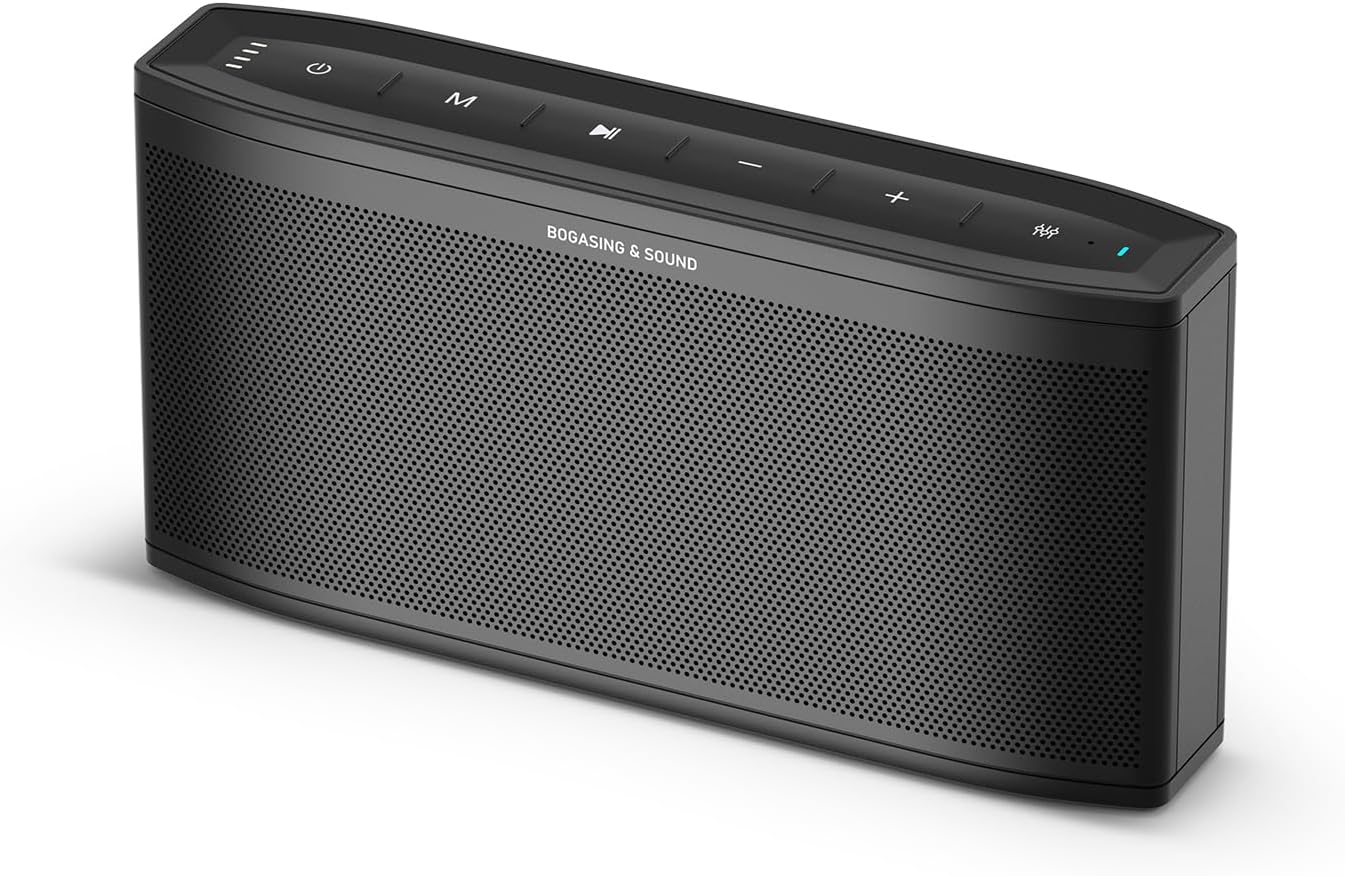
Figur 1: BOGASING Era S9 Pro Bluetooth Speaker, front view.
2. Nøglefunktioner
- Forbedret lydydelse: Features a 2-way system with a large-diameter driver, silk dome tweeter, and dual passive radiators for rich bass and clear audio details.
- Forlænget spilletid: Offers up to 48 hours of continuous music playback on a single charge.
- Premium design: Constructed with high-quality metal mesh grilles and acoustic mesh fabric for improved frequency response and a sleek aesthetic.
- Flere lydtilstande: Choose from Super Bass, Vocal, and 3D Stereo sound effects to suit your preferences.
- True Wireless Stereo (TWS): Pair two Era S9 Pro speakers for an immersive, wide soundstage.
- Alsidig tilslutning: Equipped with Bluetooth 5.3 for stable wireless connection, and supports TF card, USB-C, and AUX inputs.
- Indbygget mikrofon: Giver mulighed for håndfri opkald.
3. Pakkens indhold
Kontroller venligst pakkens indhold ved udpakning:
- MOSEASING Era S9 Pro Bluetooth Speaker
- USB-C ladekabel
- AUX kabel
- Brugervejledning (dette dokument)
4. Kontroller og indikatorer

Figure 2: Top panel controls and LED indicator light.
The speaker features intuitive controls located on the top panel and various input ports on the rear.
- Power knap: Tryk og hold for at tænde/slukke.
- Mode-knap (M): Tryk kort for at skifte mellem Bluetooth-, TF-kort- og AUX-tilstande.
- Afspil/pause knap: Tryk for at afspille eller sætte lyd på pause.
- Lydstyrke op (+): Øg volumen.
- Skrue ned for lyden (-): Sænk volumen.
- EQ knap: Cycle through Super Bass, Vocal, and 3D Stereo sound modes. The LED indicator will change color to reflect the selected mode.
- LED-indikatorlys: Displays power status, battery level, and current EQ mode.

Figure 3: Rear connectivity ports including TF, Type-C, and AUX.
5. Opsætning
5.1 Opladning af højttaleren
Before first use, fully charge the speaker. Connect the provided USB-C cable to the speaker's Type-C port and the other end to a USB power adapter (not included) or a computer's USB port. The LED indicator will show charging status and turn off when fully charged.
5.2 Tænd/sluk
- For at tænde skal du trykke på tænd/sluk-knappen og holde den nede, indtil LED-indikatoren lyser.
- For at slukke skal du trykke på tænd/sluk-knappen og holde den nede, indtil LED-indikatoren slukker.
6. Betjeningsvejledning
6.1 Bluetooth -parring
- Ensure the speaker is powered on and in Bluetooth mode (indicated by a blue LED). If not, short press the Mode (M) button to switch.
- On your device (smartphone, tablet, etc.), enable Bluetooth and search for "BOGASING Era S9 Pro" in the list of available devices.
- Vælg "BOG"ASING Era S9 Pro" to pair. Once connected, the speaker will emit an audible confirmation, and the LED will remain solid blue.
Højttaleren vil automatisk forsøge at genoprette forbindelsen til den sidst parrede enhed, når den tændes.
6.2 Ægte trådløs stereo (TWS) parring
To achieve a wider stereo sound, you can pair two BOGASING Era S9 Pro speakers together.

Figure 4: Two Era S9 Pro speakers configured for True Wireless Stereo.
- Ensure both Era S9 Pro speakers are powered on and not connected to any Bluetooth device.
- On one speaker (this will be the primary speaker), double-press the Play/Pause button. The speaker will enter TWS pairing mode.
- De to højttalere vil automatisk oprette forbindelse til hinanden. Når de er tilsluttet, vil den primære højttalers LED blinke blåt, og den sekundære højttalers LED vil lyse konstant blåt.
- Now, connect your device to the primary speaker via Bluetooth as described in section 6.1. The primary speaker will then transmit audio to both speakers, creating a stereo sound experience.
6.3 Lydtilstande (EQ)
The Era S9 Pro offers three distinct sound modes:

Figure 5: Speaker displaying different EQ modes.
- Super Bass (Green LED): Forstærker lave frekvenser for en kraftfuld basoplevelse.
- Vocal (Red LED): Optimizes mid-range frequencies for clear and prominent vocals.
- 3D Stereo (Blue LED): Creates a wider, more immersive soundstage.
To switch between modes, short press the EQ button on the top panel. The LED indicator will change color accordingly.
6.4 Brug af den indbyggede mikrofon
When connected via Bluetooth, the built-in microphone allows you to answer calls directly through the speaker.
- Besvar opkald: Tryk kort på Play/Pause-knappen.
- Afslut opkald: Tryk kort på Play/Pause-knappen.
- Afvis opkald: Tryk og hold knappen Afspil/Pause nede.
7. Tilslutningsmuligheder
7.1 TF-kortafspilning
Indsæt et TF-kort (microSD) med lyd files into the TF card slot on the rear of the speaker. The speaker will automatically switch to TF card mode and begin playback. Use the Play/Pause and Volume buttons to control playback.
7.2 AUX-indgang
Connect an external audio device (e.g., MP3 player, computer) to the speaker's AUX port using the provided 3.5mm AUX cable. The speaker will automatically switch to AUX mode. Control playback and volume from your connected device.
8. Vedligeholdelse
- Rengør højttaleren med en blød, tør klud. Brug ikke slibende rengøringsmidler eller opløsningsmidler.
- Undgå at udsætte højttaleren for ekstreme temperaturer, fugtighed eller direkte sollys.
- While the speaker is waterproof, avoid submerging it in water for extended periods. Ensure the charging port cover is securely closed when near water.
- Opbevar højttaleren på et køligt, tørt sted, når den ikke er i brug.
9. Fejlfinding
| Problem | Mulig årsag | Løsning |
|---|---|---|
| Højttaleren tænder ikke. | Lavt batteri. | Oplad højttaleren helt. |
| Kan ikke parres via Bluetooth. | Højttaleren er ikke i parringstilstand; enhedens Bluetooth er slået fra; for langt fra højttaleren. | Ensure speaker is in Bluetooth mode; enable Bluetooth on device; move device closer (within 10m). |
| Ingen lyd. | Lydstyrken er for lav; forkert inputtilstand; enheden afspiller ikke. | Increase speaker/device volume; switch to correct input mode (Bluetooth, AUX, TF); ensure device is playing audio. |
| Lydforvrængning. | Lydstyrken er for høj; lavt batteri. | Reduce volume; charge the speaker. |
| TWS-parring mislykkedes. | Speakers already connected to a device; too far apart. | Disconnect speakers from any devices; ensure speakers are close to each other during pairing. |
10. Specifikationer
| Feature | Detalje |
|---|---|
| Modelnavn | Era S9 Pro |
| Mærke | MOSEASING |
| Forbindelsesteknologi | Bluetooth 5.3, AUX, USB-C, TF Card |
| Højttaler type | Portable Bluetooth Speaker (2-Channel Audio) |
| Højttaler Maksimal udgangseffekt | 50 watt |
| Batterilevetid | Op til 48 timer |
| Produktdimensioner | 2.55" D x 11.66" B x 4.33" H |
| Varens vægt | 1.94 pund (0.88 kilo) |
| Materiale | Metal |
| Vandtæt | Ja |
| Særlige funktioner | Hi-Res Audio, Built-in Microphone, EQ Modes (Super Bass, Vocal, 3D Stereo), TWS Pairing |
11. Officiel produktvideo
Video 1: Official BOGASING Era S9 Pro Wireless Bluetooth Speaker for Home. This video demonstrates the speaker's features and sound capabilities.
12. Garanti og support
MOSEASING provides an 18-month warranty for the Era S9 Pro speaker. For any questions, concerns, or technical support, please contact BOGASING customer service.
How to Contact BOGASING Customer Service:
- Gå til din ordrehistorik.
- Find the BOGASING order in the list.
- Select order questions and choose your topic from the list displayed.
- Select "Contact us".
MOSEASING aims to resolve inquiries within 24 hours.


