1. Produktet er slutview
The Imou Cruiser Dual 2 is an advanced 10-megapixel Pan-Tilt-Zoom (PTZ) IP/Wi-Fi security camera designed for comprehensive outdoor surveillance. It features a dual-lens system, offering both wide-angle and detailed views, along with full-color night vision capabilities and integrated IR and red/blue warning lights for enhanced security.
This manual provides detailed instructions for the installation, operation, and maintenance of your Imou Cruiser Dual 2 camera.
Nøglefunktioner:
- Dobbeltlinsesystem: Combines two cameras for a broader overview and detailed zoom.
- 10 Megapixel Resolution: Delivers clear and sharp video footage.
- Pan-Tilt-Zoom (PTZ): Allows remote adjustment of camera angle (355° pan, 90° tilt).
- Nattesyn i fuld farve: Provides color images even in low-light conditions.
- IR Illumination: Standard infrared night vision for discreet monitoring.
- Red & Blue Warning Lights: Active deterrence feature to ward off intruders.
- Wi-Fi-forbindelse: Easy wireless setup and access.
- Tovejs lyd: Indbygget mikrofon og højttaler til kommunikation.

Figur 1.1: Front view of the Imou Cruiser Dual 2 camera, showcasing its dual-lens design and integrated lights.
2. Opsætning og installation
2.1 Hvad er der i æsken
- Imou Cruiser Dual 2 Camera
- Strømadapter
- Monteringsskabelon
- Monteringsskruer og vægdyvler
- Waterproof Connector (for Ethernet cable, if applicable)
- Hurtig startvejledning
2.2 Fysisk installation
Before mounting, ensure the camera is within range of your Wi-Fi network and a power outlet. The camera can be mounted on a wall or under an eave.
- Vælg en placering: Vælg en passende udendørs placering, der giver den ønskede viewing angle and is protected from direct heavy rain.
- Forberedelse til montering: Use the provided mounting template to mark the screw positions on the wall or ceiling.
- Bore huller: Bor huller på de markerede steder. Isæt rawlplugs ved montering på murværk.
- Sikre kameraet: Attach the camera's mounting bracket to the surface using the screws.
- Tilslut strøm: Tilslut strømadapteren til kameraet, og sæt den i en stikkontakt.
- Juster vinkel: Loosen the adjustment screws on the bracket to set the initial camera angle, then tighten them.

Figur 2.1: Imou Cruiser Dual 2 camera mounted on an exterior brick wall, demonstrating a typical installation scenario.

Figur 2.2: Imou Cruiser Dual 2 camera installed under an eave, providing overhead surveillance.
2.3 Download af app og parring af enheder
- Download Imou Life-appen: Søg efter "Imou Life" in your mobile app store (App Store for iOS, Google Play for Android) and download the application.
- Opret konto: Open the Imou Life app and follow the on-screen instructions to create a new account or log in if you already have one.
- Tilføj enhed: Tap the "+" icon in the top right corner of the app to add a new device.
- Scan QR -kode: Scan QR-koden, der findes på kameraet eller dets emballage.
- Opret forbindelse til Wi-Fi: Follow the app's instructions to connect the camera to your 2.4GHz Wi-Fi network. Ensure your phone is connected to the same Wi-Fi network during setup.
- Komplet opsætning: Når du har oprettet forbindelse, skal du navngive dit kamera og fuldføre opsætningsprocessen.
3. Betjening
3.1 Live View og PTZ-styring
From the Imou Life app, select your camera to access the live view. You can use the on-screen controls to:
- Pande: Stryg til venstre eller højre på live-skærmen view to rotate the camera horizontally (up to 355°).
- Vip: Swipe up or down to adjust the camera vertically (up to 90°).
- Zoom: Pinch in or out on the screen to digitally zoom in or out of the image.

Figur 3.1: Diagram illustrating the 355° pan and 90° tilt capabilities of the Imou Cruiser Dual 2, providing extensive coverage.
3.2 Optagelse og afspilning
The camera supports continuous recording or event-triggered recording to a local Micro SD card (not included) or to the Imou Cloud storage (subscription may be required).
- Få adgang til optagelser: In the Imou Life app, navigate to the camera's settings or playback section to view optaget footage.
- Download Footage: Select desired clips and download them to your mobile device.
3.3 Nattesynstilstande
The Imou Cruiser Dual 2 offers multiple night vision options:
- Infrared Mode (IR): Provides black and white video using infrared LEDs for discreet monitoring in complete darkness.
- Fuldfarvetilstand: Utilizes built-in spotlights to illuminate the area, providing full-color video at night.
- Smart Mode: The camera operates in IR mode and automatically switches to full-color mode when motion is detected, activating the spotlights.
3.4 Aktiv afskrækkelse
The camera features integrated red and blue warning lights and a siren to deter potential intruders.
- Aktivering: These features can be configured in the Imou Life app to activate automatically upon motion detection or manually triggered.
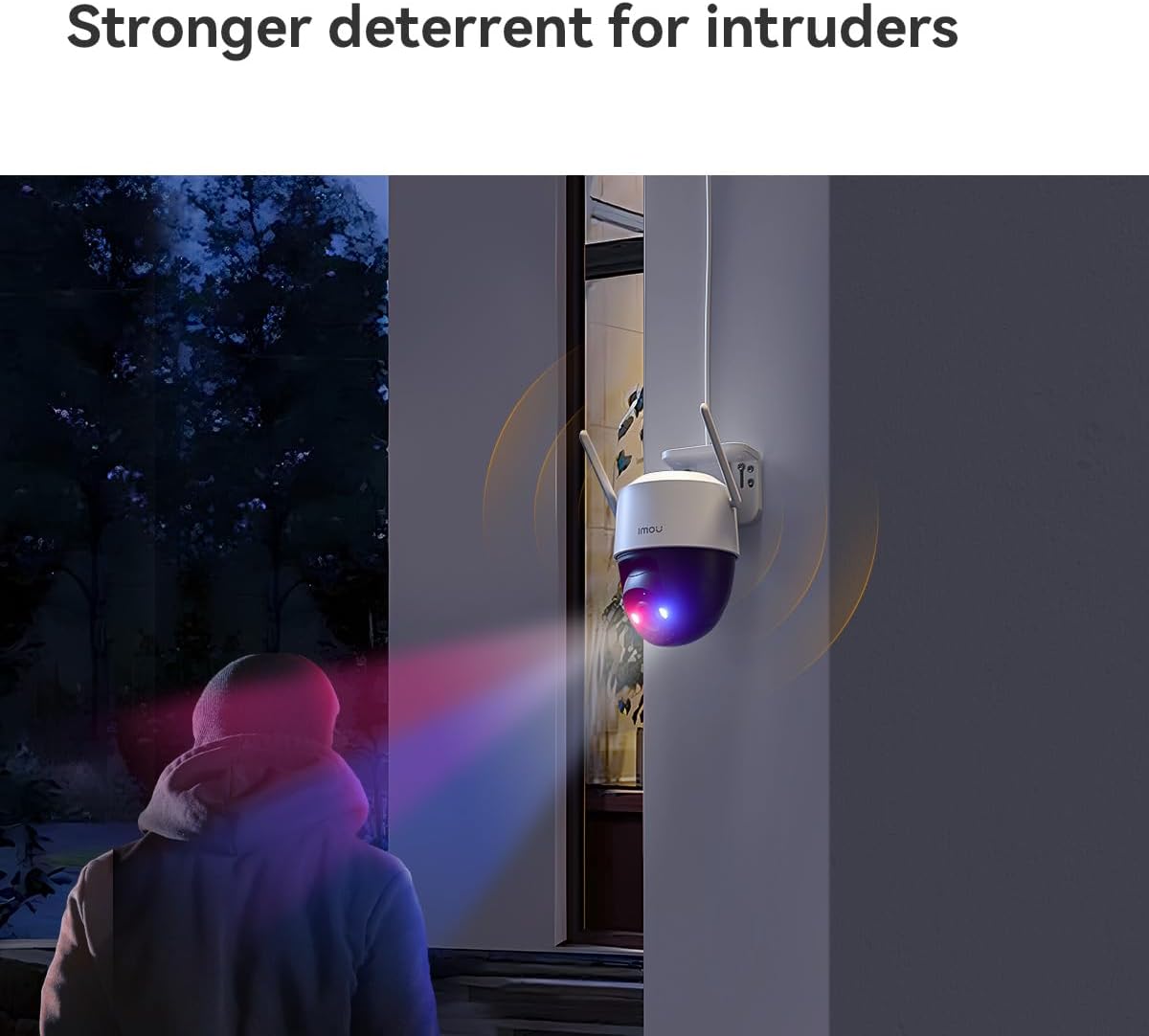
Figur 3.2: The Imou Cruiser Dual 2 camera actively deterring an intruder with its flashing red and blue warning lights.
4. Vedligeholdelse
4.1 Rengøring af kameraet
- Tør regelmæssigt kameralinsen og huset af med en blød klud.amp klud til at fjerne støv og snavs.
- Avoid using harsh chemicals or abrasive cleaners, as these can damage the lens or finish.
4.2 firmwareopdateringer
Ensure your camera's firmware is up to date for optimal performance and security. The Imou Life app will typically notify you of available updates. Follow the in-app instructions to perform firmware upgrades.
4.3 Lagerstyring
If using a Micro SD card for local storage, periodically check its status in the app. Old footage may be overwritten automatically when the card is full. Consider backing up important footage regelmæssigt.
5. Fejlfinding
Almindelige problemer og løsninger:
| Spørgsmål | Mulig løsning |
|---|---|
| Kameraet tænder ikke |
|
| Kan ikke oprette forbindelse til Wi-Fi |
|
| Dårlig billedkvalitet |
|
| Bevægelsesdetektion virker ikke |
|
6. Specifikationer
| Feature | Detalje |
|---|---|
| Model | Cruiser Dual 2 |
| Opløsning | 10 Megapixel (5+5MP Dual Camera) |
| Linse | 3.6 mm |
| Pan/tilt rækkevidde | Pan 0~355°, Tilt 0~90° |
| Nattesyn | IR, Full-color, Smart Mode |
| Forbindelse | Wi-Fi (2.4 GHz) |
| Opbevaringsmuligheder | Micro SD Card, Cloud Storage |
| Dimensioner (L x B x H) | 20.2 x 12.5 x 16 cm |
| Vægt | 680.39 gram (ca. 1.5 lbs) |
| Strømforsyning | DC 12V (adapter included) |
7. Garanti og support
For warranty information, technical support, or further assistance, please refer to the official Imou website or contact Imou customer service directly. Details can typically be found on the product packaging or the Imou Life app's support section.
Online ressourcer: www.imoulife.com


